# Speaker Diarization Server
[](https://opensource.org/licenses/MIT)
[](https://www.python.org/downloads/)
[](https://developer.nvidia.com/cuda-toolkit)
GPU-accelerated speaker diarization, transcription, and emotion recognition with a REST API, WebSocket streaming, and an MCP server for AI agents. Combines pyannote.audio + faster-whisper + emotion2vec into one FastAPI service with persistent speaker identity across conversations.
## Screenshots
Example [Next.js frontend](https://github.com/snailbrainx/speaker_identity_nextjs):
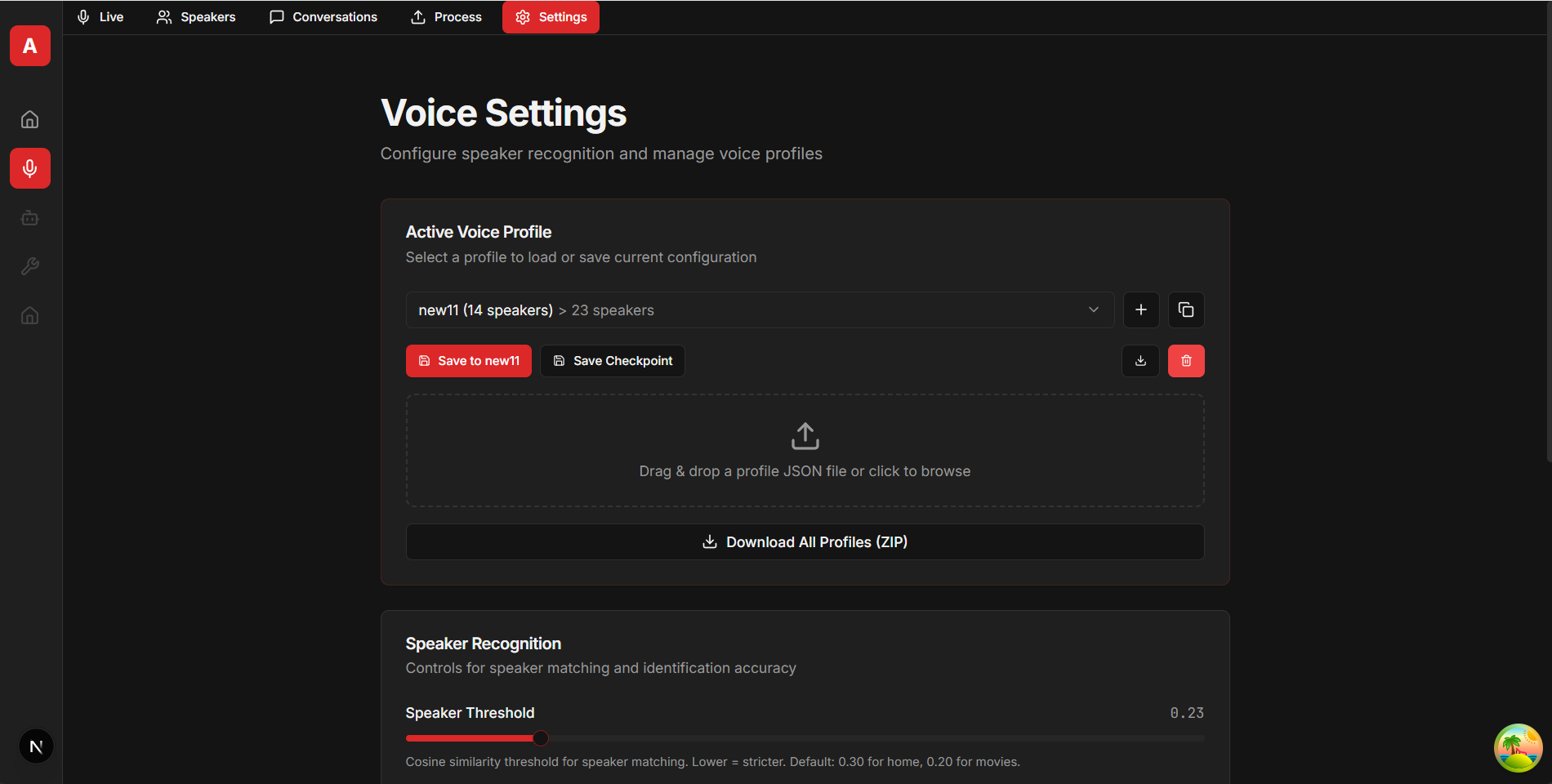
Voice Profile Management |
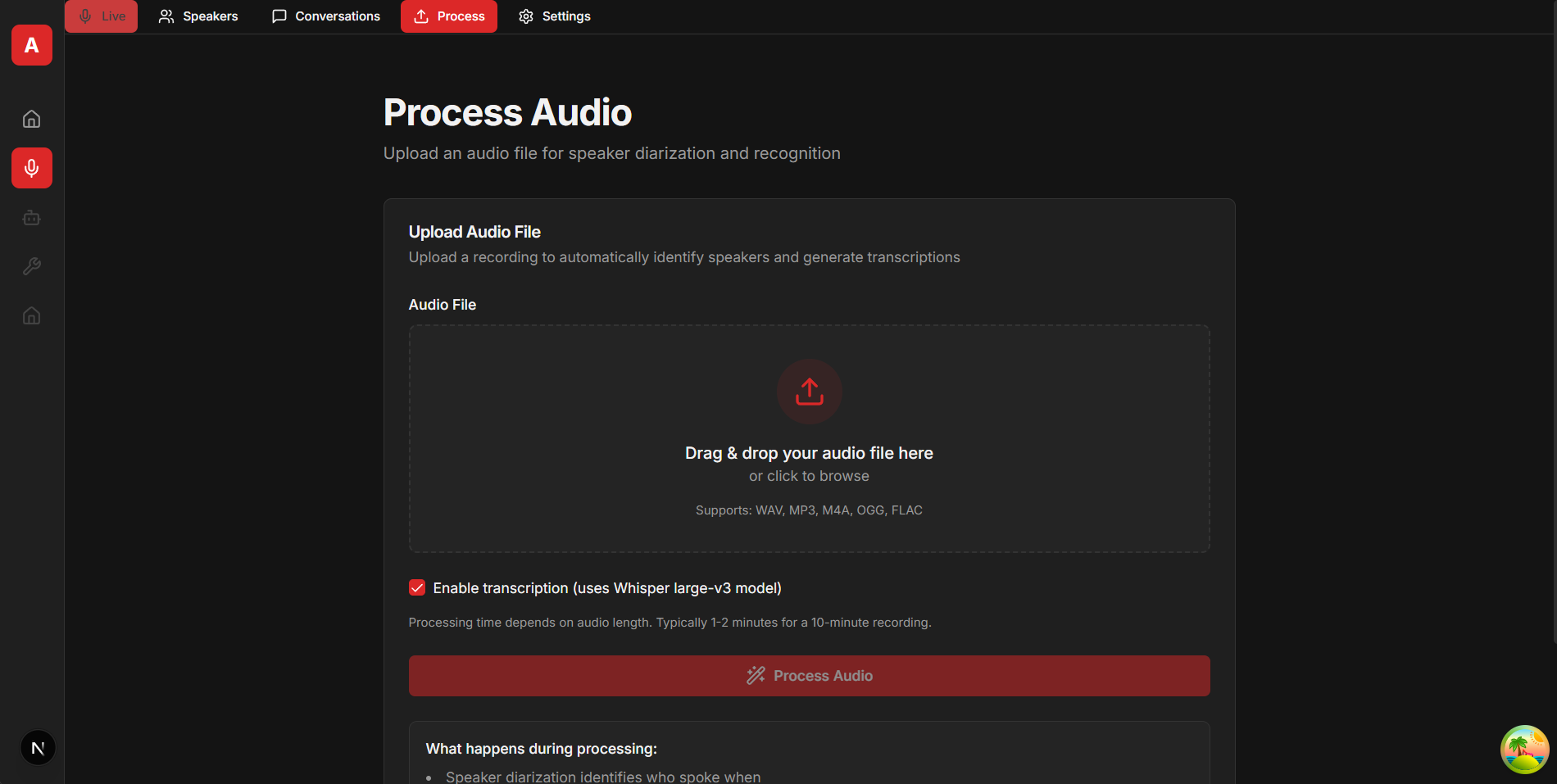
Process Audio |
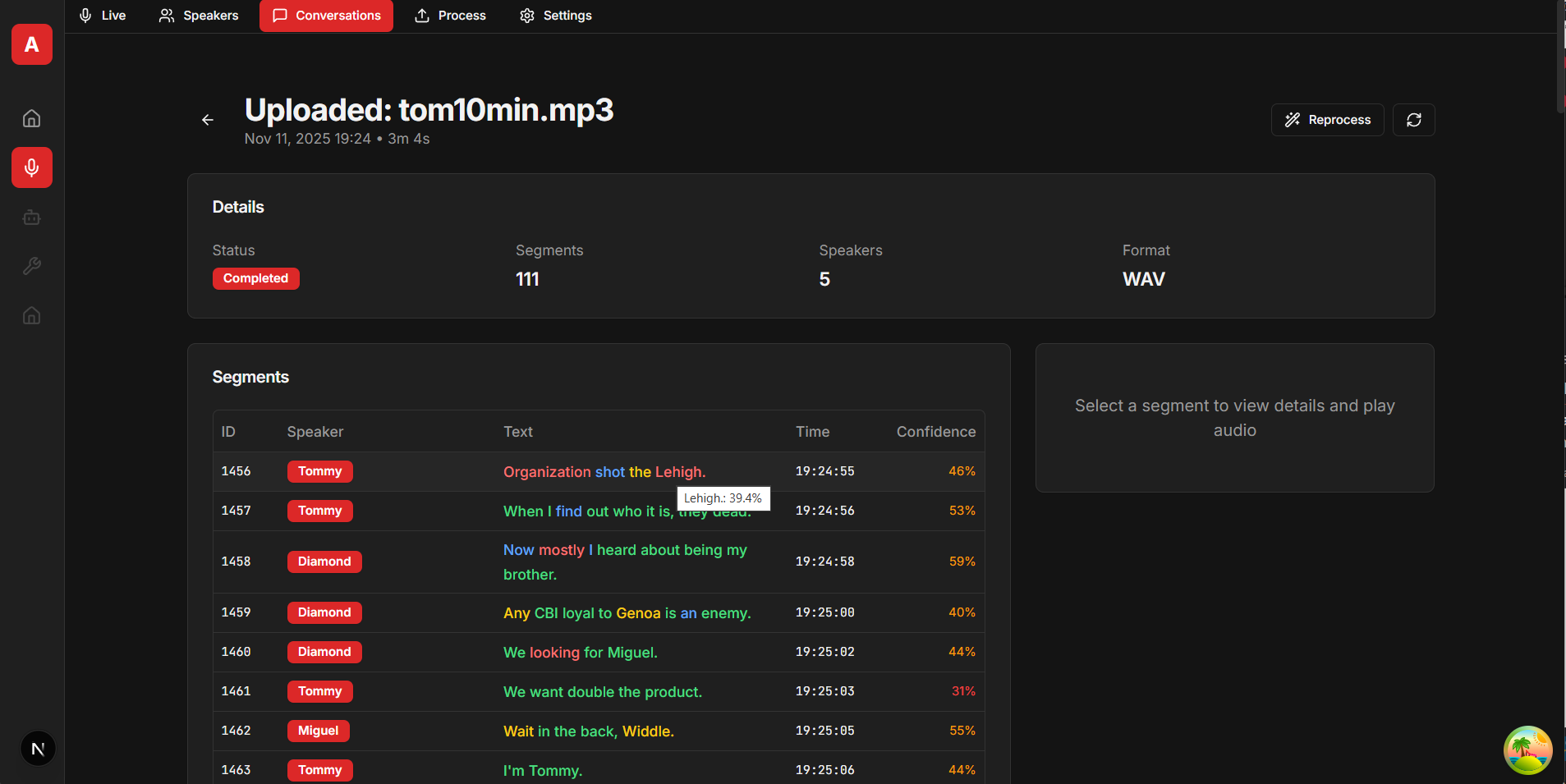
Conversation Detail |
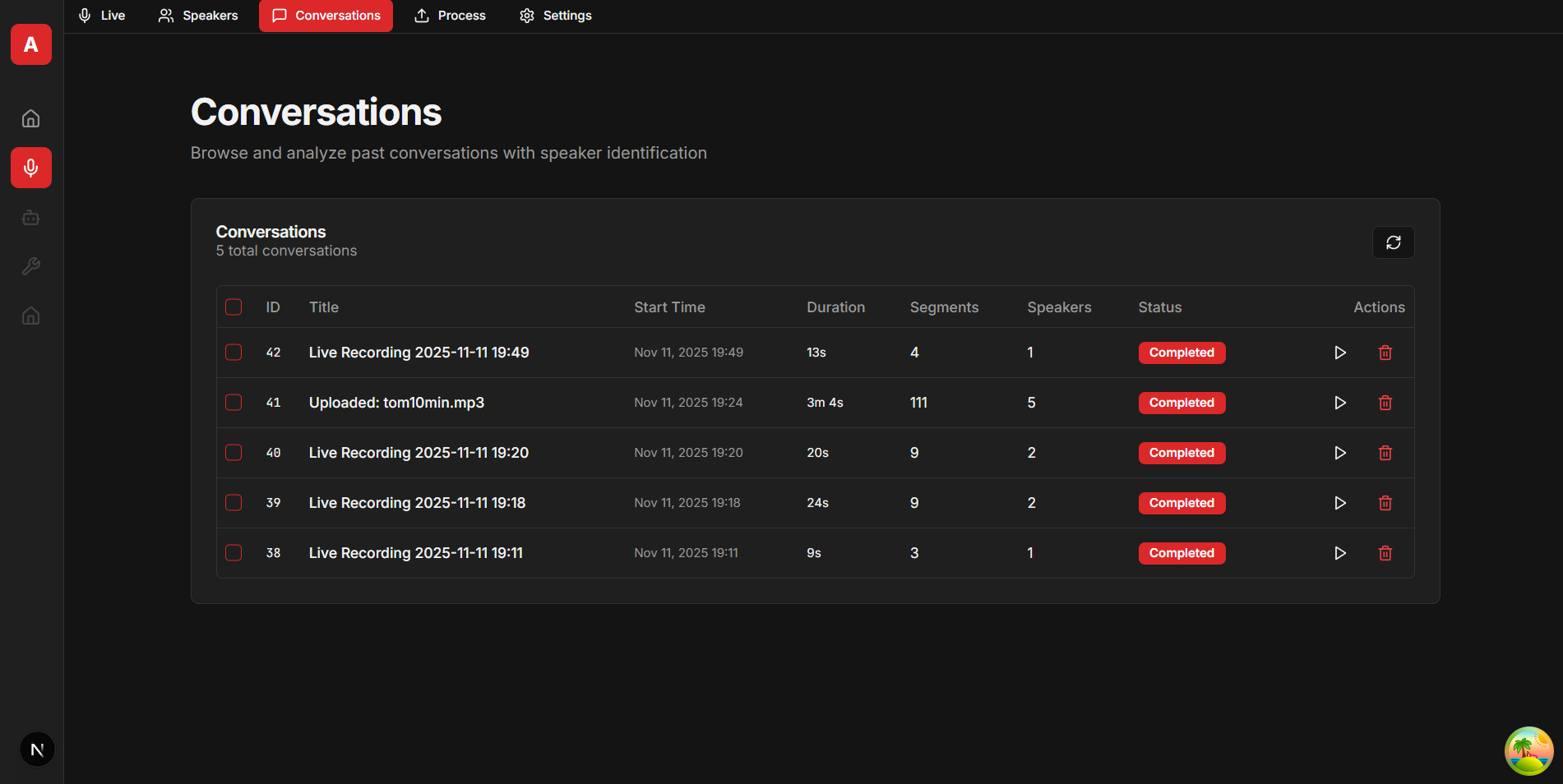
Conversations List |
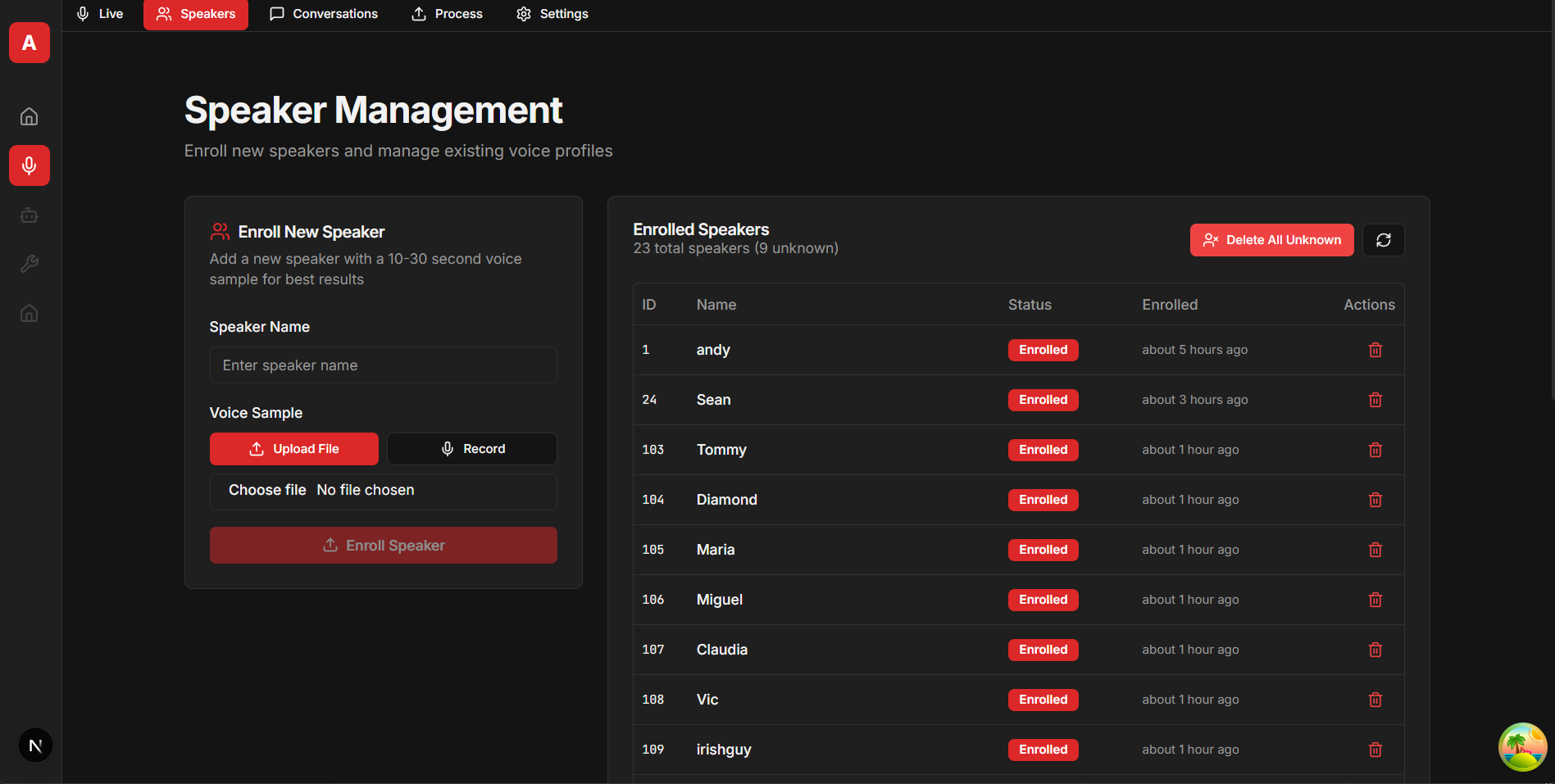
Speaker Management |
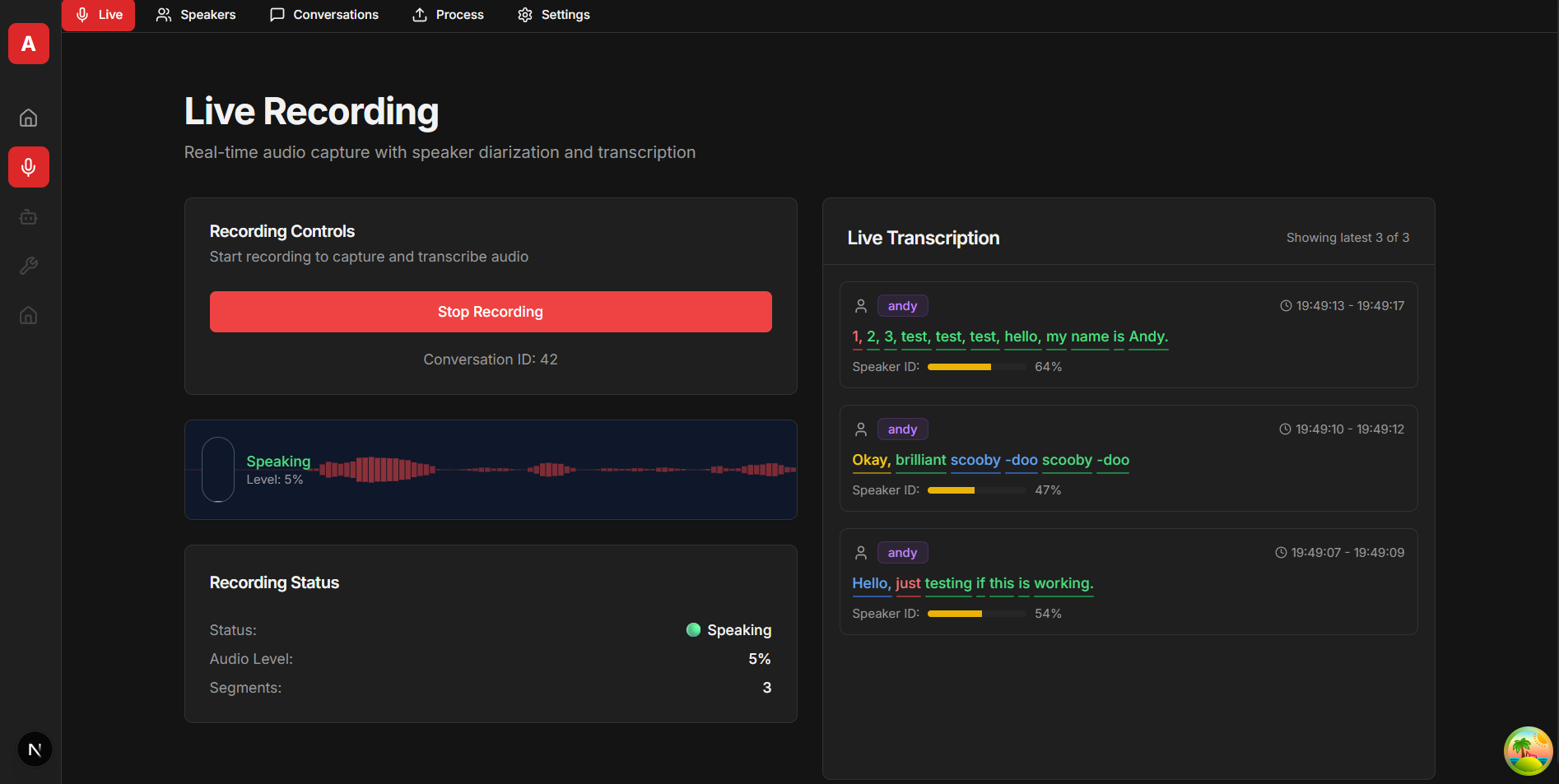
Live Recording |
## Features
- **Persistent speaker identity** — enroll a voice once, recognized across every future recording.
- **Retroactive updates** — identify one segment and every past segment with that voice re-labels automatically.
- **Transcription** — faster-whisper (`large-v3` default, any Whisper variant), word-level timestamps, 99 languages.
- **Dual-detector emotion recognition** — emotion2vec+ (general) combined with per-speaker voice profiles (personalized). 9 categories.
- **Live streaming** — WebSocket audio ingestion with VAD-gated segment flushing.
- **Batch processing** — multi-GPU script for bulk ingest (`run_batch.sh`).
- **REST API** at `/api/v1/*` with interactive Swagger docs at `/docs`.
- **MCP server** at `/mcp` (JSON-RPC 2.0 / HTTP) exposing 11 tools for Claude Desktop, Flowise, or any MCP client.
- **Backup/restore** — export speakers + segments + settings as JSON profiles and checkpoints.
- **SQLite WAL** — handles thousands of conversations with concurrent reads.
## Tech Stack
| Component | Implementation |
|-----------------|-----------------------------------------------------------------------------|
| Diarization | `pyannote/speaker-diarization-community-1` (pyannote.audio 4.0.1) |
| Speaker embed | `pyannote/embedding` (512-D) |
| Transcription | faster-whisper 1.2.1 / CTranslate2, `large-v3` default |
| Emotion | emotion2vec_plus_large via FunASR (1024-D, 9 categories) |
| API | FastAPI 0.115.5 + WebSockets + uvicorn |
| DB | SQLAlchemy 2.0 / SQLite (WAL) |
| ML runtime | PyTorch 2.10 + CUDA 12.8 (Blackwell/RTX 5090 `sm_120` ready) |
| MCP transport | JSON-RPC 2.0 over HTTP (+ optional SSE), no external MCP library |
## Requirements
- **GPU:** NVIDIA with CUDA 12.x. Tested on RTX 3090 (24 GB) and RTX 5090. Runs on 6 GB+ cards if you pick a smaller Whisper model.
- **VRAM ballpark:** 2–3 GB diarization/embedding + 2 GB emotion2vec + Whisper (0.5–4 GB depending on model). `large-v3` + emotion ≈ 8–9 GB total (turbo ≈ 6–7 GB).
- **OS:** Linux (tested on Ubuntu). macOS/Windows via Docker Desktop + WSL2.
- **Other:** ffmpeg, git. Python 3.11 or 3.12 if running outside Docker.
- **HuggingFace token** with pyannote terms accepted (see below).
## Quick Start
### 1. HuggingFace access
Create an account + token at [huggingface.co/settings/tokens](https://huggingface.co/settings/tokens), then accept the terms for:
- [pyannote/speaker-diarization-community-1](https://huggingface.co/pyannote/speaker-diarization-community-1)
- [pyannote/embedding](https://huggingface.co/pyannote/embedding)
### 2. Docker (recommended)
```bash
git clone https://github.com/snailbrainx/speaker-diarization-server.git
cd speaker-diarization-server
cp .env.example .env # then edit .env and set HF_TOKEN
docker compose up --build # first run downloads ~3-5 GB of models
```
### 3. Local development
```bash
sudo apt-get install -y ffmpeg git
python -m venv venv && source venv/bin/activate
pip install -r requirements.txt
cp .env.example .env # edit HF_TOKEN
./run_local.sh
```
### 4. Verify
- Swagger UI: `http://:8418/docs`
- Health: `curl http://:8418/api/v1/status`
- MCP: `http://:8418/mcp`
### Remote access
No built-in auth. Use an SSH tunnel for remote hosts:
```bash
ssh -L 8418:localhost:8418 user@host
```
For network deployments put it behind a reverse proxy (nginx + HTTPS + auth). WebSocket microphone capture in browsers **requires HTTPS/WSS** — place `cert.pem`/`key.pem` in `certs/` and the server starts in HTTPS mode automatically.
## Configuration
All configuration is environment variables (see `.env.example` for the curated list). Everything is optional except `HF_TOKEN`.
### Required
| Variable | Purpose |
|-------------|-------------------------------------------|
| `HF_TOKEN` | HuggingFace token for pyannote model access |
### Storage & networking
| Variable | Default | Purpose |
|------------------|----------------------------------------|----------------------------------------------------------------|
| `DATABASE_URL` | `sqlite:////app/volumes/speakers.db` | SQLAlchemy URL. Defaults assume the Docker volume layout. |
| `DATA_PATH` | `./data` | Root for recordings, stream segments, temp files. |
| `VOLUMES_PATH` | `./volumes` | Root for DB + model cache. |
| `PORT` | `8418` | HTTP/HTTPS port. |
| `CORS_ORIGINS` | *(unset)* | Comma-separated origins. Leave empty for internal-only use. |
| `LOG_LEVEL` | `INFO` | Python logging level. |
### Voice & emotion tuning (also editable at runtime via `/api/v1/settings/voice`)
| Variable | Default | Purpose |
|--------------------------|----------|----------------------------------------------------------------|
| `SPEAKER_THRESHOLD` | `0.30` | Cosine threshold for speaker match. Lower → stricter. |
| `CONTEXT_PADDING` | `0.15` | Seconds of audio added around a segment before embedding. |
| `SILENCE_DURATION` | `0.5` | Streaming: seconds of silence before flushing a segment. |
| `FILTER_HALLUCINATIONS` | `true` | Drop Whisper filler phrases ("thank you.", etc.). |
| `EMOTION_THRESHOLD` | `0.6` | Global emotion-match sensitivity. Higher → stricter. |
### Models
| Variable | Default | Purpose |
|--------------------------------|----------------------------------|-----------------------------------------------------|
| `WHISPER_MODEL` | `large-v3` | Any faster-whisper model ID. See `.env.example`. |
| `WHISPER_LANGUAGE` | `en` | `auto` for 99-language detection, or ISO-639 code. |
| `EMOTION_MODEL` | `iic/emotion2vec_plus_large` | FunASR emotion model ID. |
| `ENABLE_PERSONALIZED_EMOTIONS` | `true` | Use per-speaker voice profiles in emotion matching. |
| `OFFLINE_MODE` | `false` | Force cached models only; never hit the hub. |
### GPU
| Variable | Default | Purpose |
|-----------------------------|---------------|-----------------------------------------------------------------|
| `CUDA_VISIBLE_DEVICES` | *(unset)* | Select physical GPUs. `0`, `0,2`, etc. |
| `CUDA_DEVICE_ORDER` | `PCI_BUS_ID` | Pinned by `run_local.sh` and `docker-compose.yml` so indices match `nvidia-smi` instead of CUDA's "fastest first" reshuffle. |
| `CLEANUP_VRAM_THRESHOLD_GB` | `12` | Only run the VRAM cleanup loop when allocated memory exceeds this. |
## How it Works
```
upload / WS chunk
│
▼
┌─────────────────┐ ┌──────────────────┐
│ Whisper │ │ pyannote │
│ transcription │ │ diarization │ run in parallel
│ (text + words) │ │ (speaker turns) │ (ThreadPoolExecutor)
└────────┬────────┘ └────────┬─────────┘
└────────────┬────────┘
▼
segment alignment by timestamp
│
▼
pyannote embedding (512-D) per segment
│
▼
cosine match vs known speaker profiles
│ │
▼ ▼
known speaker Unknown_NN (auto-enrolled)
│
▼
emotion2vec (1024-D) + optional voice-profile emotion match
│
▼
ConversationSegment → SQLite (WAL)
```
Key behaviors:
- **Parallel Whisper + pyannote** — ~2× faster than sequential.
- **Context padding** — 0.15 s of audio on each side of a segment makes the embedding robust to background noise.
- **Auto-enrollment** — unidentified voices get an `Unknown_N` profile immediately so they accumulate samples. Rename/identify and every past `Unknown_N` segment re-labels.
- **Misidentified-flag** — segments flagged `is_misidentified` are excluded from embedding averaging, keeping profiles clean.
- **Dual-detector emotion** — emotion2vec always runs; if the speaker has ≥ 3 voice samples for an emotion, a voice-profile detector also runs. Best match wins with deterministic tie-break rules.
- **Personalized learning** — user emotion corrections store both the 1024-D emotion embedding and the 512-D voice embedding, merged with weighted averaging into the speaker's profile.
## Emotion Recognition
### Categories (9)
emotion2vec+ large classifies each segment into one of these labels:
`angry` · `disgusted` · `fearful` · `happy` · `neutral` · `other` · `sad` · `surprised` · `unknown`
### Dual-detector decision
Every segment runs the emotion2vec base detector. If the speaker has **≥ 3 user-corrected samples** for any emotion, a second per-speaker voice-profile detector runs in parallel. The two scores are combined:
| Case | Final emotion |
|---------------------------------------------|-----------------------------------|
| Only emotion2vec has a confident match | emotion2vec winner |
| emotion2vec returns `neutral` or `` | `neutral` |
| Both detectors agree | agreed emotion (higher confidence)|
| Detectors disagree | `neutral` (conservative fallback) |
| Voice-profile detector wins (≥ threshold) | profile winner |
The server returns the raw scores from both detectors so clients can override the fallback if they want.
### Personalization flow
1. User uploads audio → segment 7 is labeled `neutral` by emotion2vec with 0.94 confidence.
2. User disagrees, `POST /api/v1/conversations/{id}/segments/7/correct-emotion` with `{"emotion_category": "surprised"}`.
3. Server stores both the **1024-D emotion2vec embedding** and the **512-D pyannote voice embedding** into the speaker's `surprised` profile, averaged with any previous samples (EWMA-style).
4. Once that profile reaches 3 samples, the voice-profile detector activates for this speaker's future segments.
5. When a later segment has similar vocal characteristics, the voice-profile detector returns `surprised` above threshold and wins over the emotion2vec guess.
Corrections also set `emotion_corrected=true` on the segment, so they are kept out of personalization training loops (no feedback contamination).
### Example — dual-detector output
Segment from a laughing 10 s clip with no prior voice profile for this speaker:
```json
{
"text": "Oh my god that is funny. Oh wow. Oh that's brilliant.",
"emotion_category": "neutral",
"emotion_confidence": 0.937,
"detector_breakdown": {
"emotion2vec_detector": { "emotion": "surprised", "confidence": 0.937 },
"voice_profile_detector": null,
"final_decision": {
"emotion": "neutral",
"confidence": 0.937,
"reason": "Disagree: surprised vs neutral",
"voice_profile_available": false
}
}
}
```
emotion2vec said *surprised* but the personalized detector is unavailable (no 3+ samples yet), so the server falls back to `neutral`. After three corrections to `surprised` for this speaker, the profile detector would agree and the final decision flips.
## REST API
Full interactive docs at `/docs` (Swagger UI). The OpenAPI JSON is at `/openapi.json`. Endpoint groups:
- `GET /api/v1/status` — health + GPU.
- `GET/POST /api/v1/speakers`, `PATCH/DELETE /api/v1/speakers/{id}` — speaker CRUD, enroll, rename.
- `GET /api/v1/speakers/{id}/emotion-profiles`, per-emotion thresholds — emotion-profile CRUD.
- `GET/POST /api/v1/conversations`, `PATCH/DELETE /api/v1/conversations/{id}` — conversation CRUD.
- `POST /api/v1/conversations/{id}/reprocess`, `POST /api/v1/conversations/{id}/recalculate-emotions` — re-run pipelines.
- `POST /api/v1/conversations/{id}/segments/{sid}/{identify,correct-emotion}`, `PATCH .../misidentified` — segment corrections.
- `GET /api/v1/conversations/segments/{sid}/audio` — extract segment audio.
- `POST /api/v1/process` — upload and process a whole file.
- `GET/POST /api/v1/settings/voice`, `POST /api/v1/settings/voice/reset` — runtime-tunable voice settings.
- `GET/POST /api/v1/profiles`, checkpoints, download, import, restore — backup/restore.
- `WS /api/v1/streaming/ws` — live audio ingestion.
### Example — upload + process
```bash
curl -X POST http://localhost:8418/api/v1/process \
-F "audio_file=@meeting.wav"
```
Response (trimmed to one segment for readability):
```json
{
"id": 42,
"title": "Uploaded: meeting.wav",
"duration": 137.39,
"status": "completed",
"num_segments": 24,
"num_speakers": 2,
"transcript_segments": [
{
"id": 911,
"conversation_id": 42,
"speaker_id": 17,
"speaker_name": "Unknown_1776798145477718",
"text": "Call me Ishmael. Some years ago, never mind how long precisely...",
"start_offset": 0.05,
"end_offset": 6.71,
"confidence": 1.0,
"emotion_category": "neutral",
"emotion_confidence": 1.0,
"emotion_corrected": false,
"emotion_misidentified": false,
"detector_breakdown": null,
"words": [
{ "word": " Call", "start": 0.05, "end": 0.57, "probability": 0.91 },
{ "word": " me", "start": 0.57, "end": 0.75, "probability": 0.99 },
{ "word": " Ishmael.","start": 0.75, "end": 1.37, "probability": 0.99 }
]
}
]
}
```
Unidentified voices are auto-enrolled as `Unknown_` so they accumulate samples. Rename retroactively:
```bash
# Identify an unknown speaker (retroactively labels every past segment with that voice)
curl -X POST http://localhost:8418/api/v1/conversations/42/segments/911/identify \
-H 'Content-Type: application/json' \
-d '{"speaker_name": "Alice", "enroll": true}'
# Correct an emotion (feeds personalization)
curl -X POST http://localhost:8418/api/v1/conversations/42/segments/911/correct-emotion \
-H 'Content-Type: application/json' \
-d '{"emotion_category": "surprised"}'
```
## MCP Server
JSON-RPC 2.0 over HTTP at `/mcp`. Compatible with Claude Desktop, Flowise, and any client that speaks the spec.
```json
{
"mcpServers": {
"speaker-diarization": {
"url": "http://localhost:8418/mcp",
"transport": "http"
}
}
}
```
Eleven tools: `list_conversations`, `get_conversation`, `get_latest_segments`, `list_speakers`, `rename_speaker`, `delete_speaker`, `delete_all_unknown_speakers`, `identify_speaker_in_segment`, `update_conversation_title`, `reprocess_conversation`, `search_conversations_by_speaker`. All mutations (identify / rename) retroactively update past segments so the AI doesn't have to reconcile identities manually.
## Data Persistence
```
speaker-diarization-server/
├── data/
│ ├── recordings/ # permanent audio (uploads + concatenated streams)
│ ├── stream_segments/ # per-conversation live-segment WAVs
│ └── temp/ # transient
├── volumes/
│ ├── speakers.db # SQLite (WAL)
│ └── huggingface_cache/ # pyannote + Whisper + emotion2vec
└── backups/
├── profile_.json # full speaker + segment + settings snapshot
└── checkpoint__.json # timestamped state capture
```
Docker bind-mounts `./volumes`, `./data`, `./backups`, and `./certs` (read-only) into the container. Nothing else is persisted between runs.
## Troubleshooting
**"HuggingFace token not found"** — confirm `HF_TOKEN` in `.env`, no quotes/spaces, model terms accepted.
**"Unable to load libcudnn_cnn.so.9"** — `run_local.sh` sets `LD_LIBRARY_PATH` automatically. Manual: `pip install nvidia-cudnn-cu12==9.* nvidia-cublas-cu12`.
**Docker permission errors on `data/`, `volumes/`, `backups/`** — the container runs as uid 1000. If your host uid differs, `sudo chown -R 1000:1000 data/ volumes/ backups/` once.
**Docker GPU not visible** — verify `docker run --rm --gpus all nvidia/cuda:12.4.0-base-ubuntu22.04 nvidia-smi` works; if not, reinstall the NVIDIA Container Toolkit.
**Wrong GPU selected** — set `CUDA_VISIBLE_DEVICES` to match the `nvidia-smi` index you want; `CUDA_DEVICE_ORDER=PCI_BUS_ID` is already pinned for you.
**"CUDA out of memory"** — switch `WHISPER_MODEL` to a smaller variant (`small` or `base`) or raise `CLEANUP_VRAM_THRESHOLD_GB` so cleanup runs more often.
**Speaker not recognized** — enroll with 10–30 s of clean audio. Lower `SPEAKER_THRESHOLD` to ~0.20 for challenging audio (movies, music).
**Browser microphone not working** — WebSocket mic capture requires HTTPS. Generate or drop a cert/key into `certs/`.
## License
MIT — see `LICENSE`. All bundled dependencies (pyannote.audio, faster-whisper, FastAPI, PyTorch, SQLAlchemy, Pydantic) are under MIT or BSD. The pyannote **models** require HuggingFace account + token + terms acceptance; the software remains open-source.
## Credits
- [pyannote.audio](https://github.com/pyannote/pyannote-audio) — Hervé Bredin et al.
- [faster-whisper](https://github.com/SYSTRAN/faster-whisper) — SYSTRAN
- [Whisper](https://github.com/openai/whisper) — OpenAI
- [emotion2vec](https://github.com/ddlBoJack/emotion2vec) / [FunASR](https://github.com/modelscope/FunASR) — ACL 2024
- [FastAPI](https://github.com/tiangolo/fastapi) — Sebastián Ramírez
## Planned
- AI-generated conversation summaries and titles on finalize.
- Vector-search over transcripts for semantic conversation lookup.
## Disclaimer
Provided as-is, no warranty. Speaker recognition is probabilistic — verify important identifications manually and obtain consent before recording others. Portions of this codebase were pair-programmed with an AI assistant; review before deploying in critical settings.