# Demos
These demos showcase different complex use-cases for building UIs with Slint.
| Thumbnail | Description | Demo |
| --- | --- | --- |
| [Printer UI ](./printerdemo) | A fictional user interface for the touch screen of a printer.
[Project...](./printerdemo) | [Wasm Demo](https://slint.dev/snapshots/master/demos/printerdemo/) |
| [Energy Meter](./energy-monitor/) | A fictional user interface of a device that monitors energy consumption in a building.
[Project...](./energy-monitor) | [Wasm Demo](https://slint.dev/snapshots/master/demos/energy-monitor/) |
| [Home Automation](./home-automation/) | A fictional user interface of a device that automates the control of a home.
[Project...](./home-automation) | [Wasm Demo](https://slint.dev/snapshots/master/demos/home-automation/) |
| [Weather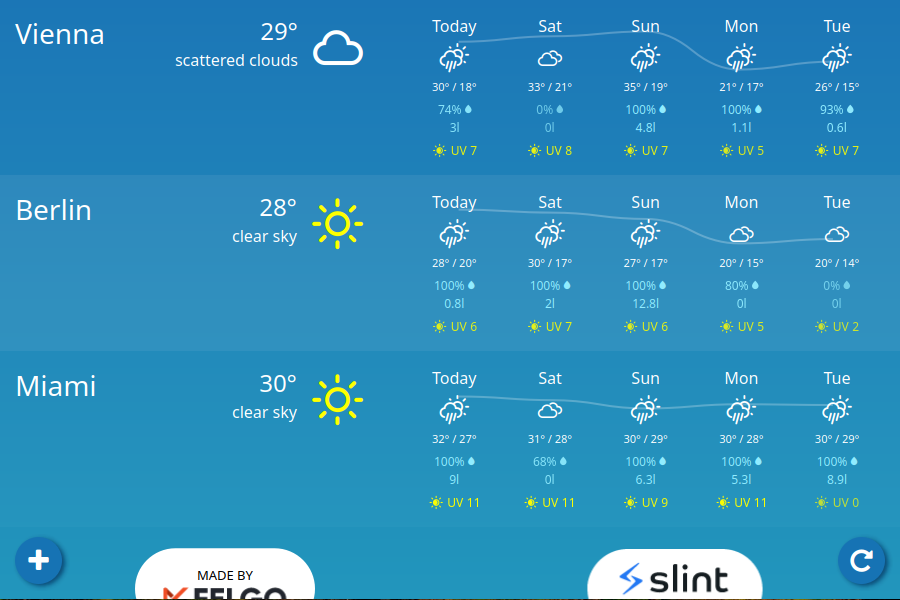](./weather-demo/) | A simple, cross-platform (Desktop, Android, Wasm) weather application using real weather data from the [OpenWeather](https://openweathermap.org/) API.
[Project...](./weather-demo/) | [Wasm Demo](https://slint.dev/snapshots/master/demos/weather-demo/) |
| [Usecases ](./usecases) | Different example use cases in one app.
[Project...](./usecases) | [Wasm Demo](https://slint.dev/snapshots/master/demos/usecases/) |
---
### Running the Rust Demos
You can run the examples either by going into folder or into the rust sub-folder and use `cargo run`, for example:
```sh
cd demos/printerdemo/rust
cargo run --release
```
or you can run them from anywhere in the Cargo workspace by name:
```sh
cargo run --release --bin printerdemo
```
---
### Wasm builds
In order to make the wasm build of the example, you first need to edit the Cargo.toml
files to uncomment the line starting with `#wasm#` (or use the `sed` line bellow)
You can then use wasm-pack (which you may need to obtain with `cargo install wasm-pack`).
This will generate the wasm in the `./pkg` directory, which the `index.html` file will open.
Since wasm files cannot be served from `file://` URL, you need to open a wab server to serve
the content
```sh
cd demos/printerdemo/rust
sed -i "s/^#wasm# //" Cargo.toml
wasm-pack build --release --target web
python3 -m http.server
```
---
### Running the C++ Examples
* **When compiling Slint from sources:** If you follow the [C++ build instructions](/docs/building.md#c-build), this will build the C++
examples as well by default
* **From [installed binary packages](/api/cpp/README.md#binary-packages):** Simply run cmake in one of the example directory containing a CMakeLists.txt
```sh
mkdir build && cd build
cmake -GNinja -DCMAKE_PREFIX_PATH="" ..
cmake --build .
```
---
### Running the Node Examples
You can run the examples by going into the node sub-folder and use [`pnpm`](https://pnpm.io), for example:
```sh
cd demos/printerdemo/node
pnpm install
pnpm start
```