# Browse your entire Notion workspace, not just one database
Markdown based Notion navigating MCP with just a single `ROOT_PAGE` variable, eliminating the need for a token.
- Notion MCP Server: `notion-texonom`
- Notion pages are converted into `text/markdown` mimeType notes.
- Search and retrieve relevant pages based on graph distance, considering parent-child and reference relationships.
A Model Context Protocol (MCP) server for managing and interacting with Notion-based notes. This TypeScript-based server demonstrates MCP concepts by integrating resources, tools, and prompts to interact with Notion pages efficiently.
## Features
### Resources
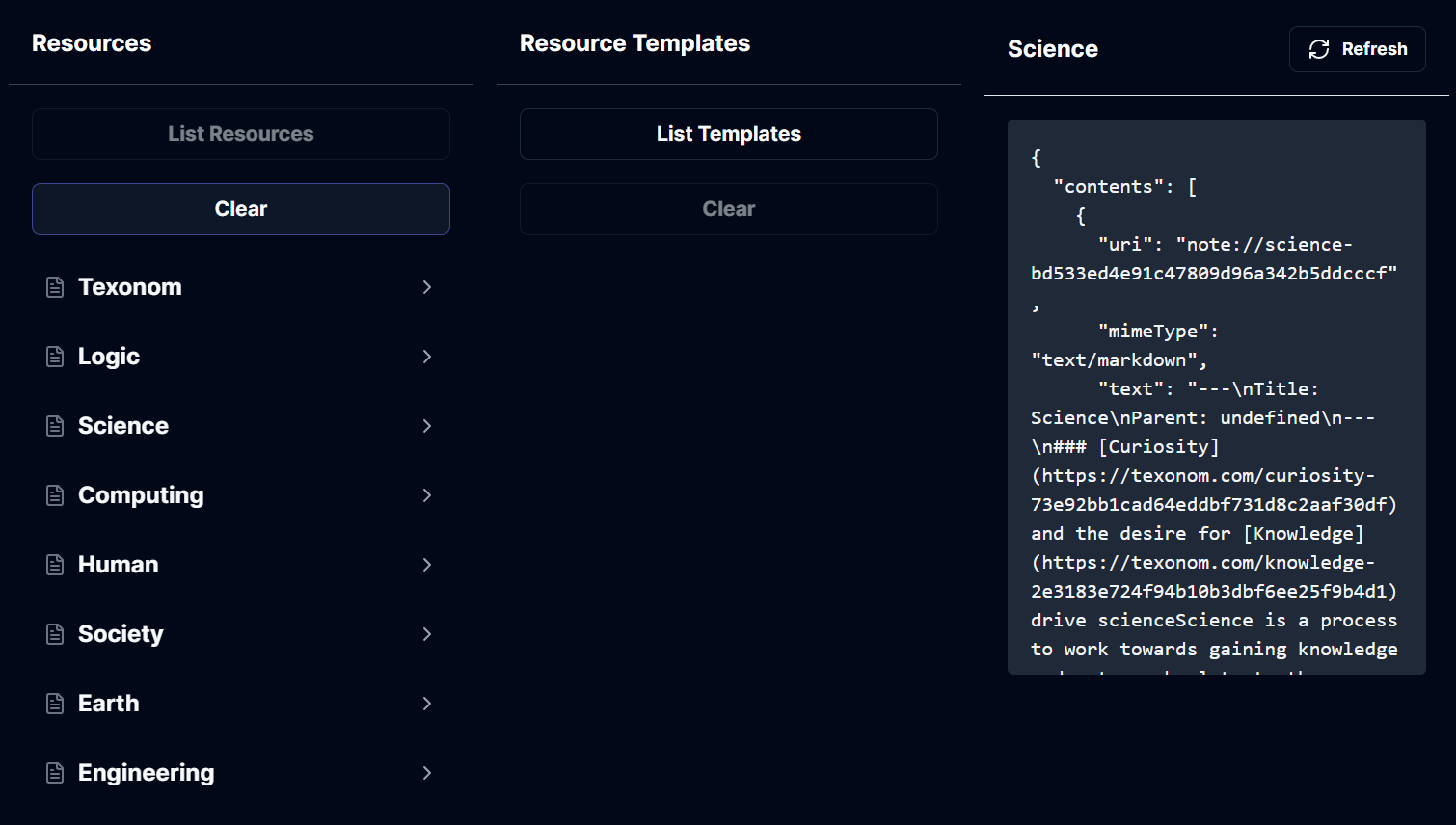 - **Access Notes**: List and retrieve Notion pages as `note://` URIs with UUID slugs.
- **Metadata**: Each resource includes a title, description, and content in Markdown format.
- **Mime Types**: Content is accessible in `text/markdown` format.
### Tools
- **Access Notes**: List and retrieve Notion pages as `note://` URIs with UUID slugs.
- **Metadata**: Each resource includes a title, description, and content in Markdown format.
- **Mime Types**: Content is accessible in `text/markdown` format.
### Tools
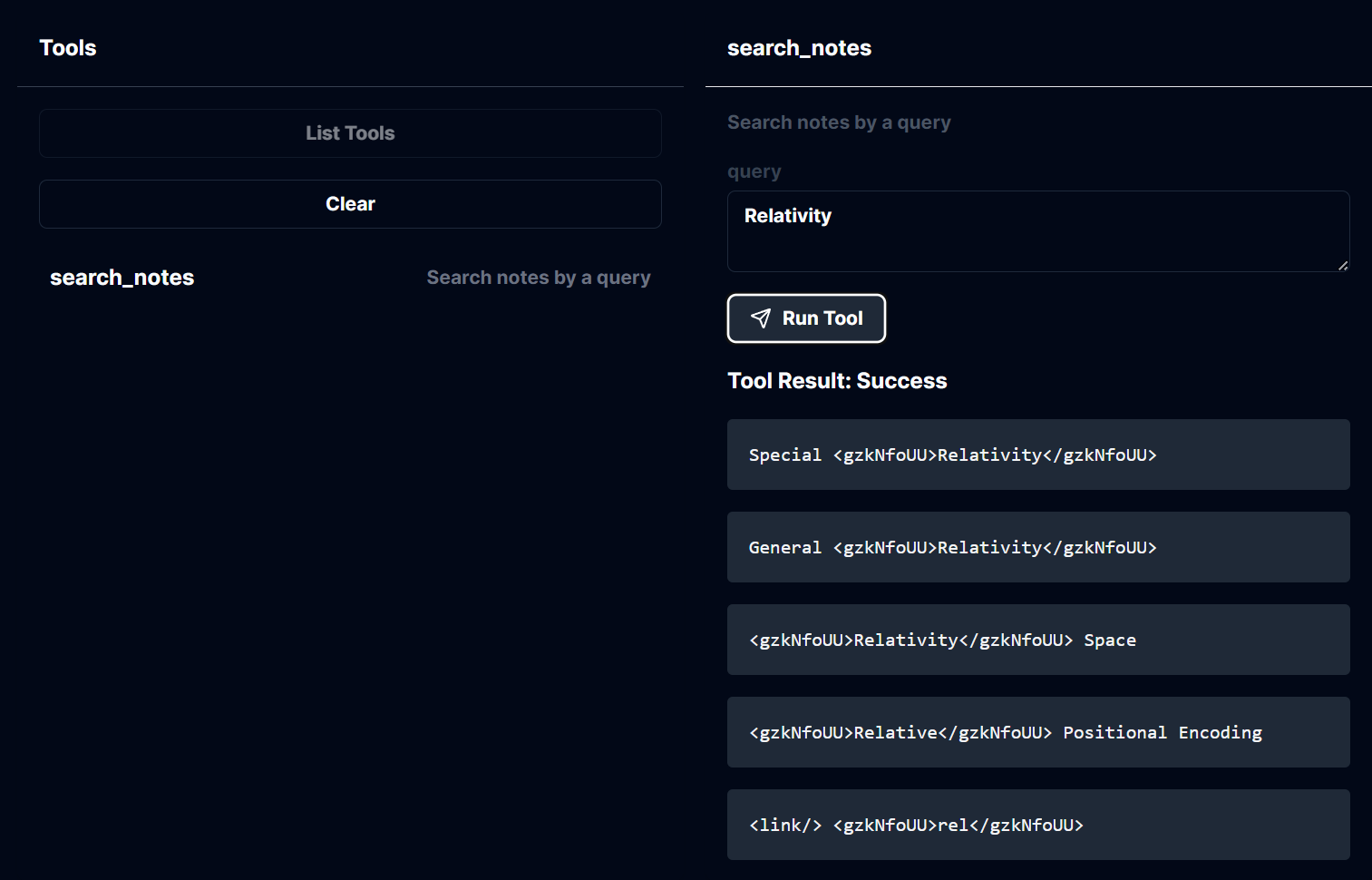 - **Search Notes**: Use the `search_notes` tool to search for Notion pages using a query string.
- Input: Query text to filter relevant pages.
- Output: Markdown content of matching notes.
### Prompts
- **Search Notes**: Use the `search_notes` tool to search for Notion pages using a query string.
- Input: Query text to filter relevant pages.
- Output: Markdown content of matching notes.
### Prompts
 - **Summarize Notes**: Generate summaries for individual Notion pages.
- Available Prompts:
- `summarize_note`: Summarize a specific note by URI.
- `suggest_refactor`: Propose structural improvements.
- `suggest_fix`: Identify potential fixes for note content.
- `suggest_enhance`: Recommend enhancements to improve the note.
- Input: Notion page URI.
- Output: Structured messages for summarization and enhancement.
## Development
### Setup
Install dependencies:
```bash
pnpm install
```
Build the project:
```bash
pnpm build
```
For development with auto-rebuild:
```bash
pnpm watch
```
## Configuration
To configure the server with Notion:
- Set environment variables:
- `ROOT_PAGE`: The root page ID of your Notion workspace.
## Installation for Claude Desktop
To use this server with Claude Desktop, add the configuration:
- MacOS: `~/Library/Application Support/Claude/claude_desktop_config.json`
- Windows: `%APPDATA%/Claude/claude_desktop_config.json`
Example configuration:
```json
{
"mcpServers": {
"notion-texonom": {
"command": "node",
"args": [
"/path/to/mcp/build/index.js"
],
"env": {
"ROOT_PAGE": "$SOME_UUID"
}
}
}
}
```
### Debugging
For troubleshooting and debugging the MCP server, use the MCP Inspector. To start the Inspector, run:
```bash
pnpm inspector
```
The Inspector provides a browser-based interface for inspecting stdio-based server communication.
## Key Technologies
- Notion Integration: Powered by `@texonom/nclient` and `@texonom/cli.`
- MCP SDK: Implements `@modelcontextprotocol/sdk` for server operations.
## Remote Deployment
The server now uses `SSEServerTransport` for remote communication, enabling shared usage of the server. Ensure that the necessary dependencies are installed and the server is configured correctly for remote deployment.
## Usage Instructions
To run the server with `SSEServerTransport`, use the following command:
```bash
npx -y supergateway --port 8000 --stdio "npx -y @modelcontextprotocol/server-filesystem /some/folder"
```
Make sure to replace `/some/folder` with the appropriate path to your folder.
- **Summarize Notes**: Generate summaries for individual Notion pages.
- Available Prompts:
- `summarize_note`: Summarize a specific note by URI.
- `suggest_refactor`: Propose structural improvements.
- `suggest_fix`: Identify potential fixes for note content.
- `suggest_enhance`: Recommend enhancements to improve the note.
- Input: Notion page URI.
- Output: Structured messages for summarization and enhancement.
## Development
### Setup
Install dependencies:
```bash
pnpm install
```
Build the project:
```bash
pnpm build
```
For development with auto-rebuild:
```bash
pnpm watch
```
## Configuration
To configure the server with Notion:
- Set environment variables:
- `ROOT_PAGE`: The root page ID of your Notion workspace.
## Installation for Claude Desktop
To use this server with Claude Desktop, add the configuration:
- MacOS: `~/Library/Application Support/Claude/claude_desktop_config.json`
- Windows: `%APPDATA%/Claude/claude_desktop_config.json`
Example configuration:
```json
{
"mcpServers": {
"notion-texonom": {
"command": "node",
"args": [
"/path/to/mcp/build/index.js"
],
"env": {
"ROOT_PAGE": "$SOME_UUID"
}
}
}
}
```
### Debugging
For troubleshooting and debugging the MCP server, use the MCP Inspector. To start the Inspector, run:
```bash
pnpm inspector
```
The Inspector provides a browser-based interface for inspecting stdio-based server communication.
## Key Technologies
- Notion Integration: Powered by `@texonom/nclient` and `@texonom/cli.`
- MCP SDK: Implements `@modelcontextprotocol/sdk` for server operations.
## Remote Deployment
The server now uses `SSEServerTransport` for remote communication, enabling shared usage of the server. Ensure that the necessary dependencies are installed and the server is configured correctly for remote deployment.
## Usage Instructions
To run the server with `SSEServerTransport`, use the following command:
```bash
npx -y supergateway --port 8000 --stdio "npx -y @modelcontextprotocol/server-filesystem /some/folder"
```
Make sure to replace `/some/folder` with the appropriate path to your folder.