<div align="center">
  <img src="https://raw.githubusercontent.com/ReviewStage/stage-cli/main/assets/stage-mark.svg" alt="Stage" height="80">
  <h1>Stage</h1>
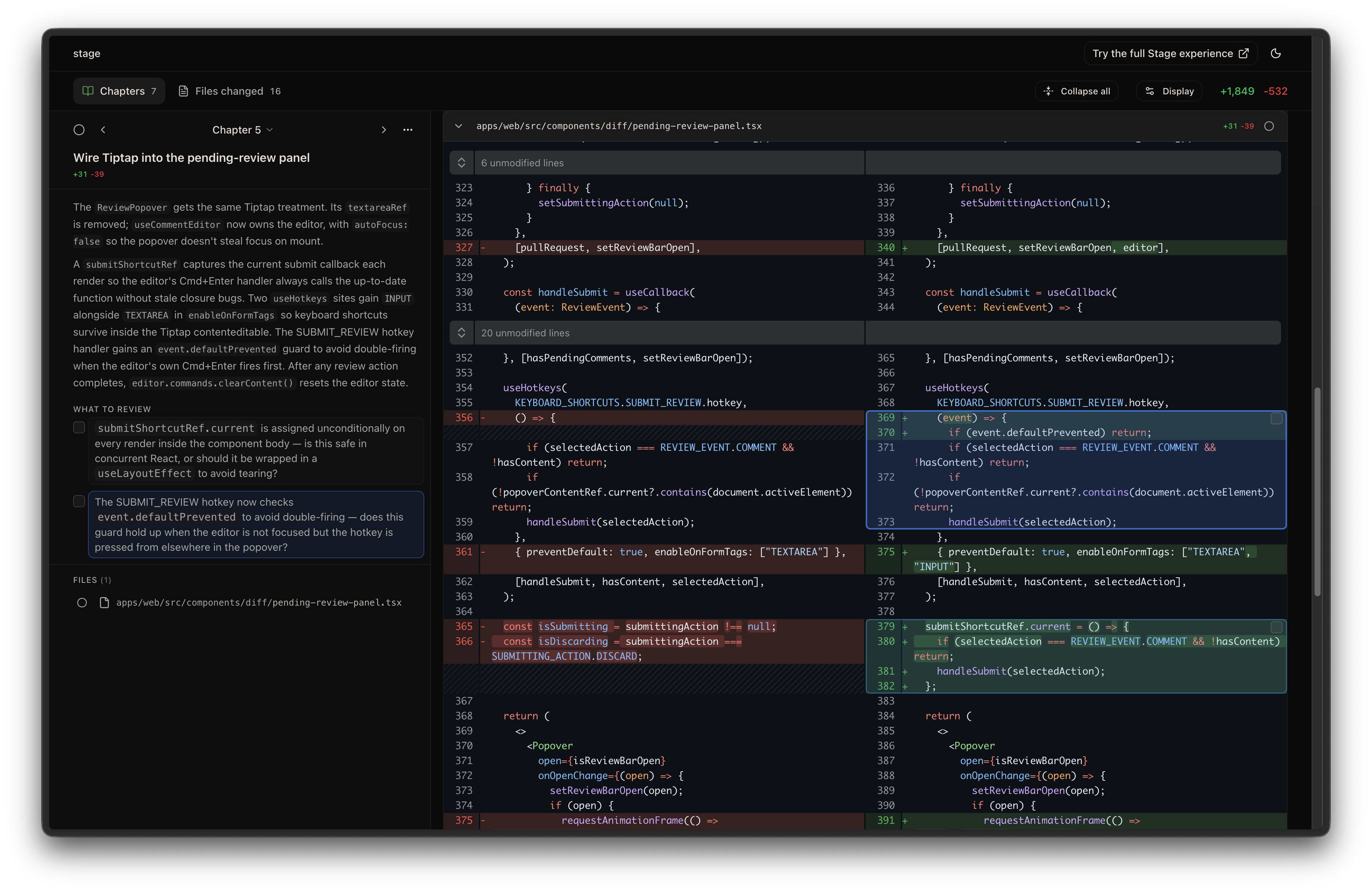
  <p>A code review tool that organizes local code changes into logical chapters and points out what to review before you dive into the code.</p>
  <p>If you like this, try out the full Stage experience on our website below!</p>
</div>

<p align="center">
  <a href="https://stagereview.app">Website</a>
  &nbsp;&nbsp;•&nbsp;&nbsp;
  <a href="https://stagereview.app/explore">Examples</a>
  &nbsp;&nbsp;•&nbsp;&nbsp;
  <a href="https://stagereview.app/blog">Blog</a>
  &nbsp;&nbsp;•&nbsp;&nbsp;
  <a href="https://x.com/StageReviewApp">Twitter</a>
  &nbsp;&nbsp;•&nbsp;&nbsp;
  <a href="https://discord.gg/kfEa6a4wTp">Discord</a>
  &nbsp;&nbsp;•&nbsp;&nbsp;
  <a href="https://stagereview.app/about">About Us</a>
</p>

<p align="center">
  <a href="https://www.npmjs.com/package/stagereview"><img src="https://img.shields.io/npm/v/stagereview.svg" alt="npm version"></a>
  <a href="https://www.npmjs.com/package/stagereview"><img src="https://img.shields.io/npm/dm/stagereview.svg" alt="npm downloads"></a>
  <a href="https://github.com/ReviewStage/stage-cli/blob/main/LICENSE"><img src="https://img.shields.io/npm/l/stagereview.svg" alt="license"></a>
</p>

## Install

```bash
npm install -g stagereview
```

Then add the skill to your agent:

```bash
npx skills add ReviewStage/stage-cli
```

## Uninstall

```bash
npx skills remove ReviewStage/stage-cli
npm uninstall -g stagereview
```

## Usage

In your AI agent, run:

```
/stage-chapters
```

This organizes your local changes into reviewable chapters and opens a browser UI. Everything happens on your machine.

### Options

| Flag | Description |
|------|-------------|
| `--base <ref>` | Base ref to diff against (default: auto-detect main/master) |
| `--compare <ref>` | Compare ref to diff against `--base` |
| `--ref <mode>` | Diff scope: `work` (staged + unstaged + untracked), `staged`, or `unstaged` (default: auto-detect) |
| `--pr <number-or-url>` | Review a GitHub pull request by number or URL (requires `gh`) |

Examples:

```bash
# Review only staged changes
/stage-chapters --ref staged

# Diff against a specific branch
/stage-chapters --base feature-a

# Compare two branches
/stage-chapters main feature
/stage-chapters main..feature
/stage-chapters --base main --compare feature

# Review a teammate's PR by number or URL
/stage-chapters --pr 123
/stage-chapters --pr https://github.com/owner/repo/pull/123
```

### `.stageignore`

Add a `.stageignore` file to your repo root to exclude files from the diff analysis. Uses `.gitignore`-style patterns, one per line:

```
# Build artifacts
build/**
dist/**

# Generated code
*.generated.ts

# But keep this one
!dist/important.js
```

Ignored files still appear in the "Other changes" chapter so nothing is silently hidden. Comments (`#`), blank lines, and negation patterns (`!`) are supported — last matching pattern wins.

<img width="1840" height="1196" alt="Stage CLI" src="https://raw.githubusercontent.com/ReviewStage/stage-cli/main/assets/screenshot.png" />

## License

[MIT](LICENSE)