# rails-mcp
> **Setting this up?** Point your coding agent (Cursor, Claude Code, etc.) at [`llms.txt`](./llms.txt) and ask it to self-configure rails-mcp in your project.
A Ruby gem that provides AI assistants with ruby code execution capabilities within the context of existing running application server. Think of it giving AI assistant lighting-speed access to ruby console without the need to write script, reload or restart.
Works with Rails, Sinatra, Hanami, Roda, and any other Rack-based framework. The code is executed in your application's context for debugging and investigation.
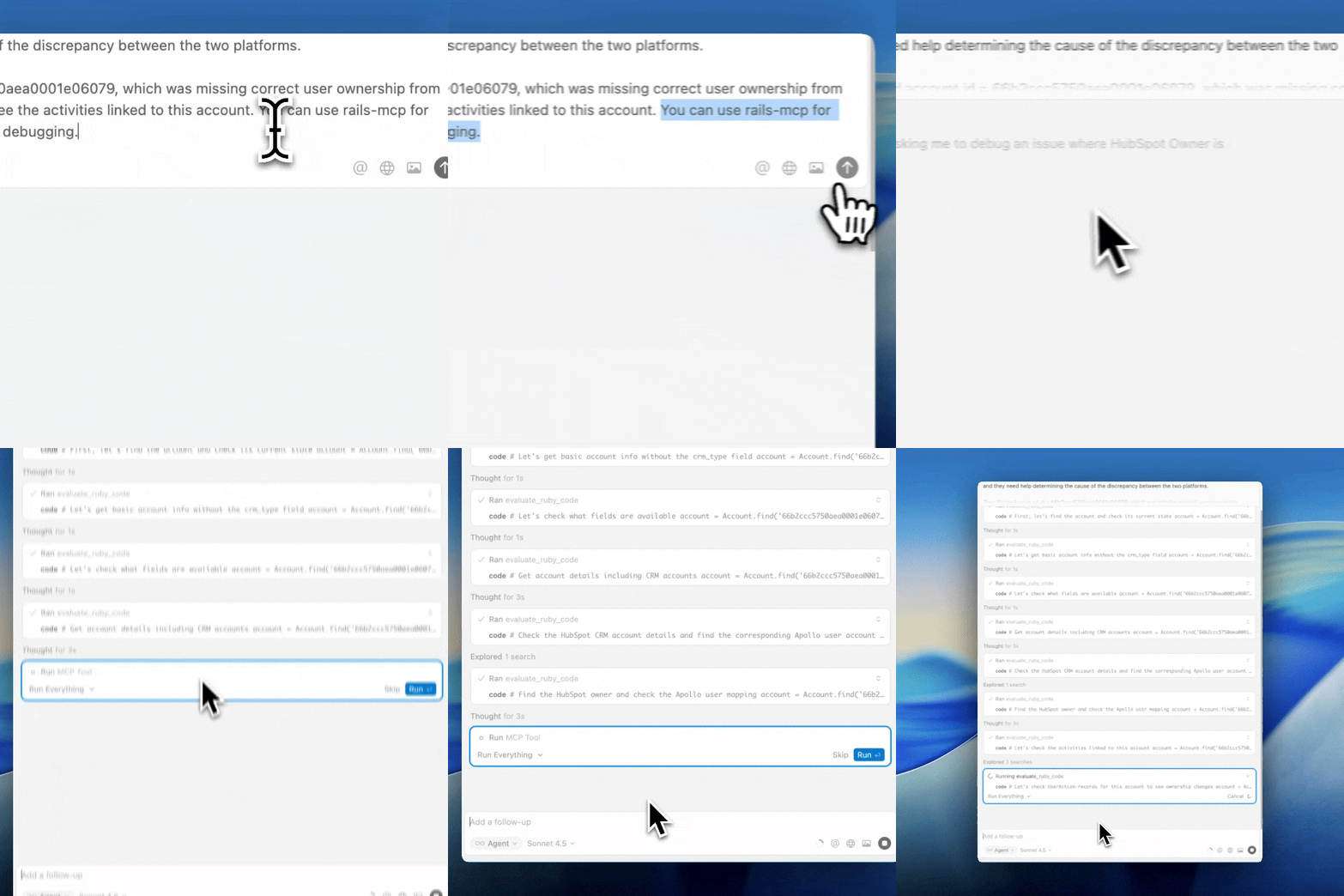 YouTube Link
## Used at
YouTube Link
## Used at
 Used at Apollo.io against a Rails codebase with 20k+ Ruby files.
## Use cases
1. Learn a new codebase or code areas quickly. With your AI client and a running server, you can ask it to research while executing snippets from your actual application code. It effectively acts as an in-loop code-verification block.
2. Perform quick, preliminary investigations of customer escalations using a read-only copy of the production environment. It can execute your application code, locate models, and run relevant class methods or code paths from the codebase to do preliminary root-cause analysis (RCA). Even better if your application uses an event-sourcing framework (i.e., change logs). The AI client, together with the code-execution capabilities via rails-mcp, can deliver fast preliminary RCAs.
3. Use it for quick data analytics and export reports as CSV.
## Installation
Add this line to your application's Gemfile:
```ruby
gem "rails-mcp"
```
Or install locally for development:
```bash
bundle install
```
## Usage
### Mounting the MCP Server
**Rails** (`config/routes.rb`):
```ruby
require "rails_mcp/mcp/server"
Rails.application.routes.draw do
mount RailsMcp::MCP::Server.new => "/mcp"
end
```
**Rack** (`config.ru`):
```ruby
require "rails_mcp"
require "rails_mcp/mcp/server"
map "/mcp" do
run RailsMcp::MCP::Server.new
end
```
**Sinatra**:
```ruby
require "rails_mcp/mcp/server"
mount RailsMcp::MCP::Server.new, at: "/mcp"
```
### Starting the Server
```bash
# Standalone with Rackup
bundle exec rackup -p 9292
# With Rails
bundle exec rails server
```
### Environment-scoped mounting
This gem ships without authentication — the MCP endpoint will accept any request that reaches it. You are responsible for ensuring it is only mounted where appropriate. A typical Rails setup gates it on environment:
```ruby
Rails.application.routes.draw do
mount RailsMcp::MCP::Server.new => "/mcp" if Rails.env.development?
end
```
For staging or production access, combine that with network-level restrictions (firewall, VPC, SSH port-forward, VPN) so the endpoint is never reachable from the open internet.
## MCP Protocol
### Endpoint
The MCP server exposes a single JSON-RPC endpoint:
- **POST /mcp/rpc** - JSON-RPC request and response
### Available Tools
**evaluate_ruby_code**
- Description: Evaluates Ruby code and returns the result with captured stdout/stderr
- Parameters:
- `code` (string, required): Ruby code to execute
## Connecting AI Assistants
### Cursor/ Claude Desktop
Add to your MCP client configuration (`.cursor/mcp.json` for Cursor or `claude_desktop_config.json` for Claude Desktop):
```json
{
"mcpServers": {
"rails-mcp": {
"url": "http://localhost:3001/mcp/rpc"
}
}
}
```
For Claude Code, add it from the command line:
```bash
claude mcp add rails-mcp --transport http http://localhost:3001/mcp/rpc
```

### Other MCP Clients
Any MCP-compatible client can connect to the server by making JSON-RPC requests to the `/mcp/rpc` endpoint.
Example with curl:
```bash
curl -X POST "http://localhost:3001/mcp/rpc" \
-H "Content-Type: application/json" \
-d '{
"jsonrpc": "2.0",
"id": 1,
"method": "tools/list"
}'
```
## Optional: Client Verification
If you want a second layer of defense beyond environment-scoped mounting and network gating, enable client verification when constructing the server. When enabled, every request must carry an `X-Rails-Mcp-Token` header whose value matches `ENV["RAILS_MCP_TOKEN"]` (minimum 8 characters); otherwise the server responds `401 Unauthorized`.
This deliberately uses a custom header (not `Authorization: Bearer`) and returns no `WWW-Authenticate` so it stays off the standard MCP/OAuth code path — important when the host Rails app already exposes a separate, product-facing MCP server with DCR / well-known discovery.
```ruby
mount RailsMcp::MCP::Server.new(use_client_verification: true) => "/mcp"
```
Set the token in the host environment:
```bash
export RAILS_MCP_TOKEN=""
```
Claude Code:
```bash
claude mcp add rails-mcp --transport http \
--header "X-Rails-Mcp-Token: $RAILS_MCP_TOKEN" \
http://localhost:3001/mcp/rpc
```
Cursor (`.cursor/mcp.json`):
```json
{
"mcpServers": {
"rails-mcp": {
"url": "http://localhost:3001/mcp/rpc",
"headers": {
"X-Rails-Mcp-Token": ""
}
}
}
}
```
## Testing
Run the test suite:
```bash
bundle exec rspec
```
## Security Warning
⚠️ **This gem executes arbitrary Ruby code.**
**Important security considerations:**
- **No built-in authentication.** Gate the mount on environment (e.g., `if Rails.env.development?`) so the endpoint isn't exposed in production by accident
- Only use in development environments or secure, isolated production environments
- Rely on network-level restrictions (firewall, VPC, SSH port-forward, VPN) to limit access
- Consider running in a sandboxed or containerized environment
- Monitor and log all code execution requests
## Concurrency Note
This gem uses global `$stdout/$stderr` redirection during evaluation, which can clash in multi-threaded servers. For production use with concurrency, consider:
- Running in a single worker/thread mode
- Isolating evaluation per request (e.g., via `fork`)
- Using a dedicated job worker for code execution
## License
MIT License - see LICENSE file for details.
Used at Apollo.io against a Rails codebase with 20k+ Ruby files.
## Use cases
1. Learn a new codebase or code areas quickly. With your AI client and a running server, you can ask it to research while executing snippets from your actual application code. It effectively acts as an in-loop code-verification block.
2. Perform quick, preliminary investigations of customer escalations using a read-only copy of the production environment. It can execute your application code, locate models, and run relevant class methods or code paths from the codebase to do preliminary root-cause analysis (RCA). Even better if your application uses an event-sourcing framework (i.e., change logs). The AI client, together with the code-execution capabilities via rails-mcp, can deliver fast preliminary RCAs.
3. Use it for quick data analytics and export reports as CSV.
## Installation
Add this line to your application's Gemfile:
```ruby
gem "rails-mcp"
```
Or install locally for development:
```bash
bundle install
```
## Usage
### Mounting the MCP Server
**Rails** (`config/routes.rb`):
```ruby
require "rails_mcp/mcp/server"
Rails.application.routes.draw do
mount RailsMcp::MCP::Server.new => "/mcp"
end
```
**Rack** (`config.ru`):
```ruby
require "rails_mcp"
require "rails_mcp/mcp/server"
map "/mcp" do
run RailsMcp::MCP::Server.new
end
```
**Sinatra**:
```ruby
require "rails_mcp/mcp/server"
mount RailsMcp::MCP::Server.new, at: "/mcp"
```
### Starting the Server
```bash
# Standalone with Rackup
bundle exec rackup -p 9292
# With Rails
bundle exec rails server
```
### Environment-scoped mounting
This gem ships without authentication — the MCP endpoint will accept any request that reaches it. You are responsible for ensuring it is only mounted where appropriate. A typical Rails setup gates it on environment:
```ruby
Rails.application.routes.draw do
mount RailsMcp::MCP::Server.new => "/mcp" if Rails.env.development?
end
```
For staging or production access, combine that with network-level restrictions (firewall, VPC, SSH port-forward, VPN) so the endpoint is never reachable from the open internet.
## MCP Protocol
### Endpoint
The MCP server exposes a single JSON-RPC endpoint:
- **POST /mcp/rpc** - JSON-RPC request and response
### Available Tools
**evaluate_ruby_code**
- Description: Evaluates Ruby code and returns the result with captured stdout/stderr
- Parameters:
- `code` (string, required): Ruby code to execute
## Connecting AI Assistants
### Cursor/ Claude Desktop
Add to your MCP client configuration (`.cursor/mcp.json` for Cursor or `claude_desktop_config.json` for Claude Desktop):
```json
{
"mcpServers": {
"rails-mcp": {
"url": "http://localhost:3001/mcp/rpc"
}
}
}
```
For Claude Code, add it from the command line:
```bash
claude mcp add rails-mcp --transport http http://localhost:3001/mcp/rpc
```

### Other MCP Clients
Any MCP-compatible client can connect to the server by making JSON-RPC requests to the `/mcp/rpc` endpoint.
Example with curl:
```bash
curl -X POST "http://localhost:3001/mcp/rpc" \
-H "Content-Type: application/json" \
-d '{
"jsonrpc": "2.0",
"id": 1,
"method": "tools/list"
}'
```
## Optional: Client Verification
If you want a second layer of defense beyond environment-scoped mounting and network gating, enable client verification when constructing the server. When enabled, every request must carry an `X-Rails-Mcp-Token` header whose value matches `ENV["RAILS_MCP_TOKEN"]` (minimum 8 characters); otherwise the server responds `401 Unauthorized`.
This deliberately uses a custom header (not `Authorization: Bearer`) and returns no `WWW-Authenticate` so it stays off the standard MCP/OAuth code path — important when the host Rails app already exposes a separate, product-facing MCP server with DCR / well-known discovery.
```ruby
mount RailsMcp::MCP::Server.new(use_client_verification: true) => "/mcp"
```
Set the token in the host environment:
```bash
export RAILS_MCP_TOKEN=""
```
Claude Code:
```bash
claude mcp add rails-mcp --transport http \
--header "X-Rails-Mcp-Token: $RAILS_MCP_TOKEN" \
http://localhost:3001/mcp/rpc
```
Cursor (`.cursor/mcp.json`):
```json
{
"mcpServers": {
"rails-mcp": {
"url": "http://localhost:3001/mcp/rpc",
"headers": {
"X-Rails-Mcp-Token": ""
}
}
}
}
```
## Testing
Run the test suite:
```bash
bundle exec rspec
```
## Security Warning
⚠️ **This gem executes arbitrary Ruby code.**
**Important security considerations:**
- **No built-in authentication.** Gate the mount on environment (e.g., `if Rails.env.development?`) so the endpoint isn't exposed in production by accident
- Only use in development environments or secure, isolated production environments
- Rely on network-level restrictions (firewall, VPC, SSH port-forward, VPN) to limit access
- Consider running in a sandboxed or containerized environment
- Monitor and log all code execution requests
## Concurrency Note
This gem uses global `$stdout/$stderr` redirection during evaluation, which can clash in multi-threaded servers. For production use with concurrency, consider:
- Running in a single worker/thread mode
- Isolating evaluation per request (e.g., via `fork`)
- Using a dedicated job worker for code execution
## License
MIT License - see LICENSE file for details.