﻿<div align="center">

   [![C++](https://img.shields.io/badge/Language-C%2B%2B-%23f34b7d.svg?style=plastic)](https://en.wikipedia.org/wiki/C%2B%2B)
   [![LOL](https://img.shields.io/badge/Game-League%20of%20Legends-445fa5.svg?style=plastic)](https://na.leagueoflegends.com)

   [![Windows](https://img.shields.io/badge/Platform-Windows-0078d7.svg?style=plastic)](https://en.wikipedia.org/wiki/Microsoft_Windows)
   [![x64](https://img.shields.io/badge/Arch-x64-red.svg?style=plastic)](https://en.wikipedia.org/wiki/X86-64)
   [![License](https://img.shields.io/github/license/R3nzTheCodeGOD/R3nzSkin.svg?style=plastic)](LICENSE)
   [![Issues](https://img.shields.io/github/issues/R3nzTheCodeGOD/R3nzSkin.svg?style=plastic)](https://github.com/R3nzTheCodeGOD/R3nzSkin/issues)

   ![Windows](https://github.com/R3nzTheCodeGOD/R3nzSkin/workflows/Windows/badge.svg?branch=main&event=push)

   # **R3nzSkin**

   ## Announcement
   R3nzSkin is **no longer supported** due to Riot Games implementing <a href="https://support-leagueoflegends.riotgames.com/hc/en-us/articles/24169857932435-Riot-Vanguard-League-of-Legends-">Valorant's Vanguard anti-cheat to League of Legends</a>

   <img src="https://user-images.githubusercontent.com/58574988/134170370-c827d712-fcc7-432f-b9f8-96678b0c9bf6.gif">

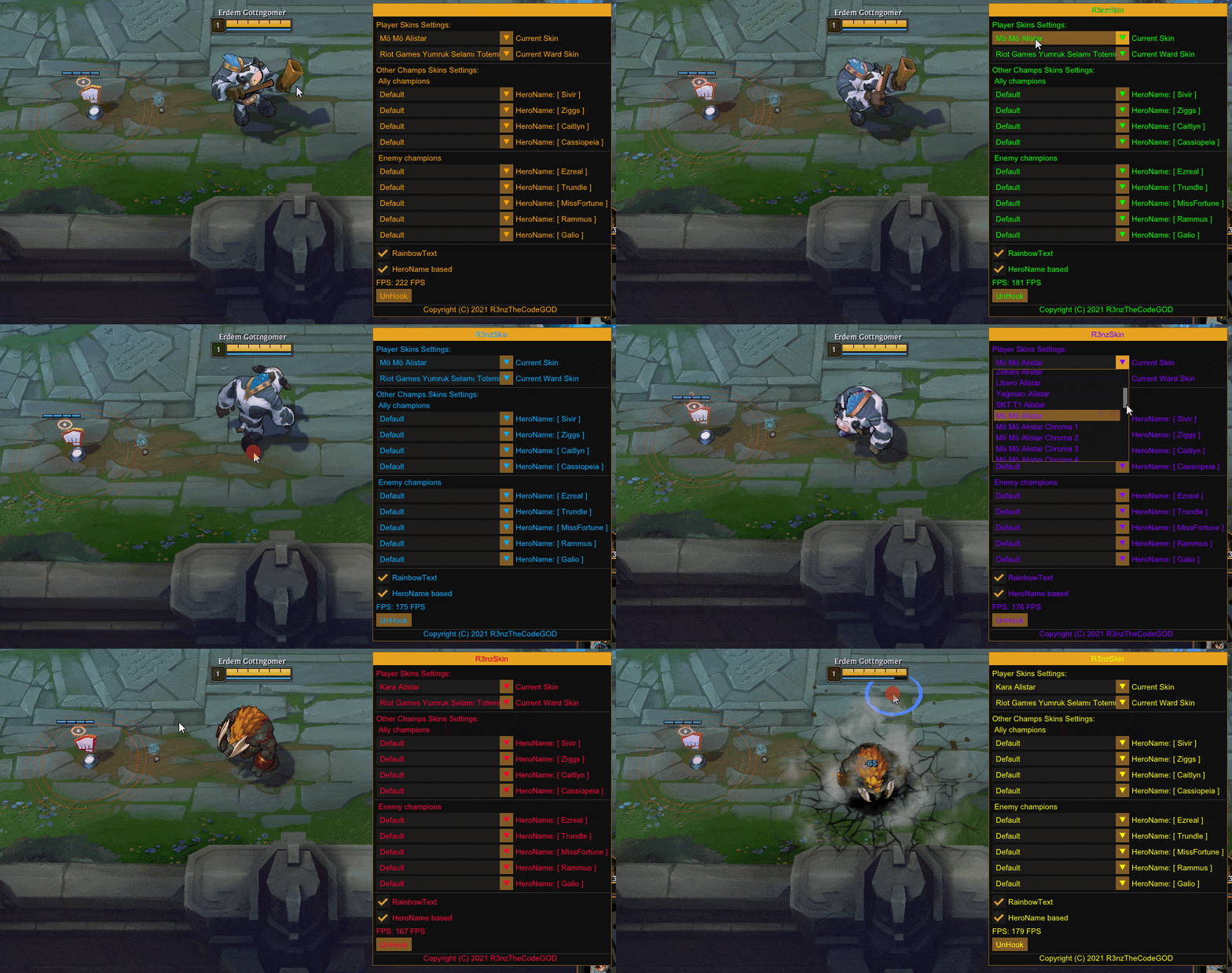
   `R3nzSkin` is an internal skin changer for League of Legends.

</div>

- Change the skin of your champion, your ward, other champions, towers, minions, and jungle monsters in the game.
- Automatic skin database update.
- Support for spectator mode.
- Change skins anytime and unlimited times in a single game.
- Supports all popular languages ​​in the world.
- In-game configuration with <a href="https://github.com/ocornut/imgui">ImGui</a>.
- <a href="https://github.com/nlohmann/json">JSON</a> based configuration saving & loading

# Building
   1. Clone the source with `git clone --recursive https://github.com/R3nzTheCodeGOD/R3nzSkin.git`
   2. Build in Visual Studio 2019/2022 with configuration "Your Region - x64"

# Usage
   1. Compile source or <a href="https://github.com/R3nzTheCodeGOD/R3nzSkin/releases/latest">download</a> a compiled version.
   2. Use `R3nzSkin_Injector.exe` or inject the built DLL into the game yourself.
      - *Administrator* privilege may be needed if the injector failed to inject the DLL.
      - League client can crash if `R3nzSkin` is injected before being in the game.
         - A workaround is to not inject until you are in the game (you will need to be fast to not disrupt the game).
   3. Press <kbd>Insert</kbd> to bring up the menu.
   4. Select the skin for you, your teammates, enemies, and wards.

# Further optimizations
   If your CPU supports AVX / AVX2 / AVX-512 instruction set, you can enable it in project settings. This should result in more performant code, optimized for your CPU. Currently SSE2 instructions are selected in project settings.

# Credits
   This program is an improved and updated version of the <a href="https://github.com/B3akers">B3akers</a>/<a href="https://github.com/B3akers/LeagueSkinChanger">LeagueSkinChanger</a> project.