# NotebookLM AI Plugin
[](LICENSE)
[](https://code.claude.com/docs/en/plugins)
[](#supported-artifacts)
[](https://bun.sh)
 **Bring the full Google NotebookLM experience to Claude Code, OpenClaw and any other AI agents that execute shell commands.** Chat with your notebook AI, generate 9 types of artifacts, manage sources (URLs, YouTube, files), run fast/deep web research, and manage notes — just ask Claude.
---
## Quick Start
### Installation
#### Option 1: CLI Install (Recommended)
Use [npx skills](https://github.com/vercel-labs/skills) to install skills directly:
```bash
# Install the skill
npx skills add proyecto26/notebooklm-ai-plugin
# List available skills
npx skills add proyecto26/notebooklm-ai-plugin --list
```
This automatically installs to your `.claude/skills/` directory.
#### Option 2: Claude Code Plugin
Install via Claude Code's built-in plugin system:
```bash
# Add the marketplace
/plugin marketplace add proyecto26/notebooklm-ai-plugin
# Install the plugin
/plugin install notebooklm-ai-plugin
```
#### Option 3: Clone and Copy
Clone the repo and copy the skills folder:
```bash
git clone https://github.com/proyecto26/notebooklm-ai-plugin.git
cp -r notebooklm-ai-plugin/skills/* .claude/skills/
```
#### Option 4: Git Submodule
Add as a submodule for easy updates:
```bash
git submodule add https://github.com/proyecto26/notebooklm-ai-plugin.git .claude/notebooklm-ai-plugin
```
Then reference skills from `.claude/notebooklm-ai-plugin/skills/`.
#### Option 5: Fork and Customize
1. Fork this repository
2. Customize the skill for your specific needs
3. Clone your fork into your projects
### Authentication
The first time you use the skill, it opens Chrome for Google login. Cookies are cached for subsequent runs. Just tell Claude:
> *"Log me into NotebookLM"*
### Generate Your First Artifact
Once authenticated, just describe what you want:
> *"Add this notebook https://notebooklm.google.com/notebook/YOUR_ID and generate a study guide from it"*
That's it — the skill handles everything: authentication, notebook management, artifact creation, polling, and download.
---
## Features
### Chat with Notebook AI
Ask questions and get source-grounded answers with citations — the same AI chat experience from NotebookLM's web UI, now in your terminal.
### 9 Artifact Types
| Type | Output | Description |
|:-----|:-------|:------------|
| **Slide Deck** | PDF / PPTX | Presentation slides summarizing your notebook sources |
| **Audio Overview** | M4A | Podcast-style conversation (deep dive, brief, critique, debate) |
| **Video Overview** | MP4 | Animated explainer (classic, whiteboard, kawaii, anime, watercolor) |
| **Mind Map** | HTML | Interactive concept map of key topics and relationships |
| **Flashcards** | HTML / JSON | Study cards generated from source material |
| **Quiz** | HTML / JSON | Multiple-choice quiz with answer key and explanations |
| **Infographic** | PNG | Visual summary in landscape, portrait, or square orientation |
| **Report** | Markdown | Written report (briefing doc, study guide, blog post) |
| **Data Table** | CSV / Sheets | Structured data extracted from your sources |
### Source Management
Add and manage notebook sources directly from Claude Code — no need to switch to the browser.
- **URLs / Websites** — Add any web page as a source
- **YouTube** — Add video transcripts as sources
- **File Upload** — PDF, TXT, MD, DOCX, CSV, EPUB, images, audio, video
- **Pasted Text** — Add text content with a custom title
- **List / Delete** — View and manage existing sources
### Fast & Deep Research
Run web research that feeds directly into your notebook:
- **Fast Research** — Quick web search, finds relevant sources in seconds
- **Deep Research** — Comprehensive analysis with a full markdown report
- **Auto-Import** — Automatically add discovered sources to your notebook
### Notes Management
Create, update, and delete notes within your notebooks programmatically.
---
## Usage Examples
Just describe what you need to Claude — the skill triggers automatically:
**"What are the main findings in my NotebookLM notebook?"**
> Chats with the notebook AI and returns source-grounded answers with citations.
**"Add this YouTube video to my notebook: https://youtube.com/watch?v=..."**
> Adds the video transcript as a source to your active notebook.
**"Upload my research paper paper.pdf to the notebook and generate a study guide"**
> Uploads the file, then generates a markdown report in study guide format.
**"Run a deep research on 'AI agent frameworks 2026' and import the results"**
> Starts deep web research, waits for completion, and imports sources into the notebook.
**"Generate a slide deck from my NotebookLM notebook about machine learning"**
> Creates a PDF/PPTX presentation from your notebook sources.
**"Create a deep dive audio overview of my research papers"**
> Generates a long-form podcast-style M4A audio discussion.
**"Make a portrait infographic highlighting the key findings"**
> Produces a PNG infographic in portrait orientation.
**"Create a note called 'Key Takeaways' with a summary of the main points"**
> Creates a new note in the notebook with the specified content.
---
## Configuration
### Environment Variables
| Variable | Description |
|:---------|:------------|
| `NOTEBOOKLM_DATA_DIR` | Override data directory |
| `NOTEBOOKLM_COOKIE_PATH` | Custom cookie file path |
| `NOTEBOOKLM_CHROME_PROFILE_DIR` | Chrome profile directory |
| `NOTEBOOKLM_CHROME_PATH` | Chrome executable path |
| `NOTEBOOKLM_OUTPUT_DIR` | Default output directory |
### Rate Limits
NotebookLM free tier limits:
| Resource | Limit |
|:---------|:------|
| Audio / Video overviews | 3 per day |
| Reports / Flashcards / Quizzes | 10 per day |
| Daily chats | 50 |
| Total notebooks | 100 |
| Sources per notebook | 50 |
---
## Project Structure
```
notebooklm-ai-plugin/
├── .claude-plugin/
│ ├── plugin.json # Plugin manifest
│ └── marketplace.json # Marketplace metadata
├── skills/
│ └── notebooklm/
│ ├── SKILL.md # Skill definition (triggers + docs)
│ └── scripts/
│ ├── main.ts # CLI entry point (all commands)
│ ├── auth.ts # Chrome CDP authentication
│ ├── chat.ts # Streaming chat with notebook AI
│ ├── rpc-client.ts # batchexecute protocol client
│ ├── rpc-types.ts # RPC method IDs + enum codes
│ ├── artifact-generator.ts # Create / poll / download artifacts
│ ├── source-manager.ts # Add / list / delete sources
│ ├── research-manager.ts # Fast / deep web research
│ ├── notes-manager.ts # Notes CRUD
│ ├── notebook-manager.ts # Notebook library CRUD
│ ├── cookie-store.ts # Cookie persistence
│ ├── paths.ts # Platform-aware storage
│ ├── types.ts # Shared TypeScript types
│ └── get-cookie.ts # Quick login helper
├── LICENSE
└── README.md
```
> For full CLI commands and script usage details, see [`skills/notebooklm/SKILL.md`](skills/notebooklm/SKILL.md).
---
## Architecture
```mermaid
graph TB
subgraph "Claude Code"
A["User Prompt"] --> B["NotebookLM Skill"]
end
subgraph "Authentication"
B --> C["Chrome CDP"]
C --> D["Cookie Extraction"]
D --> E["Cookie Store"]
end
subgraph "NotebookLM API"
E --> F["batchexecute RPC"]
E --> F2["Streaming Chat"]
F --> G["Artifacts"]
F --> H["Sources"]
F --> I["Research"]
F --> I2["Notes"]
F --> I3["Notebooks"]
end
subgraph "Capabilities"
F2 --> S["AI Chat with Citations"]
G --> J["Slides / Audio / Video"]
G --> K["Quiz / Flashcards"]
G --> L["Infographic / Report"]
H --> M["URL / YouTube / File / Text"]
I --> N["Fast & Deep Web Research"]
end
style A fill:#7c3aed,color:#fff
style F fill:#1a73e8,color:#fff
style F2 fill:#1a73e8,color:#fff
style S fill:#34a853,color:#fff
style J fill:#34a853,color:#fff
style K fill:#34a853,color:#fff
style L fill:#34a853,color:#fff
style M fill:#ea4335,color:#fff
style N fill:#fbbc04,color:#000
```
**Hybrid approach:** Chrome DevTools Protocol (CDP) handles Google authentication once, then all operations use direct batchexecute RPC calls — no browser overhead for artifact generation.
### How It Works
```mermaid
sequenceDiagram
participant U as User
participant C as Claude Code
participant P as Plugin (Bun/TS)
participant Ch as Chrome (CDP)
participant N as NotebookLM API
U->>C: "Generate a slide deck from my notebook"
C->>P: Invoke notebooklm skill
Note over P,Ch: First-time auth only
P->>Ch: Launch Chrome via CDP
Ch-->>P: Google session cookies
P->>P: Cache cookies to disk
P->>N: LIST_NOTEBOOKS (batchexecute RPC)
N-->>P: Notebook sources
P->>N: CREATE_ARTIFACT (type=slide_deck)
N-->>P: Artifact ID
loop Poll every 5s
P->>N: LIST_ARTIFACTS
N-->>P: Status: processing / completed
end
P->>N: Download artifact
N-->>P: PDF/PNG/M4A/MP4 file
P-->>C: File saved to disk
C-->>U: "Slide deck saved to slides.pdf"
```
### batchexecute RPC Protocol
The plugin communicates with NotebookLM via Google's internal batchexecute protocol — the same system used across Google web apps. Each operation maps to an obfuscated RPC method ID:
| Operation | RPC ID |
|:----------|:-------|
| List Notebooks | `wXbhsf` |
| Create Artifact | `R7cb6c` |
| List Artifacts | `gArtLc` |
| Generate Mind Map | `yyryJe` |
| Get Interactive HTML | `v9rmvd` |
All 9 artifact types (except Mind Map) use the unified `CREATE_ARTIFACT` RPC with different type codes. The plugin handles response parsing, error detection, and the anti-XSSI response format automatically.
### Cookie Management
Cookies are stored in a platform-aware location:
| Platform | Path |
|:---------|:-----|
| Windows | `%APPDATA%/notebooklm-ai/cookies.json` |
| macOS | `~/Library/Application Support/notebooklm-ai/cookies.json` |
| Linux | `~/.local/share/notebooklm-ai/cookies.json` |
The plugin captures **all Google domain cookies** (30+) via Chrome DevTools Protocol — this is required because Google's passive login check validates cookies beyond the standard auth set.
---
## Known Limitations
- **Audio / Video / Slides download:** These streaming media types are created successfully on NotebookLM's servers, but auto-download requires browser-level cookie handling. The plugin returns the artifact URL for manual browser download. Static media (infographics, reports) download automatically.
- **Data Table:** Parameter structure for type 9 artifacts is still being reverse-engineered.
- **RPC method IDs:** Google can change these at any time. If generation fails, check for updated IDs in the [notebooklm-sdk](https://github.com/agmmnn/notebooklm-sdk) project.
---
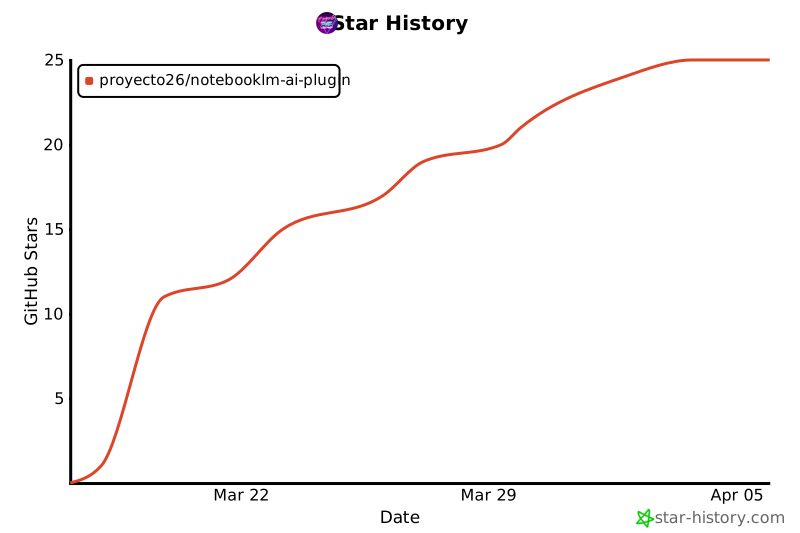
## 🌟 Star History
[](https://star-history.com/#proyecto26/notebooklm-ai-plugin-code&Date)
## 💜 Sponsors
This project is free and open source. Sponsors help keep it maintained and growing.
[**Become a Sponsor**](https://github.com/sponsors/proyecto26) | [Sponsorship Program](https://proyecto26.com/sponsors/)
## 🤝 Contribution
When contributing to this repository, please first discuss the change you wish to make via issue,
email, or any other method with the owners of this repository before making a change.
Contributions are what make the open-source community such an amazing place to learn, inspire, and create. Any contributions you make are **greatly appreciated** ❤️.
You can learn more about how you can contribute to this project in the [contribution guide](https://github.com/proyecto26/.github/blob/master/CONTRIBUTING.md).
## ⚖️ License
This repository is available under the [MIT License](./LICENSE).
## 👍 Credits
- [notebooklm-sdk](https://github.com/agmmnn/notebooklm-sdk) — TypeScript SDK reference for batchexecute protocol
- [notebooklm-kit](https://github.com/photon-hq/notebooklm-kit) — Artifact creation patterns
- [notebooklm-py](https://github.com/teng-lin/notebooklm-py) — Python RPC reference implementation
- [sherlock-ai-plugin](https://github.com/proyecto26/sherlock-ai-plugin) — CDP authentication patterns
## Happy vibe coding 💯
Made with ❤️ by [Proyecto 26](https://proyecto26.com) - Changing the world with small contributions.
One hand can accomplish great things, but many can take you into space and beyond! 🌌
Together we do more, together we are more ❤️
**Bring the full Google NotebookLM experience to Claude Code, OpenClaw and any other AI agents that execute shell commands.** Chat with your notebook AI, generate 9 types of artifacts, manage sources (URLs, YouTube, files), run fast/deep web research, and manage notes — just ask Claude.
---
## Quick Start
### Installation
#### Option 1: CLI Install (Recommended)
Use [npx skills](https://github.com/vercel-labs/skills) to install skills directly:
```bash
# Install the skill
npx skills add proyecto26/notebooklm-ai-plugin
# List available skills
npx skills add proyecto26/notebooklm-ai-plugin --list
```
This automatically installs to your `.claude/skills/` directory.
#### Option 2: Claude Code Plugin
Install via Claude Code's built-in plugin system:
```bash
# Add the marketplace
/plugin marketplace add proyecto26/notebooklm-ai-plugin
# Install the plugin
/plugin install notebooklm-ai-plugin
```
#### Option 3: Clone and Copy
Clone the repo and copy the skills folder:
```bash
git clone https://github.com/proyecto26/notebooklm-ai-plugin.git
cp -r notebooklm-ai-plugin/skills/* .claude/skills/
```
#### Option 4: Git Submodule
Add as a submodule for easy updates:
```bash
git submodule add https://github.com/proyecto26/notebooklm-ai-plugin.git .claude/notebooklm-ai-plugin
```
Then reference skills from `.claude/notebooklm-ai-plugin/skills/`.
#### Option 5: Fork and Customize
1. Fork this repository
2. Customize the skill for your specific needs
3. Clone your fork into your projects
### Authentication
The first time you use the skill, it opens Chrome for Google login. Cookies are cached for subsequent runs. Just tell Claude:
> *"Log me into NotebookLM"*
### Generate Your First Artifact
Once authenticated, just describe what you want:
> *"Add this notebook https://notebooklm.google.com/notebook/YOUR_ID and generate a study guide from it"*
That's it — the skill handles everything: authentication, notebook management, artifact creation, polling, and download.
---
## Features
### Chat with Notebook AI
Ask questions and get source-grounded answers with citations — the same AI chat experience from NotebookLM's web UI, now in your terminal.
### 9 Artifact Types
| Type | Output | Description |
|:-----|:-------|:------------|
| **Slide Deck** | PDF / PPTX | Presentation slides summarizing your notebook sources |
| **Audio Overview** | M4A | Podcast-style conversation (deep dive, brief, critique, debate) |
| **Video Overview** | MP4 | Animated explainer (classic, whiteboard, kawaii, anime, watercolor) |
| **Mind Map** | HTML | Interactive concept map of key topics and relationships |
| **Flashcards** | HTML / JSON | Study cards generated from source material |
| **Quiz** | HTML / JSON | Multiple-choice quiz with answer key and explanations |
| **Infographic** | PNG | Visual summary in landscape, portrait, or square orientation |
| **Report** | Markdown | Written report (briefing doc, study guide, blog post) |
| **Data Table** | CSV / Sheets | Structured data extracted from your sources |
### Source Management
Add and manage notebook sources directly from Claude Code — no need to switch to the browser.
- **URLs / Websites** — Add any web page as a source
- **YouTube** — Add video transcripts as sources
- **File Upload** — PDF, TXT, MD, DOCX, CSV, EPUB, images, audio, video
- **Pasted Text** — Add text content with a custom title
- **List / Delete** — View and manage existing sources
### Fast & Deep Research
Run web research that feeds directly into your notebook:
- **Fast Research** — Quick web search, finds relevant sources in seconds
- **Deep Research** — Comprehensive analysis with a full markdown report
- **Auto-Import** — Automatically add discovered sources to your notebook
### Notes Management
Create, update, and delete notes within your notebooks programmatically.
---
## Usage Examples
Just describe what you need to Claude — the skill triggers automatically:
**"What are the main findings in my NotebookLM notebook?"**
> Chats with the notebook AI and returns source-grounded answers with citations.
**"Add this YouTube video to my notebook: https://youtube.com/watch?v=..."**
> Adds the video transcript as a source to your active notebook.
**"Upload my research paper paper.pdf to the notebook and generate a study guide"**
> Uploads the file, then generates a markdown report in study guide format.
**"Run a deep research on 'AI agent frameworks 2026' and import the results"**
> Starts deep web research, waits for completion, and imports sources into the notebook.
**"Generate a slide deck from my NotebookLM notebook about machine learning"**
> Creates a PDF/PPTX presentation from your notebook sources.
**"Create a deep dive audio overview of my research papers"**
> Generates a long-form podcast-style M4A audio discussion.
**"Make a portrait infographic highlighting the key findings"**
> Produces a PNG infographic in portrait orientation.
**"Create a note called 'Key Takeaways' with a summary of the main points"**
> Creates a new note in the notebook with the specified content.
---
## Configuration
### Environment Variables
| Variable | Description |
|:---------|:------------|
| `NOTEBOOKLM_DATA_DIR` | Override data directory |
| `NOTEBOOKLM_COOKIE_PATH` | Custom cookie file path |
| `NOTEBOOKLM_CHROME_PROFILE_DIR` | Chrome profile directory |
| `NOTEBOOKLM_CHROME_PATH` | Chrome executable path |
| `NOTEBOOKLM_OUTPUT_DIR` | Default output directory |
### Rate Limits
NotebookLM free tier limits:
| Resource | Limit |
|:---------|:------|
| Audio / Video overviews | 3 per day |
| Reports / Flashcards / Quizzes | 10 per day |
| Daily chats | 50 |
| Total notebooks | 100 |
| Sources per notebook | 50 |
---
## Project Structure
```
notebooklm-ai-plugin/
├── .claude-plugin/
│ ├── plugin.json # Plugin manifest
│ └── marketplace.json # Marketplace metadata
├── skills/
│ └── notebooklm/
│ ├── SKILL.md # Skill definition (triggers + docs)
│ └── scripts/
│ ├── main.ts # CLI entry point (all commands)
│ ├── auth.ts # Chrome CDP authentication
│ ├── chat.ts # Streaming chat with notebook AI
│ ├── rpc-client.ts # batchexecute protocol client
│ ├── rpc-types.ts # RPC method IDs + enum codes
│ ├── artifact-generator.ts # Create / poll / download artifacts
│ ├── source-manager.ts # Add / list / delete sources
│ ├── research-manager.ts # Fast / deep web research
│ ├── notes-manager.ts # Notes CRUD
│ ├── notebook-manager.ts # Notebook library CRUD
│ ├── cookie-store.ts # Cookie persistence
│ ├── paths.ts # Platform-aware storage
│ ├── types.ts # Shared TypeScript types
│ └── get-cookie.ts # Quick login helper
├── LICENSE
└── README.md
```
> For full CLI commands and script usage details, see [`skills/notebooklm/SKILL.md`](skills/notebooklm/SKILL.md).
---
## Architecture
```mermaid
graph TB
subgraph "Claude Code"
A["User Prompt"] --> B["NotebookLM Skill"]
end
subgraph "Authentication"
B --> C["Chrome CDP"]
C --> D["Cookie Extraction"]
D --> E["Cookie Store"]
end
subgraph "NotebookLM API"
E --> F["batchexecute RPC"]
E --> F2["Streaming Chat"]
F --> G["Artifacts"]
F --> H["Sources"]
F --> I["Research"]
F --> I2["Notes"]
F --> I3["Notebooks"]
end
subgraph "Capabilities"
F2 --> S["AI Chat with Citations"]
G --> J["Slides / Audio / Video"]
G --> K["Quiz / Flashcards"]
G --> L["Infographic / Report"]
H --> M["URL / YouTube / File / Text"]
I --> N["Fast & Deep Web Research"]
end
style A fill:#7c3aed,color:#fff
style F fill:#1a73e8,color:#fff
style F2 fill:#1a73e8,color:#fff
style S fill:#34a853,color:#fff
style J fill:#34a853,color:#fff
style K fill:#34a853,color:#fff
style L fill:#34a853,color:#fff
style M fill:#ea4335,color:#fff
style N fill:#fbbc04,color:#000
```
**Hybrid approach:** Chrome DevTools Protocol (CDP) handles Google authentication once, then all operations use direct batchexecute RPC calls — no browser overhead for artifact generation.
### How It Works
```mermaid
sequenceDiagram
participant U as User
participant C as Claude Code
participant P as Plugin (Bun/TS)
participant Ch as Chrome (CDP)
participant N as NotebookLM API
U->>C: "Generate a slide deck from my notebook"
C->>P: Invoke notebooklm skill
Note over P,Ch: First-time auth only
P->>Ch: Launch Chrome via CDP
Ch-->>P: Google session cookies
P->>P: Cache cookies to disk
P->>N: LIST_NOTEBOOKS (batchexecute RPC)
N-->>P: Notebook sources
P->>N: CREATE_ARTIFACT (type=slide_deck)
N-->>P: Artifact ID
loop Poll every 5s
P->>N: LIST_ARTIFACTS
N-->>P: Status: processing / completed
end
P->>N: Download artifact
N-->>P: PDF/PNG/M4A/MP4 file
P-->>C: File saved to disk
C-->>U: "Slide deck saved to slides.pdf"
```
### batchexecute RPC Protocol
The plugin communicates with NotebookLM via Google's internal batchexecute protocol — the same system used across Google web apps. Each operation maps to an obfuscated RPC method ID:
| Operation | RPC ID |
|:----------|:-------|
| List Notebooks | `wXbhsf` |
| Create Artifact | `R7cb6c` |
| List Artifacts | `gArtLc` |
| Generate Mind Map | `yyryJe` |
| Get Interactive HTML | `v9rmvd` |
All 9 artifact types (except Mind Map) use the unified `CREATE_ARTIFACT` RPC with different type codes. The plugin handles response parsing, error detection, and the anti-XSSI response format automatically.
### Cookie Management
Cookies are stored in a platform-aware location:
| Platform | Path |
|:---------|:-----|
| Windows | `%APPDATA%/notebooklm-ai/cookies.json` |
| macOS | `~/Library/Application Support/notebooklm-ai/cookies.json` |
| Linux | `~/.local/share/notebooklm-ai/cookies.json` |
The plugin captures **all Google domain cookies** (30+) via Chrome DevTools Protocol — this is required because Google's passive login check validates cookies beyond the standard auth set.
---
## Known Limitations
- **Audio / Video / Slides download:** These streaming media types are created successfully on NotebookLM's servers, but auto-download requires browser-level cookie handling. The plugin returns the artifact URL for manual browser download. Static media (infographics, reports) download automatically.
- **Data Table:** Parameter structure for type 9 artifacts is still being reverse-engineered.
- **RPC method IDs:** Google can change these at any time. If generation fails, check for updated IDs in the [notebooklm-sdk](https://github.com/agmmnn/notebooklm-sdk) project.
---
## 🌟 Star History
[](https://star-history.com/#proyecto26/notebooklm-ai-plugin-code&Date)
## 💜 Sponsors
This project is free and open source. Sponsors help keep it maintained and growing.
[**Become a Sponsor**](https://github.com/sponsors/proyecto26) | [Sponsorship Program](https://proyecto26.com/sponsors/)
## 🤝 Contribution
When contributing to this repository, please first discuss the change you wish to make via issue,
email, or any other method with the owners of this repository before making a change.
Contributions are what make the open-source community such an amazing place to learn, inspire, and create. Any contributions you make are **greatly appreciated** ❤️.
You can learn more about how you can contribute to this project in the [contribution guide](https://github.com/proyecto26/.github/blob/master/CONTRIBUTING.md).
## ⚖️ License
This repository is available under the [MIT License](./LICENSE).
## 👍 Credits
- [notebooklm-sdk](https://github.com/agmmnn/notebooklm-sdk) — TypeScript SDK reference for batchexecute protocol
- [notebooklm-kit](https://github.com/photon-hq/notebooklm-kit) — Artifact creation patterns
- [notebooklm-py](https://github.com/teng-lin/notebooklm-py) — Python RPC reference implementation
- [sherlock-ai-plugin](https://github.com/proyecto26/sherlock-ai-plugin) — CDP authentication patterns
## Happy vibe coding 💯
Made with ❤️ by [Proyecto 26](https://proyecto26.com) - Changing the world with small contributions.
One hand can accomplish great things, but many can take you into space and beyond! 🌌
Together we do more, together we are more ❤️ 