Widgets manager for MacBook's Touch Bar
Pock is a free, open-source tool that gives you quick access to your favorite controls and services while maximizing your on-screen real estate

Download
|
GitHub
|
ProductHunt
|
Permissions
|
Changelog
## Thank you!
If you want to support this project, you can [click here](https://paypal.me/pigigaldi)!
Pock will always be available as free software!
## How to install
1. Go to the [official website](https://pock.app) and click download.
2. Unzip the archive by double-clicking on the file or running `unzip`
3. Move the extracted file to `/Applications`
## Usage
1. Open Pock.
2. Check the menu bar for the newly added Pock icon. You can access Pock and widgets preferences from this menu item.
_(If you don't see Pock in your Touch Bar, go to the `Keyboard` pane in System Preferences and select "Touch Bar shows App Controls", then relaunch Pock)_
## Permissions
To have a flawless experience, please click [here](https://pock.app/docs/catalina) and read all the suggestions carefully.
Pock sends some _anonymous events_ over _AppCenter_ to speed up issues/bugs-catching. If you don't agree with this, then please, don't download it.
_These events will never be used for marketing purposes since it's not a commercial package_.
## How to uninstall
1. Quit Pock.
2. Move Pock app file from`/Applications` to Trash.
_(If you don't see the default system controls in your Touch Bar, go to the `Keyboard` preference pane in System Preferences and select "Touch Bar shows App Controls" or configure the system settings based on your needs)_
## Widgets
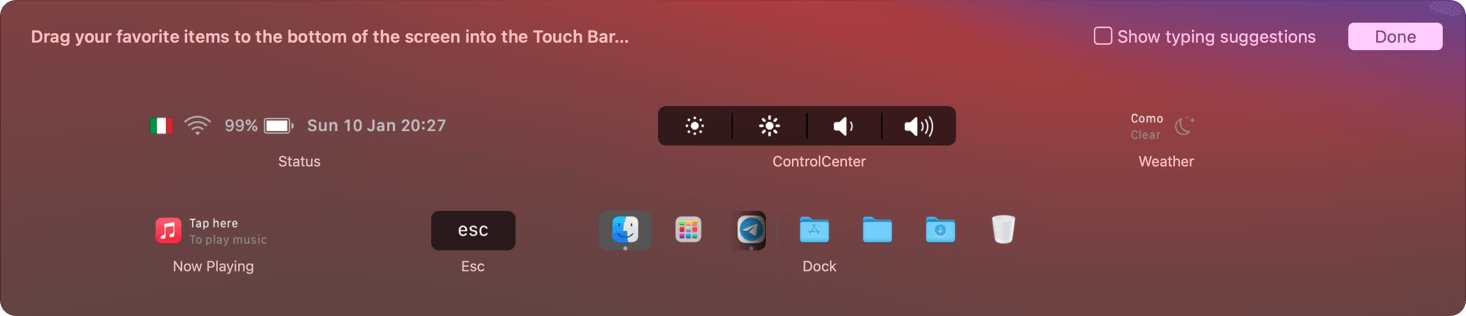
Includes five default widgets
##### Dock widget
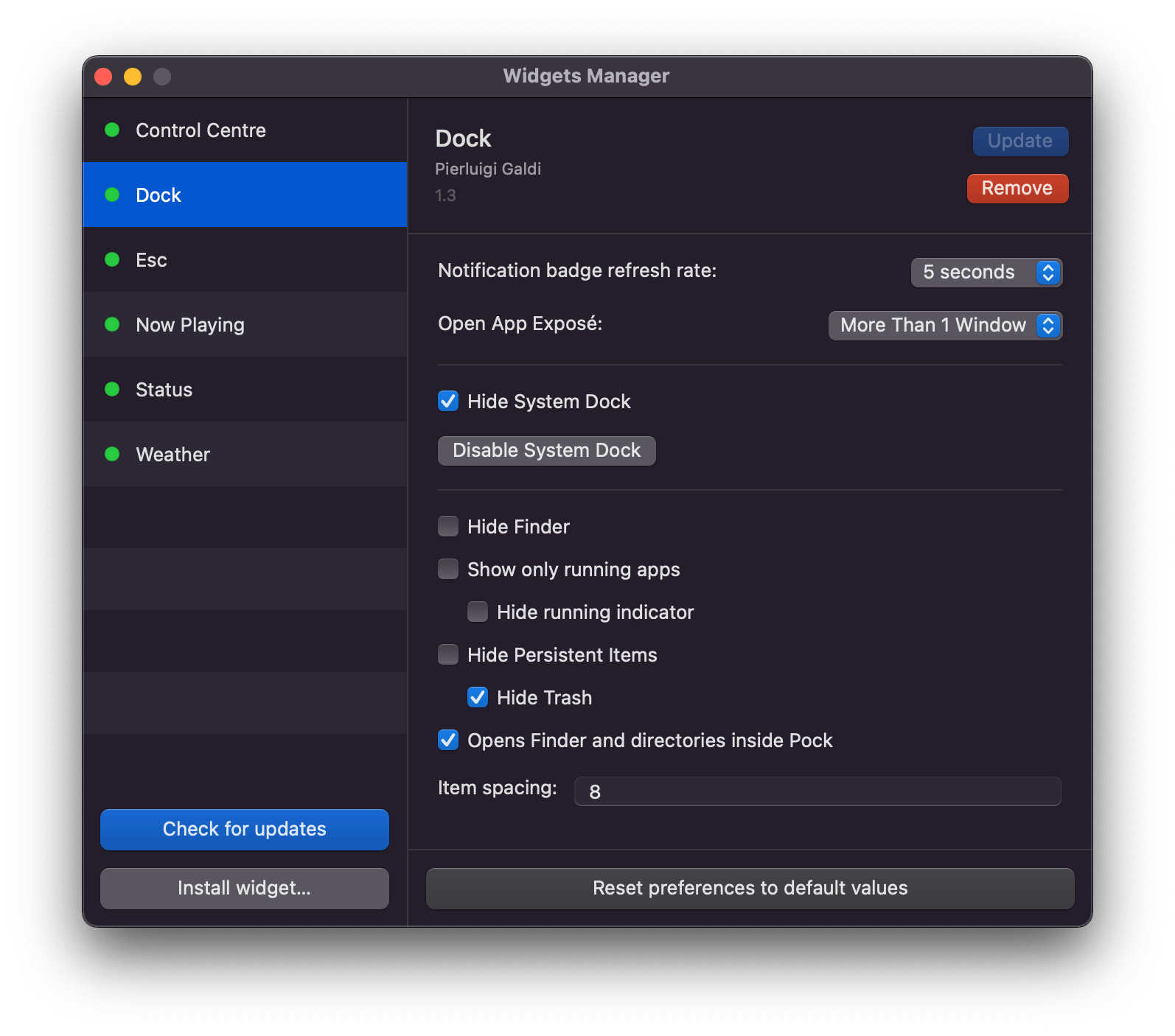
Your macOS Dock inside your MacBook's TouchBar, the core widget.
It comes with fully-functional badge support, so you will not miss any notification.
More features can be configured in widget settings along with other preferences.
It now includes multi-window support!
*Enjoy your screen in full-size every time!*
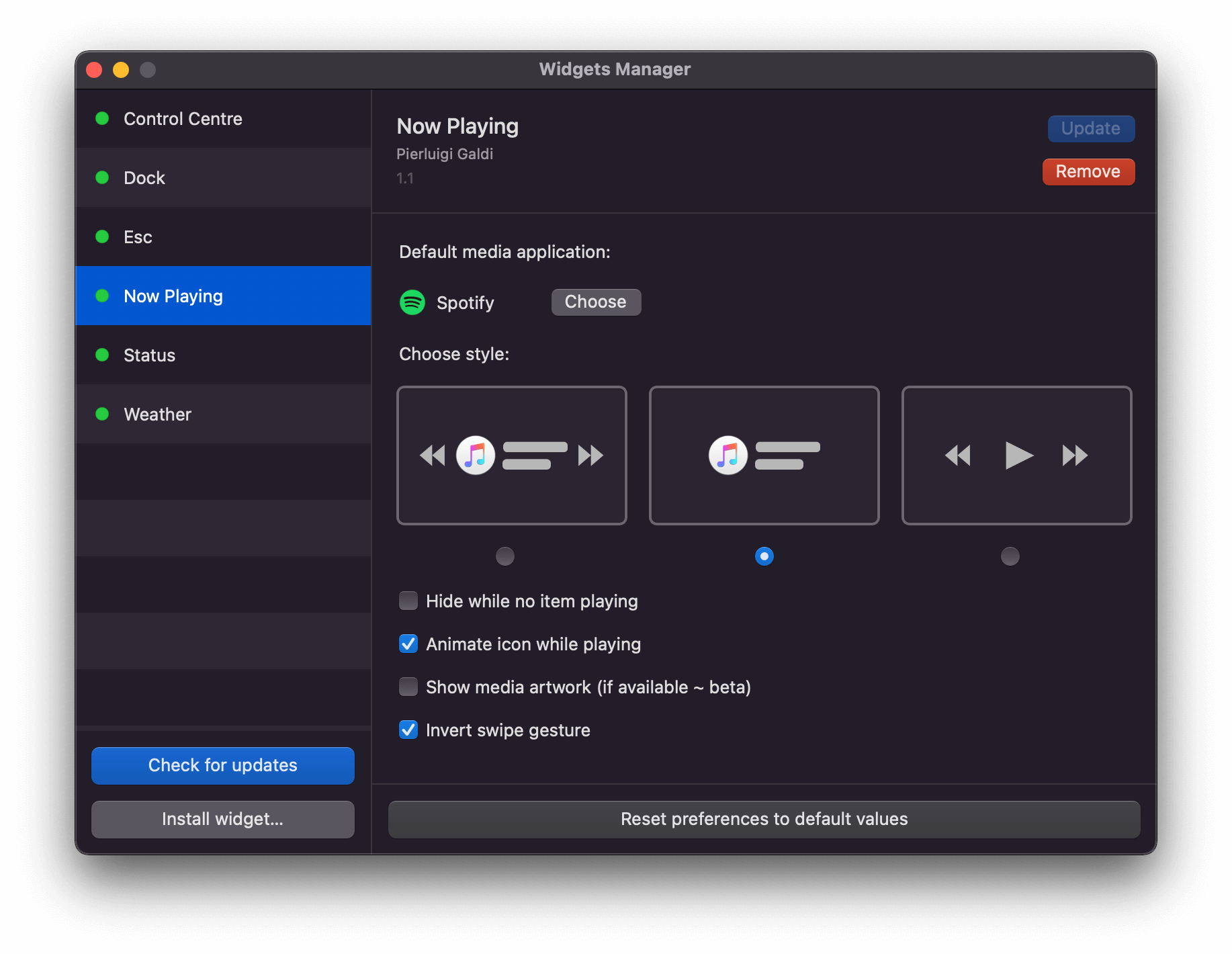
##### Now Playing widget
Media information at a glance with gestures for media controls included.
| Gesture | Action |
| ----------- | :---------------- |
| tap | toggle play/pause |
| swipe left | previous song |
| swipe right | next song |
##### ESC widget
A handy ESC button is there, just in case, so you don't have to hide Pock to access the system one.
##### Status widget
Always keep an eye on system information, like what time it is, or maybe WiFi status or Battery status. Configure Status items from settings.
##### Control Center widget
Change screen brightness or system volume with easy controls.
Long press or slide on control center item to invoke sliders.
##### Weather widget
Stay updated with the latest weather forecast for your location, displayed directly into your Touch Bar.
##### More...
More widgets are coming!
Keep search for #pock on social media to be updated on future widgets releases!
## Preferences
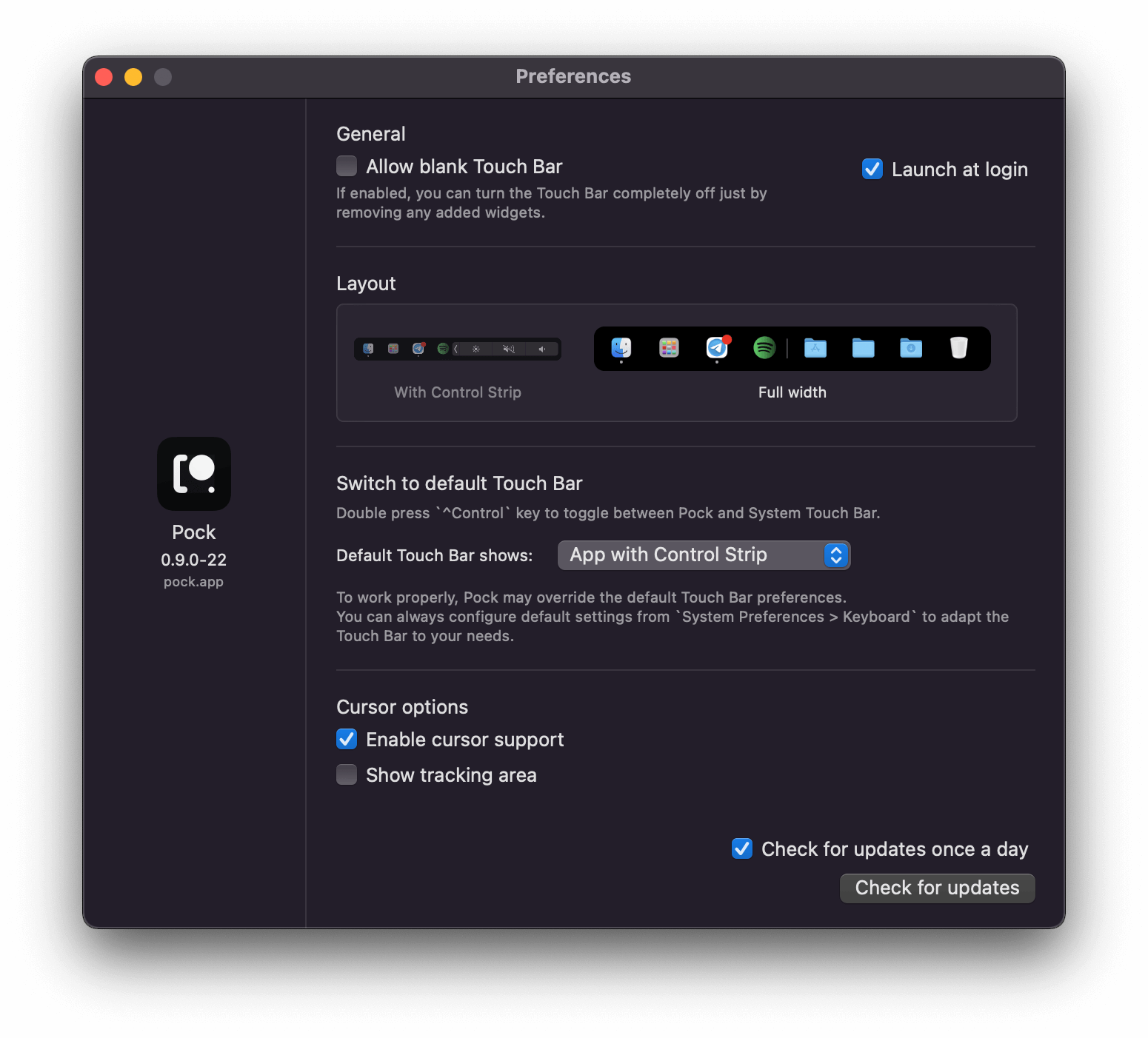
You can adjust Pock and widgets settings to reflects your specific needs. You can access these panes from the **Preferences…** and **Manage Widgets…** menu items.
## Customize
You can customize the position of the widgets in the Touch Bar from the **Customize Pock…** menu item.
## Developers
Do you want to build a custom widget for **Pock**? Consult [**PockKit**](https://pock.app/docs) documentation to know-how!
## Contributions
Please look at the [Contributing](https://github.com/pock/pock/blob/master/CONTRIBUTING.md) file to know the guidelines needed to submit an issue or a pull request.
## Dependencies
* [TinyConstraints](https://github.com/roberthein/TinyConstraints)
* [Magnet](https://github.com/Clipy)
* [Zip](https://github.com/marmelroy/Zip)
## Special mentions
* [BrokenSt0rm](https://twitter.com/BrokenSt0rm) - Thanks for [openweather-proxy-rs](https://github.com/BrokenSt0rm/openweather-proxy-rs).
* [sveinbjornt](https://github.com/sveinbjornt/) - Thanks for [STPrivilegedTask](https://github.com/sveinbjornt/STPrivilegedTask).
* [boyvanamstel](https://gist.github.com/boyvanamstel/1409312) - Great sample of an _Objective-C_ class to loop through startup items.
* [Minebomber](https://stackoverflow.com/a/36115210) - Beautiful idea on how to retrieve additional information from Dock icons.
## Translated READMEs
🇺🇸 [English](README.md)
🇨🇳 [中文](.github/readmes/README.cn.md)
🇯🇵 [日本語](.github/readmes/README.ja.md)
🇹🇷 [Türkçe](.github/readmes/README.tr.md)
* Some translations may be different or incomplete.
## License
Under MIT license. See [LICENSE](LICENSE) file for further information.