
**The open-source AI coding agent for VS Code — built local-first.** Chat with an agent that reads your workspace, edits files, runs commands, and searches your codebase semantically. Use your Claude / ChatGPT / Gemini subscription, any API key, or run **completely offline** with llama.cpp and Ollama. [Install](#installation) · [Local AI](#-100-local-ai) · [Providers](#-providers) · [Features](#-what-it-does) · [Contributing](#contributing)
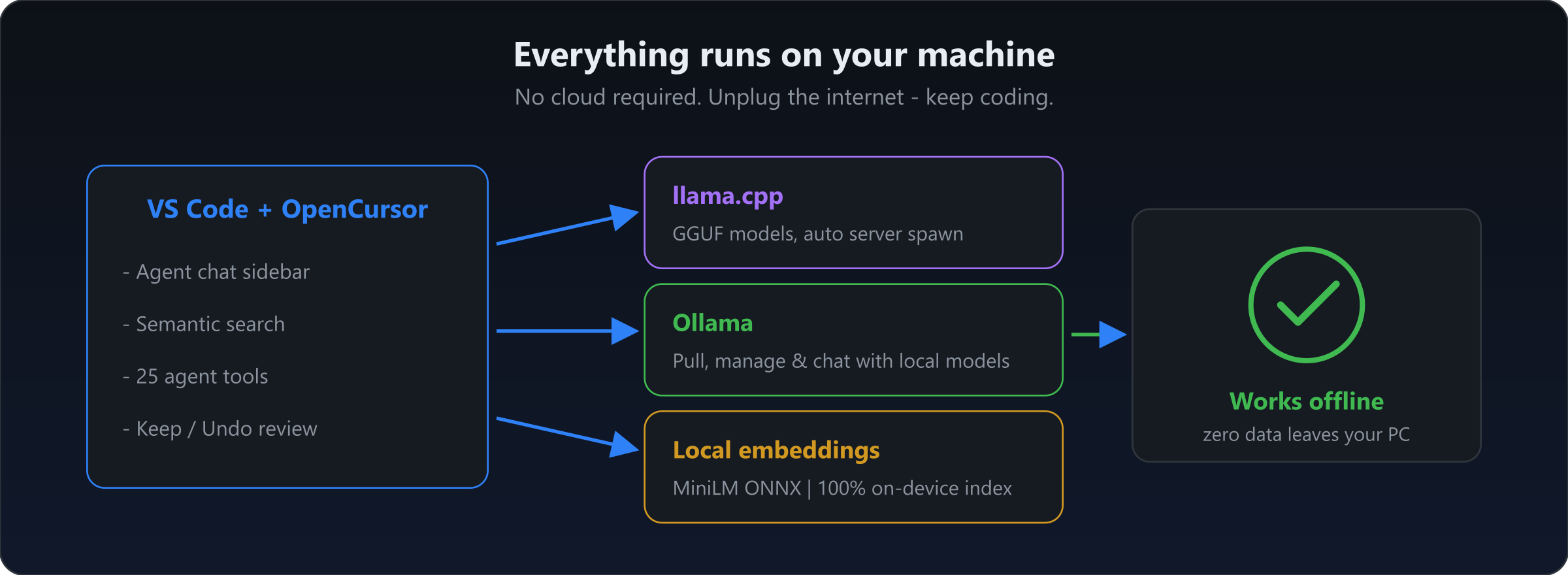 OpenCursor is designed to work **without internet** once set up:
- **🦙 llama.cpp built in** — search Hugging Face for GGUF models, pick a quantization, download, and OpenCursor spawns and manages `llama-server` for you. Full launch control: context size, GPU layers, flash attention, KV cache types, speculative decoding, vision (`--mmproj`), and more.
- **🐋 Ollama** — pull, manage, and chat with models from the Ollama library, zero config.
- **🧠 Local embeddings** — semantic codebase search powered by an on-device ONNX MiniLM model. No embedding API, no key, no code leaving your machine.
- **✈️ Airplane-mode coding** — local model + local index = a fully working AI agent, offline.
## 🔍 Semantic search, no cloud
OpenCursor is designed to work **without internet** once set up:
- **🦙 llama.cpp built in** — search Hugging Face for GGUF models, pick a quantization, download, and OpenCursor spawns and manages `llama-server` for you. Full launch control: context size, GPU layers, flash attention, KV cache types, speculative decoding, vision (`--mmproj`), and more.
- **🐋 Ollama** — pull, manage, and chat with models from the Ollama library, zero config.
- **🧠 Local embeddings** — semantic codebase search powered by an on-device ONNX MiniLM model. No embedding API, no key, no code leaving your machine.
- **✈️ Airplane-mode coding** — local model + local index = a fully working AI agent, offline.
## 🔍 Semantic search, no cloud
 Ask questions in plain language — *"where do we refresh the auth token?"* — and the agent automatically finds code by *meaning*, not keywords. The index builds automatically, updates incrementally, and is stored locally. Prefer a hosted embedding model? Point it at any OpenAI-compatible `/embeddings` endpoint instead.
## 🌐 Providers
Ask questions in plain language — *"where do we refresh the auth token?"* — and the agent automatically finds code by *meaning*, not keywords. The index builds automatically, updates incrementally, and is stored locally. Prefer a hosted embedding model? Point it at any OpenAI-compatible `/embeddings` endpoint instead.
## 🌐 Providers
 - **OAuth sign-in** — connect your existing **Claude Code**, **OpenAI Codex**, or **Google Antigravity** account and use your subscription's models directly in VS Code.
- **API keys** — OpenAI, Anthropic, Gemini, OpenRouter presets out of the box.
- **Custom providers** — add any OpenAI-compatible or Anthropic-style endpoint (base URL + key). Run multiple providers at once; models are fetched live and mixable in the picker.
- **Auto mode** — a judge model routes each task to the best enabled model. Per-model reasoning effort, thinking mode, and context-size options.
## ⚡ What it does
| | |
|---|---|
| 💬 **Agent chat** | Multi-tab sidebar chat with @-mentions: files, folders, code, `@Docs`, git commits, branch diffs, terminals, rules, past chats |
| 🛠️ **25 tools** | Read/write/edit, shell, grep/glob, semantic search, web search & fetch, notebooks, todos, subagents, MCP |
| ✅ **Inline review** | Per-hunk **Keep / Undo** CodeLenses on every agent edit — no git required |
| 🧭 **Modes** | Agent · Ask · Plan · Debug · Multitask (Ask/Plan are read-only) |
| 🛡️ **Approval policy** | Per-action allow/ask/review/deny with risk heuristics (`rm -rf`, `sudo`, `.env`, secrets…) and wildcard allow/deny lists |
| 🔗 **MCP & hooks** | Full MCP client, plus 11 lifecycle hooks (Cursor/Claude-Code compatible) and custom subagents |
| 🖼️ **Images & PDFs** | Paste screenshots, read images and PDFs directly into context |
| ⚙️ **Extras** | `Ctrl+L` adds selection to chat, personas, custom system prompt, token usage tracking, completion notifications |
## Installation
1. Install **OpenCursor** from the VS Code Marketplace (or grab the `.vsix` from [Releases](https://github.com/PawanOsman/OpenCursor/releases)).
2. Open the OpenCursor sidebar and pick a provider:
- **Local:** one-click llama.cpp install, or point at a running Ollama.
- **Account:** sign in with Claude Code / OpenAI Codex / Google Antigravity.
- **API:** paste a key for OpenAI, Anthropic, Gemini, OpenRouter, or any custom endpoint.
3. Start chatting. `Ctrl+L` sends your selection to the chat.
> Native runtime dependencies (ONNX runtime, image processing) are downloaded once on first activation with integrity checks — they're too heavy to ship in the VSIX.
## Building from source
```bash
git clone https://github.com/PawanOsman/OpenCursor.git
cd OpenCursor
pnpm install
pnpm run compile # or: pnpm run watch
```
Press `F5` in VS Code to launch the Extension Development Host. Build a package with `pnpm run vsix`.
## Contributing
Issues and PRs welcome — see [issues](https://github.com/PawanOsman/OpenCursor/issues).
## License
[MIT](LICENSE)
- **OAuth sign-in** — connect your existing **Claude Code**, **OpenAI Codex**, or **Google Antigravity** account and use your subscription's models directly in VS Code.
- **API keys** — OpenAI, Anthropic, Gemini, OpenRouter presets out of the box.
- **Custom providers** — add any OpenAI-compatible or Anthropic-style endpoint (base URL + key). Run multiple providers at once; models are fetched live and mixable in the picker.
- **Auto mode** — a judge model routes each task to the best enabled model. Per-model reasoning effort, thinking mode, and context-size options.
## ⚡ What it does
| | |
|---|---|
| 💬 **Agent chat** | Multi-tab sidebar chat with @-mentions: files, folders, code, `@Docs`, git commits, branch diffs, terminals, rules, past chats |
| 🛠️ **25 tools** | Read/write/edit, shell, grep/glob, semantic search, web search & fetch, notebooks, todos, subagents, MCP |
| ✅ **Inline review** | Per-hunk **Keep / Undo** CodeLenses on every agent edit — no git required |
| 🧭 **Modes** | Agent · Ask · Plan · Debug · Multitask (Ask/Plan are read-only) |
| 🛡️ **Approval policy** | Per-action allow/ask/review/deny with risk heuristics (`rm -rf`, `sudo`, `.env`, secrets…) and wildcard allow/deny lists |
| 🔗 **MCP & hooks** | Full MCP client, plus 11 lifecycle hooks (Cursor/Claude-Code compatible) and custom subagents |
| 🖼️ **Images & PDFs** | Paste screenshots, read images and PDFs directly into context |
| ⚙️ **Extras** | `Ctrl+L` adds selection to chat, personas, custom system prompt, token usage tracking, completion notifications |
## Installation
1. Install **OpenCursor** from the VS Code Marketplace (or grab the `.vsix` from [Releases](https://github.com/PawanOsman/OpenCursor/releases)).
2. Open the OpenCursor sidebar and pick a provider:
- **Local:** one-click llama.cpp install, or point at a running Ollama.
- **Account:** sign in with Claude Code / OpenAI Codex / Google Antigravity.
- **API:** paste a key for OpenAI, Anthropic, Gemini, OpenRouter, or any custom endpoint.
3. Start chatting. `Ctrl+L` sends your selection to the chat.
> Native runtime dependencies (ONNX runtime, image processing) are downloaded once on first activation with integrity checks — they're too heavy to ship in the VSIX.
## Building from source
```bash
git clone https://github.com/PawanOsman/OpenCursor.git
cd OpenCursor
pnpm install
pnpm run compile # or: pnpm run watch
```
Press `F5` in VS Code to launch the Extension Development Host. Build a package with `pnpm run vsix`.
## Contributing
Issues and PRs welcome — see [issues](https://github.com/PawanOsman/OpenCursor/issues).
## License
[MIT](LICENSE)