





Official Mobvoi Model Context Protocol (MCP) server that enables interaction with Mobvoi powerful Text to Speech, Voice Clone, Photo-Driven Avatar, Video Dubbing, Video Translation APIs. This server allows MCP clients like Cursor, Claude Desktop, Cline , Windsurf and other Client to call tools to generate speech, clone voices, photo drive avatar, video dubbing, video translation and more. The mobvoi-mcp server is built based on Python, our PyPI package is published at Pypi, you can click on Pypi to view the latest version.
## Prerequisite
1. python 3.10+;
2. Get your app_key and app_secret:
* For users in mainland China: you can get your APP_KEY and APP_SECRET from [Mobvoi Sequence Monkey open platform](https://openapi.moyin.com/user/mine-app-detail). New users can claim a free quota.
* For overseas users: we will launch it soon.
3. Configure environment variables such as APP\_KEY, APP\_SECRET, MOBVOI\_MCP\_REGION, and MOBVOI\_MCP\_BASE\_PATH. I will provide example explanations later.
* MOBVOI\_MCP\_REGION:"mainland" by default. Overseas users need to configure "global"(coming soon).
* MOBVOI\_MCP\_BASE\_PATH:The storage path for tool invocation results.
4. Install `uv` (Python package manager), install with `pip install uv` or see the `uv` [repo](https://github.com/astral-sh/uv) for additional install methods.
## What can Mobvoi MCP do?
Mobvoi MCP now provides the following tools for Clients to invoke.
| tool | description |
| ------------------------ | ---------------------------------------------------------------------------------------------------- |
| get_speaker_list | List all voices available |
| text_to_speech | Convert text to speech with a given speaker |
| voice_clone | Clone a voice from a given url or local audio file |
| play_audio | Play an local audio file |
| photo_drive_avatar | Generate a video from a given image URL and an audio URL |
| query_photo_drive_avatar | Query the result of the photo drive avatar task |
| video_dubbing | Aims to perform the voice over task, which generates a video from a given video URL and an audio URL |
| query_video_dubbing | Query the result of the video dubbing task |
## Quickstart with Cursor
Go to Cursor -> Cursor Settings -> MCP, click `Add new global MCP server`, and mcp.json will open, paste the following config content:
```
"Mobvoi": {
"command": "uvx",
"args": [
"mobvoi-mcp"
],
"env": {
"APP_KEY": "",
"APP_SECRET": "",
"MOBVOI_MCP_REGION": "optional, mainland is default, choose from mainland | global",
"MOBVOI_MCP_BASE_PATH": "optional, ~/Desktop is default"
},
},
```
## Quickstart with Claude Desktop
Go to Claude Desktop -> Settings -> Developer, click `Edit Config` and open `claude_desktop_config.json`, paste the following config content:
```
"Mobvoi": {
"command": "uvx",
"args": [
"mobvoi-mcp"
],
"env": {
"APP_KEY": "",
"APP_SECRET": "",
"MOBVOI_MCP_REGION": "optional, mainland is default, choose from mainland | global",
"MOBVOI_MCP_BASE_PATH": "optional, ~/Desktop is default"
},
},
```
## Quickstart with Cline
Install Cline extension on VSCode EXTENSIONS, and go to Cline -> MCP Servers -> Installed, click `Config MCP Servers` and `cline_mcp_settings.json` will be opened, paste the following config content:
```
"Mobvoi": {
"command": "uvx",
"args": [
"mobvoi-mcp"
],
"env": {
"APP_KEY": "",
"APP_SECRET": "",
"MOBVOI_MCP_REGION": "optional, mainland is default, choose from mainland | global",
"MOBVOI_MCP_BASE_PATH": "optional, ~/Desktop is default"
},
"transportType": "stdio"
},
```
For MacOS and Linux systems, you can refer to the above for configuration. We haven't tested the Windows system yet.
## Source Code Test
If you want to conduct tests based on the source code or perform secondary development based on this repository, you can configure it in the following way:
```
"MobvoiLocal": {
"disabled": false,
"timeout": 60,
"command": "uv",
"args": [
"--directory",
"/mobvoi_mcp",
"run",
"server.py"
],
"env": {
"APP_KEY": "",
"APP_SECRET": "",
"MOBVOI_MCP_REGION": "optional, mainland is default, choose from mainland | global",
"MOBVOI_MCP_BASE_PATH": "optional, ~/Desktop is default"
},
"transportType": "stdio"
},
```
Take Cline as an example, and the configuration of other clients is similar.
## Example usage
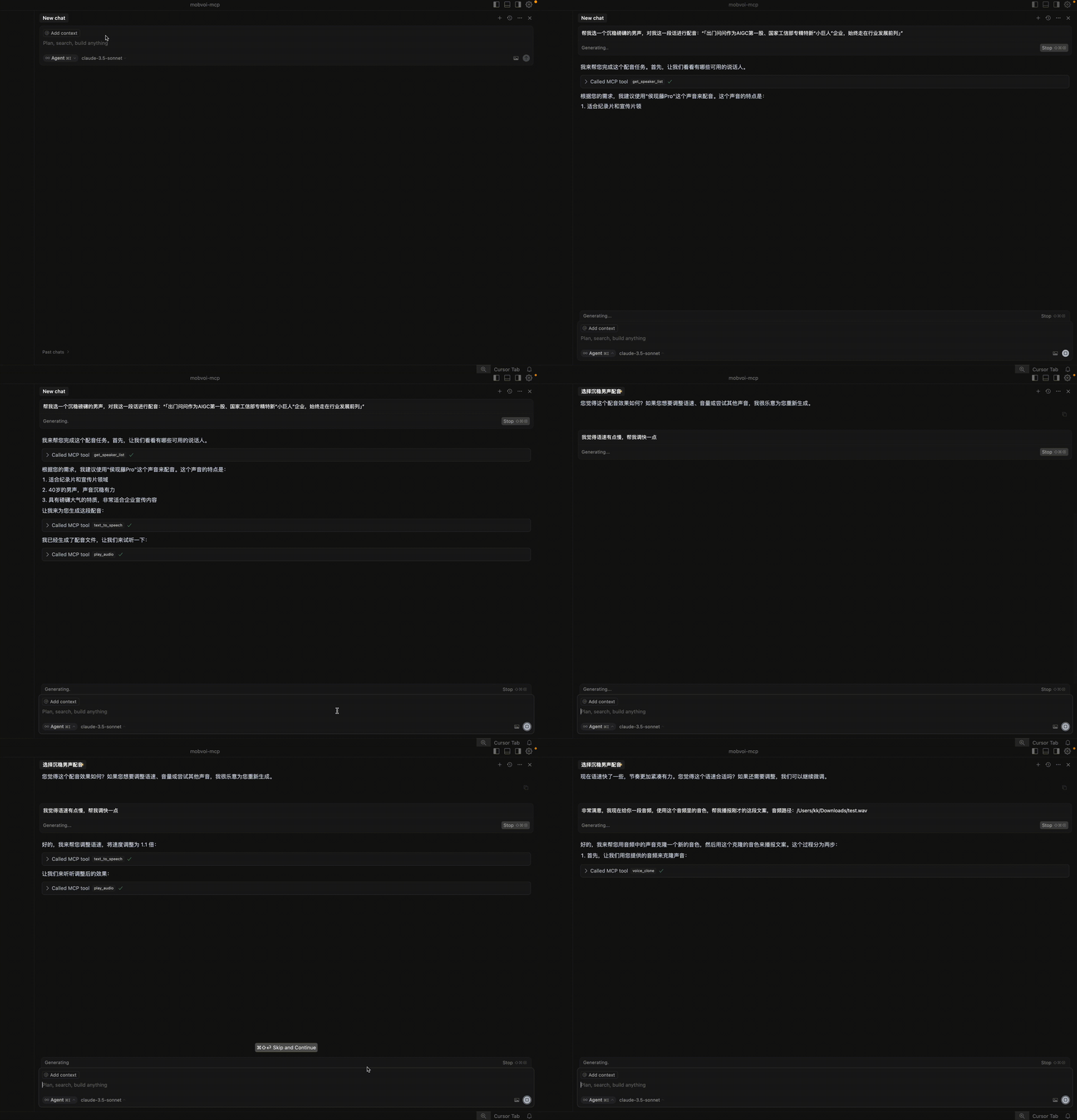
1. TTS Demo video:
## Troubleshooting
### spawn uvx ENOENT
If you encounter the error "MCP Mobvoi: spawn uvx ENOENT", confirm its absolute path by running this command in your terminal:
`which uvx`
Once you obtain the absolute path (e.g., /usr/local/bin/uvx), update your configuration to use that path (e.g., "command": "/usr/local/bin/uvx"). This ensures that the correct executable is referenced.
### MCP error -32001: Request timed out
If you encounter this error, this indicates that there is a problem with your network. If you are in mainland China, we strongly recommend that you configure extra pypi sources in the following way:
```
"Mobvoi": {
...
"args": [
"--index",
"https://pypi.tuna.tsinghua.edu.cn/simple",
"mobvoi-mcp"
],
...
},
```
Note that the extra pypi source needs to be configured at the very front of the args.
### Unable to synchronize the latest PyPI package
If you encounter this situation, it may be caused by the following reasons: 1) Network problems; 2) Cache problems; 3) The specified mirror source has not synchronized the mobvoi-mcp package.
If you are using a mirror source, you should first check whether the mobvoi-mcp package is synchronized on the mirror source you are using, in the following way:
`pip index versions --index-url https://pypi.tuna.tsinghua.edu.cn/simple mobvoi-mcp`
If you can see that the LATEST version number is consistent with that on PyPI, you can use the mirror source to update the latest mobvoi-mcp package. Otherwise, you can only use https://pypi.org/simple for the update. Usually, after a new package is released on PyPI, there will be a delay of dozens of minutes for the mirror source to synchronize.
At the same time, you can refer to the following configuration to update and clear the cache.
```
"Mobvoi": {
...
"args": [
"--upgrade",
"--no-cache-dir",
"--index",
"https://pypi.tuna.tsinghua.edu.cn/simple",
"mobvoi-mcp"
],
...
},
```