# MicroVM.nix
Handbook:
HTML
Markdown
•
Matrix chat
•
Changelog
•

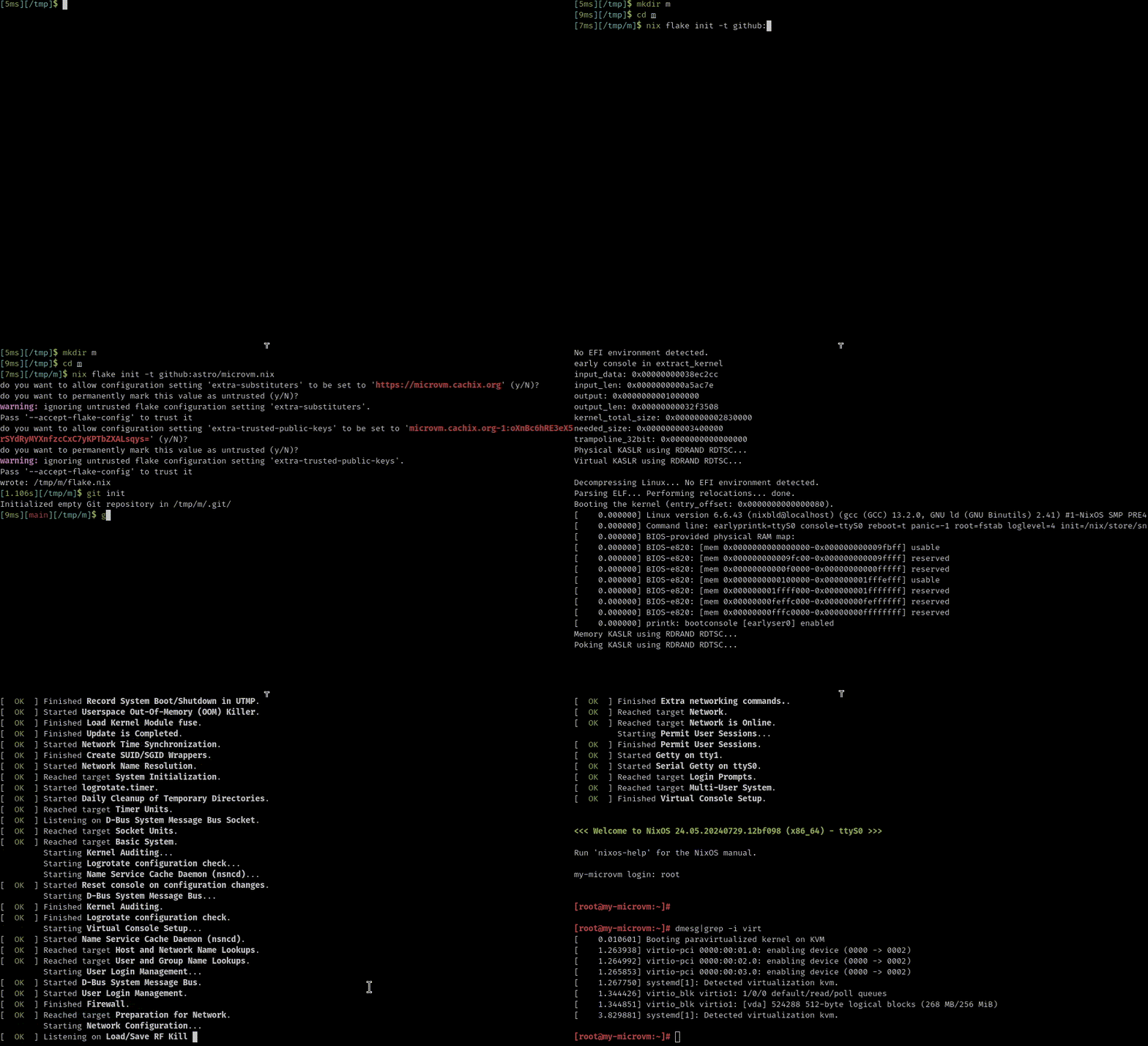
A Nix Flake to build NixOS and run it on one of several Type-2
Hypervisors on NixOS/Linux or macOS. The project is intended to provide a more
isolated alternative to `nixos-container`. You can either build and
run MicroVMs like Nix packages, or alternatively install them as
systemd services declaratively in your host's Nix Flake or
imperatively with the provided `microvm` command.
[Project Presentation (video)](https://media.ccc.de/v/nixcon-2023-34861-microvm-nix)
## At a glance
- MicroVMs are Virtual Machines but use special device interfaces
(virtio) for high performance.
- This project runs them on NixOS/Linux hosts and macOS (via vfkit).
- You can choose from eight hypervisors for each MicroVM.
- MicroVMs have a fixed RAM allocation (default: 512 MB) but can be
shrunk using `microvm-balloon`
- MicroVMs have a read-only root disk with either a prepopulated
`/nix/store` or by mounting the host's along with an optional
writable overlay. This filesystem can be built as either *squashfs*
(smaller) or *erofs* (faster).
- You define your MicroVMs in a Nix Flake's `nixosConfigurations`
section, reusing the `nixosModules` that are exported by this Flake.
- MicroVMs can access stateful filesystems either on a image volume as
a block device, or alternatively as a shared directory hierarchy
through *9p* or *virtiofs*.
- Zero, one, or more virtual tap ethernet network interfaces can be
attached to a MicroVM. `qemu`, `kvmtool`, and `vfkit` also support *user*
networking which requires no additional setup on the host.
- For high-throughput TAP networking with `qemu`, enable `tap.vhost = true`
to use vhost-net kernel acceleration (~10 Gbps vs ~1.5 Gbps without).
## Hypervisors
| Hypervisor | Language | Restrictions |
|-------------------------------------------------------------------------|----------|-------------------------------------------------------|
| [qemu](https://www.qemu.org/) | C | |
| [cloud-hypervisor](https://www.cloudhypervisor.org/) | Rust | no 9p shares |
| [firecracker](https://firecracker-microvm.github.io/) | Rust | no 9p/virtiofs shares |
| [crosvm](https://github.com/google/crosvm) | Rust | 9p shares broken |
| [kvmtool](https://github.com/kvmtool/kvmtool) | C | no virtiofs shares, no control socket |
| [stratovirt](https://github.com/openeuler-mirror/stratovirt) | Rust | no 9p/virtiofs shares, no control socket |
| [alioth](https://github.com/google/alioth) | Rust | no virtiofs shares, no control socket |
| [vfkit](https://github.com/crc-org/vfkit) | Go | macOS only, no 9p shares, no tap/bridge networking |
## Installation
```shell
nix registry add microvm github:microvm-nix/microvm.nix
```
(If you do not want to inflict this change on your system, just
replace `microvm` with `github:microvm-nix/microvm.nix` in the following
examples.)
## Start writing your own NixOS MicroVM definitions
```shell
nix flake init -t microvm
$EDITOR flake.nix
nix run .#my-microvm
```
## Examples
### Run MicroVMs on your local machine
```shell
nix run microvm#qemu-example
nix run microvm#firecracker-example
nix run microvm#cloud-hypervisor-example
nix run microvm#crosvm-example
nix run microvm#kvmtool-example
nix run microvm#stratovirt-example
# On macOS only:
nix run microvm#vfkit-example
```
### Run a MicroVM example with nested MicroVMs on 5 different Hypervisors
```shell
nix run microvm#vm
```
Check `networkctl status virbr0` for the DHCP leases of the nested
MicroVMs. They listen for ssh with an empty root password.
### Experimental: run graphical applications with graphics support
On Linux with cloud-hypervisor and Wayland forwarding:
```shell
nix run microvm#graphics neverball
```
On macOS with vfkit, enable graphics with `microvm.graphics.enable = true`.
## Commercial support
Accelerate your operations and secure your infrastructure with support from a
team of virtualization experts. Contact Cyberus Technology:
---
Looking for help or customization?
Get in touch with Numtide to get a quote. We make it easy for companies to
work with Open Source projects: