# EditorJS-LaTeX
[](https://www.jsdelivr.com/package/gh/mdgaziur/EditorJS-LaTeX)
Check the example: https://mdgaziur.github.io/EditorJS-LaTeX/example
### LaTeX block support for EditorJS
### Created By: MD Gaziur Rahman Noor
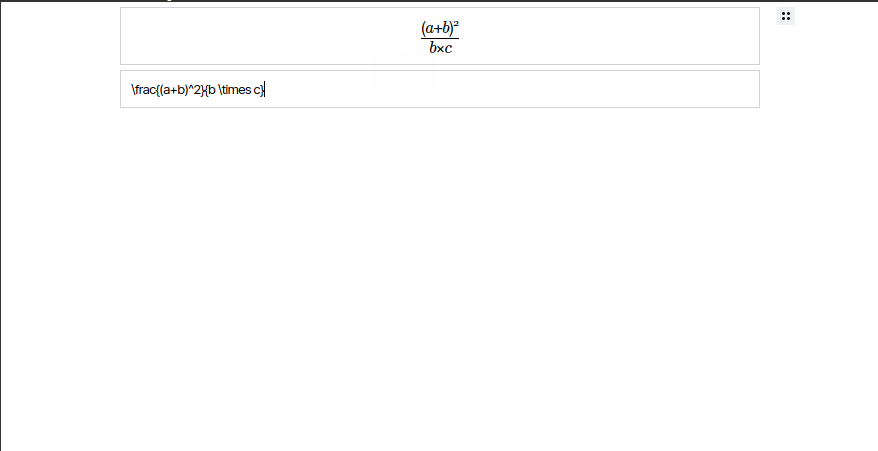
## Setting Up
Add the following code inside the `````` tag.
```html
```
To use with nodejs simply run ```npm i editorjs-latex``` and import using the following code:
```javascript
const EJLaTeX = require('editorjs-latex');
```
To add this library to EditorJS, simply add the follwing code:
```javascript
tools: {
Math: {
class: EJLaTeX,
shortcut: 'CMD+SHIFT+M'
}, ...
}
```
If you need to adjust the theming of the editor, you can add CSS rules in the config like:
```javascript
tools: {
Math: {
class: EJLaTeX,
shortcut: 'CMD+SHIFT+M',
config: {
css: '.math-input-wrapper { padding: 5px; }'
}
}, ...
}
```
## Getting data
The output data of this plugin will look like bellow:
```json
{
"type" : "Math",
"data" : {
"math" : "\\frac{a \\pm b}{(a+b)^2}"
}
}
```
The "math" item contains the expression. You can use KaTeX to render that in your document.
## Conclusion
If there is any problem or bugs, create an issue in this repository. I'll try my best to help you.