# myGPTReader
[]()
[](https://github.com/madawei2699/myGPTReader/issues)
[](https://github.com/madawei2699/myGPTReader/pulls)
[](/LICENSE)
English | 中文
A community-driven way to read and chat with AI bots - powered by chatGPT.
> 令人激动的是,这个项目的开发也是与 chatGPT 合作完成的。我在这个 [CDDR](docs/CDDR.md) 文件中记录了开发过程。
---
## 📝 Table of Contents
- [关于](#about)
- [如何开始](#getting_started)
- [主要功能](#main_features)
- [如何安装](#how_to_install)
- [TODO](docs/TODO.md)
- [作者](#authors)
- [致谢](#acknowledgement)
- [相关链接](#reference_links)
- [星数历史](#star_history)
## 🧐 关于 myGPTReader

|
myGPTReader 是一个 Slack 机器人,可以阅读任何网页、电子书、视频(YouTube)或文件,并通过 chatGPT 进行总结。它还可以通过语音与你交谈。
|
## 🏁 如何开始
现在加入这个拥有超过 5000 多名成员的[ slack 频道](https://slack-redirect.i365.tech/),免费体验所有这些功能,不仅能使用 chatGPT 的全部功能,还能围观他人的对话,学习如何与 chatGPT 更好的对话。

## 🔥 主要功能
### 📖 快速了解网页内容
使用 myGPTReader 快速阅读,通过对话了解任何网页内容,甚至包括视频(目前仅支持 YouTube 有字幕的视频)。

### 📚 阅读文件内容
使用 myGPTReader 快速阅读任何文件的内容,支持电子书、PDF、DOCX、TXT 与 Markdown。

### 🗣️ 直接使用语音对话 myGPTReader
通过用你的声音与 myGPTReader 对话来练习外语,它可以是你的私人外教,支持中文、英语、德语与日语。

### 💬 与 myGPTReader 对话
内置大量 `prompt` 模板,使用这些模板与 chatGPT 更好的对话。


### 🔥 今日热点
每天 myGPTReader 会发送最新的热榜新闻并自动生成摘要,方便你快速了解今日热点。

### 如何安装
- 可参考 [@nigdaemon](./docs/how-to-install/nigdaemon.md) 的安装记录。
- 可参考[MyGPTReader 部署到 Fly.io 教程完整记录(全部功能) - GPT4AllPro](https://gpt4all.pro/chatgpt-in-slack-mygptreader-deployment-to-fly-io-tutorial-complete-documentation-all-features/)
- 如果想使用 Docker 部署也可参考 [@polly3d](./docs/how-to-install/docker.md) 的安装记录。
## 相关链接
- 目前,如果你想快速了解这个项目,可以参考以下 YouTube 我录制的介绍视频:
[](https://www.youtube.com/live/XZIogwFU7jE?feature=share "myGPTReader介绍视频")
- 博文:[我的 AI 阅读助手](https://www.bmpi.dev/self/my-gpt-reader/)
- 博文:[ChatGPT应用开发小记](https://www.bmpi.dev/dev/chatgpt-development-notes/my-gpt-reader/)
## ✍️ 作者
- [@madawei2699](https://twitter.com/madawei2699)
 其他贡献者 [contributors](https://github.com/madawei2699/myGPTReader/contributors)
## 🎉 致谢
感谢所有为此项目贡献的人🫡
## 星数历史
[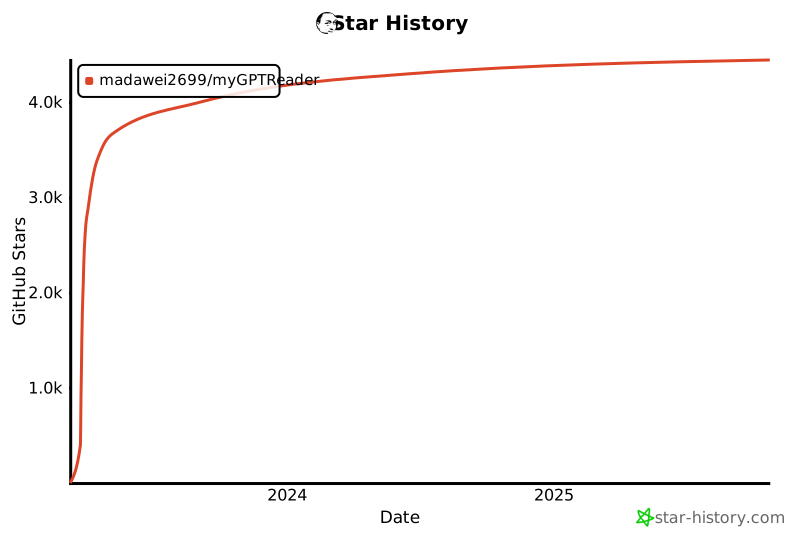](https://star-history.com/#madawei2699/myGPTReader&Date)
其他贡献者 [contributors](https://github.com/madawei2699/myGPTReader/contributors)
## 🎉 致谢
感谢所有为此项目贡献的人🫡
## 星数历史
[](https://star-history.com/#madawei2699/myGPTReader&Date)