




Learn a foreign language while you code.
A pi extension that reviews your prompts, teaches you how to say what you couldn’t yet, saves new words as flashcards, and turns agent replies into bilingual immersive translations.
English · 简体中文
## Install ```sh pi install npm:pi-language-tutor ``` That’s the only required step. Defaults (learning English, native Simplified Chinese) work out of the box. Another language? Type `/lang` or run `/lang native ja`.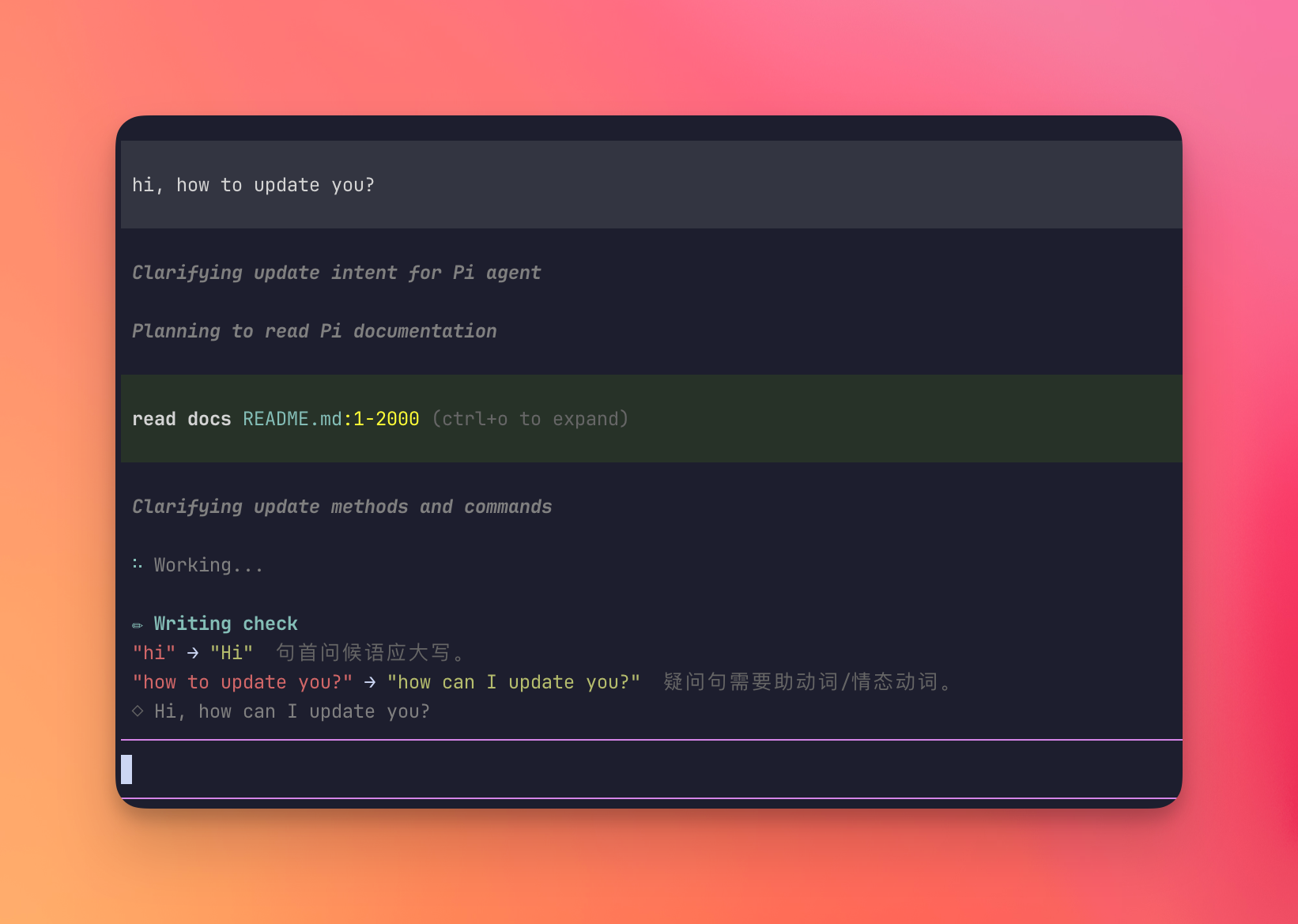 ### ✏ Writing tutor
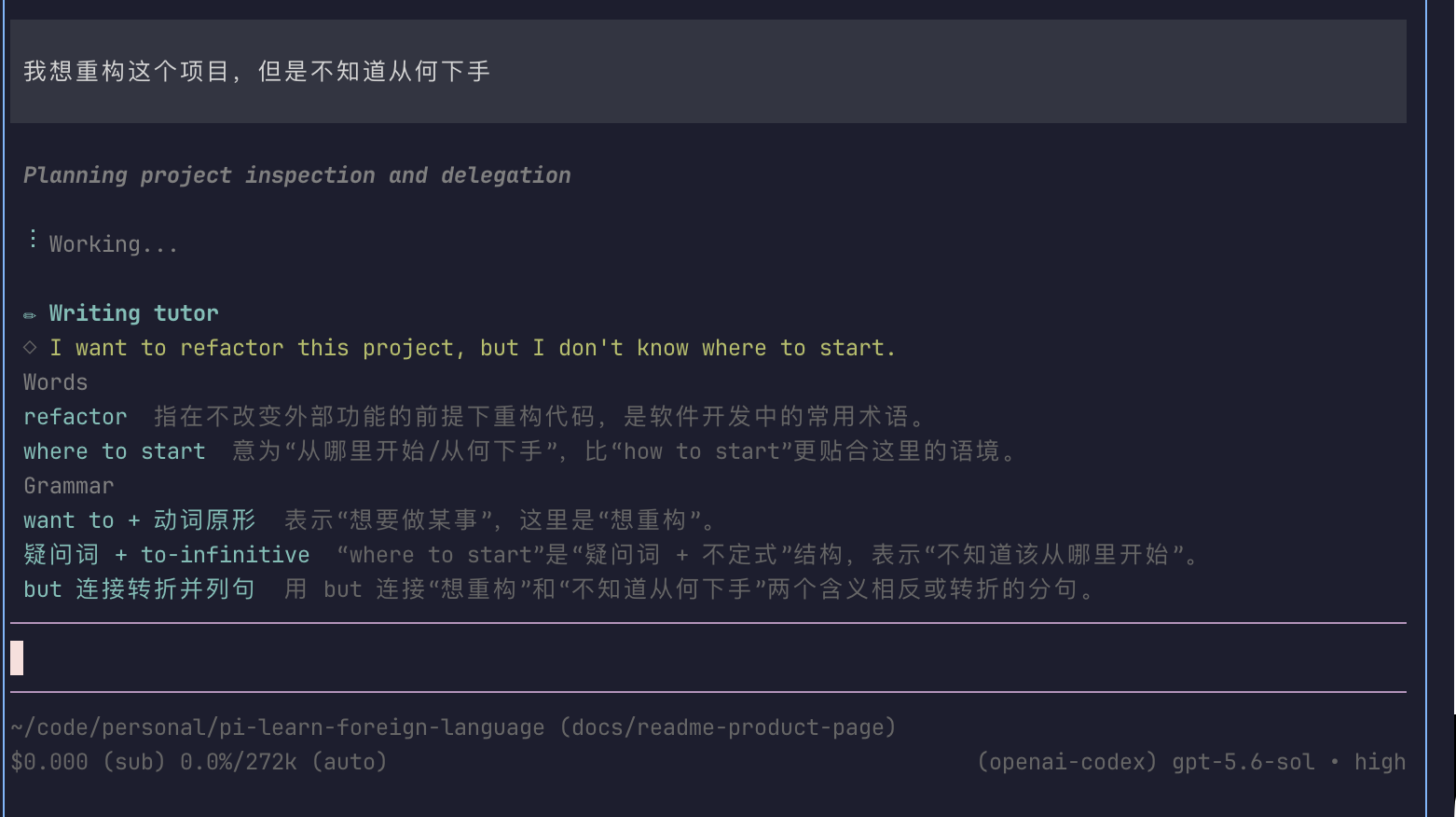
Prompt in your **native** language because the thought came faster that way. The tutor teaches the natural whole-sentence form in the learning language, the key words, and the grammar that carries it.
### ✏ Writing tutor
Prompt in your **native** language because the thought came faster that way. The tutor teaches the natural whole-sentence form in the learning language, the key words, and the grammar that carries it.
 ### 🗂 Flashcard review
Words taught by the Writing tutor are saved automatically. Run `/flashcards` to study them with an Anki-style flow; an FSRS scheduler decides when each card comes back.
### 🌐 Bilingual cards
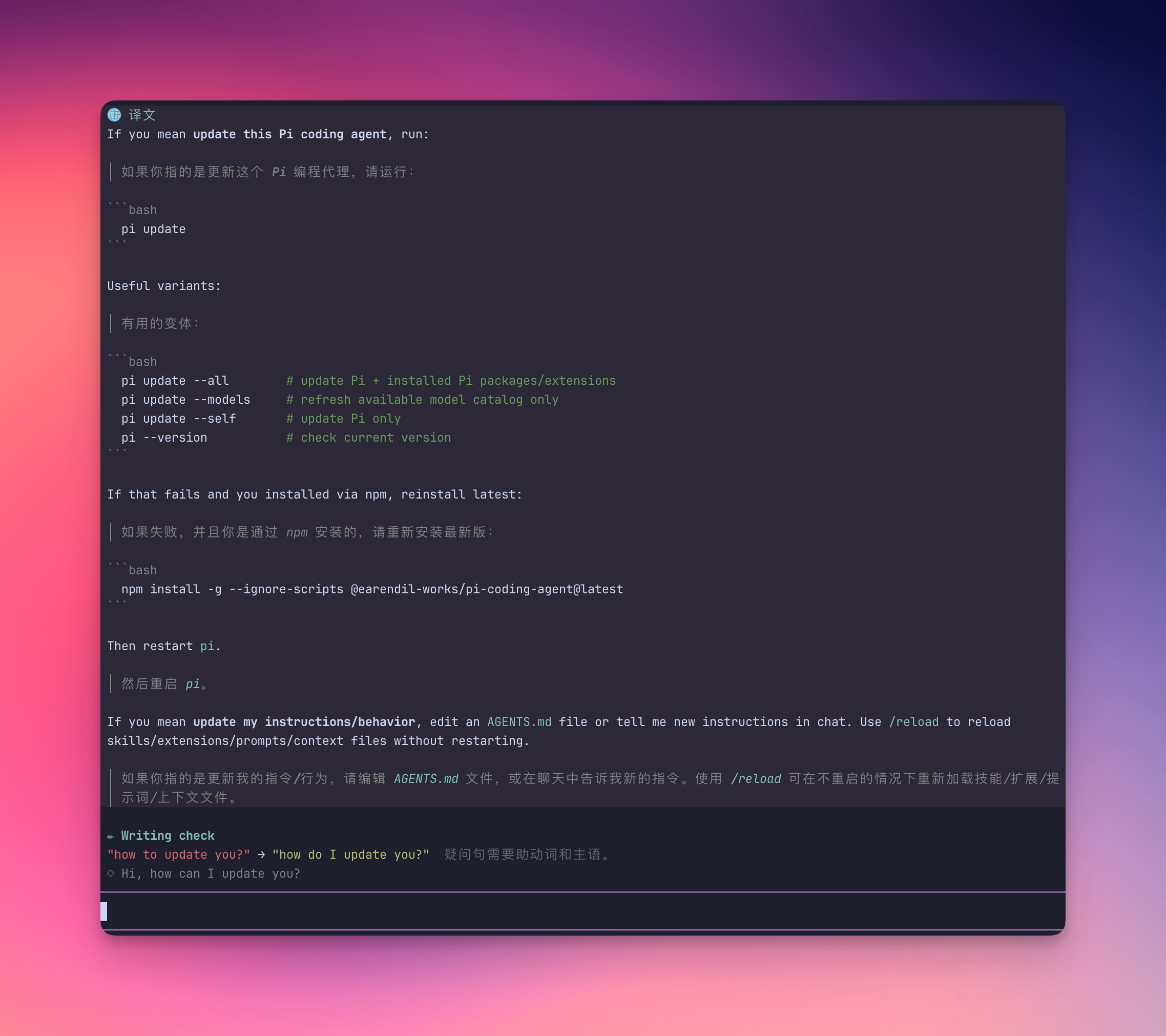
After a reply, press `alt+t` (macOS: ⌥T) or run `/translate`. Each paragraph is followed by its translation — immersive-translate style, with short code blocks kept intact.
### 🗂 Flashcard review
Words taught by the Writing tutor are saved automatically. Run `/flashcards` to study them with an Anki-style flow; an FSRS scheduler decides when each card comes back.
### 🌐 Bilingual cards
After a reply, press `alt+t` (macOS: ⌥T) or run `/translate`. Each paragraph is followed by its translation — immersive-translate style, with short code blocks kept intact.
 ## Try this first
1. Start `pi` and send a prompt in your learning language:
```text
when agent anwser me, I want translate it, it have three feature
```
The agent answers as usual. A `✏ Writing check` panel appears above the editor with fixes and native-language explanations.
2. Write a prompt in your **native** language instead:
```text
我想重构这个函数但是不知道怎么下手
```
A `✏ Writing tutor` panel appears: a natural whole-sentence rendering, key vocabulary, and grammar.
3. Words from the tutor are now flashcards. Run `/flashcards`, show the answer, then rate yourself Again / Hard / Good / Easy.
4. When the agent finishes, press `alt+t` (on macOS, [enable Option-as-Meta](https://iterm2.com/documentation-preferences-profiles-keys.html) in your terminal, or run `/translate`). The reply re-renders as a bilingual card.
5. Prefer auto-translate on every final response?
```text
/lang auto on
```
That’s enough to start.
## Design principles
| | |
| ------------------------------------- | ---------------------------------------------------------------------------------------------------------------- |
| **Nothing ever blocks** | Your message goes to the agent immediately; the review runs in parallel. A clean message shows no panel at all. |
| **Two panels, never both** | Learning language → Writing check. Native language → Writing tutor. One LLM call decides — they never both fire. |
| **Nothing pollutes the conversation** | Translation cards live only in your terminal — never sent back to the LLM, no context cost. |
| **You control the spend** | Features use your session model by default; point them at a cheaper one with `/lang model`. |
## Settings
Type `/lang` for the interactive menu, or set options directly:
| Command | What it does |
| -------------------------------------- | ----------------------------------------------------------------------------------------- |
| `/translate` or `alt+t` | Translate the last assistant response |
| `/flashcards` | Review flashcards captured from the Writing tutor |
| `/lang` | Interactive settings menu |
| `/lang check off` \| `on` \| `context` | Writing check & tutor mode (`context` sees the conversation; `/lang on`/`off` still work) |
| `/lang tutor on` \| `off` | Keep / drop the writing tutor alone |
| `/lang auto on` \| `off` | Auto-translate every final response |
| `/lang native
## Try this first
1. Start `pi` and send a prompt in your learning language:
```text
when agent anwser me, I want translate it, it have three feature
```
The agent answers as usual. A `✏ Writing check` panel appears above the editor with fixes and native-language explanations.
2. Write a prompt in your **native** language instead:
```text
我想重构这个函数但是不知道怎么下手
```
A `✏ Writing tutor` panel appears: a natural whole-sentence rendering, key vocabulary, and grammar.
3. Words from the tutor are now flashcards. Run `/flashcards`, show the answer, then rate yourself Again / Hard / Good / Easy.
4. When the agent finishes, press `alt+t` (on macOS, [enable Option-as-Meta](https://iterm2.com/documentation-preferences-profiles-keys.html) in your terminal, or run `/translate`). The reply re-renders as a bilingual card.
5. Prefer auto-translate on every final response?
```text
/lang auto on
```
That’s enough to start.
## Design principles
| | |
| ------------------------------------- | ---------------------------------------------------------------------------------------------------------------- |
| **Nothing ever blocks** | Your message goes to the agent immediately; the review runs in parallel. A clean message shows no panel at all. |
| **Two panels, never both** | Learning language → Writing check. Native language → Writing tutor. One LLM call decides — they never both fire. |
| **Nothing pollutes the conversation** | Translation cards live only in your terminal — never sent back to the LLM, no context cost. |
| **You control the spend** | Features use your session model by default; point them at a cheaper one with `/lang model`. |
## Settings
Type `/lang` for the interactive menu, or set options directly:
| Command | What it does |
| -------------------------------------- | ----------------------------------------------------------------------------------------- |
| `/translate` or `alt+t` | Translate the last assistant response |
| `/flashcards` | Review flashcards captured from the Writing tutor |
| `/lang` | Interactive settings menu |
| `/lang check off` \| `on` \| `context` | Writing check & tutor mode (`context` sees the conversation; `/lang on`/`off` still work) |
| `/lang tutor on` \| `off` | Keep / drop the writing tutor alone |
| `/lang auto on` \| `off` | Auto-translate every final response |
| `/lang native ` | Native language — translations & explanations (`zh-CN`, `ja`, …) |
| `/lang learning ` | Language you’re practicing (`en`, `fr`, …) |
| `/lang model [model]` | Model for this extension |
| `/lang model default` | Follow the session model |
| `/lang context on` \| `off` | Translations with full session context (off by default) |
## Configuration
Settings persist in `~/.pi/agent/language-learn.json`.
```json
{
"learning": "en",
"native": "zh-CN",
"model": "openai/gpt-4o-mini",
"check": "on",
"tutor": true,
"auto": false,
"context": false
}
```
`model` defaults to the session model. `tutor` defaults to on.
Flashcards are stored in `~/.pi/agent/flashcards.json`. Review limits and FSRS desired retention are stored in `~/.pi/agent/flashcards-settings.json`.
## Advanced
Skip heuristics, check vs tutor rules, flashcard scheduling, bilingual card details, custom providers, and context-mode cost trade-offs:
→ **[Advanced behavior](https://github.com/mackt/pi-language-tutor/blob/main/docs/advanced.md)**
## Development
```sh
npm install
npm run check # typecheck
npm test # unit tests
npm run lint
npm run fmt:check
```
Layout, scripts, and how product screenshots are produced:
→ **[Development guide](https://github.com/mackt/pi-language-tutor/blob/main/docs/development.md)**
Contributions welcome via PR. Conventions live in [AGENTS.md](https://github.com/mackt/pi-language-tutor/blob/main/AGENTS.md).
## License
[MIT](LICENSE)