# LeetCode
> Solve LeetCode problems in VS Code





- English Document | [中文文档](https://github.com/LeetCode-OpenSource/vscode-leetcode/blob/master/docs/README_zh-CN.md)
## ❗️ Attention ❗️- Workaround to login to LeetCode endpoint
> Note: If you are using `leetcode.cn`, you can just ignore this section.
Recently we observed that [the extension cannot login to leetcode.com endpoint anymore](https://github.com/LeetCode-OpenSource/vscode-leetcode/issues/478). The root cause of this issue is that leetcode.com changed its login mechanism and so far there is no ideal way to fix that issue.
Thanks for [@yihong0618](https://github.com/yihong0618) provided a workaround which can somehow mitigate this. Now you can simply click the `Sign In` button and then select `Third Party` login or `Cookie` login.
> Note: If you want to use third-party login(**Recommended**), please make sure your account has been connected to the third-party. If you want to use `Cookie` login, click [here](https://github.com/LeetCode-OpenSource/vscode-leetcode/issues/478#issuecomment-564757098) to see the steps.
## Requirements
- [VS Code 1.30.1+](https://code.visualstudio.com/)
- [Node.js 10+](https://nodejs.org)
> NOTE: Please make sure that `Node` is in your `PATH` environment variable. You can also use the setting `leetcode.nodePath` to specify the location of your `Node.js` executable.
## Quick Start
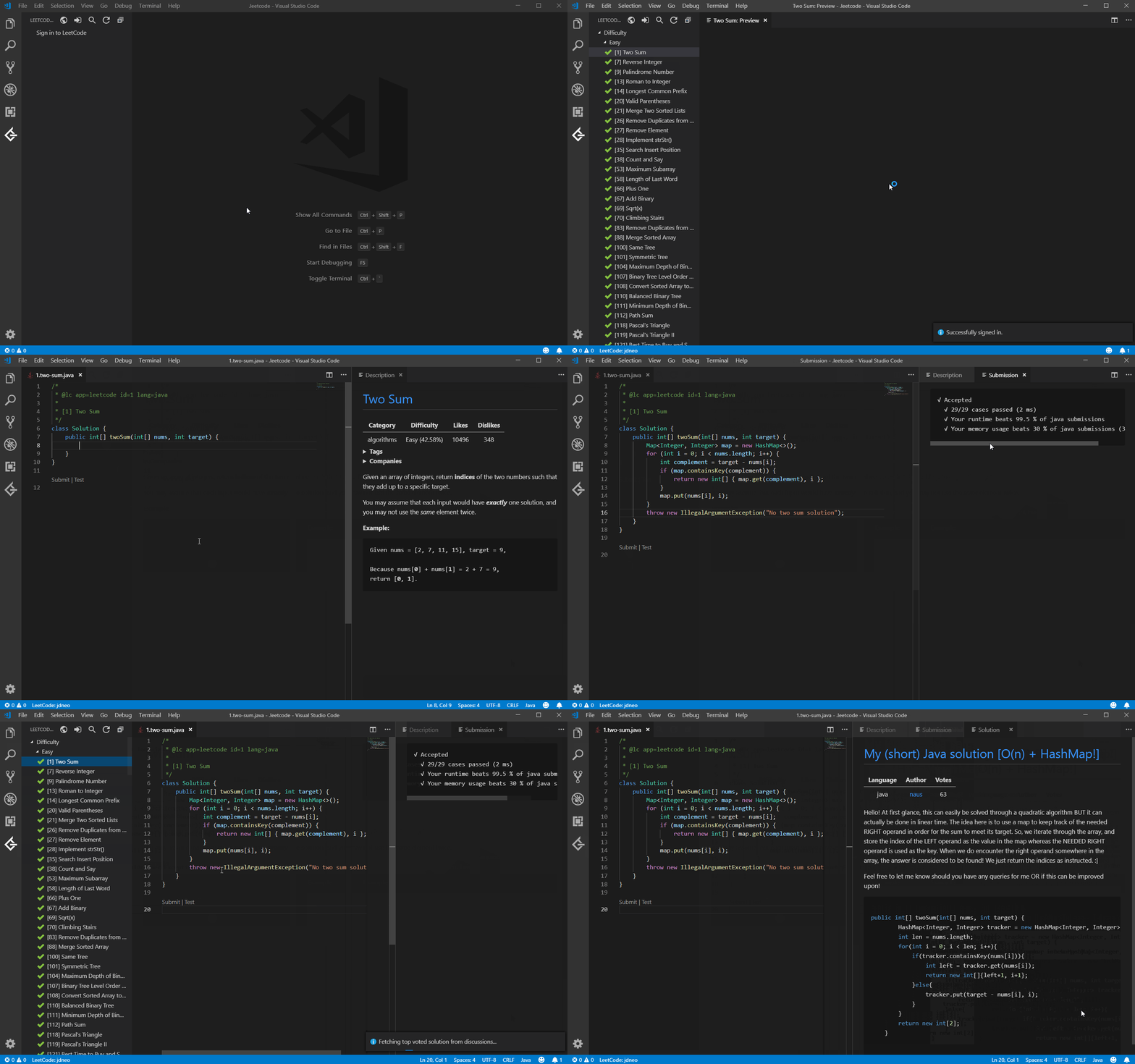
## Features
### Sign In/Out
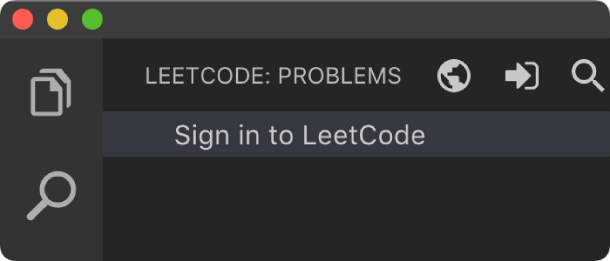
- Simply click `Sign in to LeetCode` in the `LeetCode Explorer` will let you **sign in** with your LeetCode account.
- You can also use the following command to sign in/out:
- **LeetCode: Sign in**
- **LeetCode: Sign out**
---
### Switch Endpoint
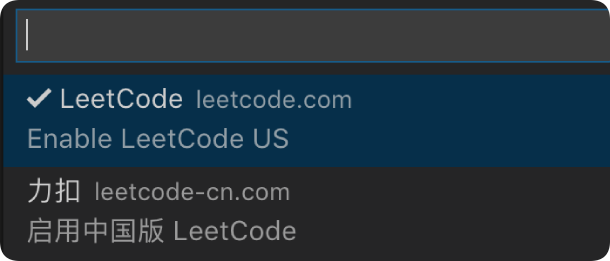
- By clicking the button  at the **explorer's navigation bar**, you can switch between different endpoints.
- The supported endpoints are:
- **leetcode.com**
- **leetcode.cn**
> Note: The accounts of different endpoints are **not** shared. Please make sure you are using the right endpoint. The extension will use `leetcode.com` by default.
---
### Pick a Problem
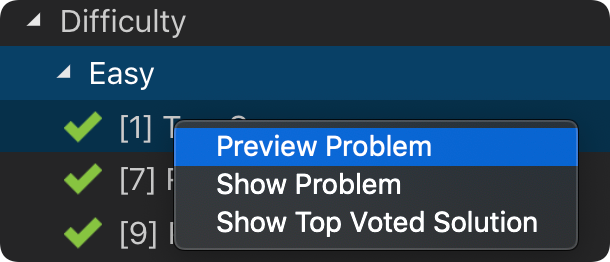
- Directly click on the problem or right click the problem in the `LeetCode Explorer` and select `Preview Problem` to see the problem description.
- Select `Show Problem` to directly open the file with the problem description.
> Note:You can specify the path of the workspace folder to store the problem files by updating the setting `leetcode.workspaceFolder`. The default value is:**$HOME/.leetcode/**.
> You can specify whether including the problem description in comments or not by updating the setting `leetcode.showCommentDescription`.
> You can switch the default language by triggering the command: `LeetCode: Switch Default Language`.
---
### Editor Shortcuts
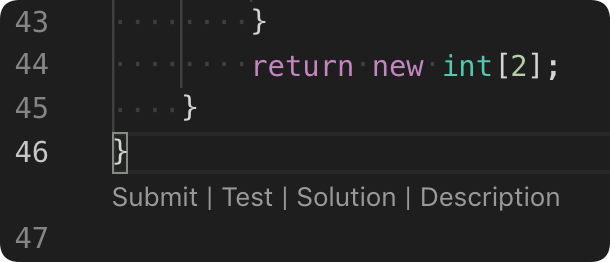
- The extension supports 5 editor shortcuts (aka Code Lens):
- `Submit`: Submit your answer to LeetCode.
- `Test`: Test your answer with customized test cases.
- `Star/Unstar`: Star or unstar the current problem.
- `Solution`: Show the top voted solution for the current problem.
- `Description`: Show the problem description page.
> Note: You can customize the shortcuts using the setting: `leetcode.editor.shortcuts`. By default, only `Submit` and `Test` shortcuts are enabled.
---
### Search problems by Keywords
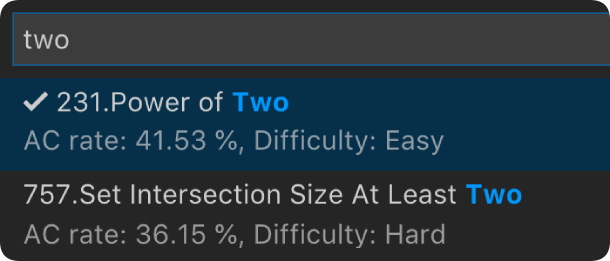
- By clicking the button  at the **explorer's navigation bar**, you can search the problems by keywords.
---
### Manage Session
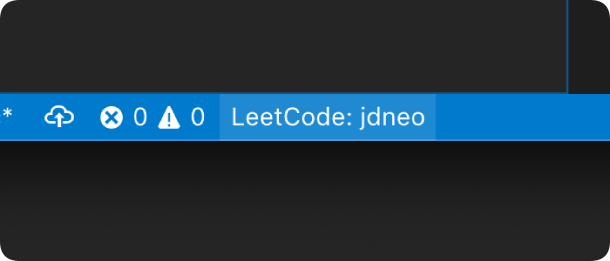
- To manage your LeetCode sessions, just clicking the `LeetCode: ***` at the bottom of the status bar. You can **switch** between sessions or **create**, **delete** a session.
## Settings
| Setting Name | Description | Default Value |
| --------------------------------- | ------------------------------------------------------------------------------------------------------------------------------------------------------------------------------------------------------------------------------------------------------------- | ------------------ |
| `leetcode.hideSolved` | Specify to hide the solved problems or not | `false` |
| `leetcode.defaultLanguage` | Specify the default language used to solve the problem. Supported languages are: `bash`, `c`, `cpp`, `csharp`, `golang`, `java`, `javascript`, `kotlin`, `mysql`, `php`, `python`,`python3`,`ruby`,`rust`, `scala`, `swift`, `typescript` | `N/A` |
| `leetcode.useWsl` | Specify whether to use WSL or not | `false` |
| `leetcode.endpoint` | Specify the active endpoint. Supported endpoints are: `leetcode`, `leetcode-cn` | `leetcode` |
| `leetcode.workspaceFolder` | Specify the path of the workspace folder to store the problem files. | `""` |
| `leetcode.filePath` | Specify the relative path under the workspace and the file name to save the problem files. More details can be found [here](https://github.com/LeetCode-OpenSource/vscode-leetcode/wiki/Customize-the-Relative-Folder-and-the-File-Name-of-the-Problem-File). | |
| `leetcode.enableStatusBar` | Specify whether the LeetCode status bar will be shown or not. | `true` |
| `leetcode.editor.shortcuts` | Specify the customized shortcuts in editors. Supported values are: `submit`, `test`, `star`, `solution` and `description`. | `["submit, test"]` |
| `leetcode.enableSideMode` | Specify whether `preview`, `solution` and `submission` tab should be grouped into the second editor column when solving a problem. | `true` |
| `leetcode.nodePath` | Specify the `Node.js` executable path. for example, C:\Program Files\nodejs\node.exe | `node` |
| `leetcode.showCommentDescription` | Specify whether to include the problem description in the comments | `false` |
| `leetcode.useEndpointTranslation` | Use endpoint's translation (if available) | `true` |
| `leetcode.colorizeProblems` | Add difficulty badge and colorize problems files in explorer tree | `true` |
| `leetcode.problems.sortStrategy` | Specify sorting strategy for problems list | `None` |
| `leetcode.allowReportData` | Allow LeetCode to report anonymous usage data to improve the product. list | `true` |
## Want Help?
When you meet any problem, you can check out the [Troubleshooting](https://github.com/LeetCode-OpenSource/vscode-leetcode/wiki/Troubleshooting) and [FAQ](https://github.com/LeetCode-OpenSource/vscode-leetcode/wiki/FAQ) first.
If your problem still cannot be addressed, feel free to reach us in the [Gitter Channel](https://gitter.im/vscode-leetcode/Lobby) or [file an issue](https://github.com/LeetCode-OpenSource/vscode-leetcode/issues/new/choose).
## Release Notes
Refer to [CHANGELOG](https://github.com/LeetCode-OpenSource/vscode-leetcode/blob/master/CHANGELOG.md)
## Acknowledgement
- This extension is based on [@skygragon](https://github.com/skygragon)'s [leetcode-cli](https://github.com/skygragon/leetcode-cli) open source project.
- Special thanks to our [contributors](https://github.com/LeetCode-OpenSource/vscode-leetcode/blob/master/ACKNOWLEDGEMENTS.md).