<div align="center">
<h1 style="margin-top: 0">JMComic-APK</h1>
<p>
<strong>基于jmcomic库自动检查禁漫APK更新</strong>
</p>
  
[![GitHub](https://img.shields.io/badge/-GitHub-181717?logo=github)](https://github.com/hect0x7)
[![GitHub all download](https://img.shields.io/github/downloads/hect0x7/JMComic-APK/total?color=orange&label=github%20downloads)](https://github.com/hect0x7/JMComic-APK/releases/latest)
[![GitHub latest releases](https://img.shields.io/github/v/release/hect0x7/JMComic-APK?color=blue&label=release)](https://github.com/hect0x7/JMComic-APK/releases/latest)


</div>

![一图流](https://raw.githubusercontent.com/hect0x7/hect0x7/master/images/jmcomic-intro-main.png)

## 项目介绍

使用GitHub Actions定时检查禁漫APK是否有更新，如果有，就下载一份保存到Release中。

[✨✨✨点我去APK下载界面✨✨✨](https://github.com/hect0x7/JMComic-APK/releases/latest)


## Star历史图

<a href="https://github.com/hect0x7/JMComic-Crawler-Python">
  <picture>
    <source media="(prefers-color-scheme: dark)" srcset="https://api.star-history.com/svg?repos=hect0x7/JMComic-Crawler-Python%2Chect0x7/JMComic-APK&type=Date&theme=dark" />
    <source media="(prefers-color-scheme: light)" srcset="https://api.star-history.com/svg?repos=hect0x7/JMComic-Crawler-Python%2Chect0x7/JMComic-APK&type=Date" />
    <img alt="Star History Chart" src="https://api.star-history.com/svg?repos=hect0x7/JMComic-Crawler-Python%2Chect0x7/JMComic-APK&type=Date" />
  </picture>
</a>


## 相关项目推荐

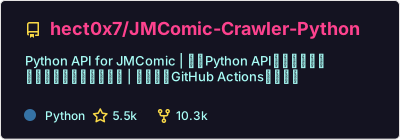
本项目的代码基于[`jmcomic`](https://github.com/hect0x7/JMComic-Crawler-Python)库，这是我写的一个pip库，支持用python代码访问禁漫天堂。

> 引流：[jmcomic](https://github.com/hect0x7/JMComic-Crawler-Python) 还可以帮你一键批量下载禁漫本子

<a href="https://github.com/hect0x7/JMComic-Crawler-Python">
  <picture>
    <source media="(prefers-color-scheme: dark)" srcset="https://raw.githubusercontent.com/hect0x7/hect0x7/refs/heads/master/profile/pin-JMComic-Crawler-Python-dark.svg?t=1" />
    <source media="(prefers-color-scheme: light)" srcset="https://raw.githubusercontent.com/hect0x7/hect0x7/refs/heads/master/profile/pin-JMComic-Crawler-Python.svg?t=1" />
    <img alt="Repo Card" src="https://raw.githubusercontent.com/hect0x7/hect0x7/refs/heads/master/profile/pin-JMComic-Crawler-Python-dark.svg?t=1" />
  </picture>
</a>

---

此外，如果你需要**离线浏览已下载的本子**，可以使用 [`plugin-jm-server`](https://github.com/hect0x7/plugin-jm-server)。

> [**plugin-jm-server**](https://github.com/hect0x7/plugin-jm-server) 是一个“离线版”禁漫天堂文件服务器，支持在浏览器中查看本地文件夹内的图片。该项目界面模仿禁漫章节的下拉式观看页面，并适配了手机端。

<a href="https://github.com/hect0x7/plugin-jm-server">
  <picture>
    <source media="(prefers-color-scheme: dark)" srcset="https://raw.githubusercontent.com/hect0x7/hect0x7/refs/heads/master/profile/pin-plugin-jm-server-dark.svg?t=1" />
    <source media="(prefers-color-scheme: light)" srcset="https://raw.githubusercontent.com/hect0x7/hect0x7/refs/heads/master/profile/pin-plugin-jm-server.svg?t=1" />
    <img alt="Repo Card" src="https://raw.githubusercontent.com/hect0x7/hect0x7/refs/heads/master/profile/pin-plugin-jm-server-dark.svg?t=1" />
  </picture>
</a>

---


如果你希望**通过自然语言与 AI 交互来找本、看本**，那么 [`jmcomic-ai`](https://github.com/hect0x7/jmcomic-ai) 是你的不二之选。

> [jmcomic-ai](https://github.com/hect0x7/jmcomic-ai) 通过 MCP 和 Skills 将 `jmcomic` 的搜索、下载、排行榜等核心能力注入到你的 AI Agent（如 Cursor, Claude Desktop 等）中。现在你只需对 AI 说出“帮我找找主角是电锯人的漫画”或“下载搜索结果中浏览量前三的作品”，AI 就会自动为你执行复杂的爬虫任务。

<a href="https://github.com/hect0x7/jmcomic-ai">
  <picture>
    <source media="(prefers-color-scheme: dark)" srcset="https://raw.githubusercontent.com/hect0x7/hect0x7/refs/heads/master/profile/pin-jmcomic-ai-dark.svg?t=1" />
    <source media="(prefers-color-scheme: light)" srcset="https://raw.githubusercontent.com/hect0x7/hect0x7/refs/heads/master/profile/pin-jmcomic-ai.svg?t=1" />
    <img alt="Repo Card" src="https://raw.githubusercontent.com/hect0x7/hect0x7/refs/heads/master/profile/pin-jmcomic-ai-dark.svg?t=1" />
  </picture>
</a>
