a recursive self-improving harness designed to help your agents (and future iterations of those agents) succeed on any task
autocontext is a harness for agent improvement. Give it a goal, it runs the task against evaluation, keeps the useful lessons, discards dead ends, and leaves traces, reports, playbooks, datasets, and optional local-model training artifacts for the next run.
**Docs:** [autocontext.ai/docs](https://autocontext.ai/docs) · [quickstart](https://autocontext.ai/docs/get-started/quickstart) · [CLI reference](https://autocontext.ai/docs/cli/reference) · [changelog](https://autocontext.ai/docs/changelog)
## Install
| Surface | Command |
| ------------------- | ------------------------------------- |
| Python CLI | `uv tool install autocontext==0.14.0` |
| Python library/dev | `uv pip install autocontext==0.14.0` |
| TypeScript/Node CLI | `bun add -g autoctx@0.14.0` |
| Pi extension | `pi install npm:pi-autocontext@0.9.0` |
The PyPI package is `autocontext`; the CLI is `autoctx`. The npm package is `autoctx` (not the unrelated `autocontext` npm package). Provider variables live in [`.env.example`](.env.example).
## 30-Second Run
Pi is the lowest-friction provider because it uses your local agent auth:
```bash
AUTOCONTEXT_AGENT_PROVIDER=pi \
AUTOCONTEXT_PI_COMMAND=pi \
autoctx solve "improve customer-support replies for billing disputes" --iterations 3
```
Use `AUTOCONTEXT_AGENT_PROVIDER=anthropic`, `openai-compatible`, `claude-cli`, `codex`, `pi-rpc`, or another provider when you need that runtime. See [agent integration](autocontext/docs/agent-integration.md) for the full matrix.
## Agent Entry Points
- **Pi:** install `pi-autocontext`, then ask Pi to solve, judge, improve, list, or inspect runs through the packaged skill.
- **MCP clients:** run `autoctx mcp-serve` or `bunx autoctx mcp-serve` and expose the tools to Claude Code, Cursor, or another MCP client.
- **Hermes:** export the CLI-first skill with `uv run autoctx hermes export-skill --with-references --json`.
Full setup: [autocontext/docs/agent-integration.md](autocontext/docs/agent-integration.md).
## What A Run Leaves Behind
```text
runs//
├── trace.jsonl
├── generations//{strategy.json,analysis.md,score.json}
├── report.md
└── artifacts/
knowledge//
├── playbook.md
├── hints.md
└── tools/
```
Everything is filesystem-first: inspect it, diff it, replay it, export it, or feed it into training.
## Core Surfaces
| Surface | Command | Use it for |
| ------------- | ------------------------------------------------------- | ------------------------------------------------------- |
| `solve` | `autoctx solve "..." --iterations 3` | Start from a plain-language goal |
| `run` | `autoctx run --iterations 3` | Improve a saved scenario |
| `simulate` | `autoctx simulate -d "..."` | Model/replay/compare system behavior |
| `investigate` | `autoctx investigate -d "..."` | Evidence-driven diagnosis |
| `mission` | `autoctx mission create --name "..." --goal "..."` | Verifier-driven multi-step goals |
| `train` | `uv run autoctx train --scenario --data ` | Distill stable behavior into a cheaper runtime (Python) |
| `mcp-serve` | `autoctx mcp-serve` | Give an agent the autocontext tool surface |
Python owns the full control-plane package; TypeScript owns several operator-facing surfaces, the TUI, and Node runtime adapters. Start with [autocontext/README.md](autocontext/README.md) or [ts/README.md](ts/README.md).
## What's New in 0.14.0
- **Live TypeScript task plans:** interactive runs now advertise `agent_task_plan_v1` and emit semantic `task_plan_updated` snapshots for initial planning, meaningful progress, replanning, completion, failure, and safe stop.
- **Durable, privacy-safe replay:** task-plan snapshots use stable identity and monotonic revisions, redact credential-shaped values, reject malformed or oversized frames atomically, and restore exactly across reconnects and server restarts. Python producer parity remains explicitly deferred.
## Scenario Families
The shipped families cover games, agent tasks, simulations, artifact editing, investigations, workflows, negotiation, schema evolution, tool fragility, operator loops, and coordination. Python and TypeScript share the family vocabulary; see [docs/scenario-parity-matrix.md](docs/scenario-parity-matrix.md) for parity details.
## Package Guides
| Need | Go here |
| --------------------------------------------- | ---------------------------------------------- |
| Python CLI/library, MCP, HTTP, training | [autocontext/README.md](autocontext/README.md) |
| Node CLI, TUI, missions, Fetch/agent adapters | [ts/README.md](ts/README.md) |
| Pi package | [pi/README.md](pi/README.md) |
| Copy-paste examples | [examples/README.md](examples/README.md) |
| Concepts and docs index | [docs/README.md](docs/README.md) |
| Contributor setup | [CONTRIBUTING.md](CONTRIBUTING.md) |
| Repo guide for agents | [AGENTS.md](AGENTS.md) |
## Project Signals
[](https://www.npmjs.com/package/autoctx)
[](https://pypi.org/project/autocontext/)
[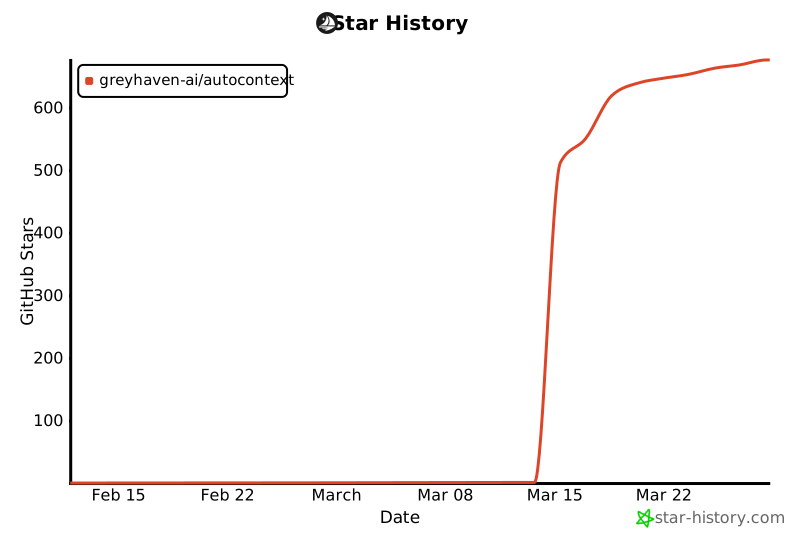](https://www.star-history.com/#greyhaven-ai/autocontext&Date)
## Acknowledgments
Thanks to [George](https://github.com/GeorgeH87) for generously donating the `autocontext` name on PyPI.





