# Santa
> [!NOTE]
> **As of 2025, Santa is no longer maintained by Google.** We encourage
> existing users to migrate to an actively maintained fork of Santa, such as
> https://github.com/northpolesec/santa.
---
[](https://github.com/google/santa/blob/main/LICENSE)
[](https://github.com/google/santa/actions/workflows/ci.yml)
[](https://github.com/google/santa/releases/latest)
[](https://github.com/google/santa/releases/latest)
[](https://github.com/google/santa/releases/latest)

Santa is a binary and file access authorization system for macOS. It consists of a system
extension that monitors for executions, a daemon that makes execution decisions
based on the contents of a local database, a GUI agent that notifies the user in
case of a block decision and a command-line utility for managing the system and
synchronizing the database with a server.
It is named Santa because it keeps track of binaries that are naughty or nice.
# Docs
The Santa docs are stored in the
[Docs](https://github.com/google/santa/blob/main/docs) directory and are published
at https://santa.dev.
The docs include deployment options, details on how parts of Santa work and
instructions for developing Santa itself.
# Get Help
If you have questions or otherwise need help getting started,
the [santa-dev](https://groups.google.com/forum/#!forum/santa-dev) group is a
great place.
If you believe you have a bug, feel free to report [an
issue](https://github.com/google/santa/issues) and we'll respond as soon as we
can.
If you believe you've found a vulnerability, please read the
[security policy](https://github.com/google/santa/security/policy) for
disclosure reporting.
# Features
* Multiple modes: In the default MONITOR mode, all binaries except those marked
as blocked will be allowed to run, whilst being logged and recorded in
the events database. In LOCKDOWN mode, only listed binaries are allowed to
run.
* Event logging: When the system extension is loaded, all binary launches are logged. When in either mode, all unknown or denied binaries are stored in the database to enable later aggregation.
* Certificate-based rules, with override levels: Instead of relying on a
binary's hash (or 'fingerprint'), executables can be allowed/blocked by their
signing certificate. You can therefore allow/block all binaries by a
given publisher that were signed with that cert across version updates. A
binary can only be allowed by its certificate if its signature validates
correctly but a rule for a binary's fingerprint will override a decision for
a certificate; i.e. you can allowlist a certificate while blocking a binary
signed with that certificate, or vice-versa.
* Path-based rules (via NSRegularExpression/ICU): This allows a similar feature
to that found in Managed Client (the precursor to configuration profiles,
which used the same implementation mechanism), Application Launch
Restrictions via the mcxalr binary. This implementation carries the added
benefit of being configurable via regex, and not relying on LaunchServices.
As detailed in the wiki, when evaluating rules this holds the lowest
precedence.
* Failsafe cert rules: You cannot put in a deny rule that would block the
certificate used to sign launchd, a.k.a. pid 1, and therefore all components
used in macOS. The binaries in every OS update (and in some cases entire new
versions) are therefore automatically allowed. This does not affect binaries
from Apple's App Store, which use various certs that change regularly for
common apps. Likewise, you cannot block Santa itself, and Santa uses a
distinct separate cert than other Google apps.
* Userland components validate each other: each of the userland components (the
daemon, the GUI agent and the command-line utility) communicate with each
other using XPC and check that their signing certificates are identical
before any communication is accepted.
* Caching: allowed binaries are cached so the processing required to make a
request is only done if the binary isn't already cached.
# Intentions and Expectations
No single system or process will stop *all* attacks, or provide 100% security.
Santa is written with the intention of helping protect users from themselves.
People often download malware and trust it, giving the malware credentials, or
allowing unknown software to exfiltrate more data about your system. As a
centrally managed component, Santa can help stop the spread of malware among a
large fleet of machines. Independently, Santa can aid in analyzing what is
running on your computer.
Santa is part of a defense-in-depth strategy, and you should continue to
protect hosts in whatever other ways you see fit.
# Security and Performance-Related Features
# Known Issues
* Santa only blocks execution (execve and variants), it doesn't protect against
dynamic libraries loaded with dlopen, libraries on disk that have been
replaced, or libraries loaded using `DYLD_INSERT_LIBRARIES`.
* Scripts: Santa is currently written to ignore any execution that isn't a
binary. This is because after weighing the administration cost vs the
benefit, we found it wasn't worthwhile. Additionally, a number of
applications make use of temporary generated scripts, which we can't possibly
allowlist and not doing so would cause problems. We're happy to revisit this
(or at least make it an option) if it would be useful to others.
# Sync Servers
* The `santactl` command-line client includes a flag to synchronize with a
management server, which uploads events that have occurred on the machine and
downloads new rules. There are several open-source servers you can sync with:
* [Moroz](https://github.com/groob/moroz) - A simple golang server that
serves hardcoded rules from simple configuration files.
* [Rudolph](https://github.com/airbnb/rudolph) - An AWS-based serverless sync service
primarily built on API GW, DynamoDB, and Lambda components to reduce operational burden.
Rudolph is designed to be fast, easy-to-use, and cost-efficient.
* [Zentral](https://github.com/zentralopensource/zentral/wiki) - A
centralized service that pulls data from multiple sources and deploy
configurations to multiple services.
* [Zercurity](https://github.com/zercurity/zercurity) - A dockerized service
for managing and monitoring applications across a large fleet utilizing
Santa + Osquery.
* Alternatively, `santactl` can configure rules locally (without a sync
server).
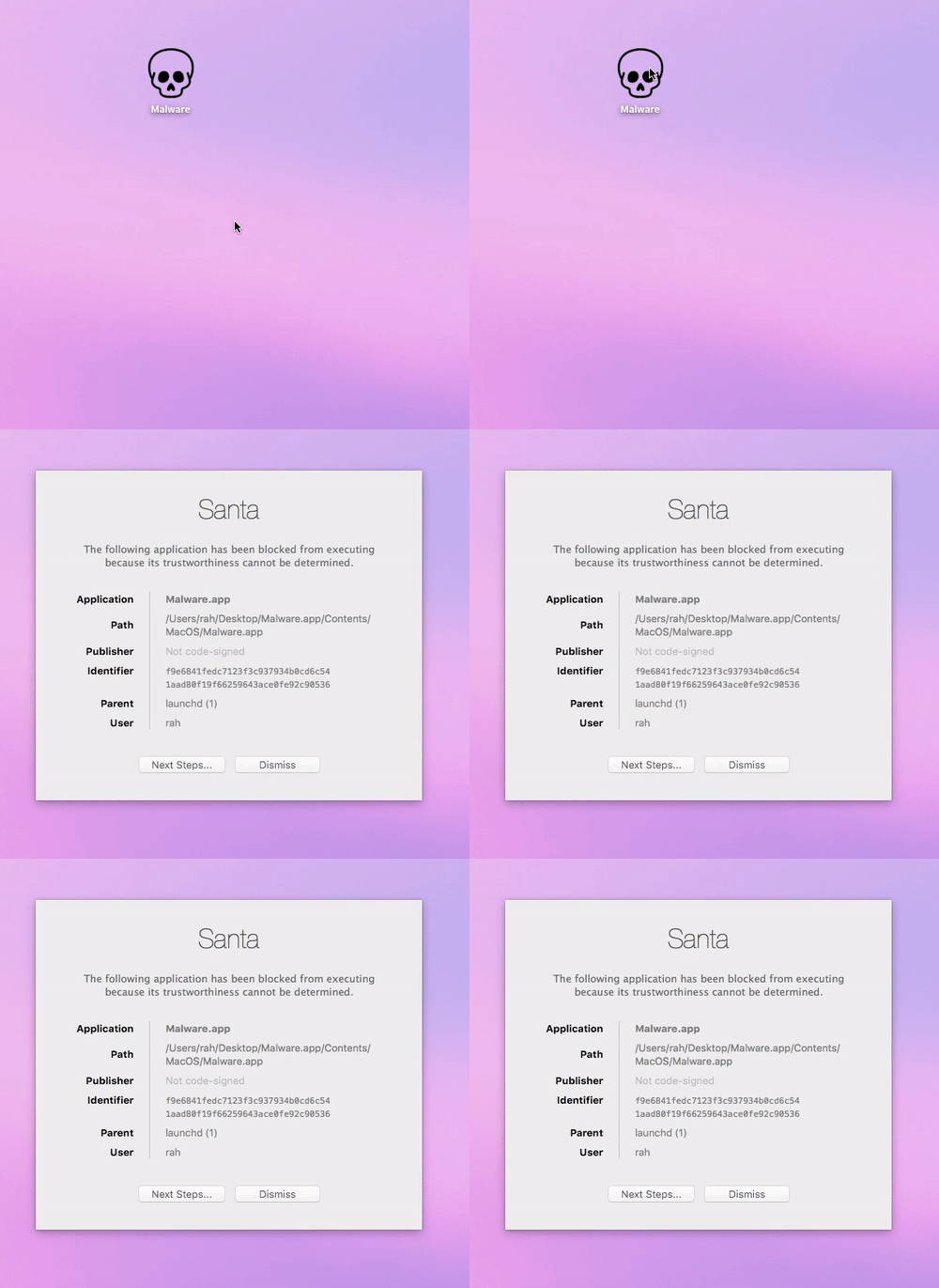
# Screenshots
A tool like Santa doesn't really lend itself to screenshots, so here's a video
instead.
# Contributing
Patches to this project are very much welcome. Please see the
[CONTRIBUTING](https://santa.dev/development/contributing) doc.
# Disclaimer
This is **not** an official Google product.