# A complete BSPWM Window Manager Environment
[
Install
](#-installation)
[
Features
](#-features)
[
Themes
](#-the-themes)
[
Keybindings
](#very-useful-keybindigs-to-know)
[
Wiki
](https://github.com/gh0stzk/dotfiles/wiki)
https://github.com/user-attachments/assets/3eaae1e2-04dc-4a9b-8c91-139f85f5fb9e
## 👻 Welcome
Welcome to my dotfiles. I’m gh0stzk from Mexico.
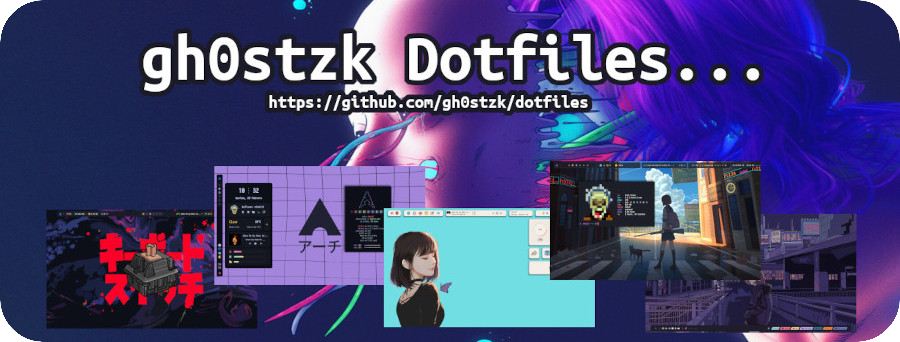
These dotfiles are designed with the goal of providing a bspwm environment that is lightweight, efficient, and functional, tailored for any use—whether it’s gaming, web browsing, or a productive work setting.
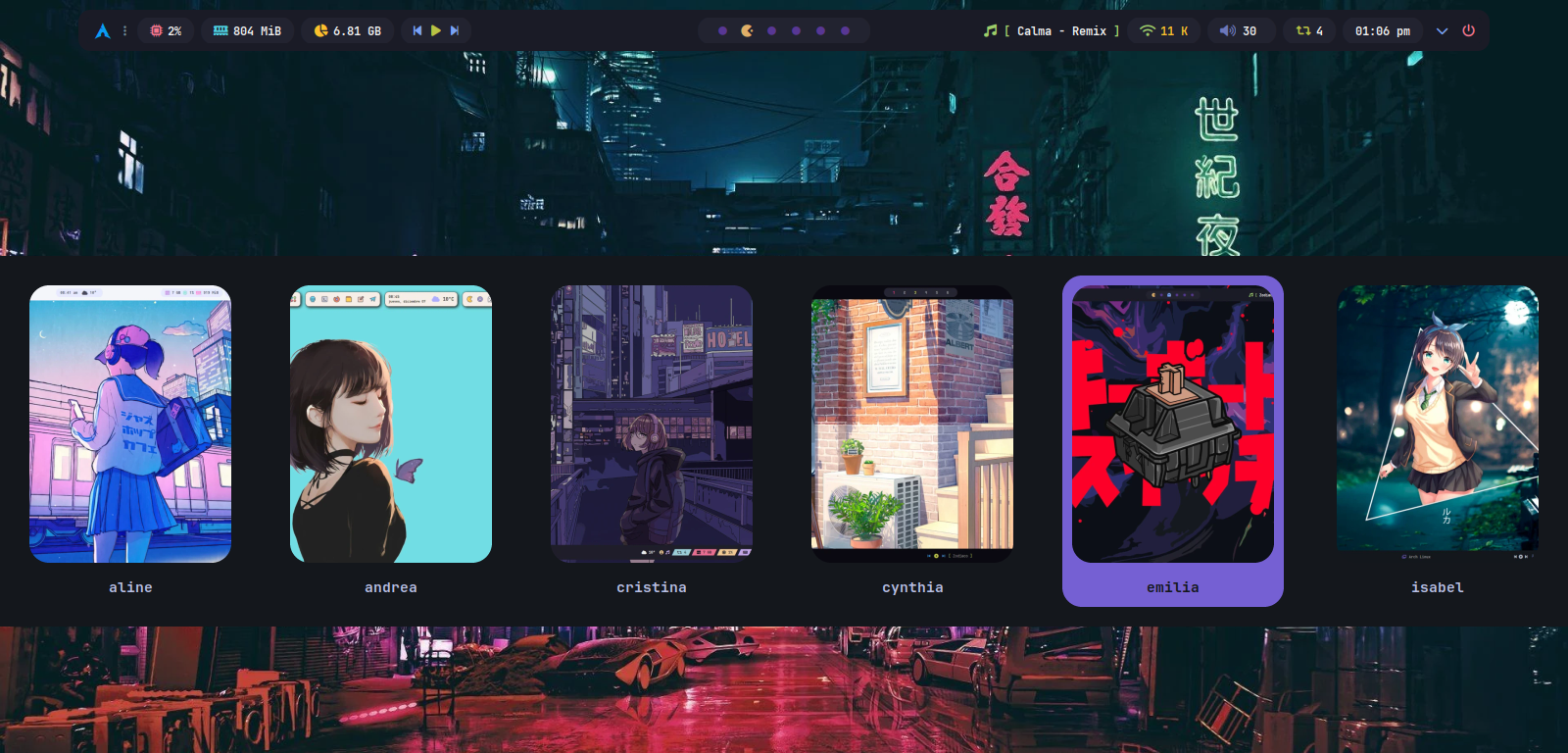
You’ll have 18 unique themes to choose from, each with its own style, colors, and navigation bar options. With this variety, you’re sure to find one that suits your preferences and needs.
## :book: Wiki
I already started writing the [**Wiki**](https://github.com/gh0stzk/dotfiles/wiki), you should give it a read. If it is your first time with a WM, you may be interested in reading [First steps after installing the dotfiles](https://github.com/gh0stzk/dotfiles/wiki/Firsts-steps-after-installing) or maybe read [frequently asked questions and answers](https://github.com/gh0stzk/dotfiles/wiki/Questions---Answers) [Keybinds](https://github.com/gh0stzk/dotfiles/wiki/Keyboard-Shortcuts) [Firefox Theme](https://github.com/gh0stzk/dotfiles/wiki/Firefox-Theme).
## 🚀 Features
 #### Change themes on the fly
You can switch themes instantly, with no need to restart your session or environment. With just one click, the change is applied immediately.
#### Consistency Across the Environment
Unlike Matugen, Pywal, and other wallpaper-based theming tools, colors are not extracted from images. Every theme includes a handcrafted color palette, carefully selected to maintain consistency, readability, and visual appeal.
A modular theming system propagates these colors across the entire desktop environment. Switching themes instantly updates:
- BSPWM
- GTK (3.x)
- Dunst
- Rofi
- Terminals
- Alacritty
- Ghostty
- Kitty
- St
- Xfce-terminal
- Eww
- Firefox
- Jgmenu
- Geany
- ScreenLocker (i3lock-color)
- Mpv Player
- Cava
- Zathura
- Polybar
- Cli-Tools
- Yazi
- Fzf-Tab
- Bat
- Eza
- Ncmpcpp
Not all modules are enabled.
If you want to know how it works and how to enable or disable modules, go to [Color Modules](https://github.com/gh0stzk/dotfiles/wiki/Color-Modules)
ToDo-List:
- Obsidian
- Telegram-desktop
- Steam
- Btop
- Qt (5/6)
- Rmpc
#### Performance optimized
BSPWM is not a desktop environment (DE), and that’s exactly what makes it stand out in terms of lightweight performance. On my systems, my BSPWM-dotfiles environment starts with under **600 MB of RAM usage**. While these numbers don't tell the whole story, they do highlight the minimalist approach that a window manager should embrace.
In addition, each theme can be configured independently — either by manually editing the theme’s configuration file or using my RiceEditor application. This ensures a high level of customization: if you want a minimalist setup for a specific theme, you can disable animations, shadows, rounded borders, or fading effects. On the other hand, if you prefer a more visually rich theme with all those features enabled, that’s fully supported as well. My dotfiles are built to provide that level of flexibility.
#### Multi-Monitor support
If you have multiple monitors, BSPWM will automatically detect and configure up to 4 displays when launching with my dotfiles.
If you connect an additional monitor while the session is already running, simply reload BSPWM using the `Super + Alt + r` key combination, and your monitors will be configured instantly.
You can check the Wiki [👉 Monitors Setup](https://github.com/gh0stzk/dotfiles/wiki/Monitors-setup) if you want to edit the default layouts.
#### RiceEditor
Is an application designed to simplify the customization of your current theme. It allows you to easily adjust various visual and configuration aspects, tailoring your environment to your preferences without the need to manually edit configuration files.
#### Eww Widgets
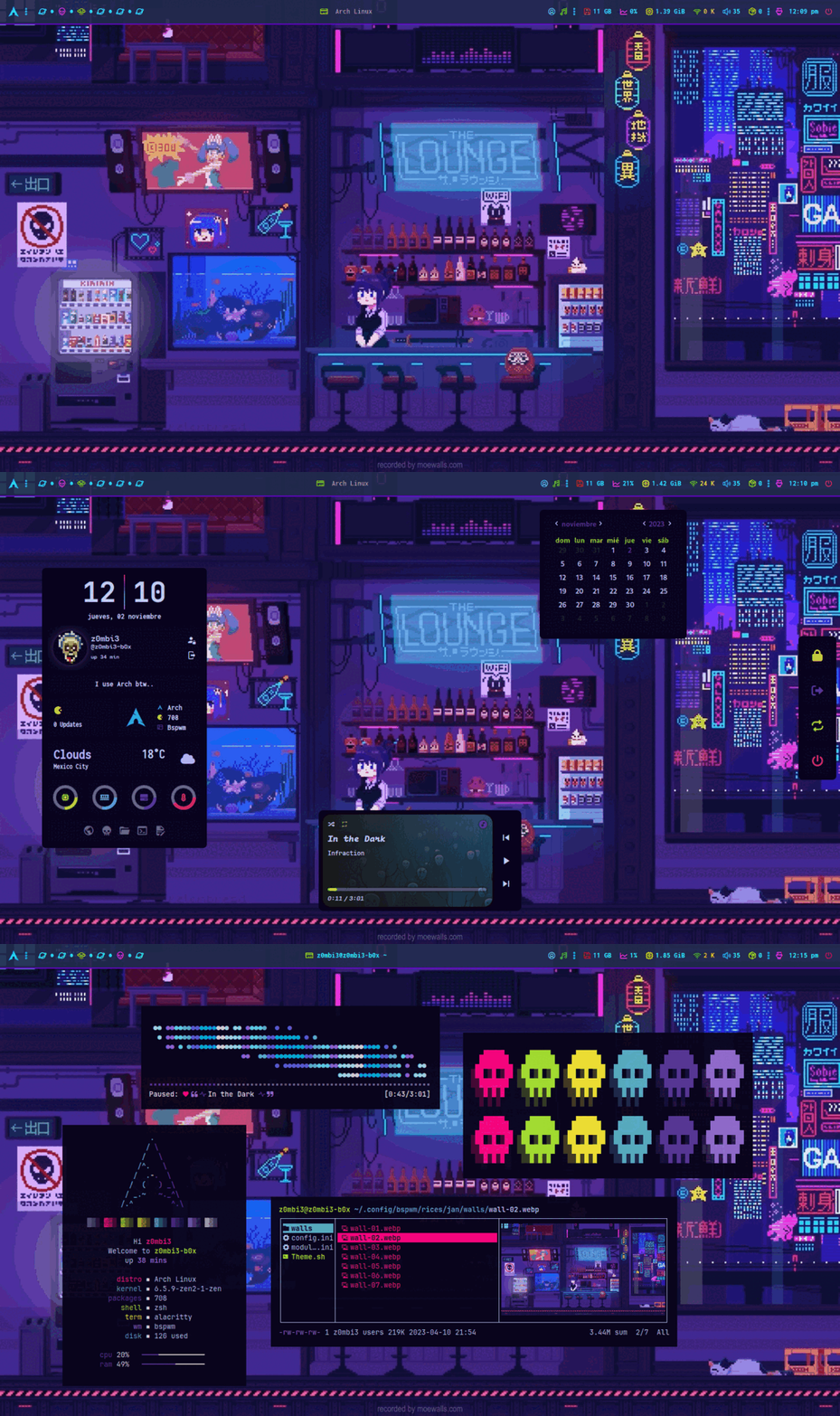
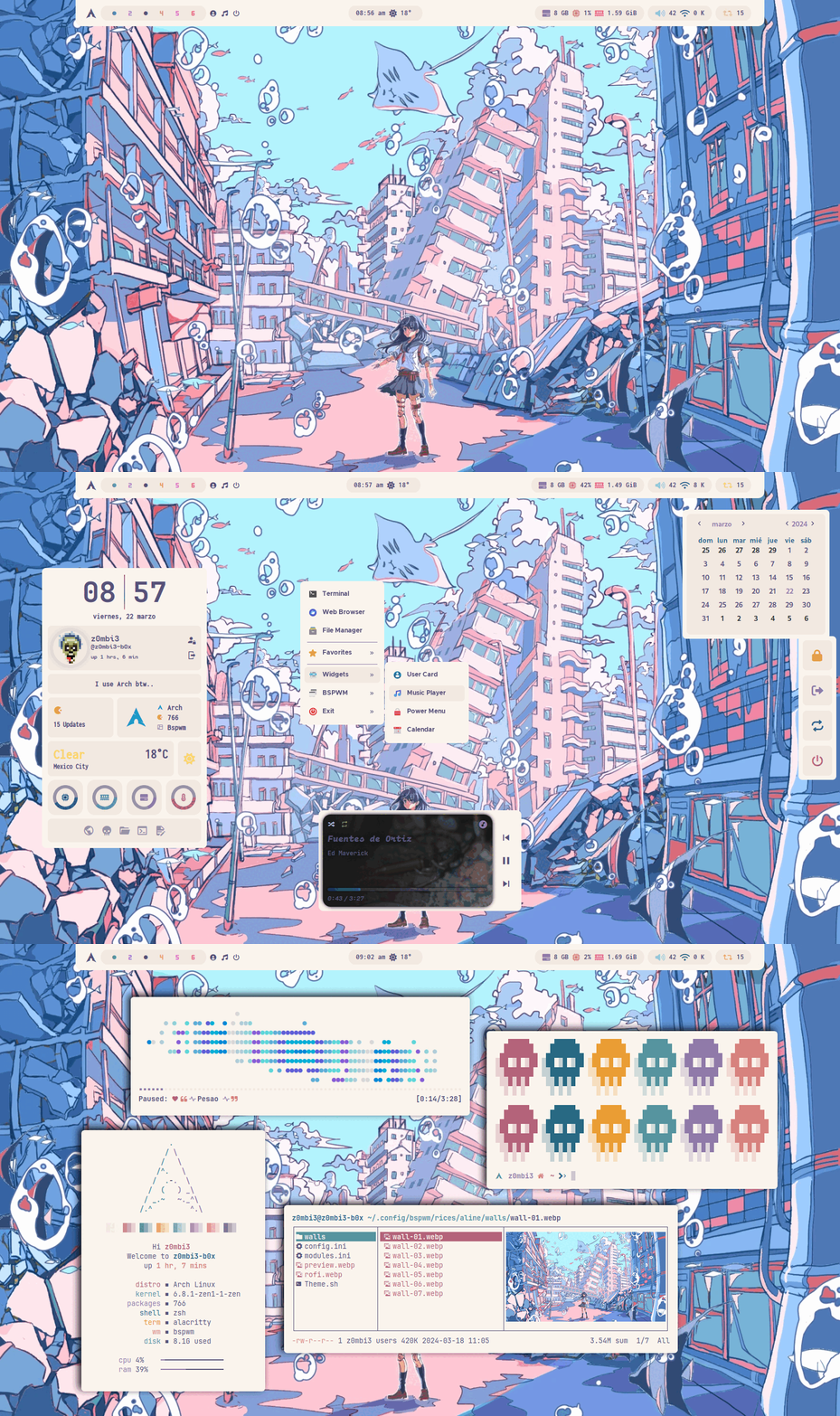
3 different widgets, including a music player, profile card and a cheatsheet. These widgets are not only functional but also instantly adapt to the color scheme of the selected theme.
#### Jgmenu
Explore an elegant right-click menu (Desktop) made with Jgmenu, which also syncs with themes for flawless visual consistency.
#### LockScreen
The lockscreen automatically adapts to the active theme and offers two locking options: it can capture the current screen with a blur effect, or use a specific wallpaper depending on the current theme.
#### Wallpaper Engines
My dotfiles support **5 different methods** for setting your favorite wallpaper:
1. **Random**: Sets a random wallpaper from the theme’s Walls directory.
2. **CustomDir**: Sets a random wallpaper from a directory you specify.
3. **Default**: Sets a specific image as wallpaper. (Default)
4. **CustomAnimated**: Supports animated wallpapers (.mp4, .mkv, .gif).
5. **Slideshow**: Changes the wallpaper every 15 minutes with a random image from the theme’s Walls directory.
Each option is **theme-specific**, meaning you can have an animated wallpaper in one theme, a static image in another, or a custom directory in a third — And all your settings will be preserved per theme. By default, all themes load a default wallpaper from their Walls Rice folder.
Check the wiki for more details: [👉 Wallpapers Configuration](https://github.com/gh0stzk/dotfiles/wiki/Wallpapers-Configuration)
#### Scratchpad
A _scratchpad_ is a tool designed to provide quick, temporary access to applications or notes without disrupting the desktop workflow. When activated, the scratchpad appears over the current workspace, allowing the user to access applications like a terminal, text editor, or any configured tool. Minimizing it hides the scratchpad from view but keeps it running in the background, ready to be reopened with a simple keyboard shortcut.
It's ideal for quick note-taking, running commands, or accessing auxiliary tools without losing focus on the current task.
#### Visual Composition and Animations
Each theme features a unique color palette, along with transparencies, shadows, and animations—all designed to maintain visual balance without impacting performance or overwhelming the environment.
#### Rofi Applets
Rofi applets to simplify your workflow:
- Wallpaper Selector - See the wiki [WallpaperSelector](https://github.com/gh0stzk/dotfiles/wiki/WallpaperSelector)
- Network Manager
- Bluetooth Controller
- Clipboard Manager
- Screenshot Tool
- Android MTP Manager
- Power Menu
- Keyboard Layout
- Terminal Selector (Alacritty, Kitty, ST and ghostty)
- Rofi app launcher style selector
- Tab app switcher
- Pass Manager (Using pass app)
#### Neovim Setup
Simple yet powerful neovim configuration with the following features:
- Treesitter
- Lsp servers
- Completions [blink.nvim](https://github.com/Saghen/blink.nvim)
- Formatting [conform.nvim](https://github.com/stevearc/conform.nvim)
- Picker [Snacks-picker](https://github.com/folke/snacks.nvim/blob/main/docs/picker.md)
- Explorer [Snacks-explorer](https://github.com/folke/snacks.nvim/blob/main/docs/picker.md)
- Tab Line [barbar.nvim](https://github.com/romgrk/barbar.nvim)
- Statusline [lualine.nvim](https://github.com/nvim-lualine/lualine.nvim)
- Autopairs [mini-autopairs](https://github.com/echasnovski/mini.nvim/blob/main/readmes/mini-pairs.md)
- Hipatterns [mini-hipatterns](https://github.com/echasnovski/mini.nvim/blob/main/readmes/mini-hipatterns.md)
- Indent guides [Snacks-indent](https://github.com/folke/snacks.nvim/blob/main/docs/indent.md)
- Dashboard [Snacks-dashboard](https://github.com/folke/snacks.nvim/blob/main/docs/dashboard.md)
- WhichKey [which-key.nvim](https://github.com/folke/which-key.nvim)
#### Optimized ZSH Configuration
Optimized, native ZSH configuration. Not __Oh-My-Zsh__ or other bloated plugin managers. Some features:
- Fastest and optimized performance compinit function
- Autocompletion
- Syntax highlighting
- History substring search
- Fzf-tab completion with previews!!
---
### 🎨 Launchers
| :tshirt: Theme Selector |
|:-:|
||
| :traffic_light: Wallpaper Selector |
|:-:|
||
### 🎨 The themes
| Emilia |
|:-:|
|
#### Change themes on the fly
You can switch themes instantly, with no need to restart your session or environment. With just one click, the change is applied immediately.
#### Consistency Across the Environment
Unlike Matugen, Pywal, and other wallpaper-based theming tools, colors are not extracted from images. Every theme includes a handcrafted color palette, carefully selected to maintain consistency, readability, and visual appeal.
A modular theming system propagates these colors across the entire desktop environment. Switching themes instantly updates:
- BSPWM
- GTK (3.x)
- Dunst
- Rofi
- Terminals
- Alacritty
- Ghostty
- Kitty
- St
- Xfce-terminal
- Eww
- Firefox
- Jgmenu
- Geany
- ScreenLocker (i3lock-color)
- Mpv Player
- Cava
- Zathura
- Polybar
- Cli-Tools
- Yazi
- Fzf-Tab
- Bat
- Eza
- Ncmpcpp
Not all modules are enabled.
If you want to know how it works and how to enable or disable modules, go to [Color Modules](https://github.com/gh0stzk/dotfiles/wiki/Color-Modules)
ToDo-List:
- Obsidian
- Telegram-desktop
- Steam
- Btop
- Qt (5/6)
- Rmpc
#### Performance optimized
BSPWM is not a desktop environment (DE), and that’s exactly what makes it stand out in terms of lightweight performance. On my systems, my BSPWM-dotfiles environment starts with under **600 MB of RAM usage**. While these numbers don't tell the whole story, they do highlight the minimalist approach that a window manager should embrace.
In addition, each theme can be configured independently — either by manually editing the theme’s configuration file or using my RiceEditor application. This ensures a high level of customization: if you want a minimalist setup for a specific theme, you can disable animations, shadows, rounded borders, or fading effects. On the other hand, if you prefer a more visually rich theme with all those features enabled, that’s fully supported as well. My dotfiles are built to provide that level of flexibility.
#### Multi-Monitor support
If you have multiple monitors, BSPWM will automatically detect and configure up to 4 displays when launching with my dotfiles.
If you connect an additional monitor while the session is already running, simply reload BSPWM using the `Super + Alt + r` key combination, and your monitors will be configured instantly.
You can check the Wiki [👉 Monitors Setup](https://github.com/gh0stzk/dotfiles/wiki/Monitors-setup) if you want to edit the default layouts.
#### RiceEditor
Is an application designed to simplify the customization of your current theme. It allows you to easily adjust various visual and configuration aspects, tailoring your environment to your preferences without the need to manually edit configuration files.
#### Eww Widgets
3 different widgets, including a music player, profile card and a cheatsheet. These widgets are not only functional but also instantly adapt to the color scheme of the selected theme.
#### Jgmenu
Explore an elegant right-click menu (Desktop) made with Jgmenu, which also syncs with themes for flawless visual consistency.
#### LockScreen
The lockscreen automatically adapts to the active theme and offers two locking options: it can capture the current screen with a blur effect, or use a specific wallpaper depending on the current theme.
#### Wallpaper Engines
My dotfiles support **5 different methods** for setting your favorite wallpaper:
1. **Random**: Sets a random wallpaper from the theme’s Walls directory.
2. **CustomDir**: Sets a random wallpaper from a directory you specify.
3. **Default**: Sets a specific image as wallpaper. (Default)
4. **CustomAnimated**: Supports animated wallpapers (.mp4, .mkv, .gif).
5. **Slideshow**: Changes the wallpaper every 15 minutes with a random image from the theme’s Walls directory.
Each option is **theme-specific**, meaning you can have an animated wallpaper in one theme, a static image in another, or a custom directory in a third — And all your settings will be preserved per theme. By default, all themes load a default wallpaper from their Walls Rice folder.
Check the wiki for more details: [👉 Wallpapers Configuration](https://github.com/gh0stzk/dotfiles/wiki/Wallpapers-Configuration)
#### Scratchpad
A _scratchpad_ is a tool designed to provide quick, temporary access to applications or notes without disrupting the desktop workflow. When activated, the scratchpad appears over the current workspace, allowing the user to access applications like a terminal, text editor, or any configured tool. Minimizing it hides the scratchpad from view but keeps it running in the background, ready to be reopened with a simple keyboard shortcut.
It's ideal for quick note-taking, running commands, or accessing auxiliary tools without losing focus on the current task.
#### Visual Composition and Animations
Each theme features a unique color palette, along with transparencies, shadows, and animations—all designed to maintain visual balance without impacting performance or overwhelming the environment.
#### Rofi Applets
Rofi applets to simplify your workflow:
- Wallpaper Selector - See the wiki [WallpaperSelector](https://github.com/gh0stzk/dotfiles/wiki/WallpaperSelector)
- Network Manager
- Bluetooth Controller
- Clipboard Manager
- Screenshot Tool
- Android MTP Manager
- Power Menu
- Keyboard Layout
- Terminal Selector (Alacritty, Kitty, ST and ghostty)
- Rofi app launcher style selector
- Tab app switcher
- Pass Manager (Using pass app)
#### Neovim Setup
Simple yet powerful neovim configuration with the following features:
- Treesitter
- Lsp servers
- Completions [blink.nvim](https://github.com/Saghen/blink.nvim)
- Formatting [conform.nvim](https://github.com/stevearc/conform.nvim)
- Picker [Snacks-picker](https://github.com/folke/snacks.nvim/blob/main/docs/picker.md)
- Explorer [Snacks-explorer](https://github.com/folke/snacks.nvim/blob/main/docs/picker.md)
- Tab Line [barbar.nvim](https://github.com/romgrk/barbar.nvim)
- Statusline [lualine.nvim](https://github.com/nvim-lualine/lualine.nvim)
- Autopairs [mini-autopairs](https://github.com/echasnovski/mini.nvim/blob/main/readmes/mini-pairs.md)
- Hipatterns [mini-hipatterns](https://github.com/echasnovski/mini.nvim/blob/main/readmes/mini-hipatterns.md)
- Indent guides [Snacks-indent](https://github.com/folke/snacks.nvim/blob/main/docs/indent.md)
- Dashboard [Snacks-dashboard](https://github.com/folke/snacks.nvim/blob/main/docs/dashboard.md)
- WhichKey [which-key.nvim](https://github.com/folke/which-key.nvim)
#### Optimized ZSH Configuration
Optimized, native ZSH configuration. Not __Oh-My-Zsh__ or other bloated plugin managers. Some features:
- Fastest and optimized performance compinit function
- Autocompletion
- Syntax highlighting
- History substring search
- Fzf-tab completion with previews!!
---
### 🎨 Launchers
| :tshirt: Theme Selector |
|:-:|
||
| :traffic_light: Wallpaper Selector |
|:-:|
||
### 🎨 The themes
| Emilia |
|:-:|
| |
| Jan |
|:-:|
|
|
| Jan |
|:-:|
|  |
| Aline |
|:-:|
|
|
| Aline |
|:-:|
|  |
| Andrea |
|:-:|
|
|
| Andrea |
|:-:|
|  |
| Cynthia |
|:-:|
|
|
| Cynthia |
|:-:|
| 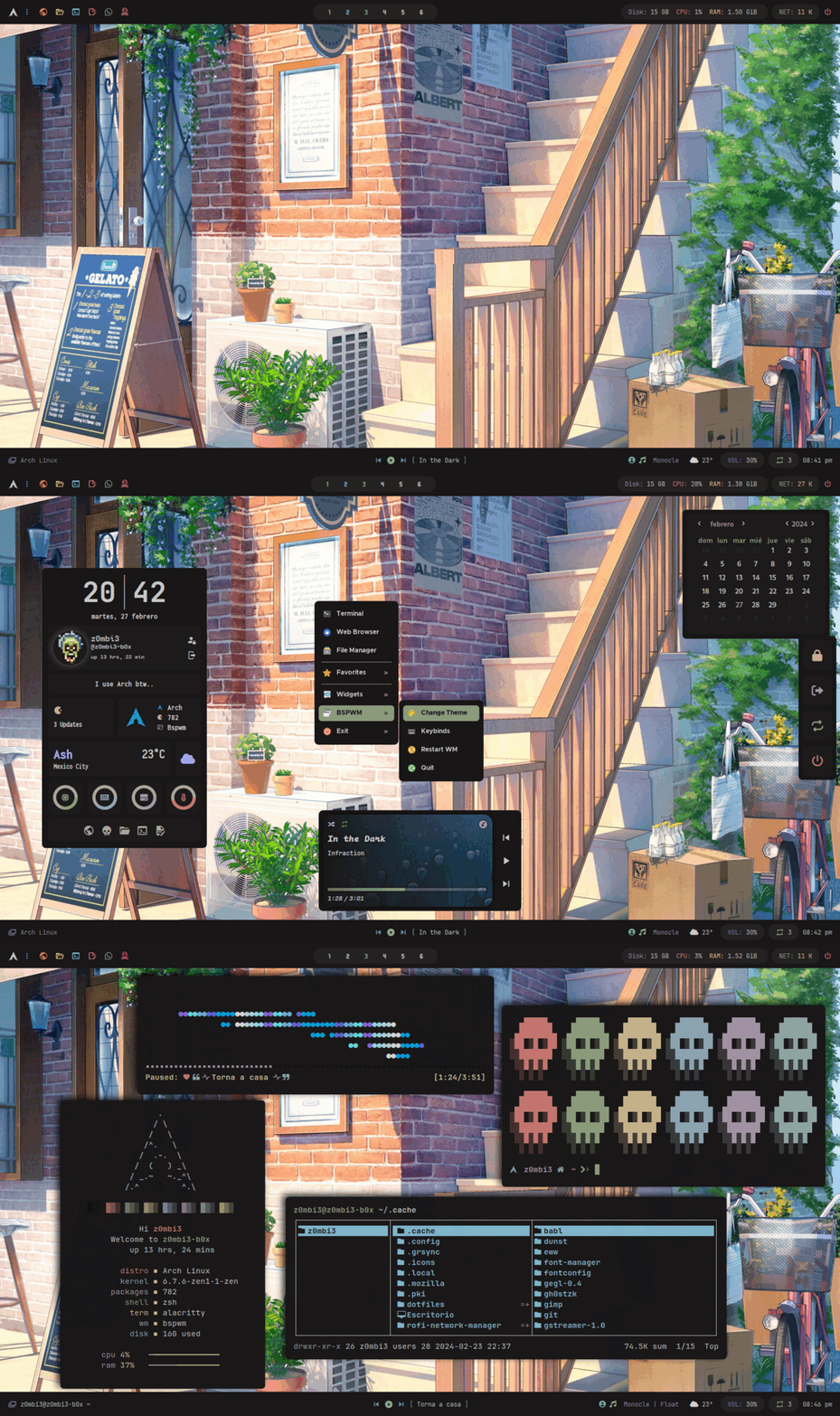 |
| Isabel |
|:-:|
|
|
| Isabel |
|:-:|
| 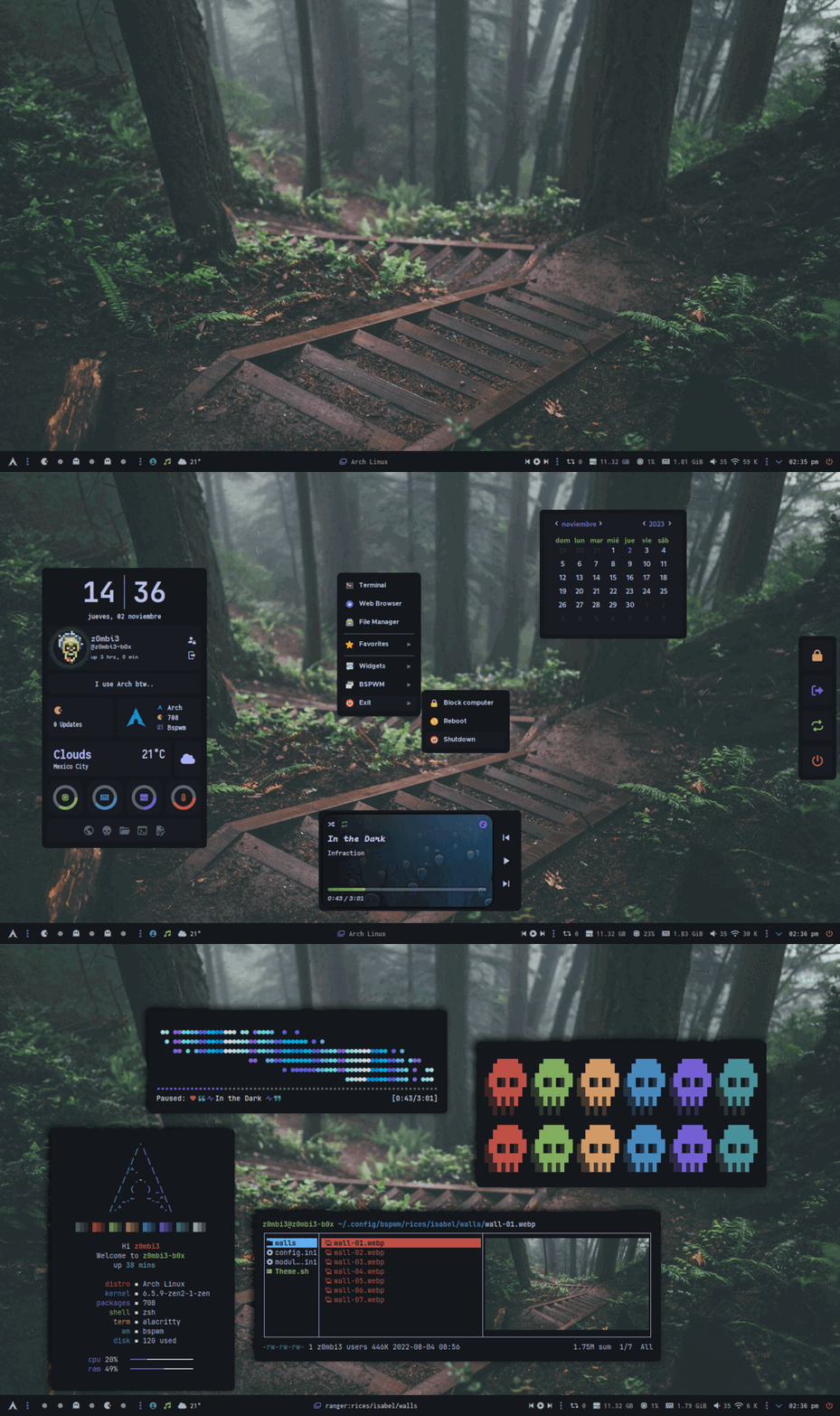 |
| Silvia |
|:-:|
|
|
| Silvia |
|:-:|
|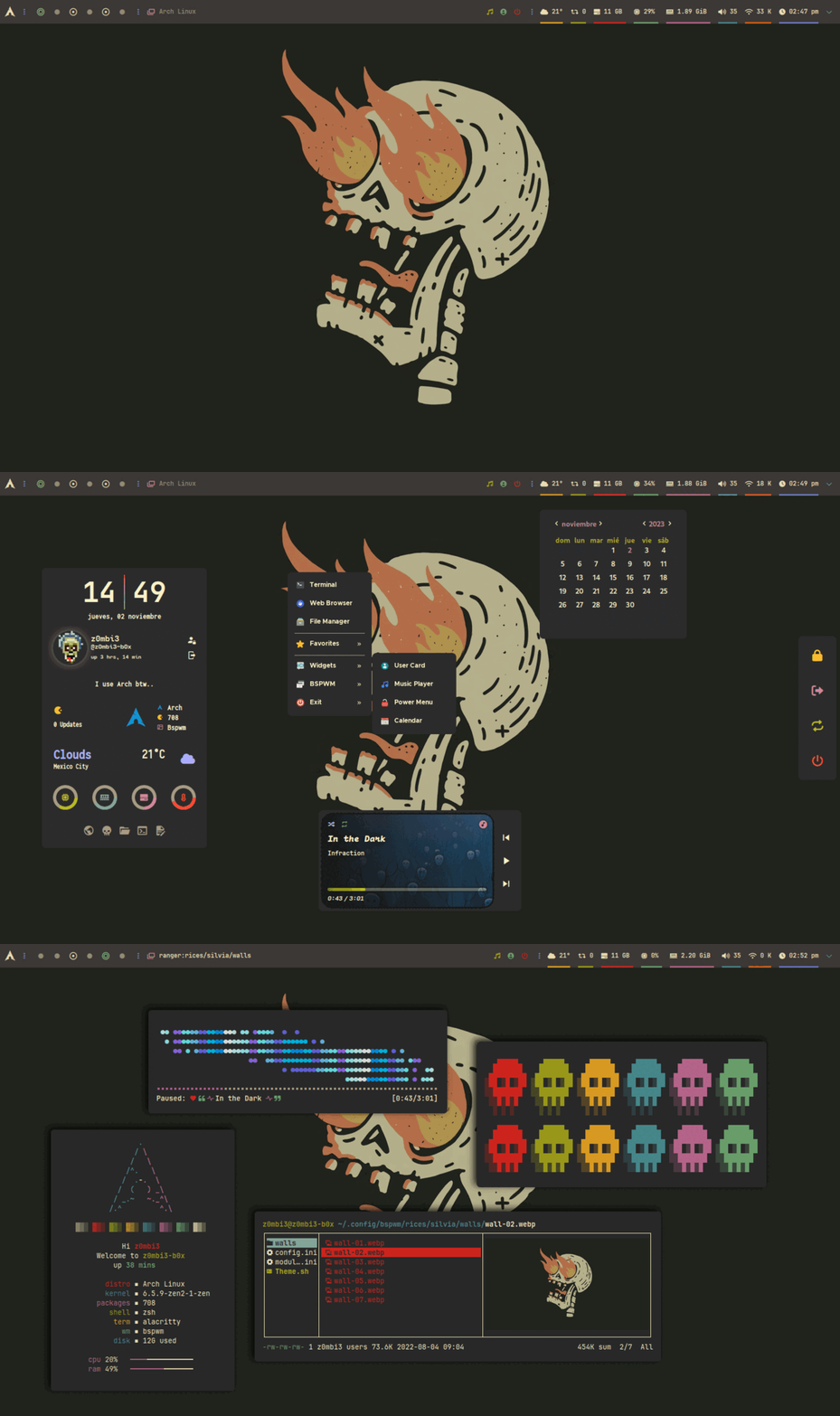 |
| Melissa |
|:-:|
|
|
| Melissa |
|:-:|
| 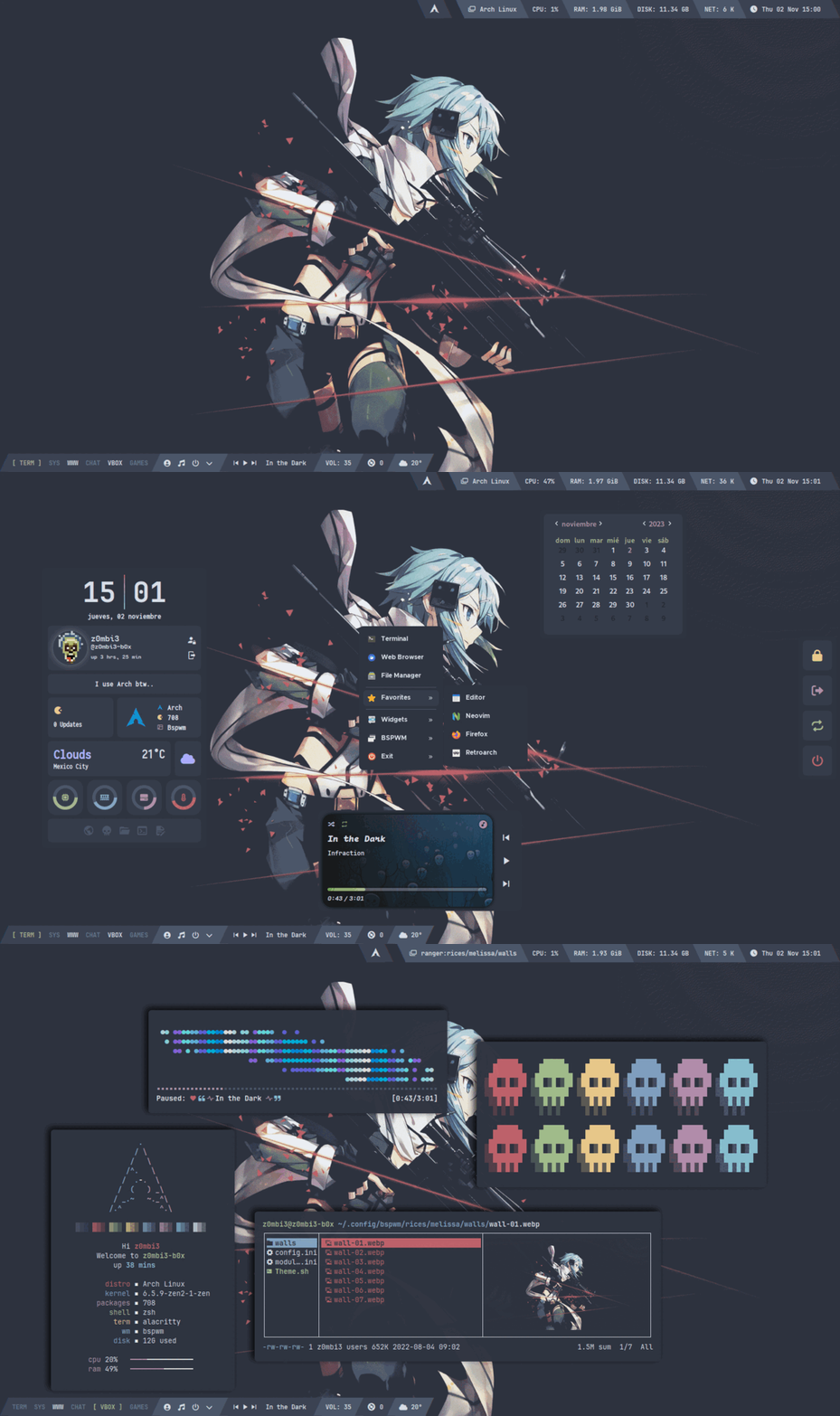 |
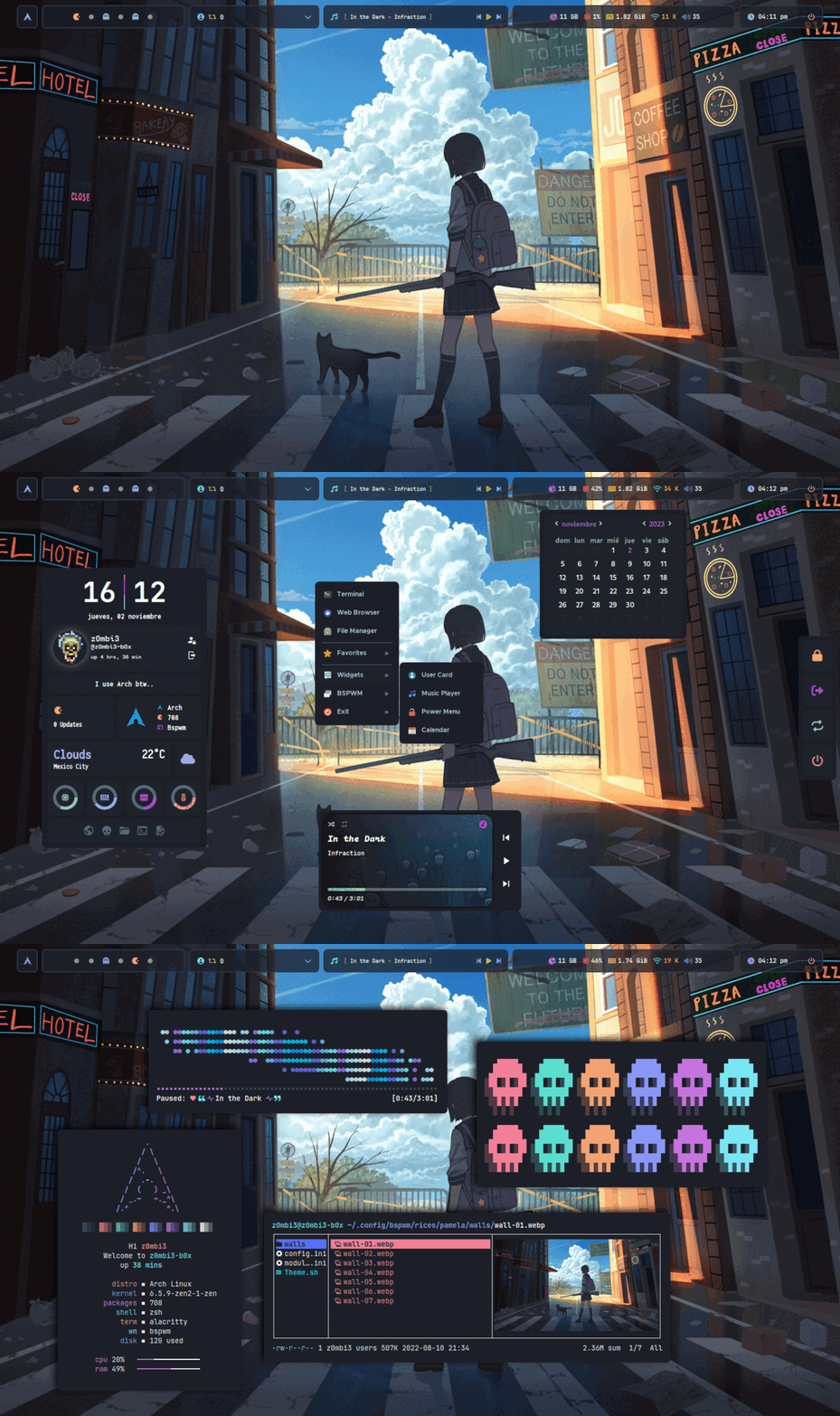
| Pamela |
|:-:|
|
|
| Pamela |
|:-:|
|  |
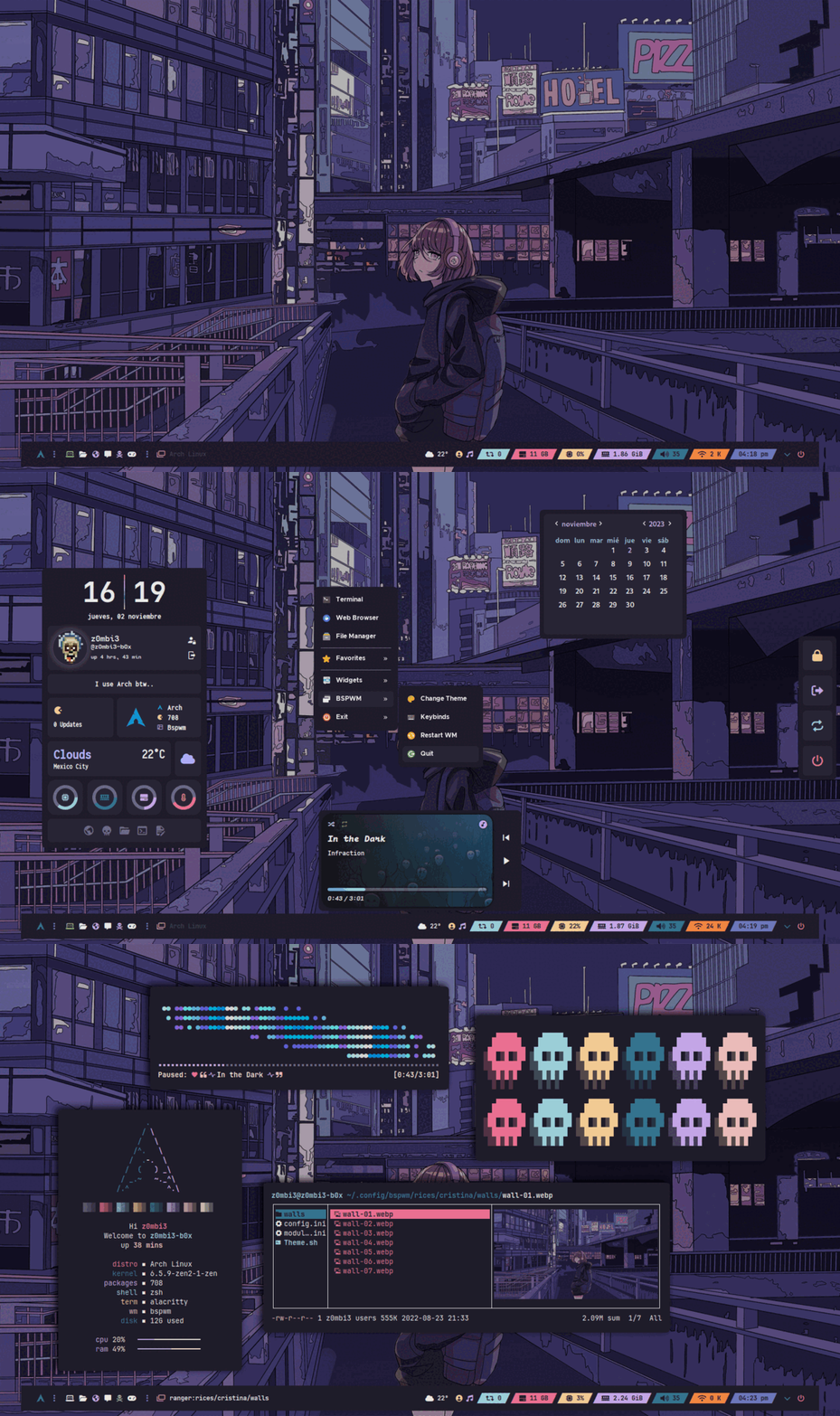
| Cristina |
|:-:|
|
|
| Cristina |
|:-:|
|  |
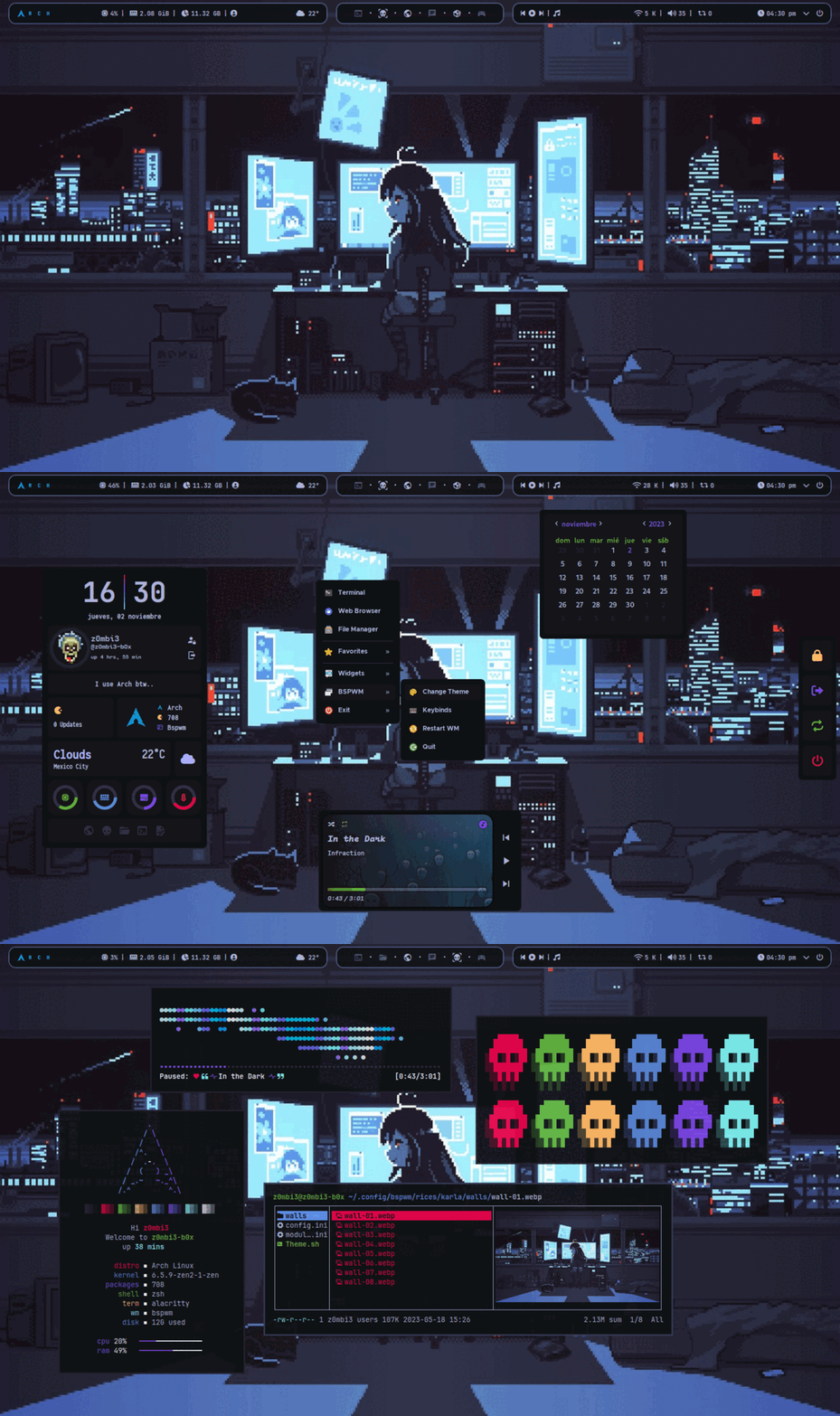
| Karla |
|:-:|
|
|
| Karla |
|:-:|
|  |
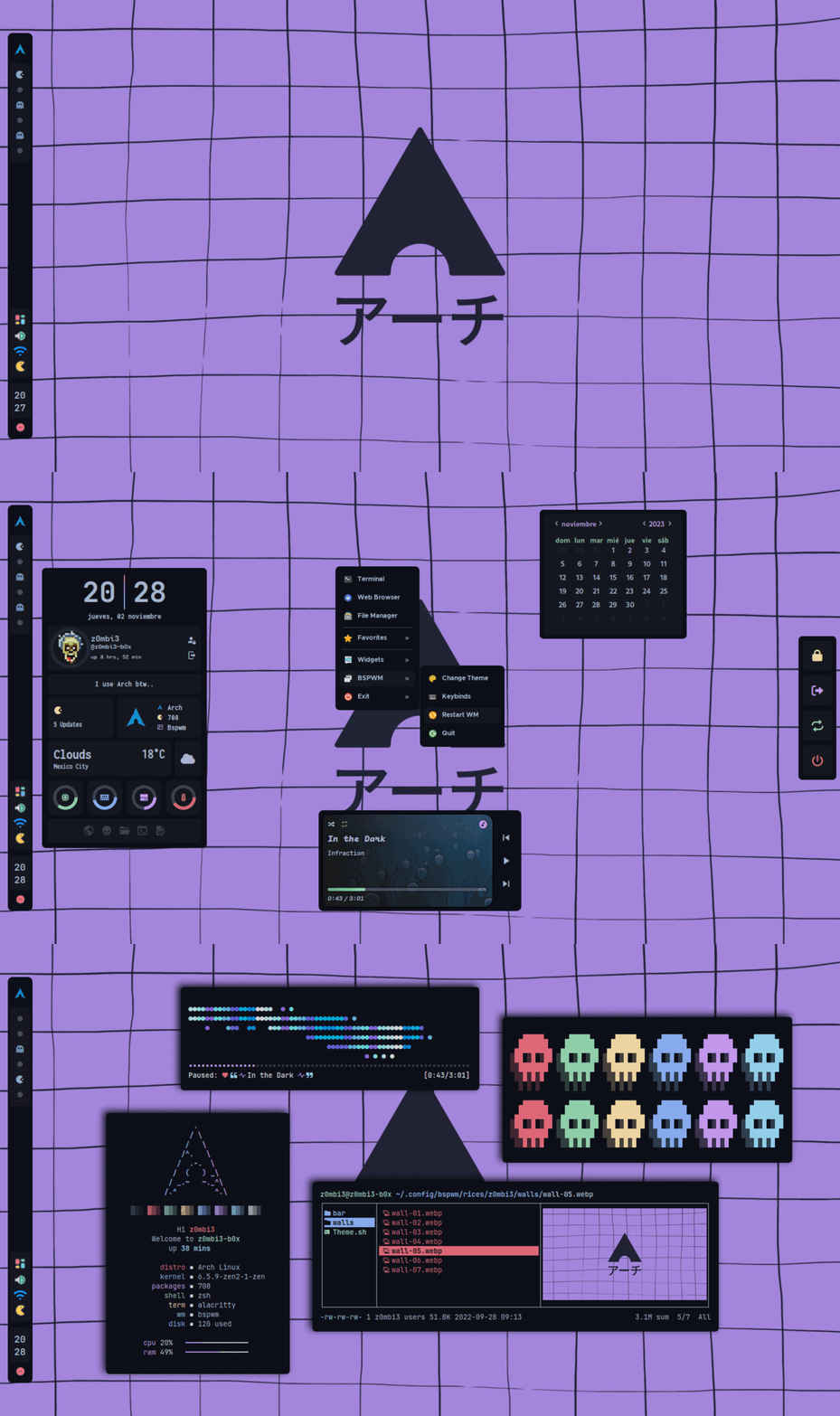
| z0mbi3 |
|:-:|
|
|
| z0mbi3 |
|:-:|
|  |
| Brenda |
|:-:|
|
|
| Brenda |
|:-:|
|  |
| Daniela |
|:-:|
|
|
| Daniela |
|:-:|
| 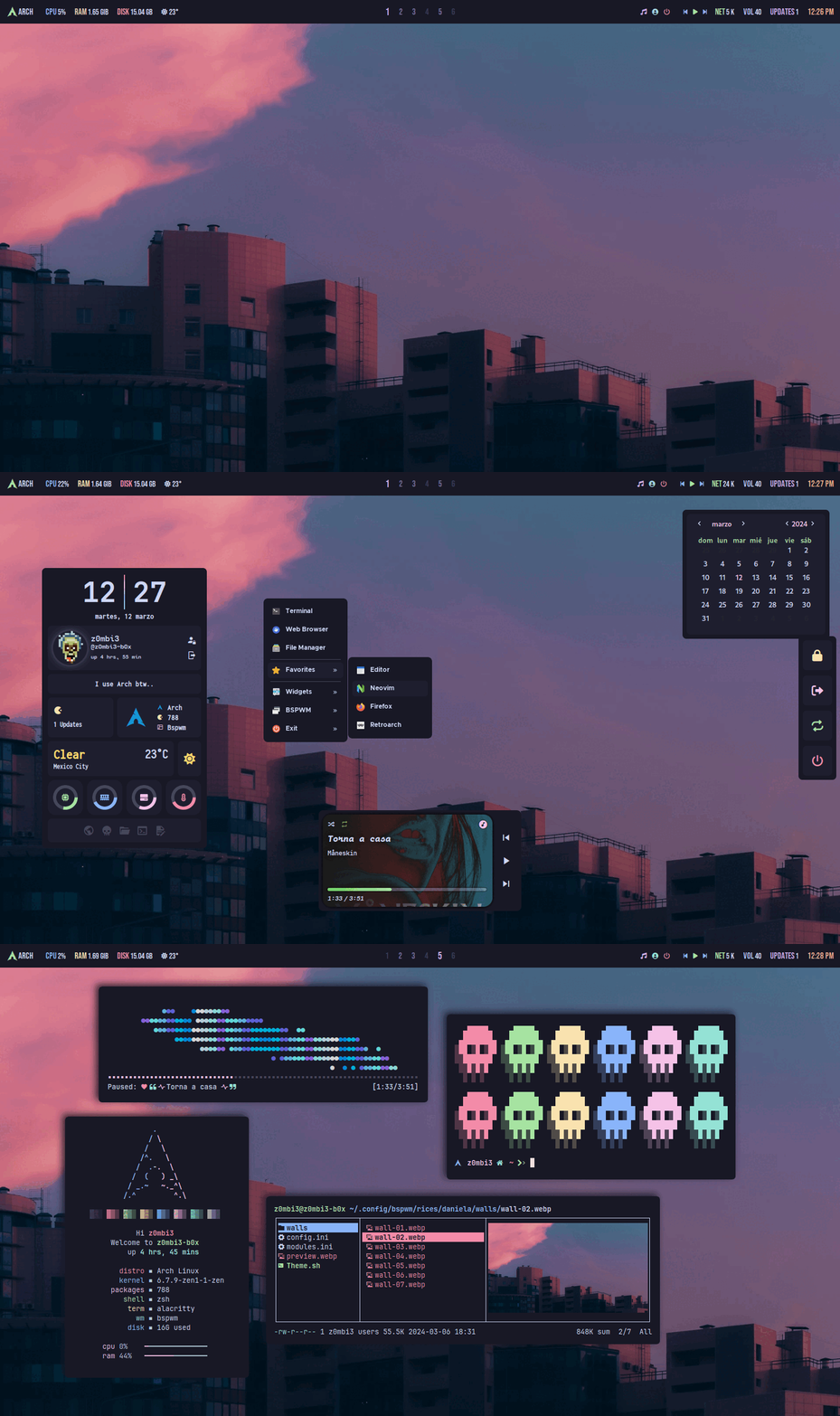 |
| Marisol |
|:-:|
|
|
| Marisol |
|:-:|
|  |
| h4ck3r |
|:-:|
|
|
| h4ck3r |
|:-:|
|  |
| Varinka |
|:-:|
|
|
| Varinka |
|:-:|
|  |
| Yael |
|:-:|
|
|
| Yael |
|:-:|
|  |
---
### Rofi applets
|  |  |
| :--------------------------------------------------------------------------------------------------------: | :--------------------------------------------------------------------------------------------------------: |
| Power Menu | Screenshoter |
|  |  |
| :--------------------------------------------------------------------------------------------------------: | :--------------------------------------------------------------------------------------------------------: |
| Keyboard Layout | Android Mount |
|  |  |
| :--------------------------------------------------------------------------------------------------------: | :--------------------------------------------------------------------------------------------------------: |
| Network Manager | Clipboard Manager |
|  |  |
| :--------------------------------------------------------------------------------------------------------: | :--------------------------------------------------------------------------------------------------------: |
| Bluetooth Manager | Terminal Manager |
|  |  |
| :--------------------------------------------------------------------------------------------------------: | :--------------------------------------------------------------------------------------------------------: |
| Tab app switcher | Rofi style selector |
|  |
| :--------------------------------------------------------------------------------------------------------: |
| Rofi password manager |
---
### Rofi app launcher styles
|  |  |  |
| :---: | :---: | :---: |
| Normal | Full | Minimal |
### Fzf tab terminal completions with previews!
|  |
| :---: |
| cd, ls, pacman, systemctl, kill, cat, commands with preview! |
### Eww widgets
|  |  |
| :---: | :---: |
| Profile Panel | Music Player |
|  |
| :--------------------------------------------------------------------------------------------------------: |
| Cheat Sheet |
---
### Rice Editor
|  |
| :--------------------------------------------------------------------------------------------------------: |
| Rice Editor |
### Lockscreen
|  |
| :--------------------------------------------------------------------------------------------: |
| Lockscreen |
### Jgmenu
|  |
| :----------------------------------------------------------------------------------------: |
| Jgmenu |
## Yazi config
https://github.com/user-attachments/assets/8e15cc1a-88b8-4a7e-a4de-e7da76021406
## Scratchpad
https://github.com/user-attachments/assets/79764678-c519-4a41-a333-2a862a6d10f8
## Environment
|  |
| :--------------------------------------------------------------------------------------------------: |
| The environment changes with each theme. In the gif: (Ranger, Thunar, Ncmpcpp) |
### Firefox theme
| Firefox theme - z0mbi3 Fox |
|:-:|
|
|
---
### Rofi applets
|  |  |
| :--------------------------------------------------------------------------------------------------------: | :--------------------------------------------------------------------------------------------------------: |
| Power Menu | Screenshoter |
|  |  |
| :--------------------------------------------------------------------------------------------------------: | :--------------------------------------------------------------------------------------------------------: |
| Keyboard Layout | Android Mount |
|  |  |
| :--------------------------------------------------------------------------------------------------------: | :--------------------------------------------------------------------------------------------------------: |
| Network Manager | Clipboard Manager |
|  |  |
| :--------------------------------------------------------------------------------------------------------: | :--------------------------------------------------------------------------------------------------------: |
| Bluetooth Manager | Terminal Manager |
|  |  |
| :--------------------------------------------------------------------------------------------------------: | :--------------------------------------------------------------------------------------------------------: |
| Tab app switcher | Rofi style selector |
|  |
| :--------------------------------------------------------------------------------------------------------: |
| Rofi password manager |
---
### Rofi app launcher styles
|  |  |  |
| :---: | :---: | :---: |
| Normal | Full | Minimal |
### Fzf tab terminal completions with previews!
|  |
| :---: |
| cd, ls, pacman, systemctl, kill, cat, commands with preview! |
### Eww widgets
|  |  |
| :---: | :---: |
| Profile Panel | Music Player |
|  |
| :--------------------------------------------------------------------------------------------------------: |
| Cheat Sheet |
---
### Rice Editor
|  |
| :--------------------------------------------------------------------------------------------------------: |
| Rice Editor |
### Lockscreen
|  |
| :--------------------------------------------------------------------------------------------: |
| Lockscreen |
### Jgmenu
|  |
| :----------------------------------------------------------------------------------------: |
| Jgmenu |
## Yazi config
https://github.com/user-attachments/assets/8e15cc1a-88b8-4a7e-a4de-e7da76021406
## Scratchpad
https://github.com/user-attachments/assets/79764678-c519-4a41-a333-2a862a6d10f8
## Environment
|  |
| :--------------------------------------------------------------------------------------------------: |
| The environment changes with each theme. In the gif: (Ranger, Thunar, Ncmpcpp) |
### Firefox theme
| Firefox theme - z0mbi3 Fox |
|:-:|
|  |
### Neovim setup
| Neovim setup |
|:-:|
|  |
| Plugins included [Neovim setup wiki](https://github.com/gh0stzk/dotfiles/wiki/Neovim-setup) |
## Very useful keybindigs to know...
| Keys | Action |
| :-------------------: | :---------------------------------------------------------------: |
| `super` + `x` | Close Windows |
| `super` + `Enter`
|
### Neovim setup
| Neovim setup |
|:-:|
|  |
| Plugins included [Neovim setup wiki](https://github.com/gh0stzk/dotfiles/wiki/Neovim-setup) |
## Very useful keybindigs to know...
| Keys | Action |
| :-------------------: | :---------------------------------------------------------------: |
| `super` + `x` | Close Windows |
| `super` + `Enter`
`super` + `alt` + `Enter` | Open a terminal
Open a floating terminal. |
| `alt` + `@space` | Display menu to select a theme. |
| `super` + `@space` | Apps Menu. |
| `super` + `alt` + `w`| Opens a menu to select a wallpaper. |
| `super` + `alt` + `h`
`super` + `alt` + `u` | Hides bar/s
unhide bar/s |
| `super` + `alt` + `s` | Takes screenshot. |
| `ctrl` + `alt` + `[plus,minus,t]` | Changes transparency on focused window. |
| `ctrl` + `super` + `alt` + `p`
`ctrl` + `super` + `alt` + `r`
`ctrl` + `super` + `alt` + `k` | Power off computer
Restart computer
Brute kill a window/process |
| `super` + `alt` + `r` | Restart bspwm. |
| `alt` + `F1` | Show keybinds cheatsheet |
And more.. You need to look sxhkdrc file for more, or press Alt + F1 for a cheatsheet.
---
> [!CAUTION]
> ⚠️⚠️⚠️ My dotfiles are designed for a **1600x900** resolution with **96 DPI** on a single monitor.
> Some elements may appear different on higher or lower resolutions. You may need to make adjustments to adapt them to your preferences and setup. ⚠️⚠️⚠️
> [!important]
> ✏️✏️✏️ The installer assumes you already have a **functional** Arch Linux installation, whether it’s a fresh install or an existing setup.
>
> A login manager of your choice is required; **lightdm** is recommended.
>
> The rofi connection manager applet, works with **NetworkManager**
>
> If using a virtual machine, be sure to change the Picom backend from **glx** to **xrender** before rebooting, and verify that hardware acceleration is correctly configured in your VM. ✏️✏️✏️
> [!warning]
> :wrench::wrench::wrench: I have tested the installation and functionality of these dotfiles on both high- and low-end machines.
>
> Some adjustments may still be needed, such as changing the Picom backend or VSync settings to ensure compatibility with your graphics card.
>
> If you encounter any issues, feel free to open an [issue](https://github.com/gh0stzk/dotfiles/issues). :wrench::wrench::wrench:
---
### 💾 Installation:
> [!NOTE]
> The installer only works for **ARCH** Linux, and based distros. (Except NO-Systemd ditros like Artix)
Before running this command, check [RiceInstaller](https://raw.githubusercontent.com/gh0stzk/dotfiles/master/RiceInstaller) to make sure it's working and confirm it's safe for your system.
- Open a terminal and execute this commands one by one:
```sh
# Download the installer in your $HOME
curl -LO http://gh0stzk.github.io/dotfiles/RiceInstaller
# Give it execution permission
chmod +x RiceInstaller
# Run the installer
./RiceInstaller
```