<p align="center">
	<img width="200" height="200" margin-right="100%" src="https://github.com/dwarvesf/hidden/blob/develop/img/icon_512%402x.png?raw=true">
</p>
<p align="center">
	<a href="https://webuild.community">
		<img src="https://raw.githubusercontent.com/webuild-community/badge/master/svg/love.svg" />
	</a>
	<a href="https://github.com/dwarvesf/hidden/releases/latest">
 		<img src="https://img.shields.io/badge/download-latest-brightgreen.svg" alt="download">
	</a>
	<a href="https://img.shields.io/badge/platform-macOS-lightgrey.svg">
 		<img src="https://img.shields.io/badge/platform-macOS-lightgrey.svg" alt="platform">
	</a>
	<a href="https://img.shields.io/badge/requirements-macOS Ventura+-ff69b4.svg">
 		<img src="https://img.shields.io/badge/requirements-macOS Ventura+-ff69b4.svg" alt="systemrequirements">
	</a>
</p>

## Hidden Bar
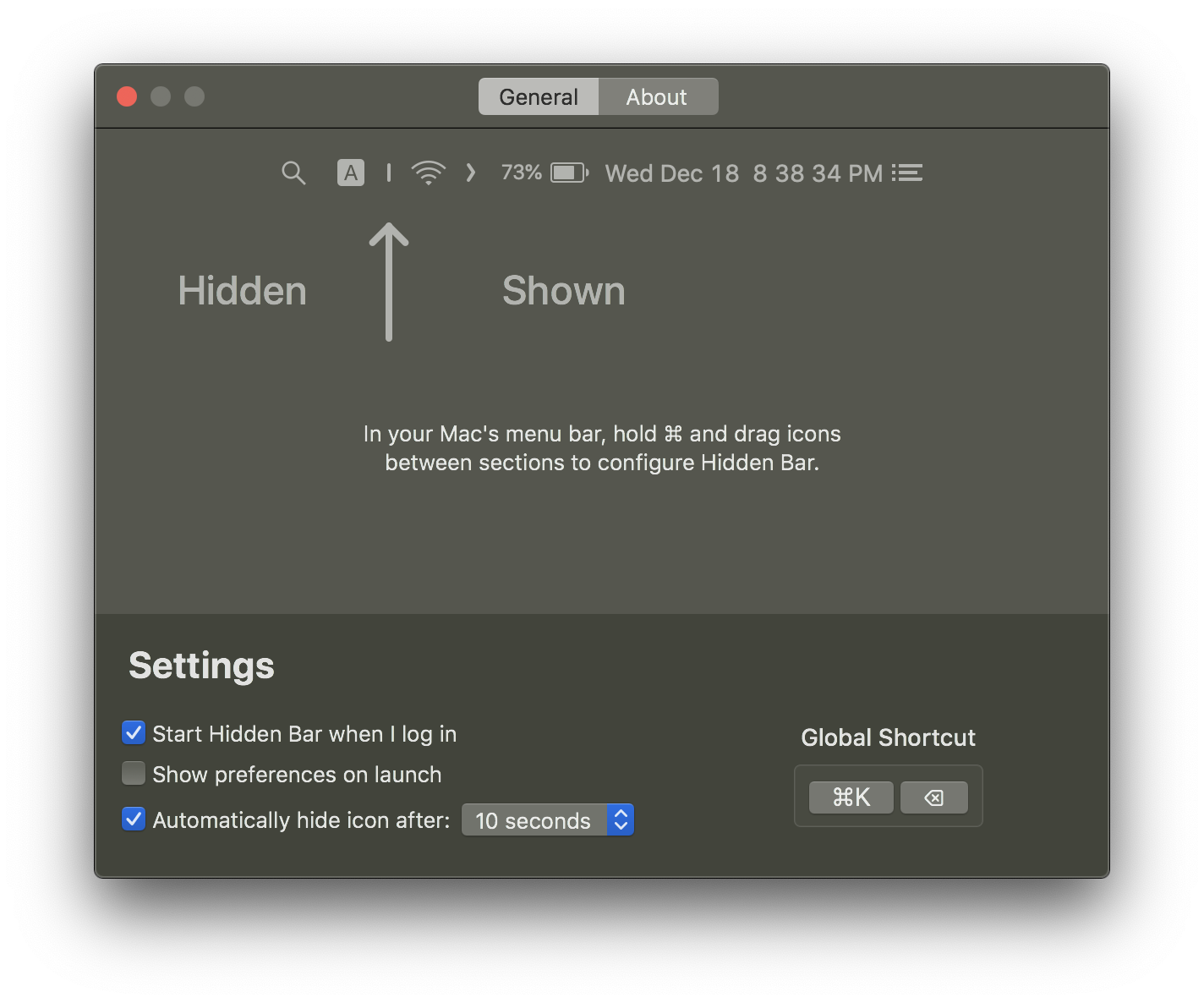
Hidden Bar lets you hide menu bar items to give your Mac a cleaner look.

<p align="center">
	<img width="400" src="img/screen1.png">
	<img width="400" src="img/screen2.png">
</p>

## 🚀 Install

###  App Store

[![AppStore](img/appstore.svg)](https://itunes.apple.com/app/hidden-bar/id1452453066)

### Others

The Hidden Bar is notarized before distributed out side App Store. It's safe to use 👍

#### Using Homebrew

```
brew install --cask hiddenbar
```

#### Manual download

- [Download latest version](https://github.com/dwarvesf/hidden/releases/latest)
- Open and drag the app to the Applications folder.
- Launch Hidden and drag the icon in your menu bar (hold CMD) to the right so it is between some other icons.

## 🕹 Usage

* `⌘` + drag to move the Hidden icons around in the menu bar.
* Click the Arrow icon to hide menu bar items.


<p align="center">
	<img src="img/tutorial.gif">
</p>

## 📚 Documentation

- [Manual](docs/MANUAL.md): every setting, the hidden Terminal-only options, and troubleshooting.
- [Architecture](docs/ARCHITECTURE.md): how the hiding trick works, topology, and known limits.
- [Maintainer runbook](docs/RUNBOOK.md): build, behavioral verification, and release process.

## ✨<a href="https://github.com/dwarvesf/hidden/graphs/contributors">Contributors</a>

This project exists thanks to all the people who contribute. Thank you guys so much 👏

[![](https://sourcerer.io/fame/phucledien/dwarvesf/hidden/images/0)](https://sourcerer.io/fame/phucledien/dwarvesf/hidden/links/0)[![](https://sourcerer.io/fame/phucledien/dwarvesf/hidden/images/1)](https://sourcerer.io/fame/phucledien/dwarvesf/hidden/links/1)[![](https://sourcerer.io/fame/phucledien/dwarvesf/hidden/images/2)](https://sourcerer.io/fame/phucledien/dwarvesf/hidden/links/2)[![](https://sourcerer.io/fame/phucledien/dwarvesf/hidden/images/3)](https://sourcerer.io/fame/phucledien/dwarvesf/hidden/links/3)[![](https://sourcerer.io/fame/phucledien/dwarvesf/hidden/images/4)](https://sourcerer.io/fame/phucledien/dwarvesf/hidden/links/4)[![](https://sourcerer.io/fame/phucledien/dwarvesf/hidden/images/5)](https://sourcerer.io/fame/phucledien/dwarvesf/hidden/links/5)[![](https://sourcerer.io/fame/phucledien/dwarvesf/hidden/images/6)](https://sourcerer.io/fame/phucledien/dwarvesf/hidden/links/6)[![](https://sourcerer.io/fame/phucledien/dwarvesf/hidden/images/7)](https://sourcerer.io/fame/phucledien/dwarvesf/hidden/links/7)

Please read [this](CONTRIBUTING.md) before you make a contribution.

## Requirements
macOS version >= 13.0 (Ventura)

Running an older macOS? The last release supporting macOS 10.13 High Sierra
through 12 Monterey is [v1.10](https://github.com/dwarvesf/hidden/releases/tag/v1.10).
Later versions require macOS 13 because autostart moved to the `SMAppService`
API introduced there.

## You may also like
- [Blurred](https://github.com/dwarvesf/Blurred) - A macOS utility that helps reduce distraction by dimming your inactive noise
- [Micro Sniff](https://github.com/dwarvesf/micro-sniff) - An ultra-light macOS utility that notify whenever your micro-device is being used
- [VimMotion](https://github.com/dwarvesf/VimMotionPublic) Vim style shortcut for MacOS
## License

MIT &copy; [Dwarves Foundation](https://github.com/dwarvesf)