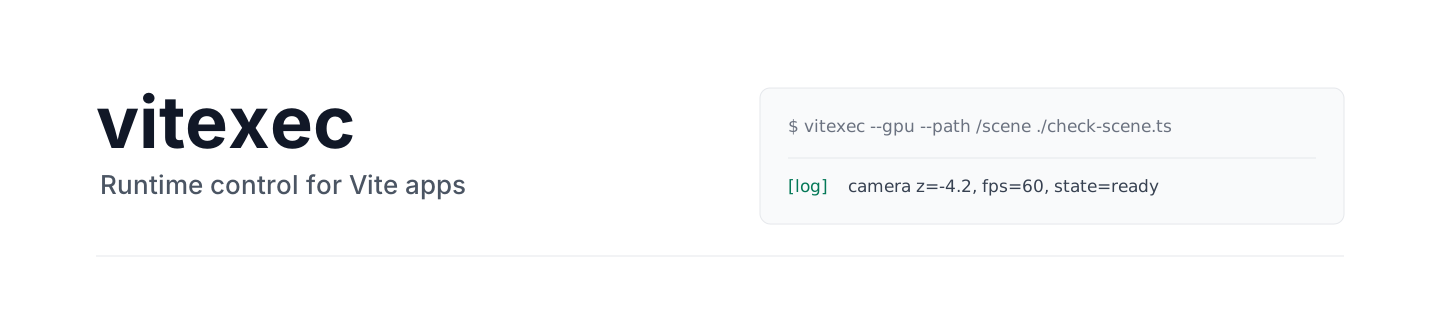
Give AI agents a fast way to test your apps from the inside.
## Overview
`vitexec` is for checks that are too slow, visual, or stateful for normal agent
browser control.
Use it to let an agent play through a scene, steer a camera, test game-like
controls, inspect runtime state, and collect evidence without adding debug UI or
temporary app code.
## Install
Install the package in the Vite app:
```sh
pnpm add -D vitexec
```
Install the agent skill:
```sh
npx skills add drawcall-ai/vitexec
```
Then ask your agent to use it:
```txt
Use $vitexec to move through the scene and inspect the camera position.
```
## Problem
AI agents are slow when every action is a separate browser step.
Click, wait, inspect, press a key, wait again is expensive and often useless for
interactive apps where movement, camera, physics, timing, and input all happen
together.
The missing piece is a programmable control loop inside the running app.
## Solution
`vitexec` lets the agent run a script inside the page instead of controlling the
browser one action at a time.
The snippet can import real Vite modules, drive real input, wait for frames,
branch on state changes, and run full multi-step flows before logging the result.
Each run gets an isolated Vite server, its own Playwright browser, streamed logs,
and optional screenshots, videos, traces, profiles, HARs, or heap snapshots.
## Vite Plugin
Add the plugin to expose the scripts in `./vitexec` as app pages in both the dev
server and production build:
```ts
import { defineConfig } from "vite";
import { vitexec } from "vitexec";
export default defineConfig({
plugins: [vitexec()]
});
```
```txt
index.html
vitexec/
smoke.ts → /smoke.html
checkout.ts → /checkout.html
```
Each generated page is the normal `index.html` plus its vitexec script. Only
top-level `.js`, `.jsx`, `.mjs`, `.mts`, `.ts`, and `.tsx` files become pages, so
scripts can import helpers from subdirectories.
Use an explicit mapping when the scripts live elsewhere:
```ts
vitexec({
directory: false,
pages: {
"/checkout.html": "/checks/checkout.ts"
}
});
```
Calling `vitexec()` more than once is safe. Identical directories and mappings
are deduplicated; conflicting mappings fail the Vite config instead of depending
on plugin order.
The generated pages are included by `vite build`. Do not deploy them with
production code if they perform destructive or privileged actions.
See the [plugin-only example](./examples/vite-plugin-pages) for the same routes
running under the normal Vite dev server and production build.
## Better Than Alternatives
- Instead of adding test functions to the app: keep checks outside production code
- Instead of judging screenshots only: log exact runtime state
- Instead of one slow browser action at a time: run a state-aware script in-page
- Instead of hand-writing Playwright-style setup: give the agent one CLI tool
- Instead of sharing one dev server: run isolated checks in parallel
- Instead of fighting HMR during checks: use a Vite server with HMR disabled
## Example
```sh
vitexec --gpu --path /scene '
import { app } from "/src/app.ts";
window.dispatchEvent(new KeyboardEvent("keydown", { code: "KeyW" }));
await new Promise((resolve) => setTimeout(resolve, 1000));
window.dispatchEvent(new KeyboardEvent("keyup", { code: "KeyW" }));
const { object, camera } = app.getSnapshot();
console.log("moved", JSON.stringify({ object, camera }));
'
```
```txt
logs:
[log] moved {"object":{"x":0,"y":0,"z":-4.2},"camera":{"yaw":0,"pitch":0}}
```
No debug panel. No test-only app code. No guessing from pixels alone.
## Use It For
- Camera controls, pointer lock, drag interactions, and gamepad input
- Three.js scenes, physics simulations, canvas, WebGL, and WebXR
- Zustand, Redux, TanStack Query, or custom runtime stores
- Screenshots, videos, CPU profiles, HARs, traces, and heap snapshots
- Turning vague browser failures into readable logs
## Commands
```sh
vitexec --gpu --path /scene 'console.log(location.pathname)'
vitexec --gpu --path /scene check-scene.ts
```
For a single argument, vitexec first checks the path as written, then checks the
same path under `./vitexec`, and otherwise treats it as inline code. Thus
`vitexec check-scene.ts` runs `./vitexec/check-scene.ts`.
| Option | Use |
|---|---|
| `--path /scene` | Open a specific route |
| `--config ./vite.config.ts` | Use a specific Vite config |
| `--gpu` | Use generic GPU/WebGPU-friendly Chromium flags |
| `--browser-ws-endpoint wss://...` | Connect to a Playwright browser WebSocket endpoint |
| `--browser-expose-network ` | Expose local network routes to a remote browser |
| `--screenshot ./page.png` | Capture a full-page screenshot |
| `--record ./run.webm` | Record browser video |
| `--cpu-profile ./cpu.cpuprofile` | Capture a Chrome/V8 CPU profile |
| `--network-trace ./network.har` | Capture network requests as HAR |
| `--performance-trace ./performance.trace.json` | Capture a Chrome performance trace |
| `--heap-snapshot ./heap.json` | Capture a jq-friendly decoded heap snapshot |
| `--viewport 390x844` | Set the browser viewport (default 1280x720) |
| `--timeout 30` | Set the maximum wait time |
## Environment Variables
CLI flags take precedence over environment variables.
| Environment variable | Equivalent option |
|---|---|
| `VITEXEC_BROWSER_WS_ENDPOINT` | `--browser-ws-endpoint` |
| `VITEXEC_BROWSER_EXPOSE_NETWORK` | `--browser-expose-network` |
| `VITEXEC_CONFIG` | `--config` |
| `VITEXEC_PATH` | `--path` |
| `VITEXEC_GPU` | `--gpu` |
| `VITEXEC_TIMEOUT` | `--timeout` |
| `VITEXEC_SCREENSHOT` | `--screenshot` |
| `VITEXEC_RECORD` | `--record` |
| `VITEXEC_CPU_PROFILE` | `--cpu-profile` |
| `VITEXEC_NETWORK_TRACE` | `--network-trace` |
| `VITEXEC_PERFORMANCE_TRACE` | `--performance-trace` |
| `VITEXEC_HEAP_SNAPSHOT` | `--heap-snapshot` |
| `VITEXEC_VIEWPORT` | `--viewport` |
When `--browser-ws-endpoint` is set, vitexec only sends browser-generic
GPU/WebGPU launch flags. Start the remote Playwright server with any
host-specific GPU policy that matches its platform.
## Run inside a browser you already have
By default vitexec launches its own Chromium. When you call it programmatically
you can instead hand it a Playwright `browser`, `context`, or `page` you already
own — the snippet runs in **that** browser with no second window. This is ideal
when a dev server already opens a visible, instrumented tab (e.g. a WebXR
emulator) and you want to watch the check run live in it.
```ts
import { runVitexec } from "vitexec/cli";
// Reuse a page you own. vitexec navigates it to its own per-run URL, runs the
// snippet, and never closes it — safe to reuse across many sequential runs.
for await (const line of runVitexec(code, { root, page })) console.log(line);
runVitexec(code, { root, context }); // open a fresh page in this context
runVitexec(code, { root, browser }); // open a fresh context + page in this browser
```
vitexec only ever closes handles it created itself: an adopted `page` is left
open, an adopted `context` keeps its own pages (vitexec closes just the page it
opened), and an adopted `browser` keeps running (vitexec closes just the context
it opened). Its own Vite server is always closed. `--record` and
`--network-trace` need a vitexec-created context, so they are skipped for an
adopted page or context.
This is also how you reuse one browser across many runs: connect or launch it
once yourself and pass it in — vitexec never closes what it did not create. (The
CLI has no flag for this; adoption is a programmatic-only capability.)