# 📱 Instagram Unfollowers
[](https://github.com/davidarroyo1234/InstagramUnfollowers)
A nifty tool that lets you see who doesn't follow you back on Instagram.
Browser-based and requires no downloads or installations!
## ⚠️ WARNING
This version utilizes the Instagram API for better performance.
## 🖥️ Desktop Usage
1. Copy the code from: [InstagramUnfollowers Tool](https://davidarroyo1234.github.io/InstagramUnfollowers/)
2. Press the COPY button to copy the code.
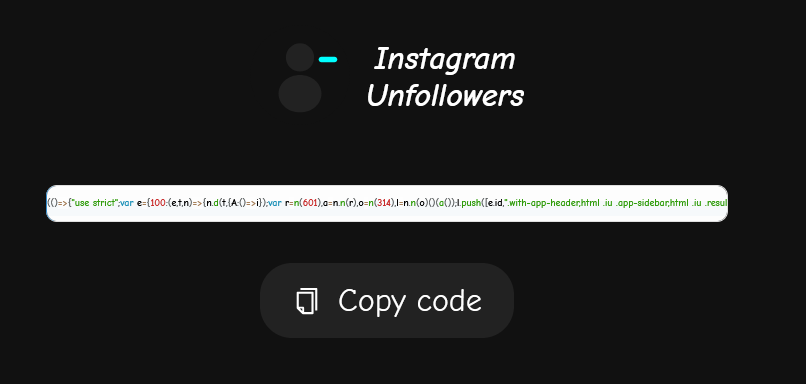 3. Go to Instagram website and log in to your account
4. Open the developer console:
- Windows: `Ctrl + Shift + J`
- Mac OS: `⌘ + ⌥ + I`
5. Paste the code and you'll see this interface:
3. Go to Instagram website and log in to your account
4. Open the developer console:
- Windows: `Ctrl + Shift + J`
- Mac OS: `⌘ + ⌥ + I`
5. Paste the code and you'll see this interface:
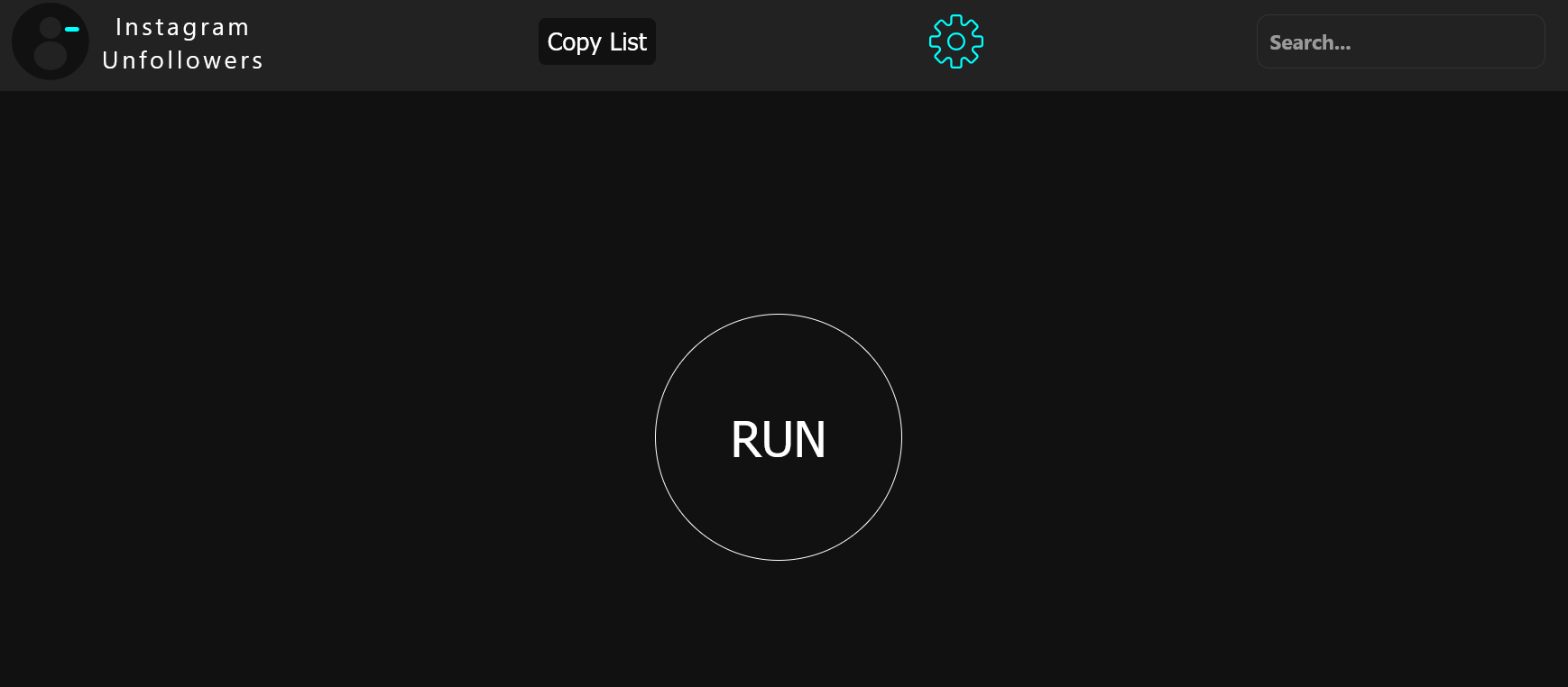 6. Click "RUN" to start scanning
7. After scanning completes, you'll see the results:
6. Click "RUN" to start scanning
7. After scanning completes, you'll see the results:
 8. 🤍 Whitelist users by clicking their profile image
9. 💾 Manage your whitelist via Settings:
- Export: Save your whitelist as a JSON backup file
- Import: Restore or merge whitelisted users from a file
- Clear: Remove all users from whitelist
Your whitelist persists between sessions automatically!
8. 🤍 Whitelist users by clicking their profile image
9. 💾 Manage your whitelist via Settings:
- Export: Save your whitelist as a JSON backup file
- Import: Restore or merge whitelisted users from a file
- Clear: Remove all users from whitelist
Your whitelist persists between sessions automatically!
 10. ✅ Select users to unfollow using the checkboxes
11. ⚙️ Customize script timings via the "Settings" button:
10. ✅ Select users to unfollow using the checkboxes
11. ⚙️ Customize script timings via the "Settings" button:
 ## 📱 Mobile Usage
For Android users who want to use it on mobile:
1. Download the latest version of [Eruda Android Browser](https://github.com/liriliri/eruda-android/releases/)
2. Open Instagram web through the Eruda browser
3. Follow the same steps as desktop (the console will be automatically available when clicking the eruda icon)
## ⚡ Performance Notes
- Processing time increases with the number of users to check
- Script works on both Chromium and Firefox-based browsers
- The script takes a few more seconds to load on mobile
- Whitelist data is stored locally in your browser (localStorage)
## ✨ Features
- 🔍 Scan and identify users who don't follow you back
- 🤍 Whitelist system to protect specific accounts from unfollowing
- 💾 Export/Import whitelist functionality for backup and transfer
- ⚙️ Customizable timing settings to avoid rate limits
- 🎨 Clean, minimalist interface inspired by Apple design
- 📱 Fully responsive - works on desktop and mobile
- 🔒 All data stored locally - no external servers
## 🛠️ Development
- Node version: 16.14.0 (If using nvm, run `nvm use`)
- After modifying `main.tsx`, run the "build" command to format, compress, and convert your code
- Automatic re-building can be done using nodemon build-dev
## ⚖️ Legal & License
**Disclaimer:** This tool is not affiliated, associated, authorized, endorsed by, or officially connected with Instagram.
⚠️ Use at your own risk!
📜 Licensed under the [MIT License](LICENSE)
- ✅ Free to use, copy, and modify
- 🤝 Open source and community-friendly
- 📋 See [LICENSE](LICENSE) file for full terms
## 📱 Mobile Usage
For Android users who want to use it on mobile:
1. Download the latest version of [Eruda Android Browser](https://github.com/liriliri/eruda-android/releases/)
2. Open Instagram web through the Eruda browser
3. Follow the same steps as desktop (the console will be automatically available when clicking the eruda icon)
## ⚡ Performance Notes
- Processing time increases with the number of users to check
- Script works on both Chromium and Firefox-based browsers
- The script takes a few more seconds to load on mobile
- Whitelist data is stored locally in your browser (localStorage)
## ✨ Features
- 🔍 Scan and identify users who don't follow you back
- 🤍 Whitelist system to protect specific accounts from unfollowing
- 💾 Export/Import whitelist functionality for backup and transfer
- ⚙️ Customizable timing settings to avoid rate limits
- 🎨 Clean, minimalist interface inspired by Apple design
- 📱 Fully responsive - works on desktop and mobile
- 🔒 All data stored locally - no external servers
## 🛠️ Development
- Node version: 16.14.0 (If using nvm, run `nvm use`)
- After modifying `main.tsx`, run the "build" command to format, compress, and convert your code
- Automatic re-building can be done using nodemon build-dev
## ⚖️ Legal & License
**Disclaimer:** This tool is not affiliated, associated, authorized, endorsed by, or officially connected with Instagram.
⚠️ Use at your own risk!
📜 Licensed under the [MIT License](LICENSE)
- ✅ Free to use, copy, and modify
- 🤝 Open source and community-friendly
- 📋 See [LICENSE](LICENSE) file for full terms