
Timebound
AWS IAM Permissions
for Claude Code
(or any AI agent)
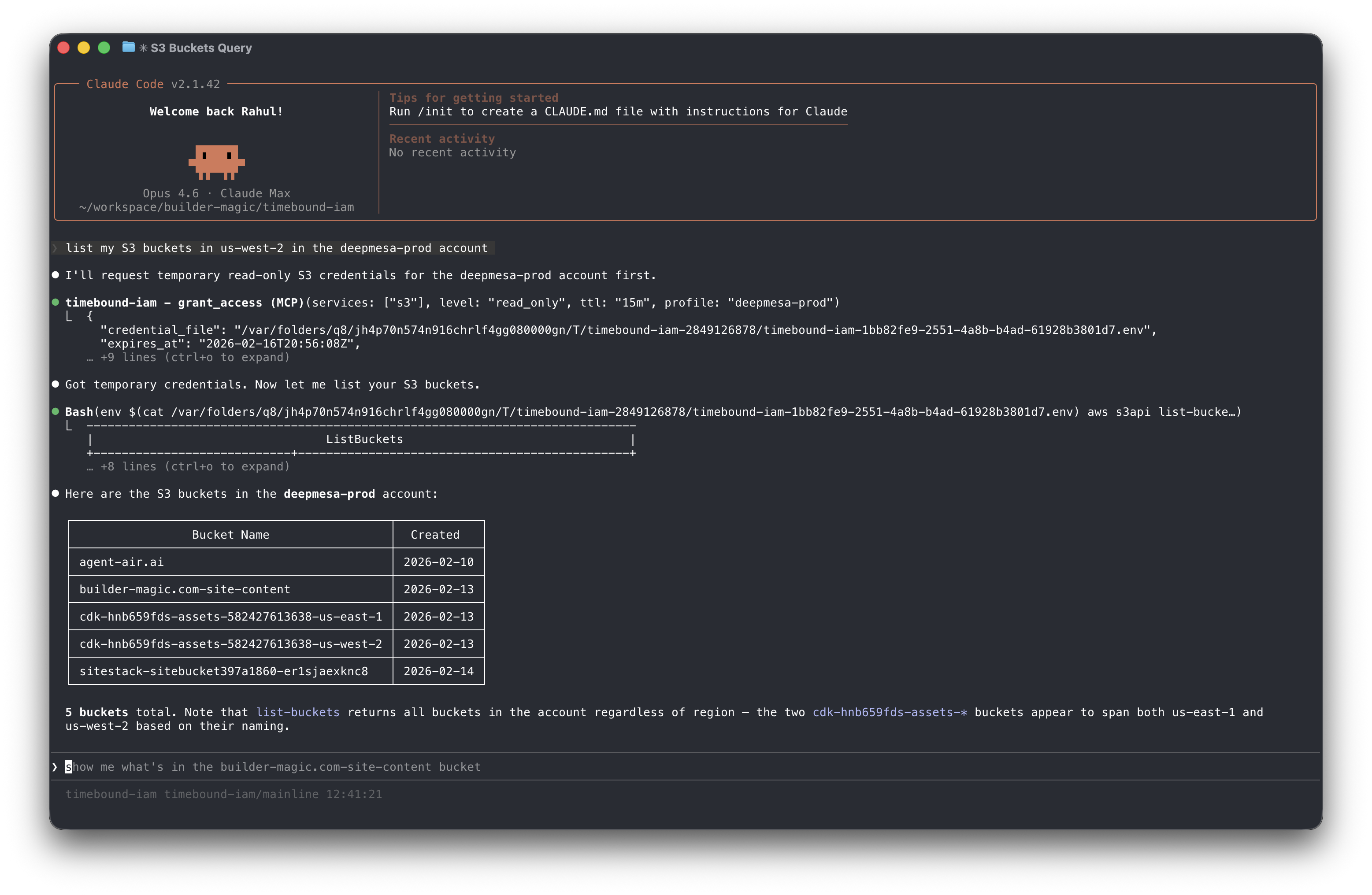
An MCP server that sits between your AI agent and AWS STS, issuing temporary credentials scoped to specific AWS services and access levels on demand.


https://timebound-iam.com
Timebound-IAM is an MCP Server that issues short-lived, service-scoped AWS credentials via STS AssumeRole so that AI coding agents (like Claude Code) can access AWS resources without long-lived keys. Credentials are time-bounded (15 minutes to 12 hours), scoped to specific services and access levels (read-only or full), and automatically cleaned up on expiry.
## Install
- **Homebrew** (macOS/Linux)
```bash
brew install builder-magic/tap/timebound-iam
```
- **Go install**
```bash
go install github.com/builder-magic/timebound-iam@latest
```
- **Binary download** — Download pre-built binaries from [GitHub Releases](https://github.com/builder-magic/timebound-iam/releases).
## Setup
For the complete installation and setup guide, see [https://timebound-iam.com/installation-and-setup](https://timebound-iam.com/installation-and-setup).
1. **Configure AWS**
Run the setup wizard to generate the IAM trust policy and inline policy for the broker role:
```bash
bin/timebound-iam setup aws
# or specify a named profile
bin/timebound-iam setup aws --profile my-profile
```
Follow the printed instructions to create the `timebound-iam-broker` IAM role in your account with the generated policies.
2. **Add to Claude Code**
Register the MCP server so Claude Code can request temporary credentials on demand:
```bash
claude mcp add --scope user timebound-iam -- timebound-iam serve
```
Restart Claude Code to pick up the new server.
3. **Verify**
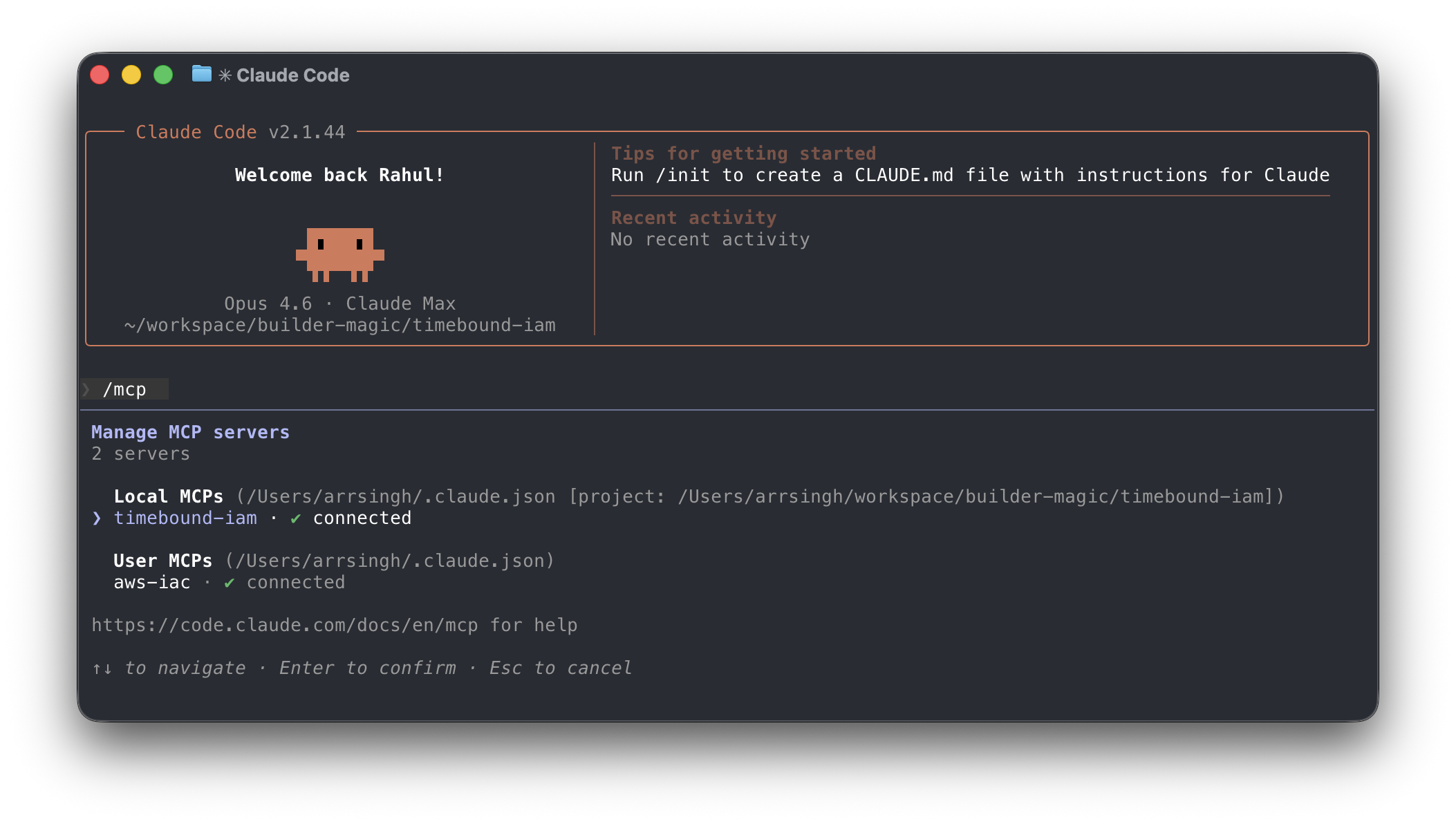
Verify that the MCP server is installed and running with the `/mcp` command:
Test the credential flow end-to-end:
```bash
timebound-iam test
```
This requests short-lived S3 read-only credentials and writes them to a temporary `.env` file you can use to verify access.
## CLI Usage
Timebound-IAM can also be used as a standalone CLI to wrap shell scripts with scoped, temporary credentials.
1. **`exec`**
Runs a command with temporary credentials injected into its environment:
```bash
timebound-iam exec -s s3:full,cloudfront:full -t 30m --profile prod -- ./deploy.sh
```
Use `--dry-run` to validate flags without requesting credentials. Use `--no-confirm` to skip the interactive prompt in CI or scripts.
2. **`env`**
Prints `export` or `unset` statements for use with `eval`:
```bash
eval "$(timebound-iam env -s s3:ro -t 15m --no-confirm)"
aws s3 ls
eval "$(timebound-iam env --unset)"
```
3. **Scopes**
Scopes use the format `service:level` where level is `ro` (read-only) or `full`. Multiple scopes can be comma-separated or passed as repeated `-s` flags:
```bash
-s s3:ro,dynamodb:full
-s s3:ro -s dynamodb:full
```
## Contributing
Contributions in any form (suggestions, bug reports, pull requests, and feedback) are welcome. If you've found a bug, you can submit an issue or email me at rsingh@builder-magic.com.
## License
This project is licensed under the [Apache License, Version 2.0](LICENSE).
## Contribution
Unless you explicitly state otherwise, any contribution intentionally submitted for inclusion in the work by you, as defined in the Apache-2.0 license, shall be licensed under the Apache License, Version 2.0, without any additional terms or conditions.
Contact: rsingh@builder-magic.com