






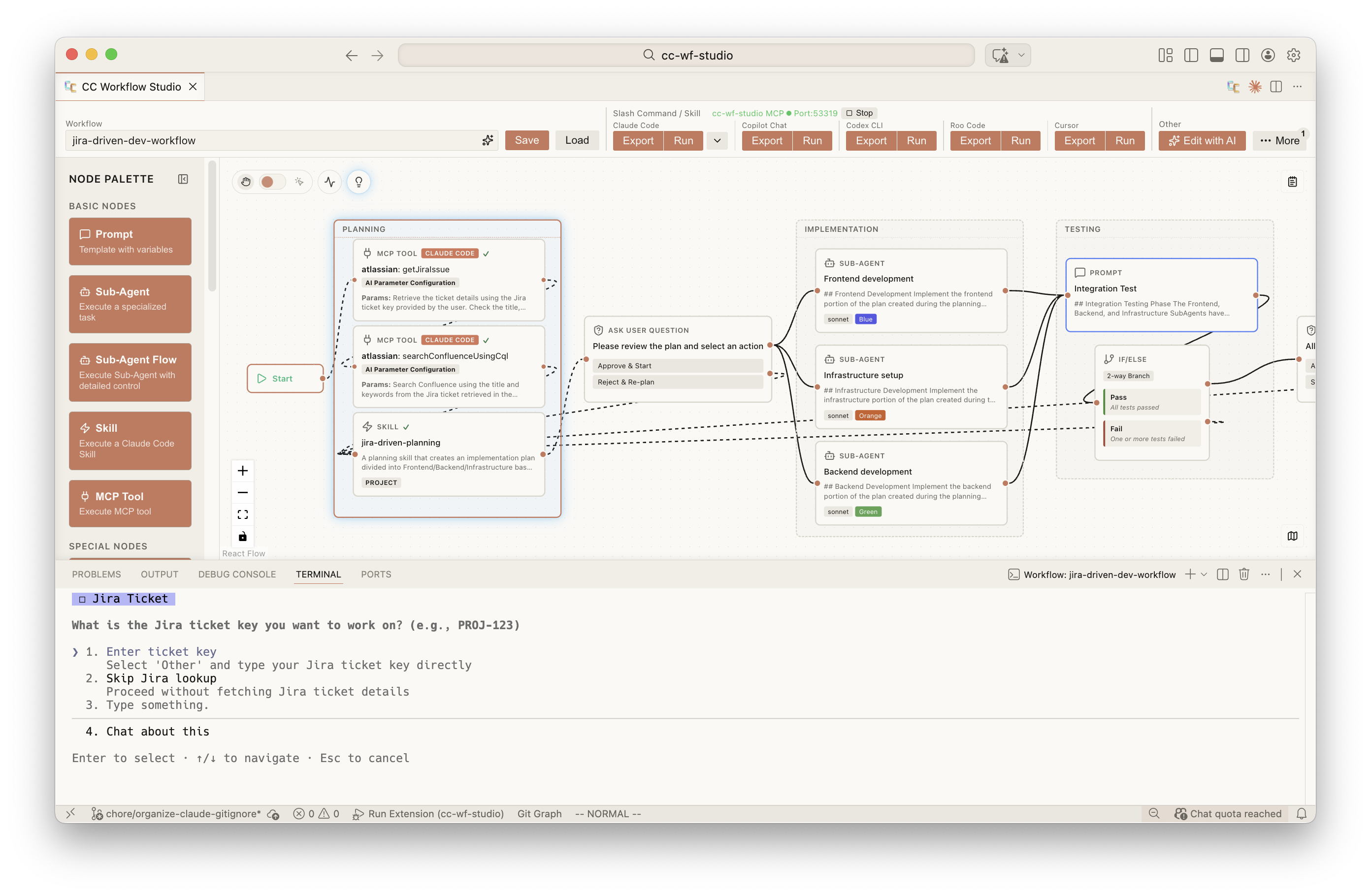
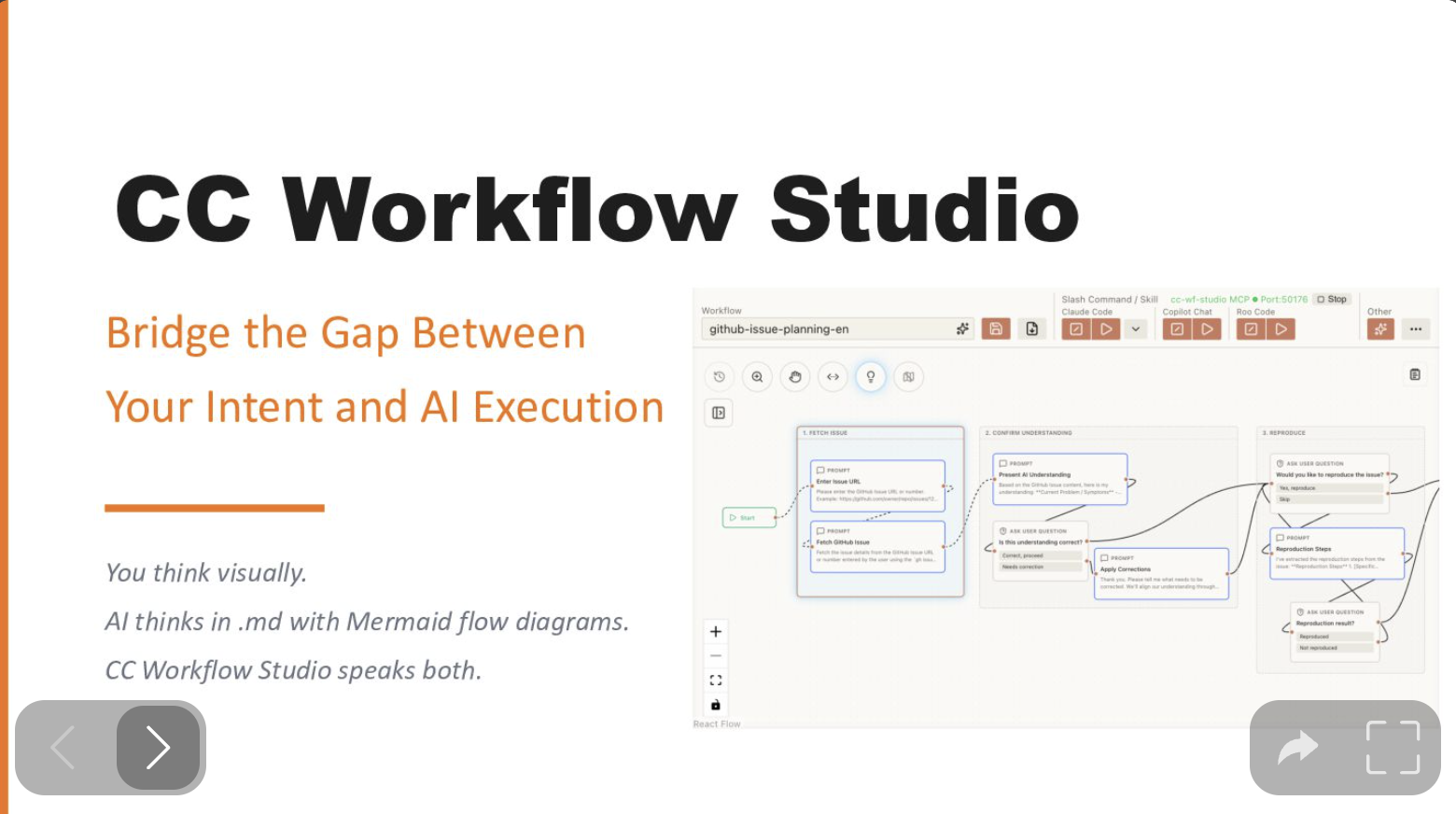
Why CC Workflow Studio? - Speaker Deck Link
ccwf-mcp)"]
AIClient --> McpServer
end
subgraph Cli["💻 CLI"]
CliBin["@cc-wf-studio/cliccwf render | validate | export | run | preview | canvas | mcp)"]
end
Wf <-->|edit| Canvas
Wf <-->|read / write| McpServer
Wf <-->|read / write| CliBin
Canvas -.->|writes skills + agents| Output["Agent skills on disk

✨ Edit with AI: AI agents (Claude Code, GitHub Copilot, etc.) create workflows through natural language via MCP Server
---
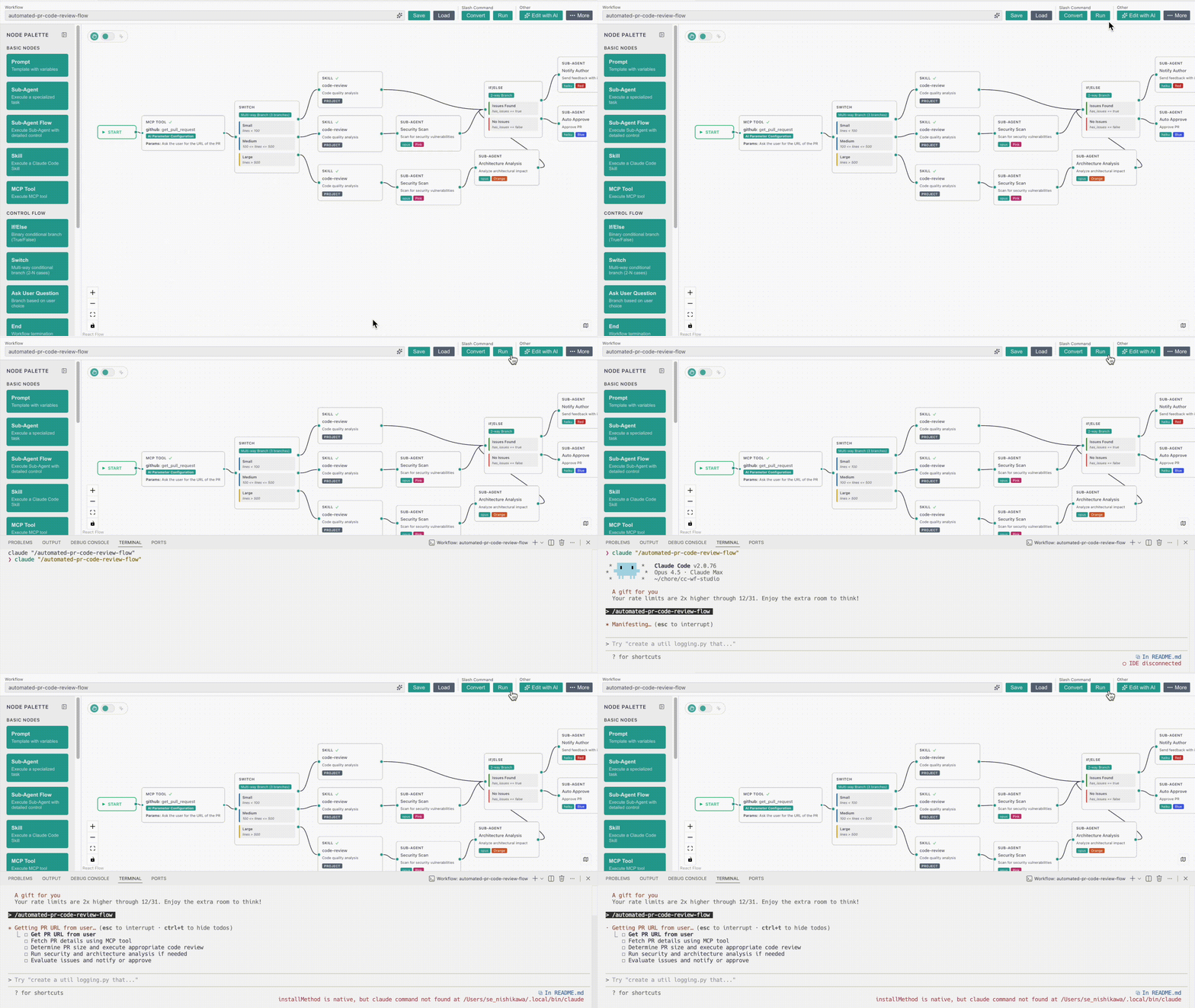
▶️ Run workflows directly from the editor – See your AI automation in action instantly
--- ## Key Features 🔀 **Visual Workflow Editor** - Intuitive drag-and-drop canvas for designing AI agent orchestrations without code 🤖 **Agentic Engineering** - Design multi-agent workflows with Sub-Agent orchestration, Agent Skills, and MCP tool integration — the building blocks of agentic engineering ✨ **Edit with AI** - Iteratively improve workflows through conversational AI - ask for changes, add features, or refine logic with natural language feedback ⚡ **One-Click Export & Run** - Export workflows to ready-to-use formats and run directly from the editor ## How to Use ### Launch the Extension - Click the icon in the top-right corner of the editor
- Or: Command Palette (`Cmd+Shift+P`) → **"CC Workflow Studio: Open Editor"**
### Create a Workflow
- Add nodes from the palette and configure their settings, or use [Edit with AI](#edit-with-ai).
### Save & Load
- Click Save
icon in the top-right corner of the editor
- Or: Command Palette (`Cmd+Shift+P`) → **"CC Workflow Studio: Open Editor"**
### Create a Workflow
- Add nodes from the palette and configure their settings, or use [Edit with AI](#edit-with-ai).
### Save & Load
- Click Save  button in the toolbar to store your workflow as `.vscode/workflows/*.json`
- Click Load
button in the toolbar to store your workflow as `.vscode/workflows/*.json`
- Click Load  button in the toolbar to open a saved `.json` workflow
### Export & Run
- Click Export
button in the toolbar to open a saved `.json` workflow
### Export & Run
- Click Export  button in the toolbar to create a `.md` slash command or agent skill (use `/workflow-name` in AI coding agents)
- Click Run
button in the toolbar to create a `.md` slash command or agent skill (use `/workflow-name` in AI coding agents)
- Click Run  button in the toolbar to run your workflow directly in AI coding agents
### Edit with AI
- Click Edit with AI
button in the toolbar to run your workflow directly in AI coding agents
### Edit with AI
- Click Edit with AI  button in the toolbar to generate or refine workflows with natural language
- **Native with MCP Server**: Click an AI agent button in the Edit with AI panel to launch native AI editing. The MCP server starts automatically behind the scenes.
```mermaid
sequenceDiagram
actor User
box VS Code (CC Workflow Studio)
participant UI as Editor UI
participant MCP as MCP Server
end
participant Agent as AI Agent
User->>UI: Click agent button
UI->>MCP: Auto start server
UI->>Agent: Launch with editing skill
loop AI edits workflow
Agent->>MCP: get_workflow
MCP-->>Agent: workflow JSON
Agent->>MCP: apply_workflow
MCP->>UI: Update canvas
end
```
## Usage Examples
Coming soon - Sample workflows and tutorials are under development.
## License
The VSCode extension (`cc-wf-studio`) is licensed under the **GNU Affero General Public License v3.0** (AGPL-3.0-or-later).
See the [LICENSE](./LICENSE) file for the full license text.
The reusable libraries published to npm — [`@cc-wf-studio/core`](./packages/core/LICENSE), [`@cc-wf-studio/mcp`](./packages/mcp/LICENSE), and [`@cc-wf-studio/cli`](./packages/cli/LICENSE) — are released under the more permissive **MIT** license. Each package ships its own LICENSE file, which takes precedence for that package.
Copyright (c) 2025 breaking-brake
## Star History
[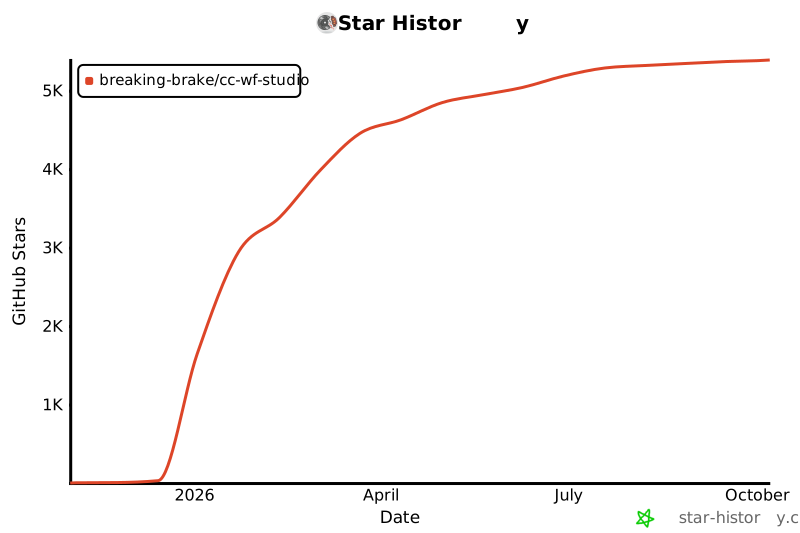](https://star-history.com/#breaking-brake/cc-wf-studio&Date)
## Acknowledgments
Built with [React Flow](https://reactflow.dev/) • Powered by [Claude Code](https://claude.com/claude-code) • Inspired by [Dify](https://dify.ai/)
---
**Made with CC Workflow Studio**
button in the toolbar to generate or refine workflows with natural language
- **Native with MCP Server**: Click an AI agent button in the Edit with AI panel to launch native AI editing. The MCP server starts automatically behind the scenes.
```mermaid
sequenceDiagram
actor User
box VS Code (CC Workflow Studio)
participant UI as Editor UI
participant MCP as MCP Server
end
participant Agent as AI Agent
User->>UI: Click agent button
UI->>MCP: Auto start server
UI->>Agent: Launch with editing skill
loop AI edits workflow
Agent->>MCP: get_workflow
MCP-->>Agent: workflow JSON
Agent->>MCP: apply_workflow
MCP->>UI: Update canvas
end
```
## Usage Examples
Coming soon - Sample workflows and tutorials are under development.
## License
The VSCode extension (`cc-wf-studio`) is licensed under the **GNU Affero General Public License v3.0** (AGPL-3.0-or-later).
See the [LICENSE](./LICENSE) file for the full license text.
The reusable libraries published to npm — [`@cc-wf-studio/core`](./packages/core/LICENSE), [`@cc-wf-studio/mcp`](./packages/mcp/LICENSE), and [`@cc-wf-studio/cli`](./packages/cli/LICENSE) — are released under the more permissive **MIT** license. Each package ships its own LICENSE file, which takes precedence for that package.
Copyright (c) 2025 breaking-brake
## Star History
[](https://star-history.com/#breaking-brake/cc-wf-studio&Date)
## Acknowledgments
Built with [React Flow](https://reactflow.dev/) • Powered by [Claude Code](https://claude.com/claude-code) • Inspired by [Dify](https://dify.ai/)
---
**Made with CC Workflow Studio**