Everything you need to annotate and stay in the loop with your agents Markdown Review • Code Review • HTML Artifacts Annotate plans, specs, markdown, and HTML before implementation. Review diffs and PRs. Send feedback to your agent.
# Plannotator
Plannotator is a local, browser-based review surface for AI coding agents: Claude Code, Codex, Copilot CLI, Gemini CLI, OpenCode, Kiro, Droid, Amp, and Pi.
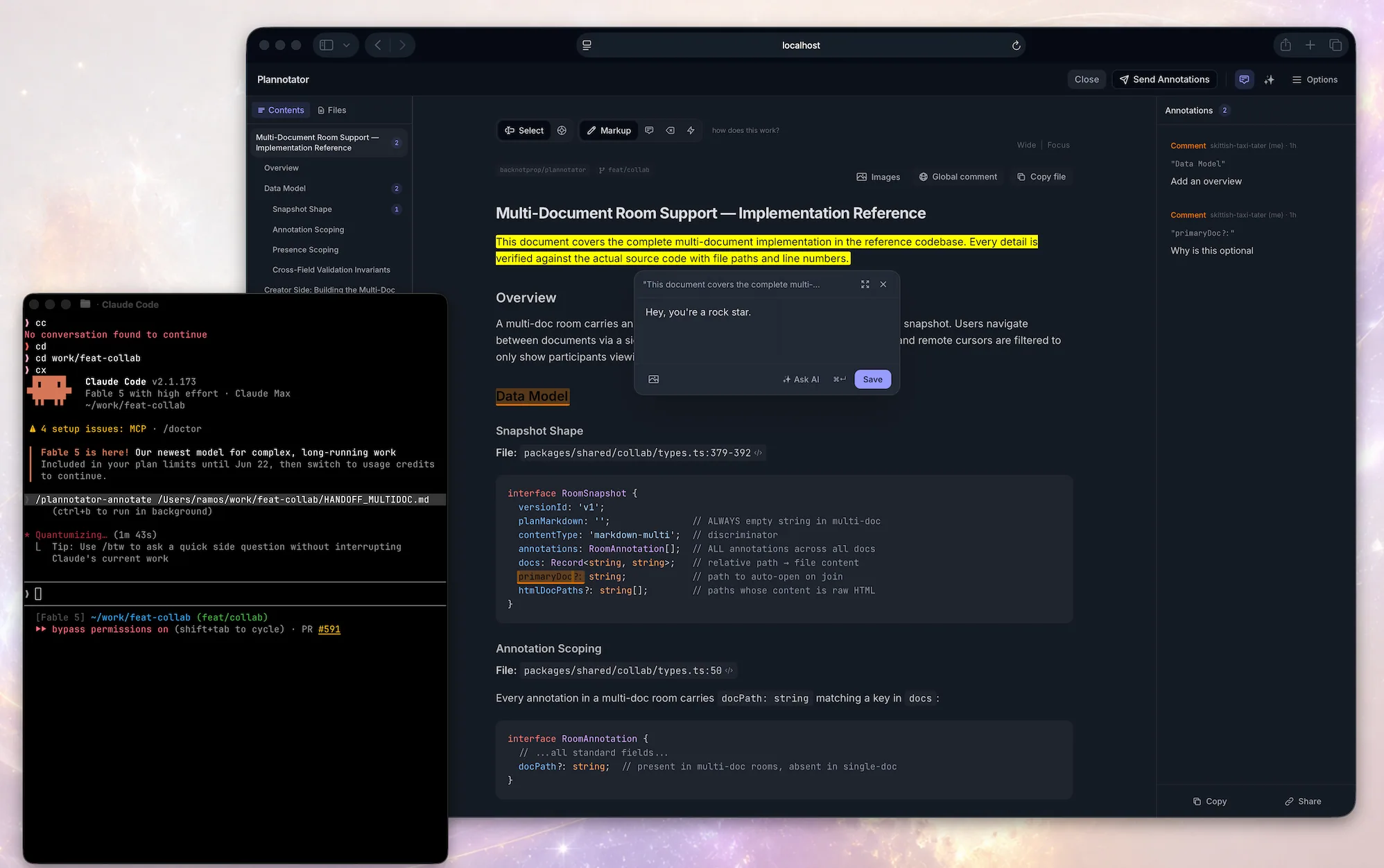
**It plugs directly into your agent** through its hooks and commands. When the agent proposes a plan, html, or finishes writing code, the work opens in your browser and you mark it up, comment, and send feedback directly to the agent for it to act on it.
### Review documents, plans, and agent messages
Annotate plans, specs, messages, html, then send the feedback to your agent.
### Code Review
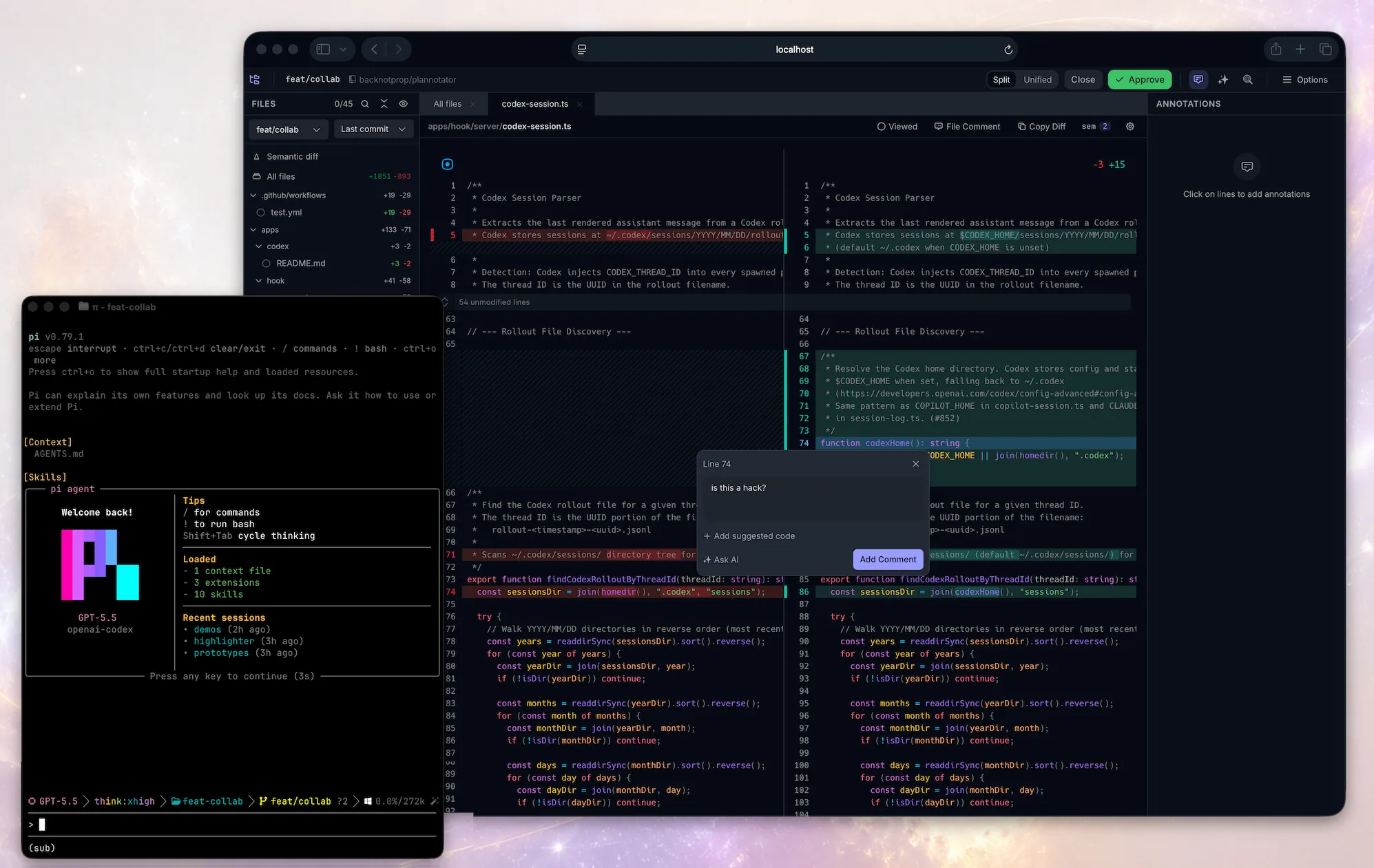
Review local changes or remote PRs. Comment on diffs, suggest code. Your comments go back to the agent. Works with Git, GitButler, Jujutsu (`jj`), Perforce (`p4`), GitHub, and GitLab.
AI built in: ask AI about anything you're reviewing, or launch AI reviews that post comments to the diff.
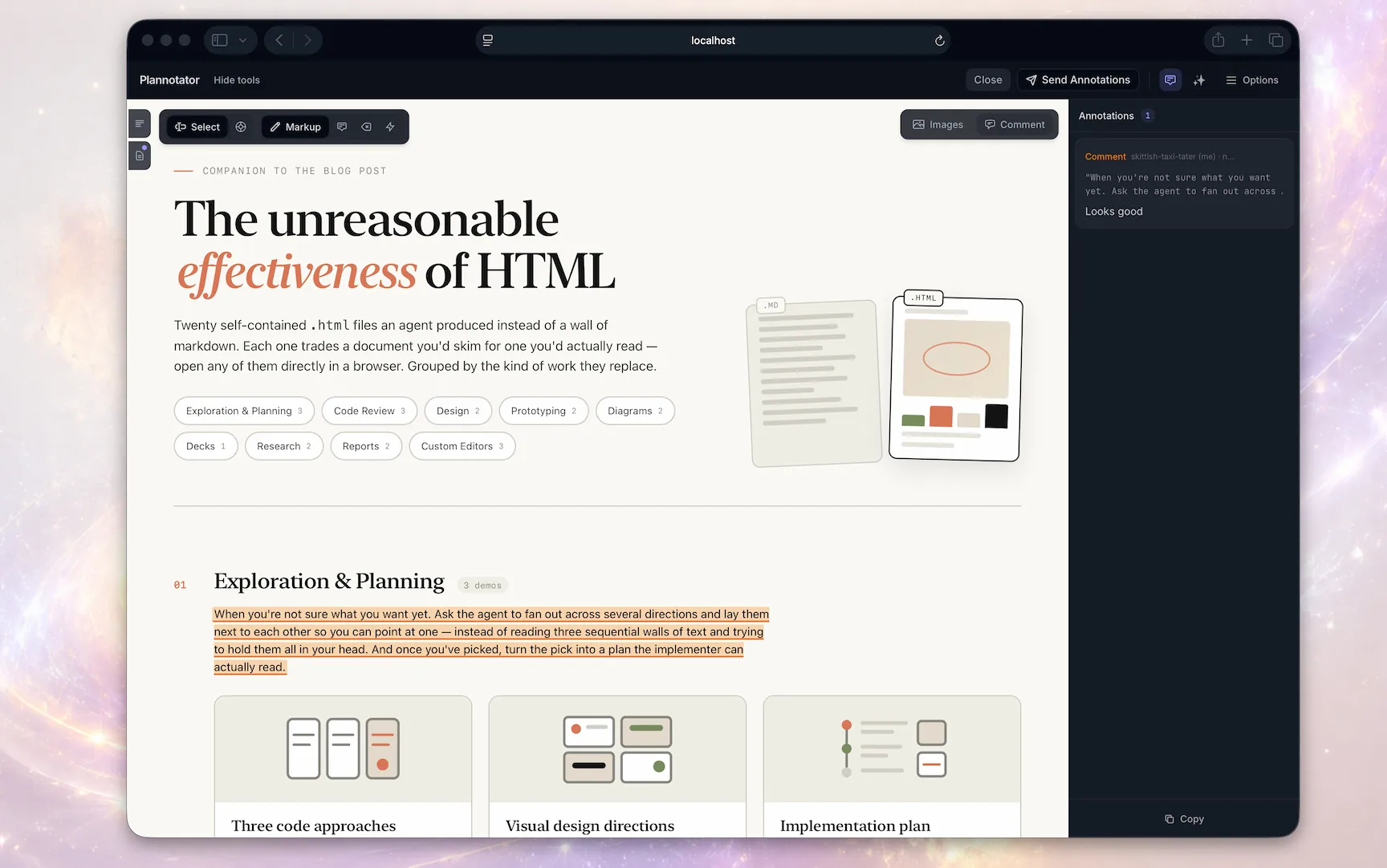
## Annotate HTML Artifacts
---
## Commands
On Codex, swap the slash commands for `!plannotator …` (e.g. `!plannotator review`) or the `$plannotator-*` skills.
### Annotate
```
/plannotator-annotate README.md # Local markdown file
/plannotator-annotate src/ # Browse and annotate files in a folder
/plannotator-annotate https://docs.rs/… # Fetch and annotate any URL
/plannotator-annotate report.html --render-html # Render HTML as-is instead of converting
/plannotator-last # Annotate the agent's last message
```
Need a realistic document to try? Copy the [product requirements document template and filled example](https://docs.plannotator.ai/templates/product-requirements-document) as Markdown.
### Code review
```
/plannotator-review # Review uncommitted changes
/plannotator-review # Review a GitHub pull request
/plannotator-review # Review a GitLab merge request
plannotator review --gitbutler # Review an active GitButler workspace
```
GitButler users can review the whole workspace, one stack, or one branch layer. See the [GitButler workflow guide](https://docs.plannotator.ai/open-source/workflows/gitbutler).
### Plan mode
No command needed. Plan mode is wired in through each harness's hooks. Any time your agent creates a plan, the markdown review surface opens for you.
### CLI
```
plannotator sessions # List active Plannotator sessions
plannotator sessions --open 1 # Reopen a session in the browser
plannotator archive # Browse saved plan decisions read-only
```
---
## Privacy and network behavior
Plannotator does not collect usage telemetry or analytics. Plans, diffs, annotations, drafts, history, and configuration stay local by default.
Each plan review, annotate, archive, share-portal, and code-review app surface checks GitHub for the latest Plannotator release when it loads. This sends no plan or review content and gives the Plannotator project owner no usage analytics, although GitHub receives an ordinary request. There is currently no opt-out setting. Local Git code review can also query the configured `origin` with `git ls-remote` to detect the default branch and a stale baseline; it does not send the local diff.
Content leaves the local workflow only when a network feature needs it:
- URL annotation fetches the requested site, through Jina Reader by default for public pages or directly when Jina is disabled or unavailable.
- GitHub and GitLab review uses your authenticated CLI and Git remote to retrieve PR or MR data.
- Ask AI and review agents send the selected question and relevant plan, document, repository, or diff context to your configured provider.
- Sharing sends the complete link to whoever or whatever service you use to deliver it. Encrypted short links upload ciphertext to the paste service.
- Workspaces is a separate hosted product, so the open source app's local-storage model does not apply to content placed there.
The [privacy policy](https://plannotator.ai/privacy) documents these boundaries and the hosted website and waitlist data.
---
## Link sharing
Open source asynchronous link sharing remains available for compatibility but is moving to deprecated support. Workspaces is the primary direction for team sharing. No removal date has been announced.
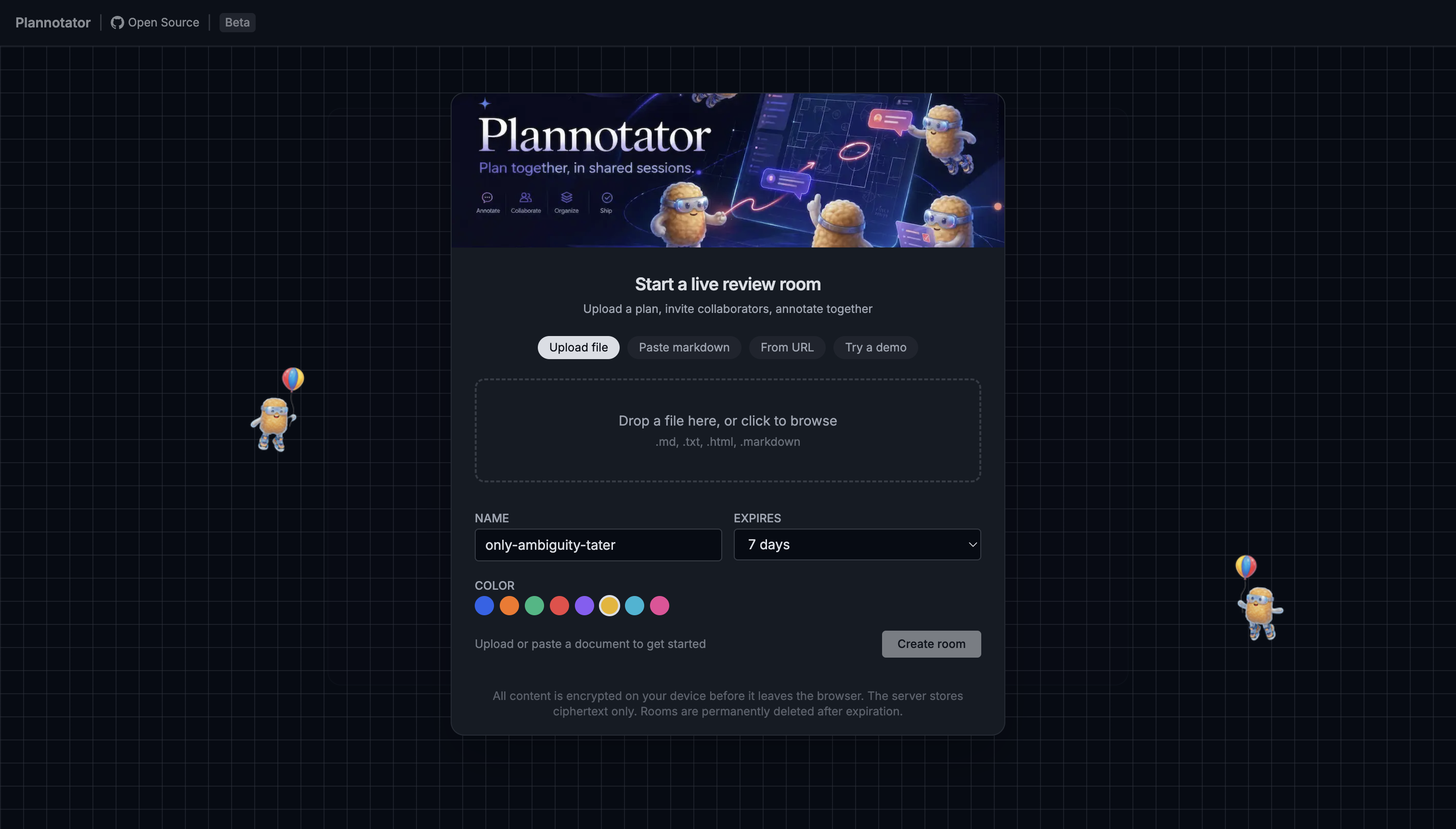
Share a plan with a teammate and they can annotate it themselves. Import their feedback and send it straight back to your agent.
**Small markdown shares** are compressed into the URL fragment. The fragment is not included in the browser's request to the share portal, but it is not encrypted. Anyone or any messaging service with the complete link can read the shared content. The portal host still receives ordinary request metadata.
**Large markdown and raw HTML shares** use a short-link service. The share payload is encrypted with AES-256-GCM before upload, the server stores only ciphertext, and the key is kept in the URL fragment rather than sent in the paste request. Anyone with the complete link can decrypt it. Hosted pastes expire after 7 days.
Same model as [PrivateBin](https://privatebin.info/). The paste service is [self-hostable](https://docs.plannotator.ai/open-source/workflows/sharing).
Sharing can be disabled entirely with `PLANNOTATOR_SHARE=disabled`.
[Workspaces](https://plannotator.ai/workspaces) is the primary path for hosted team collaboration.
---
## Install
One installer covers almost every agent. It installs the `plannotator` binary, auto-detects your installed agents, and configures hooks, skills, and slash commands for each:
```bash
# macOS / Linux / WSL
curl -fsSL https://plannotator.ai/install.sh | bash
```
```powershell
# Windows PowerShell
irm https://plannotator.ai/install.ps1 | iex
```
The installer downloads the binary from GitHub Releases. A full install can also contact GitHub for release resolution and agent files, Ataraxy-Labs/sem for the optional `sem` sidecar, and npm for Pi, selected extra skills, or the managed agent-terminal runtime. Pinning `--version` skips only GitHub API release resolution, not the release download. See the [privacy policy](https://plannotator.ai/privacy) for the complete network boundaries.
Want just the binary and nothing else? Pass `--minimal` (or export `PLANNOTATOR_MINIMAL=1`) to install only the `plannotator` binary to `~/.local/bin`, skipping every skill, hook, slash command, and per-agent config:
```bash
curl -fsSL https://plannotator.ai/install.sh | bash -s -- --minimal
```
Then finish the step for your agent:
| Agent | After the installer | Details |
|---|---|---|
| **Amp** | Copy [`plannotator.ts`](apps/amp-plugin/plannotator.ts) into `~/.config/amp/plugins/`, then `plugins: reload`. Workflows live in the command palette. | [README](apps/amp-plugin/README.md) |
| **Claude Code** | `/plugin marketplace add backnotprop/plannotator`, then `/plugin install plannotator@plannotator`. Restart Claude Code. | [README](apps/hook/README.md) |
| **Codex** | Nothing. Plan review is enabled automatically via Codex's experimental `Stop` hook (macOS/Linux/WSL; Codex hooks are disabled on Windows). `$plannotator-review`, `$plannotator-annotate`, and `$plannotator-last` skills included. | [README](apps/codex/README.md) |
| **Copilot CLI** | `/plugin marketplace add backnotprop/plannotator`, then `/plugin install plannotator-copilot@plannotator`. Restart. Plan review activates in plan mode (`Shift+Tab`). | [README](apps/copilot/README.md) |
| **Droid** | `droid plugin marketplace add https://github.com/backnotprop/plannotator`, then `droid plugin install plannotator@plannotator`. Commands only, no plan interception yet. | [README](apps/droid-plugin/README.md) |
| **Gemini CLI** | Nothing. The hook, policy, and slash commands are configured automatically. Requires Gemini CLI 0.36.0+. | [README](apps/gemini/README.md) |
| **Kiro CLI** | Nothing. Skills and an example agent are installed automatically. Try `kiro-cli chat --agent plannotator`. | [README](apps/kiro-cli/README.md) |
| **OpenCode** | Add `"plugin": ["@plannotator/opencode@latest"]` to `opencode.json`. Restart OpenCode. | [README](apps/opencode-plugin/README.md) |
| **Pi** | Skip the installer. Just `pi install npm:@plannotator/pi-extension`. Start Pi with `--plan`, or toggle with `/plannotator`. | [README](apps/pi-extension/README.md) |
Full walkthroughs live in the [installation docs](https://docs.plannotator.ai/open-source/start/installation).
Claude Code: manual hook setup (without the plugin system)
Add to `~/.claude/settings.json`:
```json
{
"hooks": {
"PermissionRequest": [
{
"matcher": "ExitPlanMode",
"hooks": [
{
"type": "command",
"command": "plannotator",
"timeout": 345600
}
]
}
]
}
}
```
Pin a specific version
```bash
curl -fsSL https://plannotator.ai/install.sh | bash -s -- --version vX.Y.Z
```
```powershell
& ([scriptblock]::Create((irm https://plannotator.ai/install.ps1))) -Version vX.Y.Z
```
### Try it
The fastest way to see what Plannotator does is to invoke it yourself, right now, from your agent:
```
/plannotator-last # annotate the agent's last reply
/plannotator-review # review your current diff, PR-style
/plannotator-annotate report.html # annotate any file, folder, or URL
```
(Slash commands in most agents; `$plannotator-*` skills in Codex, command palette in Amp.)
Plan review needs no command at all. The next time your agent proposes a plan, it opens in your browser automatically.
---
## How it works
### Plan review
```
Agent calls ExitPlanMode
-> PermissionRequest hook fires
-> Local server reads plan from hook input
-> Browser opens with review UI
-> You annotate and approve/deny
-> Approve: agent proceeds
-> Deny: structured feedback sent to agent
-> Agent revises, plan diff shows what changed
```
### Code review
```
You run /plannotator-review
-> git diff captures changes (or PR fetched by URL)
-> Browser opens with diff viewer
-> Annotate lines, stage/unstage files
-> Send feedback: returned to agent session
-> Approve: "LGTM" sent
```
---
## Integrations
**VS Code**: Open plans in editor tabs, view diffs inline, add annotations from the editor gutter. Install from the [VS Code Marketplace](https://marketplace.visualstudio.com/items?itemName=backnotprop.plannotator-webview).
**Obsidian**: Auto-save approved plans to a vault with YAML frontmatter, tags from the plan title, and backlinks for graph connectivity. Configure in Plannotator's Settings panel.
**Bear**: Save plans as Bear notes with nested tags and project metadata.
**GitHub / GitLab**: Pass any PR or MR URL to `/plannotator-review` and review it with the full diff viewer, annotations, and file tree.
---
## Remote / SSH / devcontainer
Plannotator auto-detects SSH sessions and switches to a fixed port. For explicit control:
```bash
export PLANNOTATOR_REMOTE=1
export PLANNOTATOR_PORT=9999 # forward this port
```
VS Code devcontainers forward the port automatically (check the Ports tab). For raw SSH, add to `~/.ssh/config`:
```
Host your-server
LocalForward 9999 localhost:9999
```
---
## Security
Every released binary ships with a SHA256 sidecar. [SLSA provenance](https://slsa.dev/) attestations are available from v0.17.2.
To verify on install:
```bash
curl -fsSL https://plannotator.ai/install.sh | bash -s -- --verify-attestation
```
Requires `gh` installed and authenticated. Can also be set persistently in `~/.plannotator/config.json`:
```json
{ "verifyAttestation": true }
```
See the [verification docs](https://docs.plannotator.ai/open-source/start/installation#pin-or-verify-a-release) for details.
---
## Configuration
Settings are saved in cookies (not localStorage) because each hook invocation runs on a random port. You can also set options through environment variables or `~/.plannotator/config.json`.
### Optional Vim controls
Plan and annotate views offer a default-off **Vim controls** profile under
**Settings → Vim**. Once enabled, focus the document and use `j` / `k`
to move one rendered block at a time. After `l` refines into a semantic level,
`j` / `k` move among sibling rows, cells, or inline targets; `h` moves back to
the containing target. Refining past the deepest target enters text. `v`
starts characterwise Visual selection and
`V` selects whole blocks. `Space` opens the normal annotation toolbar; `c`,
`d`, `m`, and `t` select comment, redline, markup, and label actions. The same
semantic target graph drives pointer Pinpoint and keyboard navigation. Press
`?` in the document for the contextual key reference. Inputs, dialogs,
editors, `Tab`, and all pointer interactions retain their native behavior.
The document takes focus automatically when the page is otherwise neutral;
press `Escape` from app chrome to return to it without clicking.
An additional default-off **Vim HUD** toggle appears beneath Vim controls. It
uses the product-demo styling for the live target reticle and navigation
context. Its bottom-right **Key panel** is independently hideable while the
reticle remains active; `?` still opens the complete key map on demand. The
panel shows recent handled keys, the current block/line/word/Visual phase, and
the command meaning without capturing text typed into comments or other
controls.
See [Vim controls](docs/vim-controls.md) for the interaction contract and
implementation architecture.
| Variable | Description |
|---|---|
| `PLANNOTATOR_REMOTE` | `1`/`true` for remote mode, `0`/`false` for local, unset for SSH auto-detection |
| `PLANNOTATOR_PORT` | Fixed port (default: random locally, `19432` remote) |
| `PLANNOTATOR_BROWSER` | Custom browser to open plans in |
| `PLANNOTATOR_AI` | `disabled` to disable Ask AI, Review Agents, and Guided Review; the annotate agent terminal is separate |
| `PLANNOTATOR_SHARE` | `disabled` to turn off URL sharing |
| `PLANNOTATOR_SHARE_URL` | Custom base URL for share links (self-hosted portal) |
| `PLANNOTATOR_PASTE_URL` | Base URL of the paste service API |
| `PLANNOTATOR_ORIGIN` | Override agent detection: `claude-code`, `amp`, `droid`, `opencode`, `codex`, `copilot-cli`, `gemini-cli`, `kiro-cli`, `pi` |
| `PLANNOTATOR_JINA` | `0`/`false` to disable Jina Reader for URL annotation |
| `JINA_API_KEY` | Jina Reader API key for higher rate limits |
| `PLANNOTATOR_DATA_DIR` | Base directory for Plannotator-managed files (plans, history, drafts, `config.json`). Default: `~/.plannotator`; if that directory doesn't exist and `$XDG_DATA_HOME` is set to an absolute path, `$XDG_DATA_HOME/plannotator` is used instead |
Plannotator-managed files live under `~/.plannotator` by default. Some UI preferences are stored in functional browser cookies. To relocate the files (for example, for an XDG-clean home):
```bash
export PLANNOTATOR_DATA_DIR=~/.local/share/plannotator
```
---
## Development
```bash
bun install
bun run dev:hook # Plan review server
bun run dev:review # Code review editor
bun run dev:marketing # Marketing site (plannotator.ai)
bun run dev:vscode # VS Code extension (watch mode)
```
### Build
```bash
bun run build # Main targets (hook + opencode)
bun run build:hook # Single-file HTML for the hook server
bun run build:review # Code review editor
bun run build:opencode # OpenCode plugin
bun run build:vscode # VS Code extension
```
Build order matters. The hook build copies pre-built HTML from `apps/review/dist/`. If you change UI code in `packages/ui/`, `packages/editor/`, or `packages/review-editor/`, rebuild the review app first:
```bash
bun run --cwd apps/review build && bun run build:hook
```
Test the plugin locally:
```bash
claude --plugin-dir ./apps/hook
```
Full binary build:
```bash
bun run --cwd apps/review build && bun run build:hook && \
bun build apps/hook/server/index.ts --compile --outfile ~/.local/bin/plannotator
```
---
## License
Copyright 2025-2026 backnotprop
Dual-licensed under [Apache 2.0](LICENSE-APACHE) or [MIT](LICENSE-MIT) at your option.
Contributions are dual-licensed under the same terms unless you explicitly state otherwise.