# Awesome VPN 🌍
**Free proxy nodes, updated daily. Zero config, copy and use.**
🌐 **Quick Copy:** https://awesome-vpn.github.io/
[](README_CN.md)
[](README.md)
---
## 🚀 30-Second Quick Start
### Step 1: Copy a subscription link
Right-click the link → "Copy link address":
| Format | Subscription Link | Best For |
|--------|-------------------|----------|
| **Base64 List** | [`https://raw.githubusercontent.com/awesome-vpn/awesome-vpn/master/all`](https://raw.githubusercontent.com/awesome-vpn/awesome-vpn/master/all) | v2rayN, v2rayNG, Streisand |
| **Sing-box JSON** | [`https://raw.githubusercontent.com/awesome-vpn/awesome-vpn/master/sing-box.json`](https://raw.githubusercontent.com/awesome-vpn/awesome-vpn/master/sing-box.json) | Sing-box, NekoBox |
| **Clash YAML** | [`https://raw.githubusercontent.com/awesome-vpn/awesome-vpn/master/clash.yaml`](https://raw.githubusercontent.com/awesome-vpn/awesome-vpn/master/clash.yaml) | Clash Verge Rev, ClashX |
📋 Copy all links (manual)
```
https://raw.githubusercontent.com/awesome-vpn/awesome-vpn/master/all
https://raw.githubusercontent.com/awesome-vpn/awesome-vpn/master/sing-box.json
https://raw.githubusercontent.com/awesome-vpn/awesome-vpn/master/clash.yaml
```
> 💡 **Don't know which one?** Use the Base64 List. It works with most apps.
### Step 2: Download a client app
| Platform | Recommended App | Download |
|----------|----------------|----------|
| **Windows** | v2rayN / Clash Verge Rev | [v2rayN](https://github.com/2dust/v2rayN/releases) / [Clash Verge Rev](https://github.com/clash-verge-rev/clash-verge-rev/releases) |
| **macOS** | Clash Verge Rev | [Clash Verge Rev](https://github.com/clash-verge-rev/clash-verge-rev/releases) |
| **Linux** | v2rayA / Clash Verge Rev | [v2rayA](https://github.com/v2rayA/v2rayA/releases) / [Clash Verge Rev](https://github.com/clash-verge-rev/clash-verge-rev/releases) |
| **iOS (Free)** | Streisand | [GitHub](https://github.com/MatsuriDayo/Streisand) |
| **Android** | v2rayNG / Sing-box | [v2rayNG](https://github.com/2dust/v2rayNG/releases) / [Sing-box](https://github.com/SagerNet/sing-box/releases) |
### Step 3: Paste and connect
1. Open your client app
2. Find "Subscription" or "Import" button
3. Paste the link from Step 1
4. Click "Update" or "Download"
5. Select a server and click "Connect"
---
## 📥 Subscription Links (Mirror)
If GitHub is slow in your region, try these mirrors:
| Mirror | Link | Location |
|--------|------|----------|
| **KKGitHub** | `https://raw.kkgithub.com/awesome-vpn/awesome-vpn/master/all` | Hong Kong |
| **GHProxy** | `https://ghproxy.net/https://raw.githubusercontent.com/awesome-vpn/awesome-vpn/master/all` | Japan |
---
## ❓ Frequently Asked Questions
### Q: Is this free?
**Yes.** All nodes are collected from public sources. No payment required.
### Q: Why doesn't it work?
Possible reasons:
- **Node expired**: Wait for the next daily update (UTC 00:00)
- **Network blocked**: Try a different mirror link
- **Client issue**: Make sure you're using the correct format (Base64 List/Sing-box JSON/Clash YAML)
### Q: Is it safe?
- These are **public nodes** from the internet
- **Do not use for sensitive activities** (banking, private accounts)
- We don't log your traffic, but public nodes might
### Q: How often is it updated?
**Daily at 00:00 UTC** (~8:00 AM Beijing time)
### Q: Which format should I use?
| If your app is... | Use this format |
|-------------------|-----------------|
| v2rayN, v2rayNG, v2rayA, Streisand | **Base64 List** |
| Clash Verge Rev, ClashX | **Clash YAML** |
| Sing-box | **Sing-box JSON** |
---
## 🛠️ Troubleshooting
**"Failed to fetch subscription"**
→ Try the mirror links above, or enable "System Proxy" in your client first.
**"Connected but no internet"**
→ The node might be dead. Click "Update" to get fresh nodes, or try another server.
**"Slow speed"**
→ Public nodes are shared by many users. Try different servers until you find a fast one.
---
## 📱 Client Setup Guides
v2rayN (Windows)
1. Download from [GitHub releases](https://github.com/2dust/v2rayN/releases)
2. Extract and run `v2rayN.exe`
3. Click **Subscription** → **Subscription Settings**
4. Paste the Base64 List link, click **Add** → **OK**
5. Click **Subscription** → **Update Subscription**
6. Right-click a server → **Set as active server**
7. Click **System Proxy** → **Auto configure system proxy**
v2rayNG (Android)
1. Download from [GitHub releases](https://github.com/2dust/v2rayNG/releases)
2. Tap **+** button → **Import from URL**
3. Paste the Base64 List link, tap **Import**
4. Tap the menu (⋮) → **Update subscription**
5. Tap a server to select it
6. Tap the **V** button to connect
Shadowrocket (iOS)
1. Buy Shadowrocket from App Store (~$2.99)
2. Tap **+** → **Type: Subscribe**
3. Paste the Base64 List link in **URL** field
4. Tap **Save**, then tap the subscription to update
5. Select a server and tap the connect button
Sing-box (Android)
1. Download from [GitHub releases](https://github.com/SagerNet/sing-box/releases)
2. Click **Profiles** → **+** → **Remote Profile**
3. Paste the Sing-box JSON link
4. Click **Create** → **Connect**
---
## 🔄 Update Schedule
| Action | Time (UTC) | Time (Beijing) |
|--------|-----------|----------------|
| Auto-update | 00:00 daily | 08:00 daily |
| Manual trigger | Anytime | Anytime (via GitHub Actions) |
---
## ⚖️ Disclaimer
- This project aggregates **publicly available** proxy nodes
- **For educational and research purposes only**
- Users are responsible for complying with local laws
- **No warranty provided** - nodes may stop working anytime
- We do not own or control these nodes
---
## 🌟 Star History
If this project helps you, please ⭐ star it!
[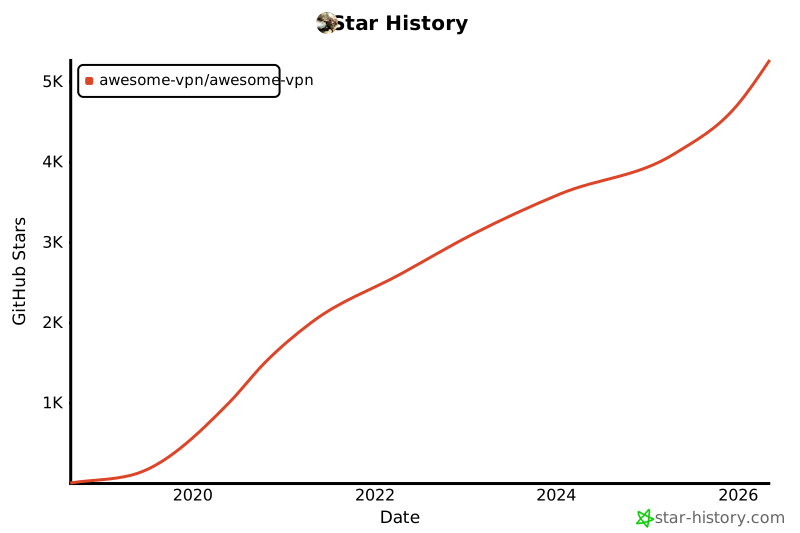](https://star-history.com/#awesome-vpn/awesome-vpn&Date)
---
Free Internet for Everyone 🌐