# Icon Markup Extension
[Demo](https://forge-extensions.autodesk.io/?extension=IconMarkupExtension)
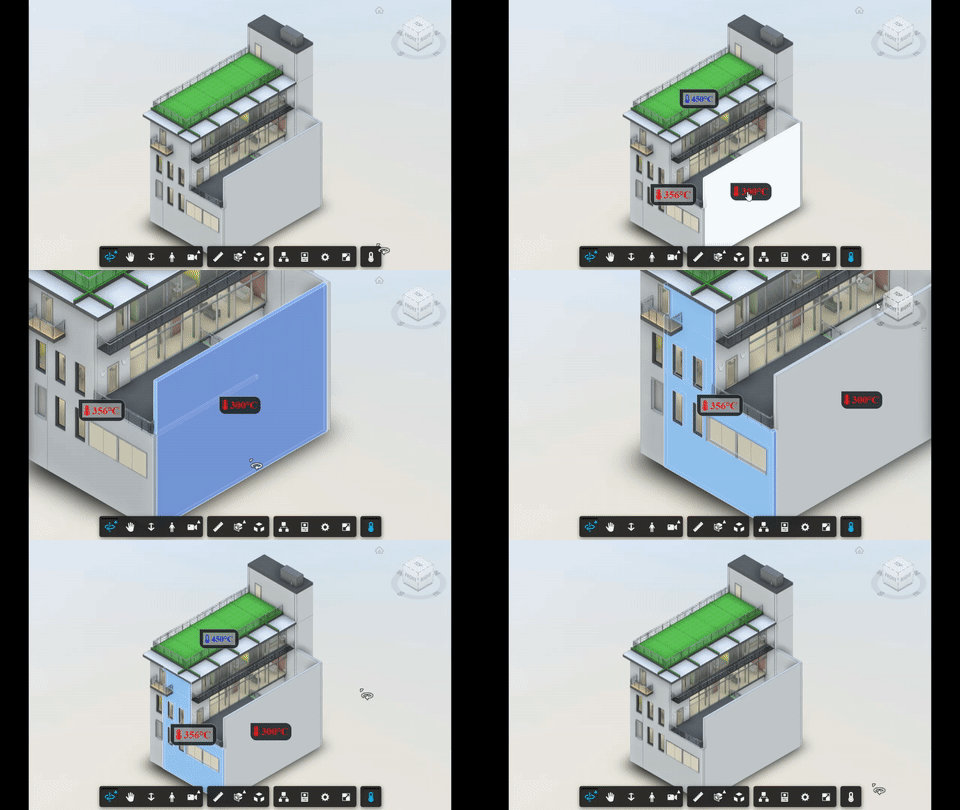
Extension showing labels on top of elements, based on their `dbId`.
## Setup
Include the CSS & JS file on your page. This CDN is compatible with the lastest Viewer version (v7).
```xml
```
The following sample uses [font-awesome](https://fontawesome.com) icons, but any CSS icon library can be used.
```xml
```
Load the extension passing the `dbId`, `label` and `css` for the label. Toolbar button and onClick event can also be configured.
```javascript
viewer.loadExtension('IconMarkupExtension', {
button: {
icon: 'fa-thermometer-half',
tooltip: 'Show Temperature'
},
icons: [
{ dbId: 3944, label: '300°C', css: 'fas fa-thermometer-full' },
{ dbId: 721, label: '356°C', css: 'fas fa-thermometer-full' },
{ dbId: 10312, label: '450°C', css: 'fas fa-thermometer-empty' },
{ dbId: 563, css: 'fas fa-exclamation-triangle' },
],
onClick: (id) => {
viewers.select(id);
viewers.utilities.fitToView();
switch (id){
case 563:
alert('Sensor offline');
}
}
})
```
## Configuration
The `button` attribute defines the toolbar button. The `icons` contains the labels shwon on the model. Last, `onClick` is triggered when the user clicks on the label.
## How it works
Labels are positioned over the Viewer canvas and repositioned when the camera changes (e.g. pan, zoom or rotate).
## Futher reading
Detailed technical explaination can be found at [this blog post](https://forge.autodesk.com/blog/placing-custom-markup-dbid). This [live sample](http://forgeplant.herokuapp.com) shows an sample application.