


<div align="center">

<img src="https://anycrawl.dev/logo.svg" alt="AnyCrawl" height="100">
<h1>
  AnyCrawl
  <p align="center">
    <img src="https://img.shields.io/badge/any4ai-AnyCrawl-6d47b8" alt="AnyCrawl" />
  </p>
</h1>

<img src="https://img.shields.io/badge/⚡-Fast-blue" alt="Fast"/>
<img src="https://img.shields.io/badge/🚀-Scalable-orange" alt="Scalable"/>
<img src="https://img.shields.io/badge/🕷️-Web%20Crawling-ff69b4" alt="Web Crawling"/>
<img src="https://img.shields.io/badge/🌐-Site%20Crawling-9cf" alt="Site Crawling"/>
<img src="https://img.shields.io/badge/🔍-SERP%20(Multi%20Engines)-green" alt="SERP"/>
<img src="https://img.shields.io/badge/⚙️-Multi%20Threading-yellow" alt="Multi Threading"/>
<img src="https://img.shields.io/badge/🔄-Multi%20Process-purple" alt="Multi Process"/>
<img src="https://img.shields.io/badge/📦-Batch%20Tasks-red" alt="Batch Tasks"/>

[![License: MIT](https://img.shields.io/badge/License-MIT-yellow.svg)](https://opensource.org/licenses/MIT)
[![PRs Welcome](https://img.shields.io/badge/PRs-welcome-brightgreen.svg)](http://makeapullrequest.com)
[![LLM Ready](https://img.shields.io/badge/LLM-Ready-blueviolet)](https://github.com/any4ai/anycrawl)
[![Documentation](https://img.shields.io/badge/📖-Documentation-blue)](https://docs.anycrawl.dev)

[![X](https://img.shields.io/badge/X-%40anycrawl-000000?logo=x&logoColor=white)](https://x.com/anycrawl)

<p align="center">
  <img src="https://img.shields.io/badge/Node.js-339933?style=for-the-badge&logo=nodedotjs&logoColor=white" alt="Node.js"/>
  <img src="https://img.shields.io/badge/TypeScript-007ACC?style=for-the-badge&logo=typescript&logoColor=white" alt="TypeScript"/>
  <img src="https://img.shields.io/badge/Redis-DC382D?style=for-the-badge&logo=redis&logoColor=white" alt="Redis"/>
</p>

</div>

## Sponsors

<div align="center">
  <p>
    <a href="https://www.swiftproxy.net/?ref=AnyCrawl">
      <img src="https://ac-public.anycrawl.dev/sponsors/SWIFTPROXY-1200_628-1.png" alt="SwiftProxy" width="560">
    </a>
  </p>
</div>

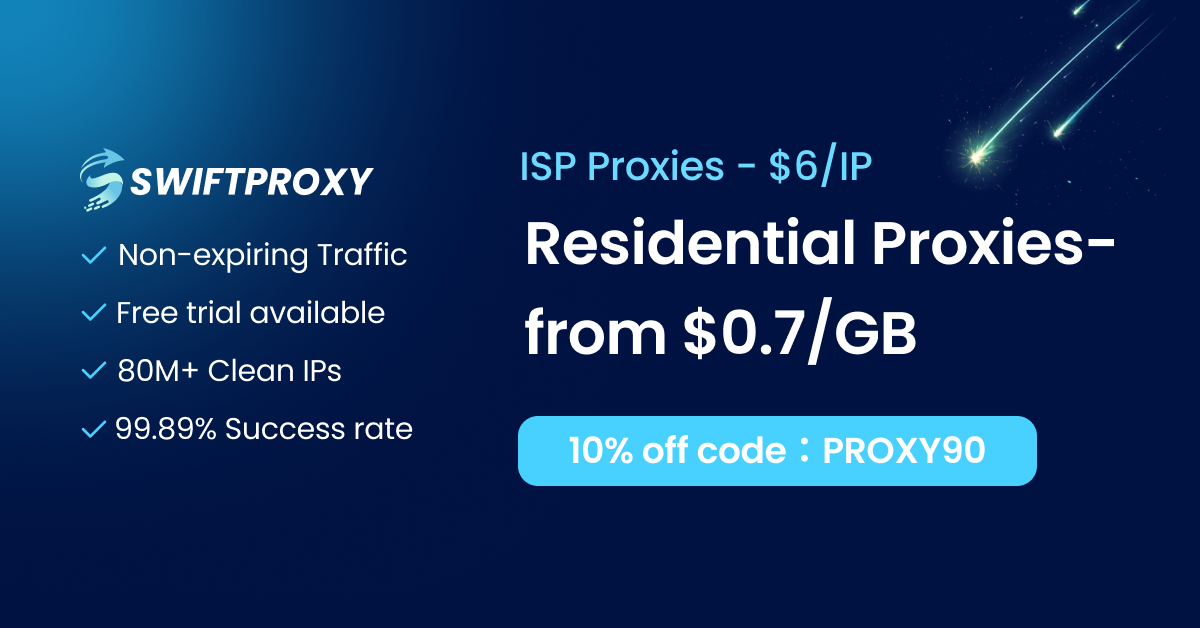
Swiftproxy(https://www.swiftproxy.net/?ref=AnyCrawl) — High-performance residential proxies built for scraping, automation, and large-scale data collection. Access 80M+ rotating residential IPs across 195+ countries with stable connections, high anonymity, and developer-friendly integration. Ideal for AI agents, crawlers, browser automation, and anti-bot bypass workflows.
Free trial available. Use code **PROXY90** for an exclusive 10% discount.

<div align="center">
  <p>
    <a href="https://www.atlascloud.ai/?utm_source=github&utm_medium=sponsor&utm_campaign=AnyCrawl">
      <img src="https://ac-public.anycrawl.dev/sponsors/ATLAS%20CLOUD%20LOGO_BLACK.png" alt="Atlas Cloud" width="560">
    </a>
  </p>
</div>
AtlasCloud(https://www.atlascloud.ai/?utm_source=github&utm_medium=sponsor&utm_campaign=AnyCrawl) — Atlas Cloud gives developers one API for 300 plus models, covering video, image, and LLM. It includes DeepSeek, GPT, Claude, Flux, Kling, and Seedance.

## 📖 Overview

AnyCrawl is a high‑performance crawling and scraping toolkit:

- **SERP crawling**: multiple search engines, batch‑friendly
- **Web scraping**: single‑page content extraction
- **Site crawling**: full‑site traversal and collection
- **High performance**: multi‑threading / multi‑process
- **Batch tasks**: reliable and efficient
- **AI extraction**: LLM‑powered structured data (JSON) extraction from pages

LLM‑friendly. Easy to integrate and use.

## 🚀 Quick Start

📖 See full docs: [Docs](https://docs.anycrawl.dev)

### Generate an API Key (self-host)

If you enable authentication (`ANYCRAWL_API_AUTH_ENABLED=true`), generate an API key:

```bash
pnpm --filter api key:generate
# optionally name the key
pnpm --filter api key:generate -- default
```

The command prints uuid, key and credits. Use the printed key as a Bearer token.

#### Run Inside Docker

If running AnyCrawl via Docker:

- Docker Compose:

```bash
docker compose exec api pnpm --filter api key:generate
docker compose exec api pnpm --filter api key:generate -- default
```

- Single container (replace <container_name_or_id>):

```bash
docker exec -it <container_name_or_id> pnpm --filter api key:generate
docker exec -it <container_name_or_id> pnpm --filter api key:generate -- default
```

## 📚 Usage Examples

💡 Use the [Playground](https://anycrawl.dev/playground) to test APIs and generate code in your preferred language.

> If self‑hosting, replace `https://api.anycrawl.dev` with your own server URL.

### Web Scraping (Scrape)

#### Example

```typescript

curl -X POST https://api.anycrawl.dev/v1/scrape \
  -H 'Content-Type: application/json' \
  -H 'Authorization: Bearer YOUR_ANYCRAWL_API_KEY' \
  -d '{
  "url": "https://example.com",
  "engine": "cheerio"
}'

```

#### Parameters

| Parameter      | Type              | Description                                                                                                                                                                       | Default  |
| -------------- | ----------------- | --------------------------------------------------------------------------------------------------------------------------------------------------------------------------------- | -------- |
| url            | string (required) | The URL to be scraped. Must be a valid URL starting with http:// or https://                                                                                                      | -        |
| engine         | string            | Scraping engine to use. Options: `cheerio` (static HTML parsing, fastest), `playwright` (JavaScript rendering with modern engine), `puppeteer` (JavaScript rendering with Chrome) | cheerio  |
| proxy          | string            | Proxy URL for the request. Supports HTTP and SOCKS proxies. Format: `http://[username]:[password]@proxy:port`                                                                     | _(none)_ |
| max_age        | number            | Cache control (ms). `0` = force refresh (skip cache read); `> 0` = accept cached content within this age; omit to use default.                                                    | _(none)_ |
| store_in_cache | boolean           | Cache control. Whether to store the result in cache. To bypass cache reads, use `max_age=0`.                                                                                      | true     |

More parameters: see [Request Parameters](https://docs.anycrawl.dev/en/general/scrape#request-parameters).

Cache details (self-host / S3 / map index): see `docs/cache.md`.

#### LLM Extraction

```bash
curl -X POST "https://api.anycrawl.dev/v1/scrape" \
  -H "Authorization: Bearer YOUR_ANYCRAWL_API_KEY" \
  -H "Content-Type: application/json" \
  -d '{
    "url": "https://example.com",
    "json_options": {
      "schema": {
        "type": "object",
        "properties": {
          "company_mission": { "type": "string" },
          "is_open_source": { "type": "boolean" },
          "employee_count": { "type": "number" }
        },
        "required": ["company_mission"]
      }
    }
  }'
```

#### Atlas Cloud Provider

AnyCrawl supports Atlas Cloud as an OpenAI-compatible LLM provider for extraction and summarization workloads.

- Official site: [Atlas Cloud](https://www.atlascloud.ai/?utm_source=github&utm_medium=link&utm_campaign=AnyCrawl)
- LLM base URL: `https://api.atlascloud.ai/v1`
- Recommended env model format: `atlascloud/deepseek-v3`

```bash
ATLASCLOUD_BASE_URL=https://api.atlascloud.ai/v1
ATLASCLOUD_API_KEY=your-atlascloud-api-key
DEFAULT_LLM_MODEL=atlascloud/deepseek-v3
DEFAULT_EXTRACT_MODEL=atlascloud/deepseek-v3
```

If you prefer file-based AI config, add an `atlascloud` provider entry in `ai.config.json` and map it to any Atlas Cloud model exposed through the OpenAI-compatible chat API.

### Site Crawling (Crawl)

#### Example

```typescript

curl -X POST https://api.anycrawl.dev/v1/crawl \
  -H 'Content-Type: application/json' \
  -H 'Authorization: Bearer YOUR_ANYCRAWL_API_KEY' \
  -d '{
  "url": "https://example.com",
  "engine": "playwright",
  "max_depth": 2,
  "limit": 10,
  "strategy": "same-domain"
}'

```

#### Parameters

| Parameter      | Type              | Description                                                                               | Default     |
| -------------- | ----------------- | ----------------------------------------------------------------------------------------- | ----------- |
| url            | string (required) | Starting URL to crawl                                                                     | -           |
| engine         | string            | Crawling engine. Options: `cheerio`, `playwright`, `puppeteer`                            | cheerio     |
| max_depth      | number            | Max depth from the start URL                                                              | 10          |
| limit          | number            | Max number of pages to crawl                                                              | 100         |
| strategy       | enum              | Scope: `all`, `same-domain`, `same-hostname`, `same-origin`                               | same-domain |
| include_paths  | array<string>     | Only crawl paths matching these patterns                                                  | _(none)_    |
| exclude_paths  | array<string>     | Skip paths matching these patterns                                                        | _(none)_    |
| scrape_options | object            | Per-page scrape options (formats, timeout, json extraction, etc.), same as Scrape options | _(none)_    |

More parameters and endpoints: see [Request Parameters](https://docs.anycrawl.dev/en/general/scrape#request-parameters).

### Search Engine Results (SERP)

#### Example

```typescript
curl -X POST https://api.anycrawl.dev/v1/search \
  -H 'Content-Type: application/json' \
  -H 'Authorization: Bearer YOUR_ANYCRAWL_API_KEY' \
  -d '{
  "query": "AnyCrawl",
  "limit": 10,
  "engine": "google",
  "lang": "all"
}'
```

#### Parameters

| Parameter | Type              | Description                                                | Default |
| --------- | ----------------- | ---------------------------------------------------------- | ------- |
| `query`   | string (required) | Search query to be executed                                | -       |
| `engine`  | string            | Search engine to use. Options: `google`                    | google  |
| `pages`   | integer           | Number of search result pages to retrieve                  | 1       |
| `lang`    | string            | Language code for search results (e.g., 'en', 'zh', 'all') | en-US   |

#### Supported search engines

- Google

## ❓ FAQ

1. **Can I use proxies?** Yes. AnyCrawl ships with a high‑quality default proxy. You can also configure your own: set the `proxy` request parameter (per request) or `ANYCRAWL_PROXY_URL` (self‑hosting).
2. **How to handle JavaScript‑rendered pages?** Use the `Playwright` or `Puppeteer` engines.

## 🤝 Contributing

We welcome contributions! See the [Contributing Guide](CONTRIBUTING.md).

## Backers

Support us with a monthly donation and help us continue our activities. [[Become a backer](https://opencollective.com/anycrawl)]

<a href="https://opencollective.com/anycrawl"><img alt="Mocha's backers on Open Collective" src="https://opencollective.com/anycrawl/tiers/backers.svg?limit=30&button=false&avatarHeight=46&width=750"></a>

## 📄 License

MIT License — see [LICENSE](LICENSE).

## 🎯 Mission

We build simple, reliable, and scalable tools for the AI ecosystem.

---

<div align="center">
  <sub>Built with ❤️ by the Any4AI team</sub>
</div>