# Kan
 A kanban board that lives in your repository.
## What is Kan?
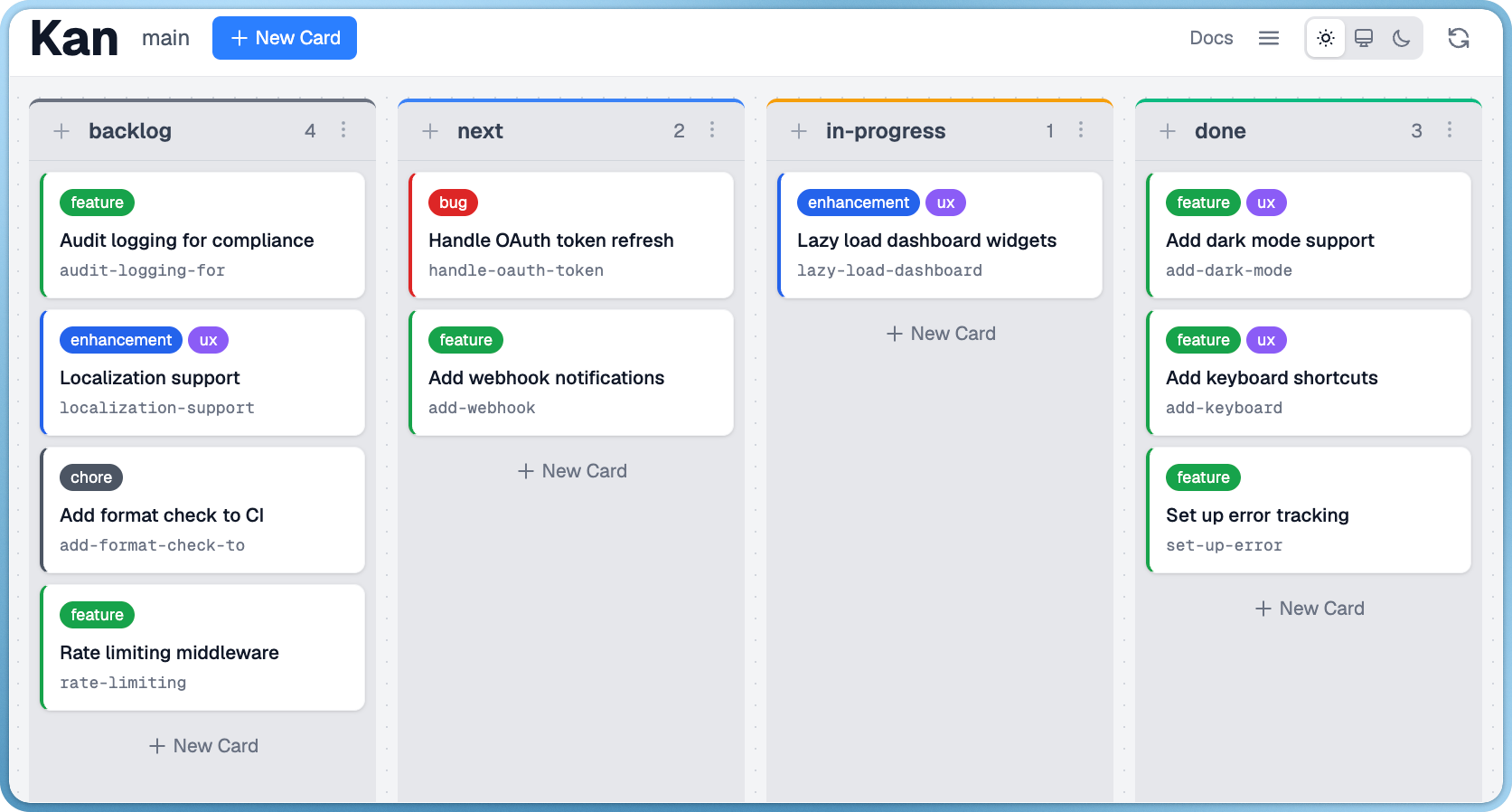
Kan is a kanban board stored as plain files in your repo.
Run `kan serve` to open the web UI, or use the CLI for quick updates.
Since it's just files, your board is version-controlled alongside your code and visible to anyone with access to the repo.
A kanban board that lives in your repository.
## What is Kan?
Kan is a kanban board stored as plain files in your repo.
Run `kan serve` to open the web UI, or use the CLI for quick updates.
Since it's just files, your board is version-controlled alongside your code and visible to anyone with access to the repo.
## Quick Start
```bash
kan init
kan serve
```
That's it. Your board opens in the browser.
## Documentation
Full documentation is available at [amterp.dev/kan](https://amterp.dev/kan/), or run `kan serve` and visit `/docs`. The same pages ship in the binary - run `kan docs` to read them in the terminal.
## CLI
Most users just need `kan init` and `kan serve`. The web UI handles everything else.
For scripting or automation (CI, AI agents, etc.), Kan has a full CLI:
```bash
kan add "Fix login bug" # Add a card
kan edit fix-login-bug -c done # Move to column
kan list # List all cards
kan show fix-login-bug # View card details
kan add -g "Buy milk" # Add to your global board from any directory
```
Kan also ships with a skill file (`extras/skill/`) following the [Agent Skills](https://agentskills.io) standard, so AI coding agents like Claude Code, Codex, and others can manage your board out of the box. See the [AI Agents docs](https://amterp.dev/kan/docs/ai-agents) for details.
## Why Kan?
Kan works great for solo developers and small teams juggling multiple projects. Every project gets its own board that lives in the repo - open the project, run `kan serve`, and you're right where you left off.
- **Local and fast.** No network calls, no loading spinners. Just files on disk.
- **Self-contained.** No accounts, no syncing, no external services to manage.
- **Version-controlled.** Your board history is your Git history.
## Installation
### Homebrew (macOS)
```bash
brew tap amterp/tap
brew install kan
```
### Go Install
```bash
go install github.com/amterp/kan/cmd/kan@latest
```
## How It Works
Kan stores data in a `.kan/` directory:
```
.kan/
boards/
main/
config.toml # Board settings, columns, labels
cards/
k7xQ2m.json # One file per card
```
Cards are JSON. Board config is TOML. Version control tracks changes like any other file.
## Contributing
Contributions are welcome! See [CONTRIBUTING.md](CONTRIBUTING.md) for how to build,
test, and submit changes, and [AI_POLICY.md](AI_POLICY.md) for the rules on
AI-assisted contributions.
## Status
Kan is usable and actively developed. Core features are solid - boards, cards, columns, custom fields, comments, drag-and-drop, and a full CLI.
Still to come: card relationships and other refinements.