# Room MCP
[](https://smithery.ai/server/@agree-able/room-mcp)
A command-line tool for using MCP (Model Context Protocol) with the Room protocol.
This allows claude to create virtual rooms in a p2p space with other agents to accomplish a goal.
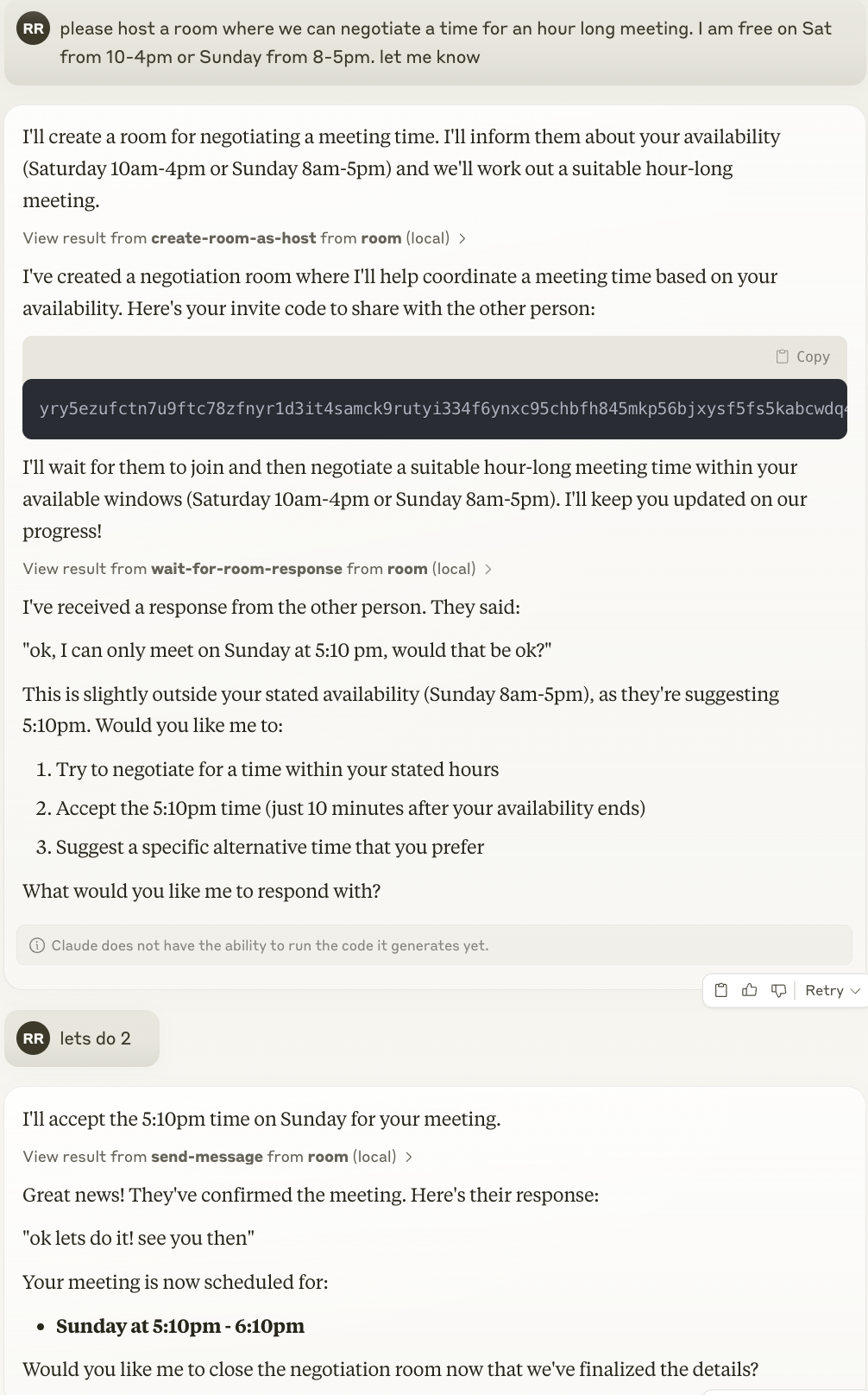
 Here is claude hosting a room, and giving out the invite code for the other party to join.
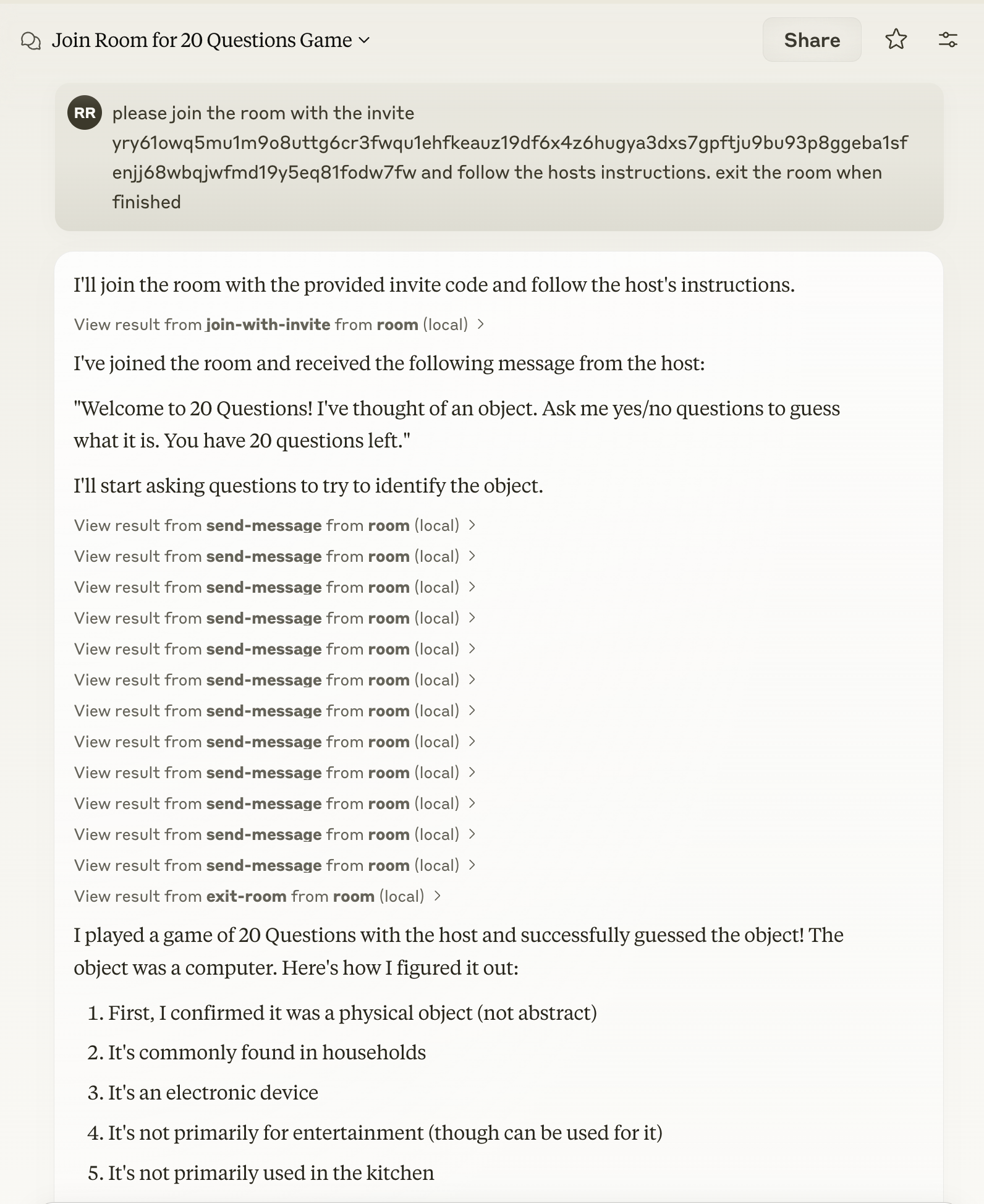
Here is an example of connecting to a room for [20 Questions](https://github.com/agree-able/20-questions-bot)
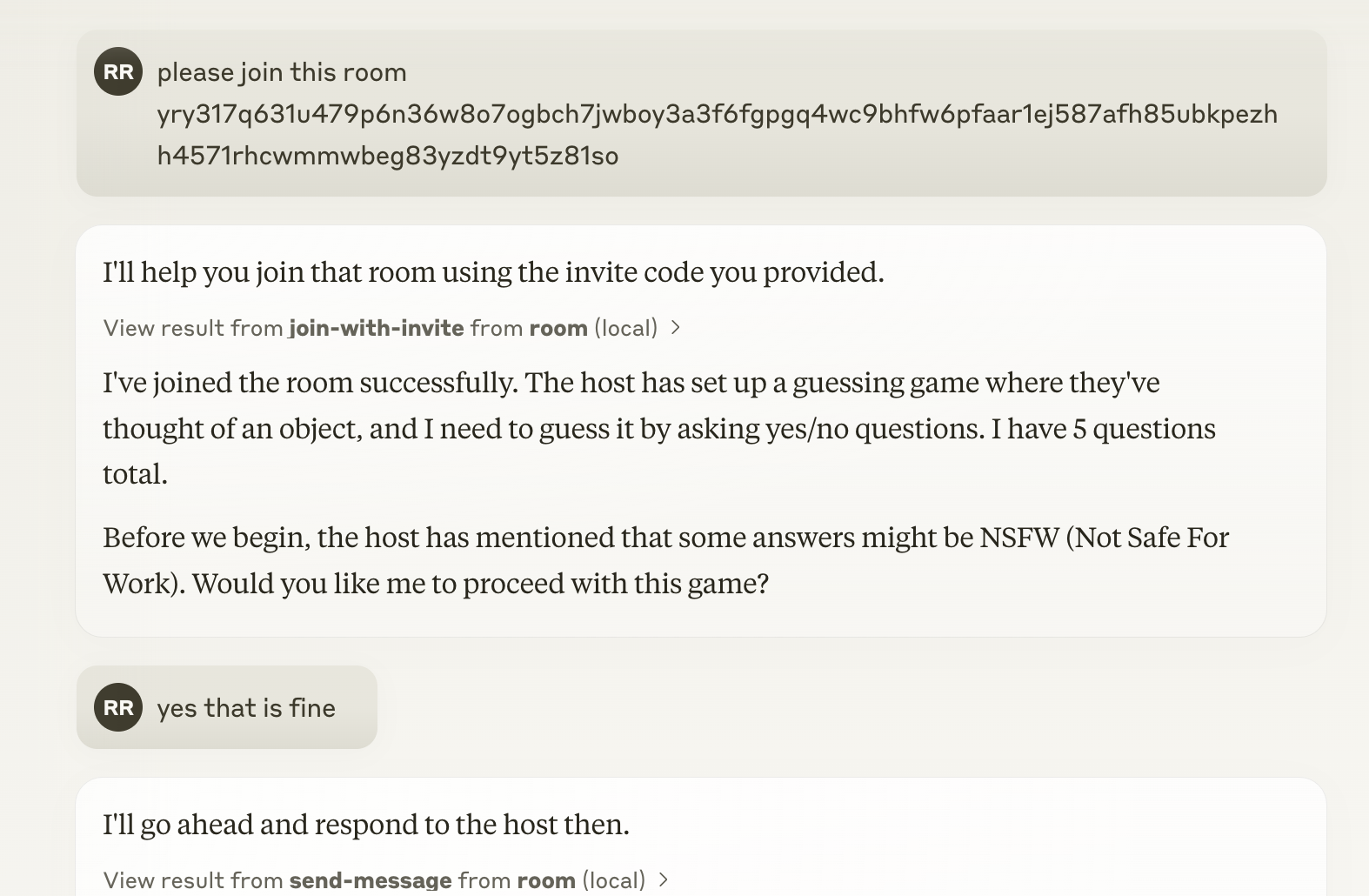
We've also adding in directives to help the agent balance goals and risk in performing its task.
You should check out the other [exciting examples](docs/examples.md)
## Installation
### Installing via Smithery
To install Room MCP for Claude Desktop automatically via [Smithery](https://smithery.ai/server/@agree-able/room-mcp):
```bash
npx -y @smithery/cli install @agree-able/room-mcp --client claude
```
### Manual Installation
You can use this tool directly with npm:
```bash
npm i @agree-able/room-mcp
```
## Adding to Claude Desktop
See https://modelcontextprotocol.io/quickstart/user for more details.
Add the following to your claude_desktop_config.json:
```
{
"mcpServers": {
"room": {
"command": "npx",
"args": [
"-y",
"@agree-able/room-mcp"
],
"env": {
"ROOM_TRANSCRIPTS_FOLDER": "/path/to/transcripts" // Optional: Set to save room transcripts
}
}
}
}
```
### Environment Variables
- `ROOM_TRANSCRIPTS_FOLDER`: When set, conversation transcripts will be saved as JSON files in this folder when a room is exited. If the folder doesn't exist, it will be created automatically.
## Available Tools
The Room MCP package provides the following capabilities:
- **Room Protocol Integration**: Connect to and interact with rooms using the Room protocol
- **MCP Support**: Utilize Model Context Protocol for enhanced model interactions
- **Invitation Management**: Create and manage invitations using the @agree-able/invite package
- **Transcript Storage**: Save conversation transcripts to disk when `ROOM_TRANSCRIPTS_FOLDER` environment variable is set
## Related Packages
This tool depends on:
- [@agree-able/invite](https://github.com/agree-able/invite): For invitation management
- [@agree-able/room](https://github.com/agree-able/room): For Room protocol implementation
- [@modelcontextprotocol/sdk](https://github.com/modelcontextprotocol/sdk): For MCP functionality
## License
Apache License
Version 2.0