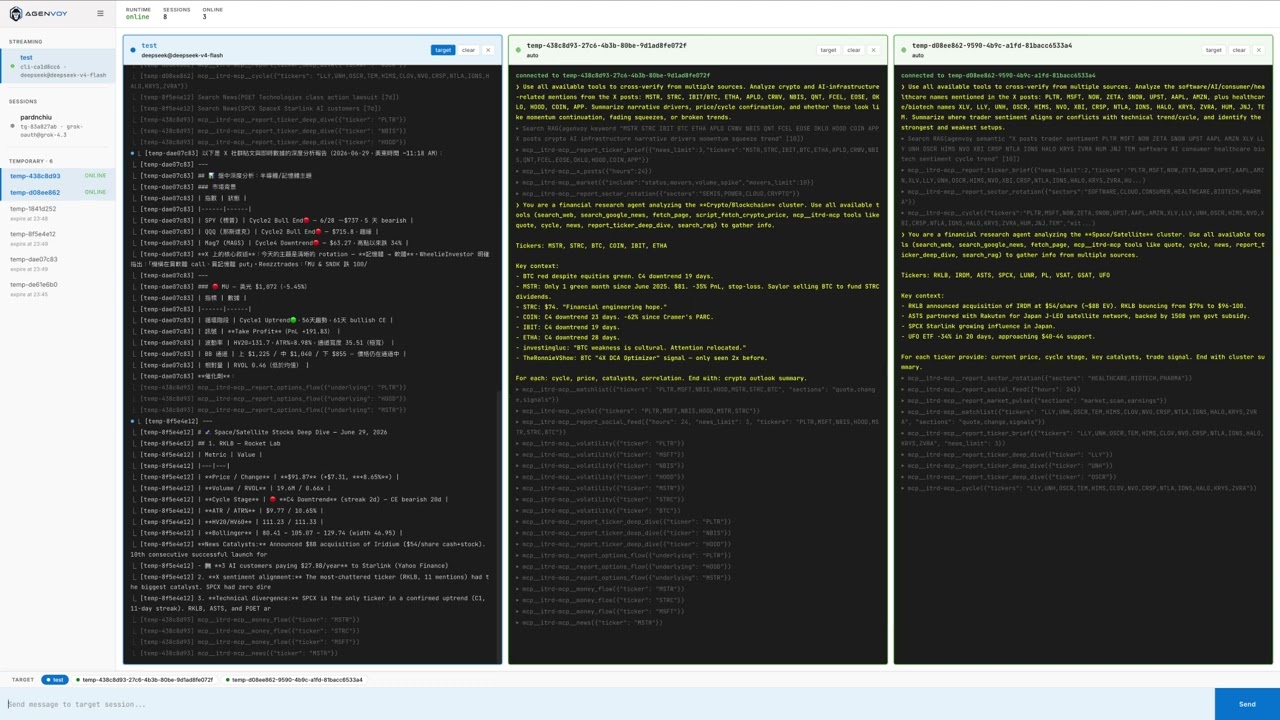
<p align="center">
  <picture style="margin-down: 1rem">
    <img src="./logo.svg" alt="Agenvoy" width="320">
  </picture>
</p>

<p align="center">
  <strong>可自行建立、測試並重用工具的本機 AI Agent</strong>
</p>

<p align="center">
  Agenvoy 跑在你的電腦上，能處理多步驟工作、搜尋本機檔案、排程重複任務，<br>
  並透過 MCP 把工具庫提供給其他 Agent 使用。
</p>

<p align="center">
  <a href="https://github.com/pardnchiu/agenvoy/releases"><img src="https://img.shields.io/github/v/tag/pardnchiu/agenvoy?include_prereleases&style=for-the-badge" alt="Version"></a>
  <a href="../LICENSE"><img src="https://img.shields.io/github/license/pardnchiu/agenvoy?include_prereleases&style=for-the-badge" alt="License"></a>
</p>

<p align="center">
  <a href="../README.md">English</a> · <strong>繁體中文</strong>
</p>

## 為什麼是 Agenvoy

- **缺工具時，不會停在原地，而是直接建立**
- **同一套沙箱工具庫可在 Agenvoy、Claude Code、Codex 等 Agent 間共用**
- **支援排程、記憶與檔案搜尋，可執行本機工作流**
- **既可當 Agent 應用，也可作為 MCP server**

## 你可以用它做什麼

<table>
<tr>
<td width="50%" valign="top">

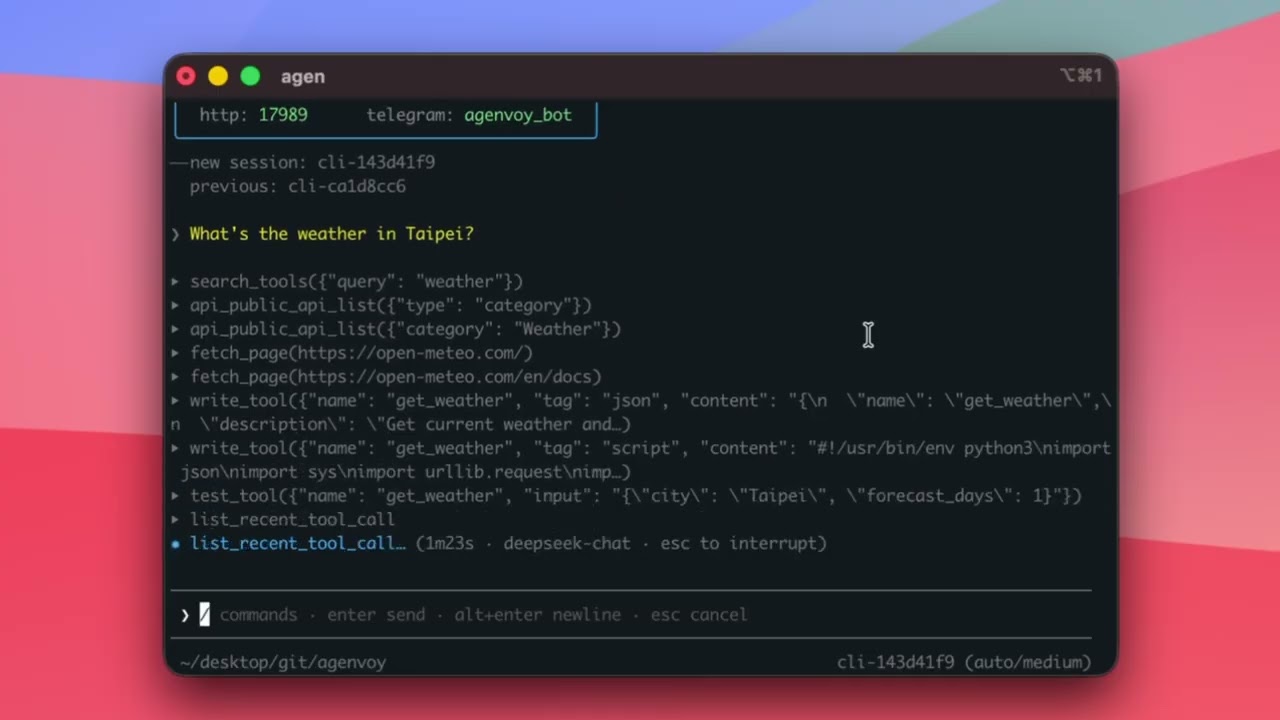
### 問即時問題，拿到即時答案

> 台北現在天氣如何？
>
> Agent 會找即時資料、呼叫工具，再整理成答案回覆你。
>
> 如果缺工具，它會自己建立。

</td>
<td width="50%" valign="top">

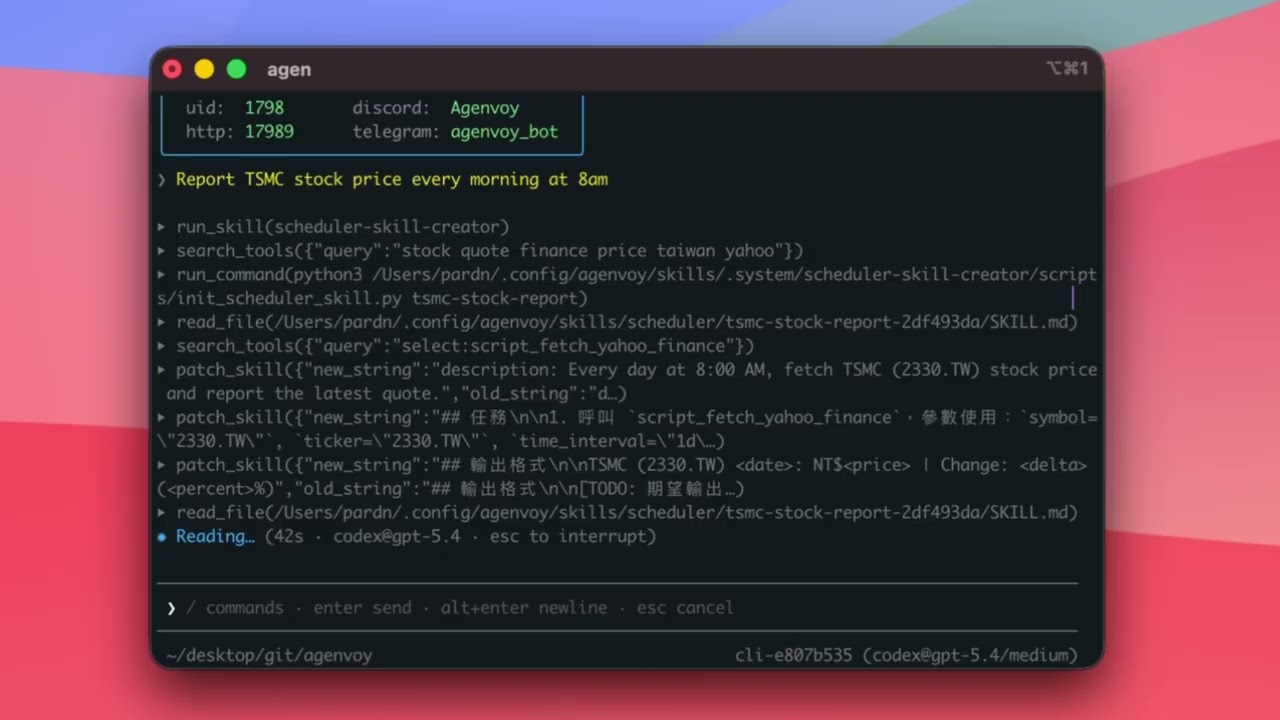
### 一句話變成自動化流程

> 每天早上 8 點回報台積電股價
>
> Agent 會確認：
> - 要推送到哪裡
> - 你想要什麼格式
> - 何時執行
>
> 然後自動建立排程。

</td>
</tr>
<tr>
<td>

[![](https://i.ytimg.com/vi/floMBsAfziY/maxresdefault.jpg)](https://youtu.be/floMBsAfziY)

</td>
<td>

[![](https://i.ytimg.com/vi/5To3joKlFpU/maxresdefault.jpg)](https://youtu.be/5To3joKlFpU)

</td>
</tr>
<tr>
<td width="50%" valign="top">

### 直接詢問你的本機檔案

> 找出去年所有發票
>
> 哪份文件提到 Prompt guide？
>
> Agent 會搜尋你的本機檔案並直接回答。

</td>
<td width="50%" valign="top">

### 完成多步驟工作

> 幫我整理今天的 GitHub commits，並生成進度報告
>
> Agent 會拆解任務、呼叫工具、整合結果，再回覆給你。

</td>
</tr>
<tr>
<td>

[![](https://i.ytimg.com/vi/vqoQ6Qvl8qU/maxresdefault.jpg)](https://youtu.be/vqoQ6Qvl8qU)

</td>
<td>

[![](https://i.ytimg.com/vi/nIV1xz_HIJg/maxresdefault.jpg)](https://youtu.be/nIV1xz_HIJg)

</td>
</tr>
</table>

### 能跟你已經在用的 Agent 一起工作

> Agenvoy 也是一個 MCP server。
>
> Claude Code、Codex、OpenCode 與其他 AI Agent 連上後，可以：
> - 使用你所有的沙箱工具
> - 在缺工具時自動建立新工具
> - 讓所有 Agent 共用同一套工具
>
> 一行設定，即時共享工具庫。
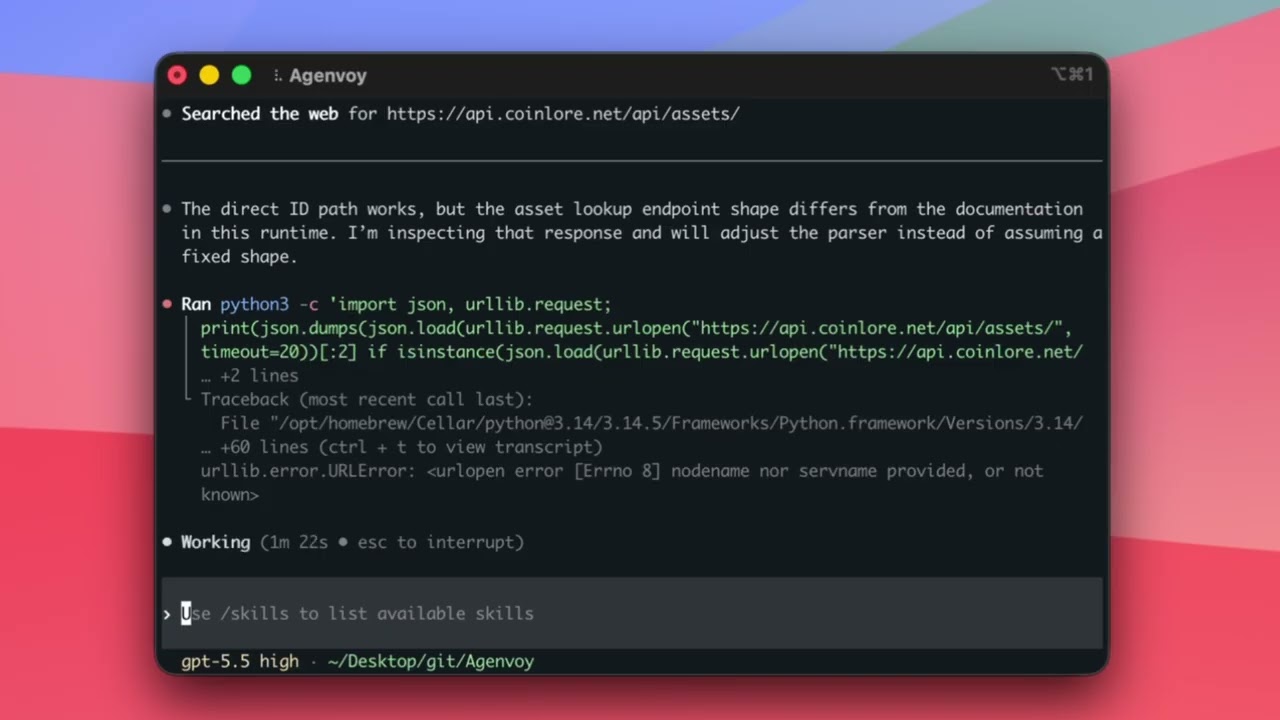
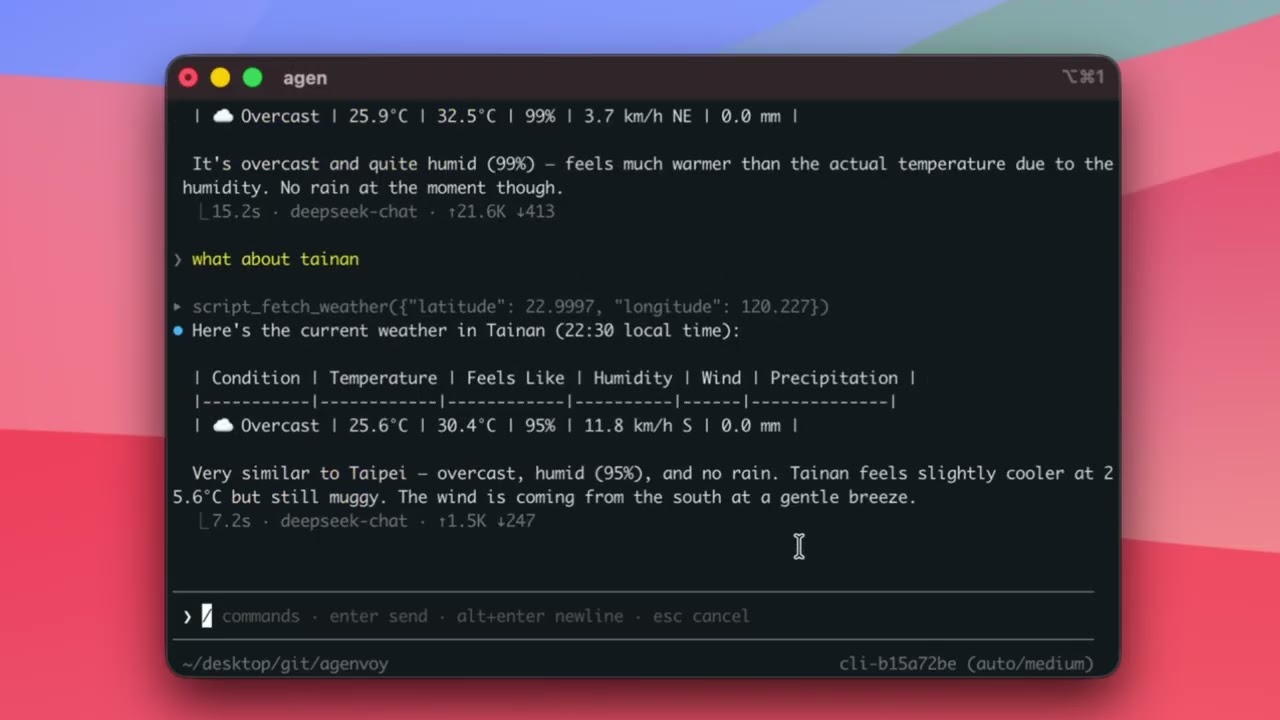
> 影片中建立的工具：[`fetch_weather`](demo/fetch_weather/) · [`fetch_crypto_price`](demo/fetch_crypto_price/)

<table>
<tr>
<td width="33%" valign="top">

#### Claude Code 建立天氣工具 (1)

</td>
<td width="33%" valign="top">

#### Codex 重用它並建立加密貨幣工具 (2)

</td>
<td width="33%" valign="top">

#### Agenvoy 測試兩個工具 (3)

</td>
</tr>
<tr>
<td>

[![](https://i.ytimg.com/vi/on5IaoxBO1E/maxresdefault.jpg)](https://youtu.be/on5IaoxBO1E)

</td>
<td>

[![](https://i.ytimg.com/vi/2DDFCIcbnso/maxresdefault.jpg)](https://youtu.be/2DDFCIcbnso)

</td>
<td>

[![](https://i.ytimg.com/vi/KPs4o9xDFjM/maxresdefault.jpg)](https://youtu.be/KPs4o9xDFjM)

</td>
</tr>
</table>

## 適合誰使用

Agenvoy 適合開發者、技術營運，以及需要超越聊天能力的 AI 工作流：

- 想要在本機執行、同時保有安全邊界的人
- 想在多個 Agent 間重用工具的團隊
- 需要把自動化、檔案搜尋與定期報告整合在一起的使用者

***

## 核心能力

| 能力 | 說明 |
| :- | :- |
| 自動工具生成 | 缺工具時自行建立並保存 |
| 自我排程 | 一句話建立定時任務 |
| 長期記憶 | 保留重要資訊與上下文 |
| 檔案搜尋 | 從本機檔案回答問題 |
| Sub-Agent | 多 Agent 協作 |
| MCP client | 以官方 go-sdk 連接外部 MCP 服務（工具清單即時刷新） |
| MCP server | 讓任何 MCP 相容 Agent 使用你的沙箱工具 |
| 推理指引 | 透過 `reasoning_guide(topic=...)` 按需載入規則 |
| Tool Market | 分享與安裝工具 |
| 語音轉錄 | 音訊與影片轉文字 |
| 自我改進 | 執行失敗後自動修正 |

***

## Web 儀表板

當你的機器上已啟動 daemon，直接在瀏覽器開啟 **[web.agenvoy.com](https://web.agenvoy.com)** 即可連上儀表板。

<p align="center">
  <a href="https://youtu.be/n8tHHSCwOjE">
    <img src="https://img.youtube.com/vi/n8tHHSCwOjE/maxresdefault.jpg" alt="Agenvoy Web 儀表板示範" width="640">
  </a>
</p>

<p align="center">
  <a href="https://youtu.be/n8tHHSCwOjE">▶ 觀看 Web 儀表板操作影片</a>
</p>

## 一鍵安裝

> MacBook 建議額外執行 `sudo pmset -c sleep 0`，避免休眠中斷排程。

```bash
curl -fsSL https://agenvoy.com/scripts/install.sh | bash
```

***

## 開發者建議

一組省錢好上手的模型配置：

- 申請免費的 **[NVIDIA NIM](https://build.nvidia.com/explore/discover)** API token，用於：
  - `gpt-oss-20b` 作為 **dispatcher** 模型
  - `gpt-oss-120b` 作為 **fallback** 與 **summary** 模型
- 用訂閱制當作 **主力** 模型：
  - OpenAI ChatGPT Plus（$20/月）
  - SuperGrok（$30/月）

***

## 與其他工具相比

| | **Agenvoy** | OpenClaw | Hermes-agent |
|---|---|---|---|
| 安裝方式 | 一行指令，單一 binary | pnpm monorepo | pip + docker |
| 多模型 | 自動選擇 | 手動切換 | 手動切換 |
| 對話 UI | 按鈕 / 選單 / modal | 純文字 | 純文字 |
| 會自行建立缺失工具 | ✅ | ❌ | ⚠️ 僅 skill |
| 可跨 Agent 共用工具 | ✅ | ❌ | ❌ |
| 可作為 MCP server | ✅ | ❌ | ❌ |
| 聊天驗證 | 6 碼驗證碼 | 人工核准 | 人工核准 |
| 跨 session 推送 | ✅ | ❌ | ⚠️ 有限 |
| 檔案搜尋 | 語意 + 關鍵字 | 僅聊天記憶 | 僅聊天記憶 |
| 本機排程工作流 | ✅ | ❌ | ⚠️ 有限 |

***

## 文件

完整文件請見 **[agenvoy.com/docs](https://agenvoy.com/docs/)**

- [Getting Started](https://agenvoy.com/docs/getting-started)
- [Sessions & Agents](https://agenvoy.com/docs/sessions)
- [Providers](https://agenvoy.com/docs/providers)
- [Built-in Tools](https://agenvoy.com/docs/built-in-tools)
- [MCP Server](https://agenvoy.com/docs/mcp-server)
- [MCP Client](https://agenvoy.com/docs/mcp-client)
- [Memory System](https://agenvoy.com/docs/memory-system)
- [Skill System](https://agenvoy.com/docs/skill-basics)
- [Sandbox](https://agenvoy.com/docs/sandbox)
- [Architecture](https://agenvoy.com/docs/architecture)

## License

本專案以 [Apache License 2.0](../LICENSE) 授權。

## 社群貢獻者

<a href="https://github.com/pardnchiu/Agenvoy/issues/3">
  <img src="https://github.com/Azetry.png" width="40" height="40" alt="Azetry" style="border-radius:50%" />
</a>
<a href="https://github.com/pardnchiu/agenvoy/issues/49">
  <img src="https://github.com/oceanasd.png" width="40" height="40" alt="oceanasd" style="border-radius:50%" />
</a>

## Contributor

歡迎 [開 issue](https://github.com/pardnchiu/agenvoy/issues/new) 分享想法。

<a href="https://github.com/pardnchiu/agenvoy/graphs/contributors">
  <img src="https://contrib.rocks/image?repo=pardnchiu/agenvoy&cache_bust=2026-05-12" alt="Agenvoy contributors" />
</a>

***

©️ 2026 [邱敬幃 Pardn Chiu](https://www.linkedin.com/in/pardnchiu)