[](https://www.jsdelivr.com/package/gh/TutorialsAndroid/KAlert)

# KAlert.js
✨ **KAlert.js** is a lightweight, modern, animated alert dialog library for JavaScript projects.
It now matches the same direction as:
- KAlertDialog for native Android Java
- KAlertFlutter for Flutter / Dart
- KAlert.js for web / JavaScript
KAlert.js provides beautiful alert, confirm, prompt, progress, image, and WebView iframe dialogs with a clean promise-based API.
---
## 🚀 KAlert.js Official Website
Live demos, WebView dialog examples, CDN setup, API documentation, and full usage guide.
---
## ❤️ Support the Project
If you find **KAlert.js** useful, please support the project:
⭐ Star this repository
🐛 Report issues
💡 Suggest new features
🚀 Share it with other developers
Follow me on Instagram for more developer content:
📸 https://instagram.com/coderx09
If this library helps you, please consider supporting my open-source work.
Thanks for your support! 🚀
---
## 🚀 What is New in v2.0.1
KAlert.js v2.0.1 is a major feature upgrade release.
This release brings KAlert.js closer to the Android and Flutter versions by adding a more professional API, modern UI styling, WebView iframe dialogs, progress dialogs, image dialogs, prompt validation, callbacks, dark mode support, and stronger customization.
### New features
- Added modern shortcut APIs.
- Added `KAlert.success()`.
- Added `KAlert.error()`.
- Added `KAlert.warning()`.
- Added `KAlert.info()`.
- Added `KAlert.question()`.
- Added `KAlert.progress()`.
- Added `KAlert.image()`.
- Added `KAlert.webView()`.
- Added advanced `KAlert.modal()` base API.
- Added WebView iframe dialog support.
- Added Terms and Privacy Policy dialog support.
- Added Help, FAQ, documentation and hosted page dialog support.
- Added progress/loading dialog support.
- Added image dialog support.
- Added big and circle image modes.
- Added prompt validation support.
- Added custom HTML support.
- Added close button support.
- Added dark mode option.
- Added style presets: `classic`, `modern`, `minimal`, and `rounded`.
- Added title, message, and button font weight options.
- Added custom icon color, confirm button color, and cancel button color options.
- Added show, dismiss, confirm, cancel, input confirm, WebView load and WebView error callbacks.
- Improved accessibility with dialog role and keyboard handling.
- Improved overlay, animation, mobile responsiveness, and body scroll locking.
---
## ✨ Features
### Dialog Types
- ✅ Normal dialog
- ✅ Success dialog
- ✅ Error dialog
- ✅ Warning dialog
- ✅ Info dialog
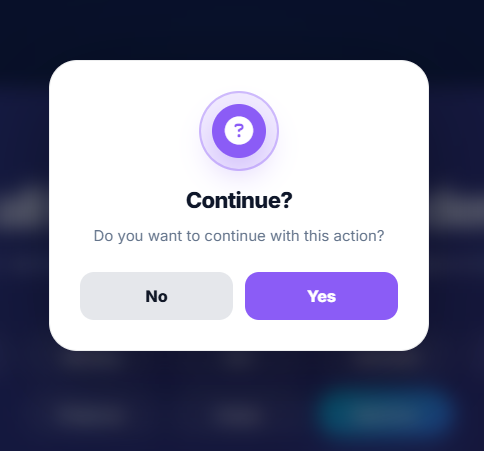
- ✅ Question dialog
- ✅ Confirm dialog
- ✅ Prompt/input dialog
- ✅ Progress/loading dialog
- ✅ Image dialog
- ✅ WebView iframe dialog
- ✅ Custom HTML dialog
### Styling Features
- ✅ Modern UI
- ✅ Smooth animations
- ✅ Blur overlay background
- ✅ Rounded dialog corners
- ✅ Classic style preset
- ✅ Modern style preset
- ✅ Minimal style preset
- ✅ Rounded style preset
- ✅ Dark mode support
- ✅ Custom dialog width
- ✅ Custom icon colors
- ✅ Custom confirm button color
- ✅ Custom cancel button color
- ✅ Title font weight support
- ✅ Message font weight support
- ✅ Button font weight support
- ✅ Button all-caps control
### Advanced Features
- ✅ Promise-based API
- ✅ Input validation
- ✅ Keyboard Enter support for prompt
- ✅ Escape close support
- ✅ Outside click close support
- ✅ Close button support
- ✅ WebView loading progress
- ✅ WebView center loader
- ✅ WebView sandbox support
- ✅ WebView load callback
- ✅ WebView error callback
- ✅ Image error fallback
- ✅ Custom HTML content
- ✅ No build setup required
- ✅ Works via CDN
---
## 📷 Screenshots
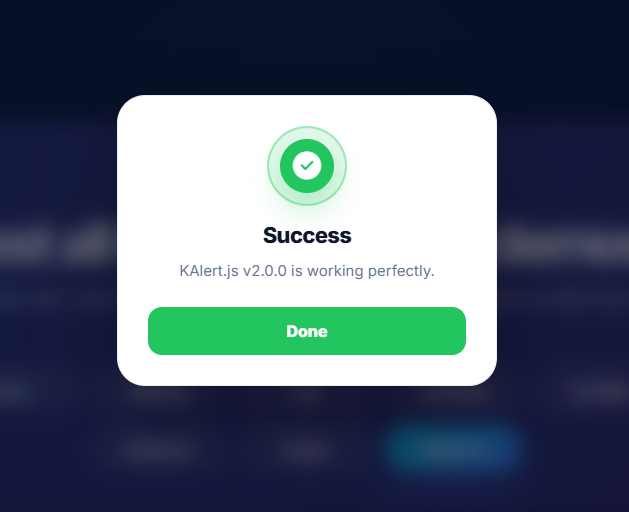
Modern Success Dialog
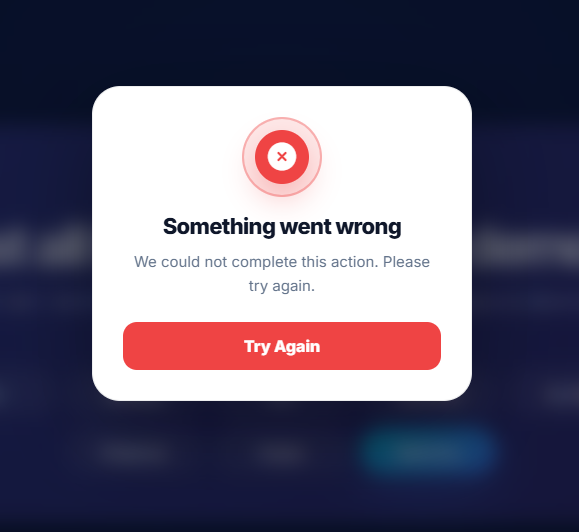
Error Dialog
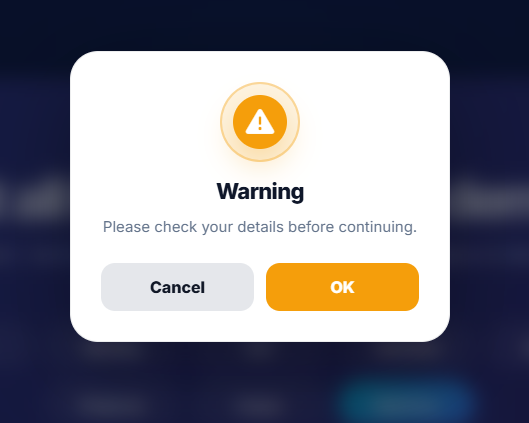
Warning Dialog
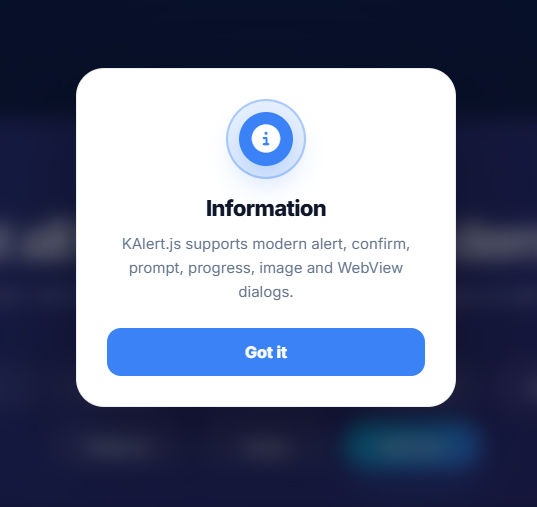
Info Dialog
Question Dialog
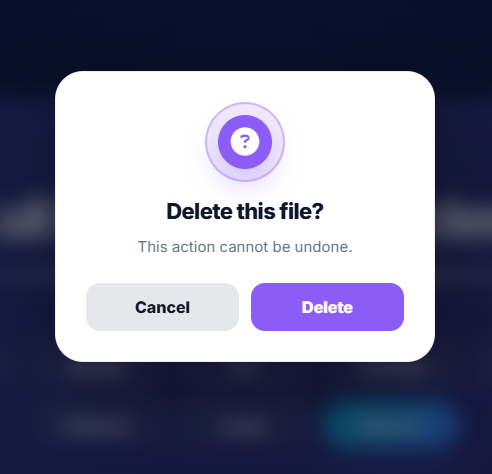
Confirm Dialog
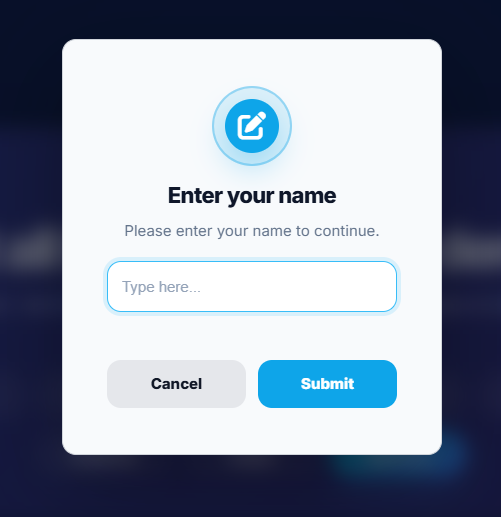
Input/Prompt Dialog
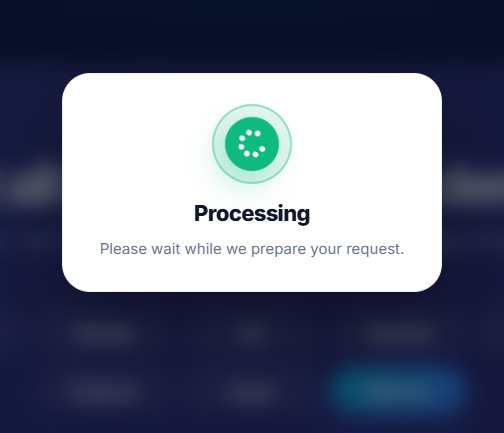
Progress Dialog
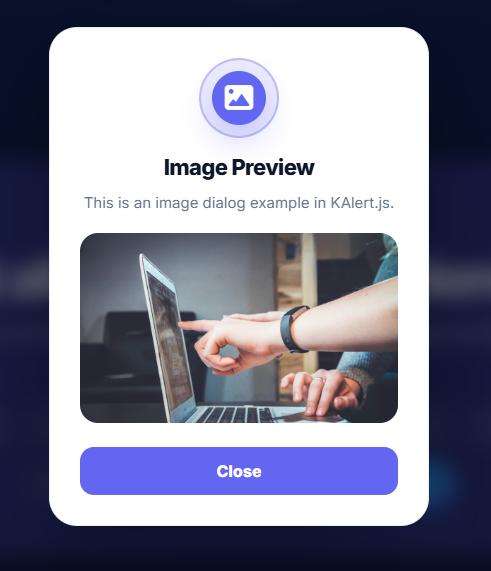
Image Dialog
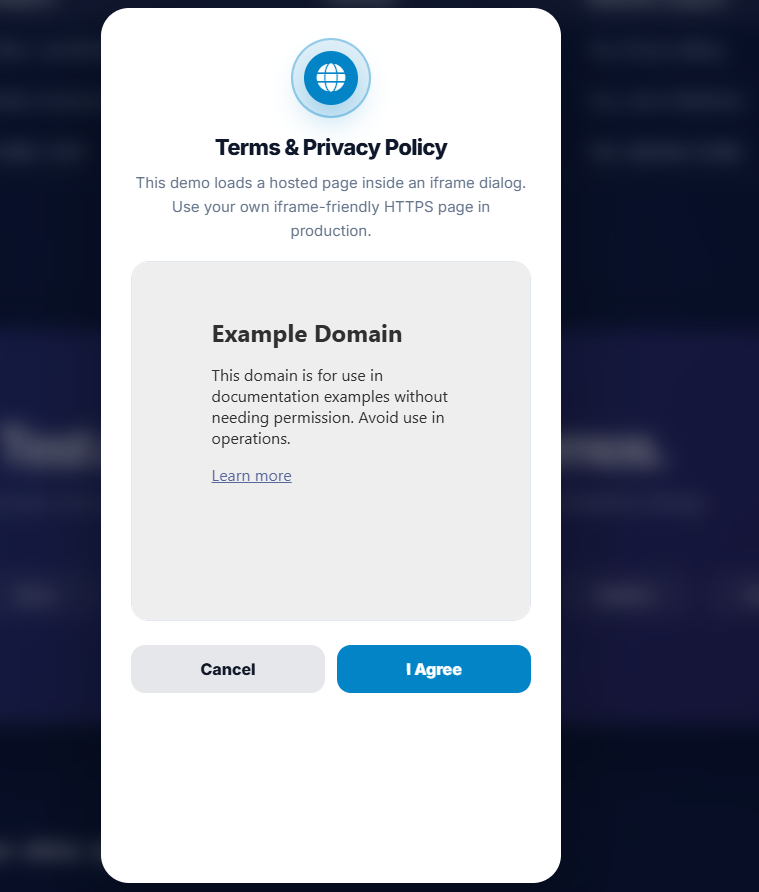
WebView Dialog
---
## 📦 Installation
### Recommended CDN version locking
```html
```
That is it. The library automatically loads the required CSS and Font Awesome icons.
---
### Latest CDN version
```html
```
For production apps, version locking is recommended.
---
## ⚡ Quick Start
```js
KAlert.success({
title: "Success",
message: "Saved successfully!",
confirmText: "Done"
});
```
---
## 🎨 Dialog Types
Supported dialog types:
```txt
normal
success
error
warning
info
question
progress
input
image
webview
```
Example:
```js
KAlert.show({
title: "Information",
message: "Here is some useful information.",
type: "info"
});
```
---
## ✅ Success Dialog
```js
KAlert.success({
title: "Success",
message: "Your action was completed successfully.",
confirmText: "OK"
});
```
---
## ❌ Error Dialog
```js
KAlert.error({
title: "Oops...",
message: "Something went wrong. Please try again.",
confirmText: "Try Again"
});
```
---
## ⚠️ Warning Dialog
```js
KAlert.warning({
title: "Are you sure?",
message: "This action cannot be undone.",
confirmText: "Confirm",
cancelText: "Cancel"
});
```
---
## ❓ Confirm Dialog
```js
KAlert.confirm({
title: "Delete this file?",
message: "This action cannot be undone.",
confirmText: "Delete",
cancelText: "Cancel"
}).then((result) => {
if (result) {
console.log("User confirmed");
} else {
console.log("User cancelled");
}
});
```
---
## ⌨️ Prompt Dialog with Validation
```js
KAlert.prompt({
title: "Enter your name",
message: "Please enter at least 3 characters.",
placeholder: "Type here...",
validator: (value) => {
if (value.trim().length < 3) {
return "Name must be at least 3 characters";
}
return null;
}
}).then((value) => {
if (value) {
console.log("Name:", value);
}
});
```
---
## 🔄 Progress Dialog
```js
KAlert.progress({
title: "Processing",
message: "Please wait while we prepare your request."
});
```
You can close it manually by using your own app flow or showing another dialog after async work.
```js
KAlert.progress({
title: "Processing",
message: "Please wait..."
});
setTimeout(() => {
KAlert.success({
title: "Completed",
message: "Your request has been completed successfully."
});
}, 3000);
```
---
## 🖼️ Image Dialog
```js
KAlert.image({
title: "Image Preview",
message: "This image is loaded inside KAlert.js.",
imageUrl: "https://example.com/image.png",
imageType: "big",
confirmText: "Close"
});
```
Circle image:
```js
KAlert.image({
title: "Profile Image",
imageUrl: "https://example.com/avatar.png",
imageType: "circle"
});
```
---
## 🌐 WebView Dialog
KAlert.js supports WebView-style iframe dialogs for showing hosted web pages inside a dialog.
This is useful for:
- Terms and Conditions
- Privacy Policy
- Refund Policy
- Help pages
- FAQ pages
- Documentation pages
- Hosted HTML content
```js
KAlert.webView({
title: "Terms & Privacy Policy",
message: "Please read before continuing.",
url: "https://example.com/privacy-policy",
webViewHeight: 420,
confirmText: "I Agree",
cancelText: "Cancel"
}).then((accepted) => {
if (accepted) {
console.log("Accepted");
}
});
```
---
## ⚠️ Important WebView Note
KAlert.js uses an `iframe` for WebView dialogs.
Some websites block iframe embedding using:
- `X-Frame-Options`
- `Content-Security-Policy frame-ancestors`
If a website blocks iframe embedding, the page may not display inside the dialog.
For best results, use:
```txt
Your own hosted Terms page
Your own Privacy Policy page
Same-origin page
A page that allows iframe embedding
```
Example using a local page:
```js
KAlert.webView({
title: "Privacy Policy",
url: "/privacy-policy.html",
webViewHeight: 420
});
```
---
## 🌐 WebView Options
```js
KAlert.webView({
title: "Terms & Privacy Policy",
message: "Please read before continuing.",
url: "https://example.com/privacy-policy",
webViewHeight: 420,
webViewTitle: "Privacy Policy",
showHorizontalProgress: true,
showCenterLoader: true,
sandbox: "allow-same-origin allow-scripts allow-forms allow-popups",
allow: "clipboard-read; clipboard-write; fullscreen",
confirmText: "I Agree",
cancelText: "Cancel",
onWebViewLoad: (url, iframe) => {
console.log("Loaded:", url);
},
onWebViewError: (url, iframe) => {
console.log("Failed:", url);
}
});
```
---
## 🎨 Style Presets
```js
KAlert.show({
title: "Modern Dialog",
message: "This dialog uses the rounded style preset.",
type: "info",
style: "rounded"
});
```
Available styles:
```txt
classic
modern
minimal
rounded
```
---
## 🎨 Custom Appearance
```js
KAlert.show({
title: "Custom Appearance",
message: "This dialog has custom colors and font weights.",
type: "success",
width: 420,
iconColor: "#10b981",
confirmButtonColor: "#10b981",
cancelButtonColor: "#e5e7eb",
titleFontWeight: 900,
messageFontWeight: 500,
buttonFontWeight: 900,
buttonAllCaps: false
});
```
---
## 🌙 Dark Mode
```js
KAlert.show({
title: "Dark Mode",
message: "This dialog uses dark mode styling.",
type: "info",
darkMode: true
});
```
---
## 🔔 Callback APIs
```js
KAlert.show({
title: "Callbacks",
message: "This dialog has lifecycle callbacks.",
type: "info",
showCancel: true,
onShow: () => {
console.log("Dialog shown");
},
onDismiss: (value) => {
console.log("Dialog dismissed", value);
},
onConfirm: () => {
console.log("Confirmed");
},
onCancel: () => {
console.log("Cancelled");
}
});
```
---
## 📌 API Summary
### Main methods
```js
KAlert.show()
KAlert.success()
KAlert.error()
KAlert.warning()
KAlert.info()
KAlert.question()
KAlert.confirm()
KAlert.prompt()
KAlert.progress()
KAlert.image()
KAlert.webView()
KAlert.modal()
```
### Main options
```js
title: "Dialog title"
message: "Dialog message"
type: "success"
style: "modern"
confirmText: "OK"
cancelText: "Cancel"
showConfirm: true
showCancel: false
showCloseButton: false
closeOnOutside: true
closeOnEsc: true
darkMode: false
width: 380
iconColor: "#22c55e"
confirmButtonColor: "#22c55e"
cancelButtonColor: "#e5e7eb"
titleFontWeight: 800
messageFontWeight: 400
buttonFontWeight: 800
buttonAllCaps: false
```
### WebView options
```js
url: "https://example.com/privacy-policy"
webViewUrl: "https://example.com/privacy-policy"
webViewHeight: 420
webViewTitle: "Privacy Policy"
showHorizontalProgress: true
showCenterLoader: true
sandbox: "allow-same-origin allow-scripts allow-forms"
allow: "clipboard-read; clipboard-write; fullscreen"
onWebViewLoad: (url, iframe) => {}
onWebViewError: (url, iframe) => {}
```
---
## 🧩 KAlert Ecosystem
KAlert.js is part of the KAlert dialog ecosystem:
| Library | Platform | Package | WebView Support |
| --- | --- | --- | --- |
| KAlert.js | Web / JavaScript | jsDelivr CDN | iframe dialog |
| KAlertDialog | Native Android Java | Maven Central | Native WebView |
| KAlertFlutter | Flutter / Dart | pub.dev | webview_flutter |
Related libraries:
- KAlertDialog for Android Java: https://github.com/TutorialsAndroid/KAlertDialog
- KAlertFlutter for Flutter: https://github.com/TutorialsAndroid/KAlertFlutter
---
## 🛠 Full Example
```html
KAlert.js Demo
```
---
## 📂 CDN Versioning
Stable version:
```html
```
Latest version:
```html
```
---
## 📜 License
MIT License
Free for personal and commercial use.
---