
Pi Flow
Best practice for Loop Engineering. Exponentially improve Agent delivery quality.
Zero tool injection — respects Pi's minimalist philosophy, proven elegant implementation.
🇺🇸 English · 🇨🇳 简体中文
· Website




---
Agents write great code, but long tasks often die on four things:
1. Plans miss key details — not what you actually need
2. Claims "done", but it's hallucinated
3. Poor delivery quality
4. Different models excel at different roles; one model doing everything underperforms
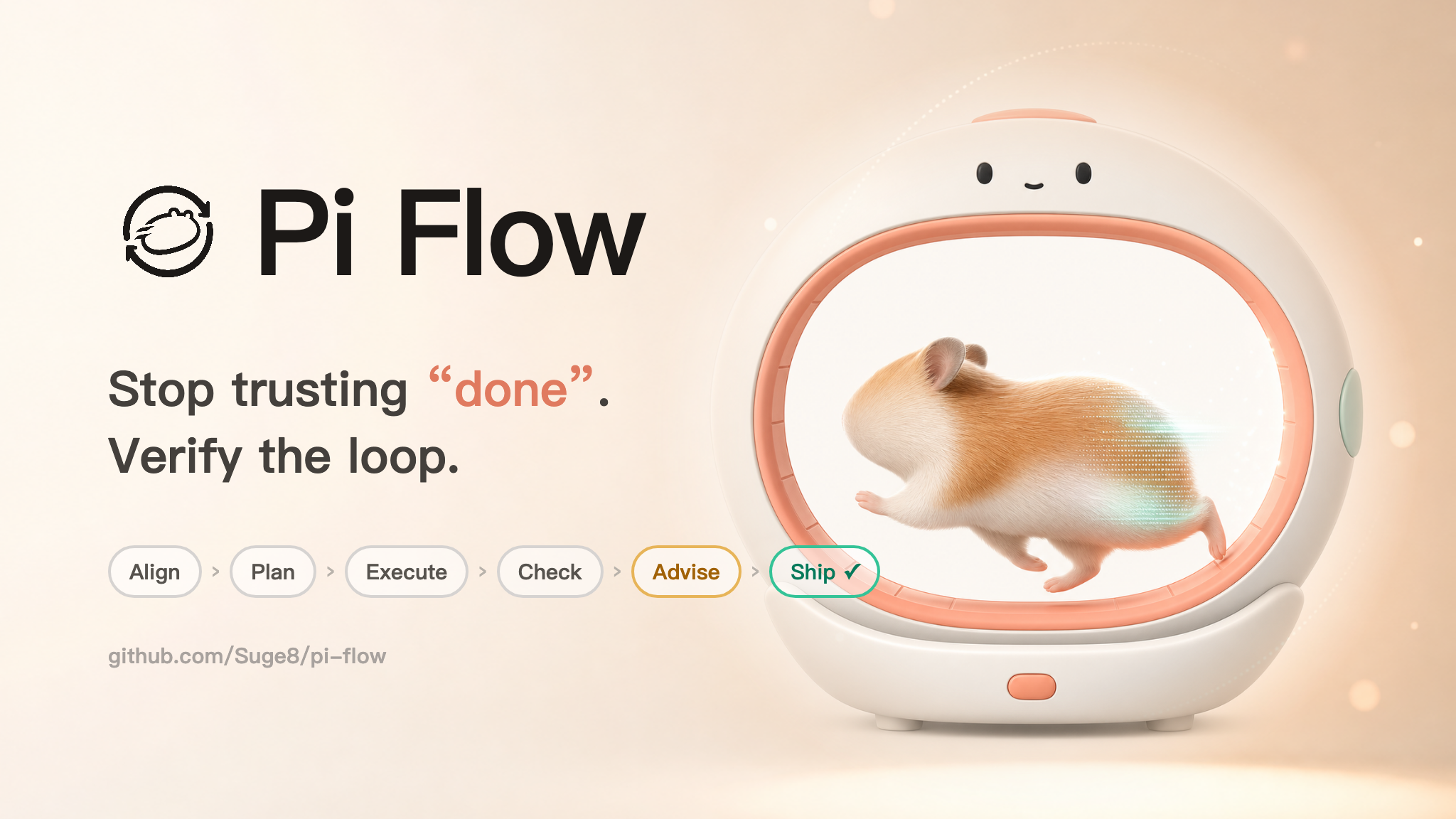
Pi Flow solves this: multi-round alignment → executable plan → live HTML report → multi-model adversarial checks → loop until quality ships.

10-second product film · Align → Plan → Execute → Check → Advise → Ship
## Comparison
| | Pi Flow | Codex | Claude |
|---|---|---|---|
| Approach | Prompt injection · zero tool, pure UI prompt recognition | ❌ Tool injection | ❌ Tool injection |
| Alignment | Clarify first, then plan | ❌ | ❌ |
| Model roles | Separate planning, execution, and review models | ❌ | ❌ |
| Acceptance | Multi-model cross-review, per-requirement verification | ❌ Player and referee | ❌ Small model |
| Evidence | Requirements + plan + code + output + multi-model opinions | ❌ Player and referee | ❌ Conversation only |
| Quality | Multi-agent read-only review, iterative optimization | ❌ | ❌ |
| Orchestration | `/flow` chains + per-goal acceptance | ❌ | ❌ |
| Reports | Live HTML report, step-level, traceable | ❌ | ❌ |
## Highlights
- **Zero tool injection** — Pure prompt recognition, no agent tools, respects Pi's runtime
- **Clarification-first** — Clarifies before planning, unlike other agents that go with assumptions
- **Role-based models** — Separate planning, execution, and review models, so each model does what it is best at
- **Multi-model acceptance** — Cross-review, per-requirement verification, fewer false "done"s
- **Multi-agent review** — Read-only review, iterative optimization, no shortcuts
- **Live subagent monitor** — Pi Flow opens it for parallel work, acceptance, quality checks, and advisor consultations. Press Esc to close it; press Alt+S to reopen it.
- **Live reports** — HTML step-level progress, runs locally, always traceable
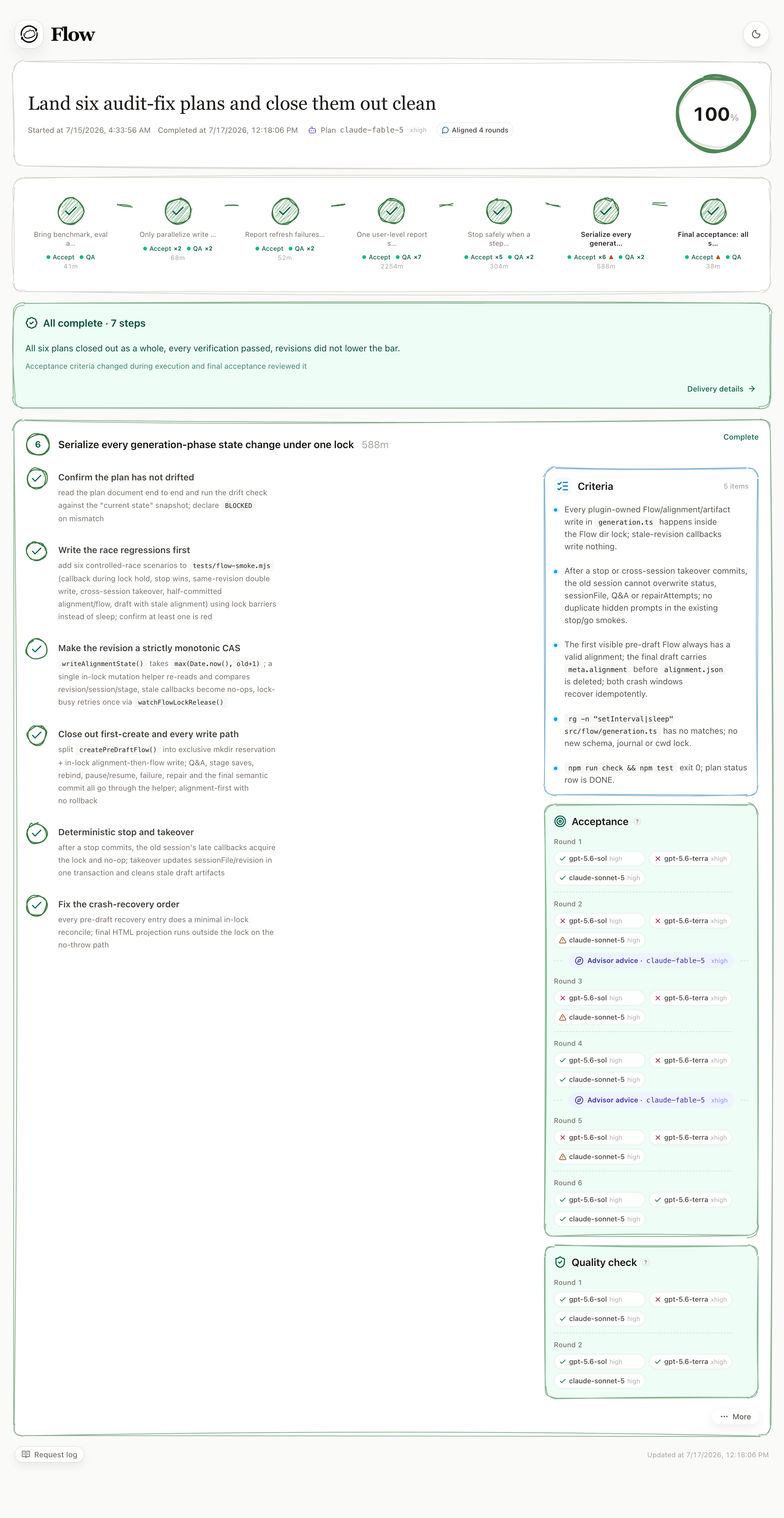
Demo report · 6 acceptance rounds · 3 review models · advisor interventions · 2 quality rounds
## Install
```bash
pi install npm:@surgee/pi-flow
```
If Pi is already running, restart it or run:
```text
/reload
```
Requires Node.js `>=22.19.0`. When Pi runs as a standalone executable, the web report requires Node.js `>=22.19.0` or a compatible Bun runtime on `PATH`.
## Configuration
Copy the template for local overrides:
```bash
cp config.template.json config.json
```
**Model roles**
`config.template.json` already includes `modelRoles`. Keep a role as `"current"` to use the model currently selected in Pi, or pin it to a specific `{ "model", "thinking" }`.
```json
{
"modelRoles": {
"advisor": { "model": "52mx/free/glm-5.2", "thinking": "xhigh" },
"executor": { "model": "openai-codex/gpt-5.5", "thinking": "xhigh" },
"reviewers": [
{ "model": "openai-codex/gpt-5.4", "thinking": "high" }
]
}
}
```
- `advisor` — alignment and plan generation, plus automatic or on-demand direction consults when a step fails checks
- `executor` — implementation entry
- `reviewers` — acceptance and quality checks
- `advisor` / `executor` may also be `"current"` (consult subprocesses fall back to the first reviewer)
Planning uses the tools currently active in Pi. Failure advisors run as background subprocesses and share `checks.tools` with acceptance and quality reviewers, including `bash` for safe verification; `write` and `edit` remain unavailable.
`thinking: "max"` requires Pi `>=0.80.6`.
**Recommended role models**
- **Advisor** — Claude Fable 5, Claude Ops 4.8, GLM 5.2
- **Execution** — Claude Fable 5, GPT-5.5
- **Review** — GPT-5.2, GPT-5.3 Codex, GPT-5.4, GLM 5.2, Kimi K2.7, DeepSeek V4, GPT-5.4 Mini
- [Cost-performance benchmark →](https://factory.ai/news/code-review-benchmark)
Common keys
| Key | Value | Description |
|---|---|---|
| `generation.align` | `"ask"` / `"coarse"` / `"standard"` / `"deep"` / `"no"` | `ask` = ask each time; depth values always align at that question budget (~10 / ~20-30 / no hard cap); `no` = generate directly |
| `modelRoles.advisor` | `"current"` / role model | Model for alignment, plan generation, and automatic advice after 2/4/6/8 consecutive failed check rounds. Failed checks appear first; advice follows in a separate card. Role model must use exact `provider/model` plus `thinking`; `"current"` falls back to the first reviewer for consult subprocesses |
| `modelRoles.executor` | `"current"` / role model | Model used once when execution starts. Pi keeps the selected model afterward |
| `modelRoles.reviewers` | model array | Models for acceptance and quality checks, each with `model` and `thinking` (`off`/`minimal`/`low`/`medium`/`high`/`xhigh`/`max`) |
| `advisor.enabled` | boolean | Master switch for automatic and `/advisor` consults; defaults to `true` |
| `prewalk.enabled` | boolean | Fork the first execution conversation from the planning conversation so the executor inherits the planner's code exploration; falls back to a fresh conversation when the planning context is too large or the workspace changed since planning. Isolated-harness A/B with live model calls (3 single-file synthetic tasks × 9 runs, behavioral assertions; bypasses the /flow extension path and acceptance/quality checks): dedicated read-tool calls 1 vs 54, median 1.4× faster first step, median execution cost 0.99× (parity, range 0.54–1.20×), quality 18/18 on par. A first real-Flow A/B (`npm run eval:prewalk:flow`, 3 serial pairs through the full extension chain incl. acceptance/quality) confirms forking works in production (goal conversation carries plan lineage, execution reads drop sharply) with all runs completing, but fork won only 1 of 3 pairs on cost — the sample is too small to claim a universal benefit. With no `prewalk` config the runtime fallback is `false`; the shipped `config.template.json` enables it by default |
| `background.command` | `"pi"` | Pi command used by background workers and check subprocesses |
| `background.extensions` | path array | Extra extensions loaded by background Pi processes |
| `checks.tools` | tool name array | Shared tools for acceptance, quality review, and failure advisors; `write`/`edit` are always denied |
| `checks.timeoutMinutes` | minutes | Timeout per check or advisor subprocess; default `20` |
| `checks.openaiFast` | boolean | Request paid priority processing for supported OpenAI Responses requests; other requests silently use standard processing. Default `false` |
| `acceptance.enabled` | `true` / `false` | Toggle acceptance |
| `quality.enabled` | `true` / `false` | Toggle quality checks |
| `quality.mode` | `"autoFix"` / `"manual"` | `autoFix` = auto-fix on failure; `manual` = report only |
| `report.bind` | `"localhost"` / IP | Listen address; default `127.0.0.1` |
| `report.port` | integer | Fixed user-level report port; default `49327` |
| `report.publicBaseUrl` | HTTP(S) origin / `null` | Public origin shown in report links; does not change the listen address |
Only documented keys are accepted. Unknown keys are reported instead of ignored.
### Remote reports with Tailscale
All Pi terminals for the same OS user share one report service. The terminal that starts it can exit; the service stops 15 minutes after its last Pi control or browser event connection closes. Open the service root (for example `http://127.0.0.1:49327/`) for an anonymous directory of live and recent registered reports, identified by full project path—no need to copy long capability URLs. The directory only lists reports the plugin has registered; it does not scan disk.
The recommended setup keeps `report.bind` at `127.0.0.1`, proxies the fixed port with [Tailscale Serve](https://tailscale.com/docs/features/tailscale-serve), and sets `report.publicBaseUrl` to the HTTPS origin printed by Serve:
```bash
tailscale serve --bg 49327
```
This keeps the backend local while remote access passes through Tailscale Serve, where tailnet access rules apply. See the [`tailscale serve` CLI reference](https://tailscale.com/docs/reference/tailscale-cli/serve) for flags and status commands. Pi Flow does not change Tailscale settings for you.
Advanced users can bind directly to this machine's Tailscale IP. Binding to `0.0.0.0` or `::` also exposes the service to other reachable LAN interfaces; it does **not** mean “Tailscale only.” Protect direct binds with tailnet ACLs and the host firewall. Report URLs contain an unguessable capability, but they are bearer links: do not publish or treat them as permanent public URLs. A remote bind also exposes full project paths on the anonymous directory page.
## 5 seconds to start
```text
/flow [request|path.md] # Plan → execute → accept → quality check
/flow go [F1] # advance or resume a Flow
/flow stop [F1] # stop a Flow; resume with go
/advisor # Consult after an unresolved failed check
/review [request] # Check now, or execute a request then auto-check
```
`/advisor` takes no arguments and uses the Flow step attached to the current conversation. It requires a currently unresolved failed acceptance or quality round. Advice is recorded in the report and queued for the executor; run `/flow go F` to continue and deliver it. It does not run during parallel batches. The advice is excluded from reviewer Context Evidence and cannot be used as review evidence.
Run `/review` while idle to check the work already in the conversation. Run `/review Fix the login timeout` to execute that request as a normal user message and automatically start quality checks when it finishes. While the AI is working, bare `/review` arms the same automatic check for the current turn. Press Esc or Ctrl+C before checking begins to cancel it.
Advanced usage
Inline request:
```text
/flow Fix login state after refresh
/flow Refactor the login flow in safe steps
```
Markdown request file:
```text
/flow task.md
/flow plan.md
```
Advance or stop an existing Flow:
```text
/flow go # current conversation's Flow, or the only active Flow
/flow go F1 # explicit Flow id
/flow stop F1 # stop and keep it resumable with go
```
Multiple Flows can be in progress in one project, including alignment, plan generation, and execution. Bare `go` targets the Flow owned by the current conversation or the only in-progress Flow; otherwise Pi asks for an explicit Flow id. During alignment or plan generation, replying in the current conversation continues the same Flow.
Independent Flows can also run in parallel from separate [git worktrees](https://git-scm.com/docs/git-worktree): each worktree keeps its own `.flow` state, so running Pi separately in each worktree needs no extra setup.
## Delivery loop
```text
Request → plan → execution → acceptance → quality check → close
↘ keep fixing if a check fails ↙
```
- `/flow` — one entrance for focused tasks and larger multi-step work; each step has plan / accept / report / handoff.
- Reports use one user-level service at `http://127.0.0.1:49327` by default.
- Acceptance: "Is the requirement truly done?"
- Quality check: "Is the implementation clean, reliable, and maintainable?"
## Co-create
Pi Flow is young and opinionated. If you care about more reliable agent delivery loops, ideas, issues, and focused PRs are welcome.
- Discuss — open an issue with the workflow you want to improve
- Contribute — read [CONTRIBUTING.md](.github/CONTRIBUTING.md) and keep changes small
## License
Apache-2.0. See [`LICENSE`](LICENSE).