Deploy From Gradle
SpongeGradle makes it easy for plugin developers to deploy new versions of their plugin directly to Ore without even needing to open a browser. Once you have created a project on Ore, you can begin to deploy new versions of your plugin from your build script.
Tip
For more info on how to get started with Gradle and Sponge, check out Setting Up Gradle.
Deployment Credentials
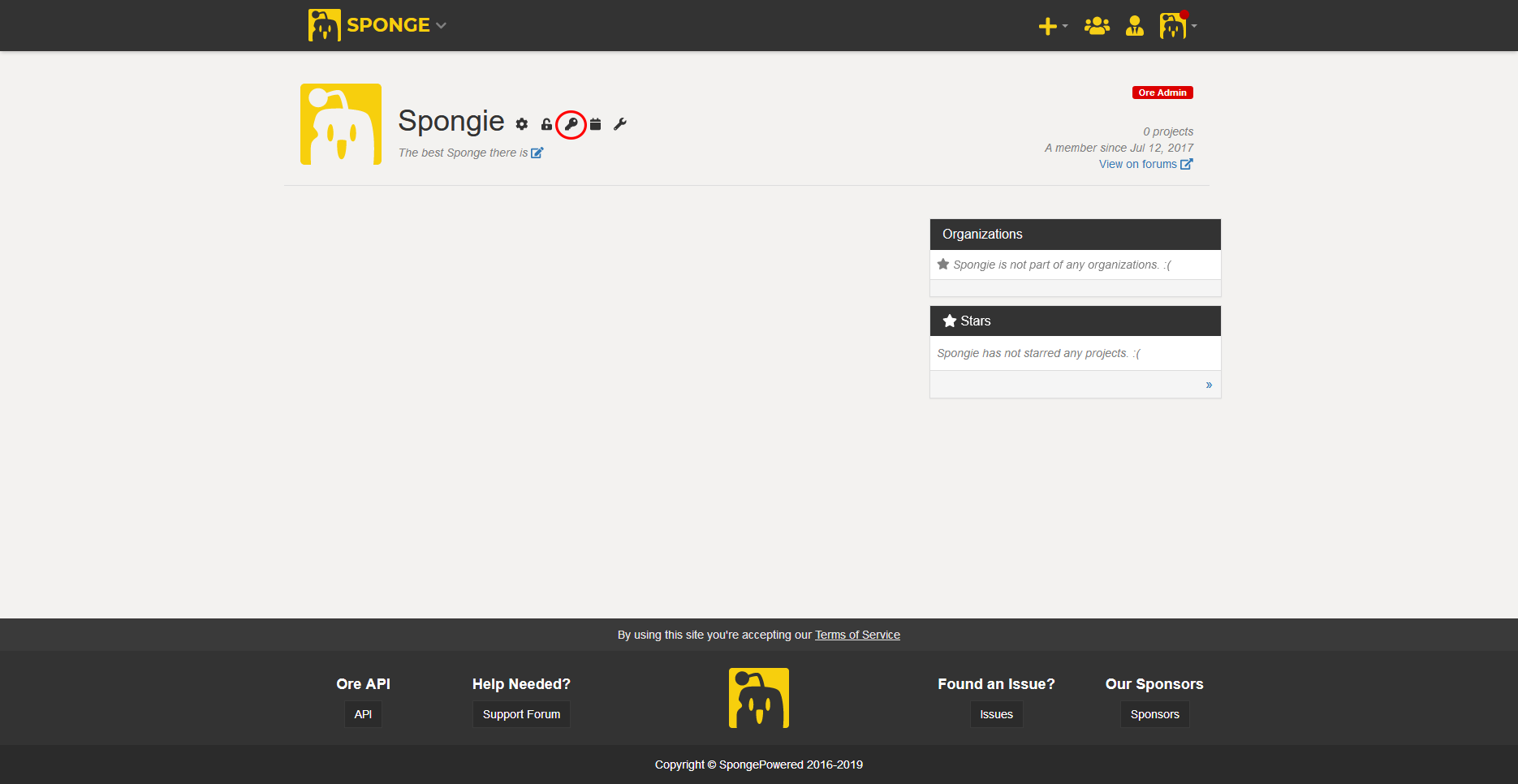
The first step in enabling direct deployment is generating an API key to let Gradle publish to your projects remotely. You can do this by navigating to your user profile, and clicking on they key icon.
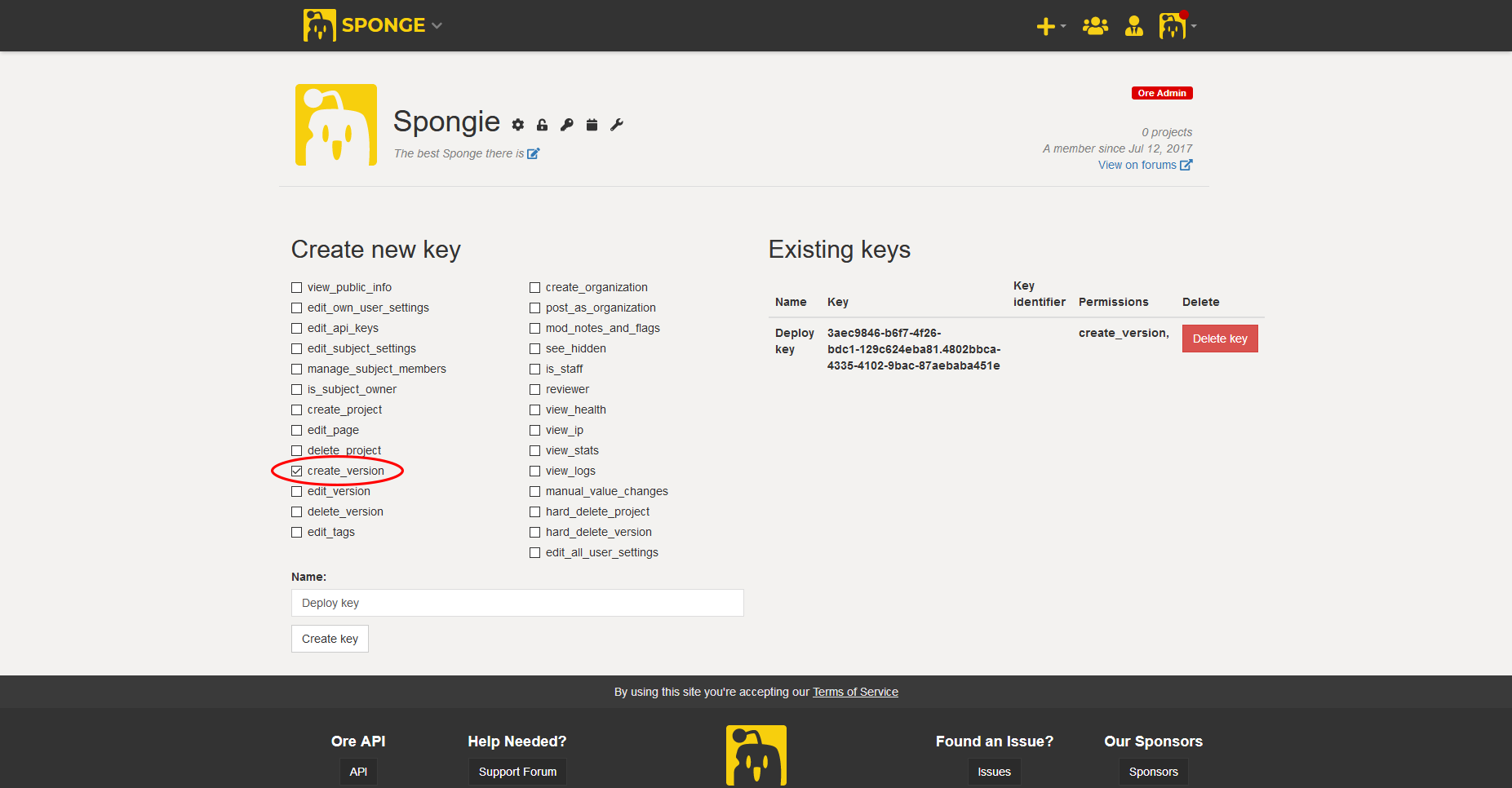
From there you should see a bunch of permissions. You only need the create_version permission. Give it a nice name, and click the create key button.
It should appear on the right. Note that this will be the only time you will be able to see the full key. If you don’t copy it now, you will have to
create a new one.
Warning
Anyone with access to your special deployment key will have the ability to attempt to publish new versions to your projects. Keep it secret, keep it safe!
This API key must be supplied as the value of the property oreDeploy.apiKey.
Following best practice, you should put this in your gradle.properties file inside your GRADLE_USER_HOME folder
(which is your HOME folder unless configured otherwise). Do NOT define them in your project’s
gradle.properties file or any other resource you upload (to git).
oreDeploy.apiKey=3aec9846-b6f7-4f26-bdc1-129c624eba81.4802bbca-4335-4102-9bac-87aebaba451e
As an alternative you can supply them via command line parameters like this
-PoreDeploy.apiKey=3aec9846-b6f7-4f26-bdc1-129c624eba81.4802bbca-4335-4102-9bac-87aebaba451e.
Deployment Configuration
That’s it for just publishing using the default settings. If you want to customize the build more, here’s all the different settings you can use.
oreDeploy {
  recommended = false // default true
  forumPost = false // defaults to project setting
  description = "Version 1.4.3\nRemoved bugs" // defaults to empty
  // Set tags with different names. Case sensitive.
  // You can only use valid tags that exists in Ore and can be changed by the user.
  tags {
    // Channel is also considered a tag here
    Channel = 'Release'
  }
}
Deploying Artifacts
If you’ve made it this far you’re now ready to start publishing directly to Ore! Simply run gradle oreDeploy.
Example output:
> gradle oreDeploy
:generateMetadata
:compileJava
Note: Reading extra plugin metadata from [...]/build/tmp/generateMetadata/mcmod.info
Note: Writing plugin metadata to [...]/generateMetadata/mcmod.info
:processResources UP-TO-DATE
:classes
:jar UP-TO-DATE
:oreDeploy
Publishing ore-test-plugin to https://ore.spongepowered.org
  Recommended: false
  tags: [Channel: "Release"]
  forumPost: true
  changelog = "Version 1.4.3\nRemoved bugs"
[success] https://ore.spongepowered.org/TestOrg/Ore-Test-Plugin/versions/1.0.1

BUILD SUCCESSFUL

Total time: 1.833 secs
Trouble-Shooting
If you encounter issues with uploading the file try adding
buildscript {
   dependencies {
       classpath 'org.apache.httpcomponents:httpmime:4.5.6'
   }
}
to your build.gradle or contact use on irc or discord.