## 📖 应用概述
**PicGo 致力于将图片上传无缝集成到你的创作工作流中。**
无论你是写博客、做笔记还是编写开发文档,PicGo 都能帮你一键上传图片并自动复制链接,让你专注于内容创作本身,而不是繁琐的上传步骤。
### 核心支持
PicGo 原生支持主流图床平台,并可通过插件系统无限扩展:
- **国内云厂商**:七牛云、腾讯云 COS、又拍云、阿里云 OSS
- **国际/开源平台**:GitHub、SM.MS(S.EE)、Imgur
- **更多支持**:通过插件支持 AWS S3、Cloudflare R2、MinIO 等第三方图床
> **注意**:PicGo 本体不再增加默认的第三方图床支持。你可以自行开发第三方图床插件。详见 [PicGo-Core](https://docs.picgo.app/core/)。
## ✨ 特色功能
PicGo 打造了全方位的上传体验,让“传图”这件事变得前所未有的简单:
### ⚡️ 无缝写作流
- **自动复制链接**:上传成功后,链接会自动复制到你的剪贴板。
- **格式随心定义**:支持 Markdown、HTML、URL、自定义等多种格式,粘贴即用,完美适配你的编辑器。
- **零上下文切换**:无需切换窗口。在你常用的编辑器里直接粘贴图片,让 PicGo 在后台完成上传。
- _通过原生支持或社区插件开启该工作流:_ [Obsidian](https://obsidian.md) \ [VS Code](https://code.visualstudio.com/) \ [Typora](https://typora.io/) \ [Neovim](https://neovim.io/) \ [MarkText](https://marktext.me/) \ [SiYuan](https://b3log.org/siyuan/en/) \ 等等……
### 🚀 极速上传体验
- **多维上传方式**:支持拖拽图片、剪贴板粘贴、快捷键上传,甚至在 macOS/Windows 上支持右键菜单直接上传。
- **全局快捷键**:默认 `Command+Shift+U` (macOS) / `Ctrl+Shift+U` (Windows/Linux) 即可唤起上传,无需离开当前窗口。 快捷键可自定义。
### 🧩 强大的插件生态
- **高度可扩展**:PicGo 拥有丰富的插件系统,已有插件支持 AWS S3、Cloudflare R2、MinIO 等第三方图床。
- **更多可能**:支持图片压缩、水印、重命名、Markdown 图片迁移等功能插件。
- 探索更多插件:[Awesome-PicGo](https://github.com/PicGo/Awesome-PicGo)
### 🤖 AI 友好
写文档的活儿越来越多地交给了 AI。但 AI 生成的截图、图表存在本地,``,发布前需要转成可访问链接。PicGo 让 AI 也能轻松传图:
- **[PicGo Skills](https://github.com/PicGo/skills)**:官方 Agent Skills 集合,教会 AI 什么时候该传图、怎么传。适用于任何支持 skills 格式的 AI 工具。
```bash
npx skills@latest add PicGo/skills
```
- **[DeepSeek Harness 插件](https://github.com/PicGo/dsh-plugin)**:在 [dsh](https://github.com/deepseek-ai/deepseek-harness) 里装上它,AI 就能自己把图传到你的图床。
```bash
dsh plugin --profile web add @picgo/dsh-plugin
```
两者都会复用你在 PicGo 里已经配好的图床和插件,不用重新配置一遍。详见[这篇介绍](https://picgo.app/blog/2026/picgo-deepseek-harness-plugin/)。
### 🛠 开发者友好
- **HTTP API**:支持通过 HTTP 请求调用 PicGo 上传 (v2.2.0+),方便与其他工具集成。
- **开源透明**:代码完全开源,安全可靠。
- **丰富的文档**:详尽的开发文档助你快速上手。插件开发请参考 [PicGo-Core 文档](https://docs.picgo.app/core/)。
> 更多功能等你自己去发现,开发进度可以查看 [Projects](https://github.com/Molunerfinn/PicGo/projects)。
**如果第一次使用,请参考应用 [使用文档](https://docs.picgo.app/gui/guide/getting-started)。遇到问题了还可以看看 [FAQ](https://github.com/Molunerfinn/PicGo/blob/dev/FAQ.md) 以及被关闭的 [issues](https://github.com/Molunerfinn/PicGo/issues?q=is%3Aissue+is%3Aclosed)。**
## 下载安装
| 下载源 | 地址/安装方式 | 平台 | 备注 |
| -------------------------------------------------------------------------------- | ----------------------------------------------------------- | ---------- | ----------------------------------------------------------------- |
| GitHub Release | https://github.com/Molunerfinn/PicGo/releases | All | 国内下载速度可能会慢 |
| [山东大学镜像站](https://mirrors.sdu.edu.cn/) | https://mirrors.sdu.edu.cn/github-release/Molunerfinn_PicGo | All | 感谢 [山东大学镜像站](https://mirrors.sdu.edu.cn/) 提供的镜像支持 |
| [Scoop](https://scoop.sh/) | `scoop bucket add extras` & `scoop install picgo` | Windows | 感谢 @huangnauh 和 @Gladtbam 的贡献 |
| [Chocolatey](https://chocolatey.org/) | `choco install picgo` | Windows | 感谢 @iYato 的贡献 |
| [Homebrew](https://brew.sh/) | `brew install picgo --cask` | macOS | 感谢 @womeimingzi11 的贡献 |
| [AUR](https://aur.archlinux.org/packages/yay) | `yay -S picgo-appimage` | Arch-Linux | 感谢 @houbaron 的贡献 |
| [Nix](https://search.nixos.org/packages?channel=unstable&query=picgo&show=picgo) | `nix-shell -p picgo` | Nix/NixOS | 感谢 @qrzbing 的贡献 |
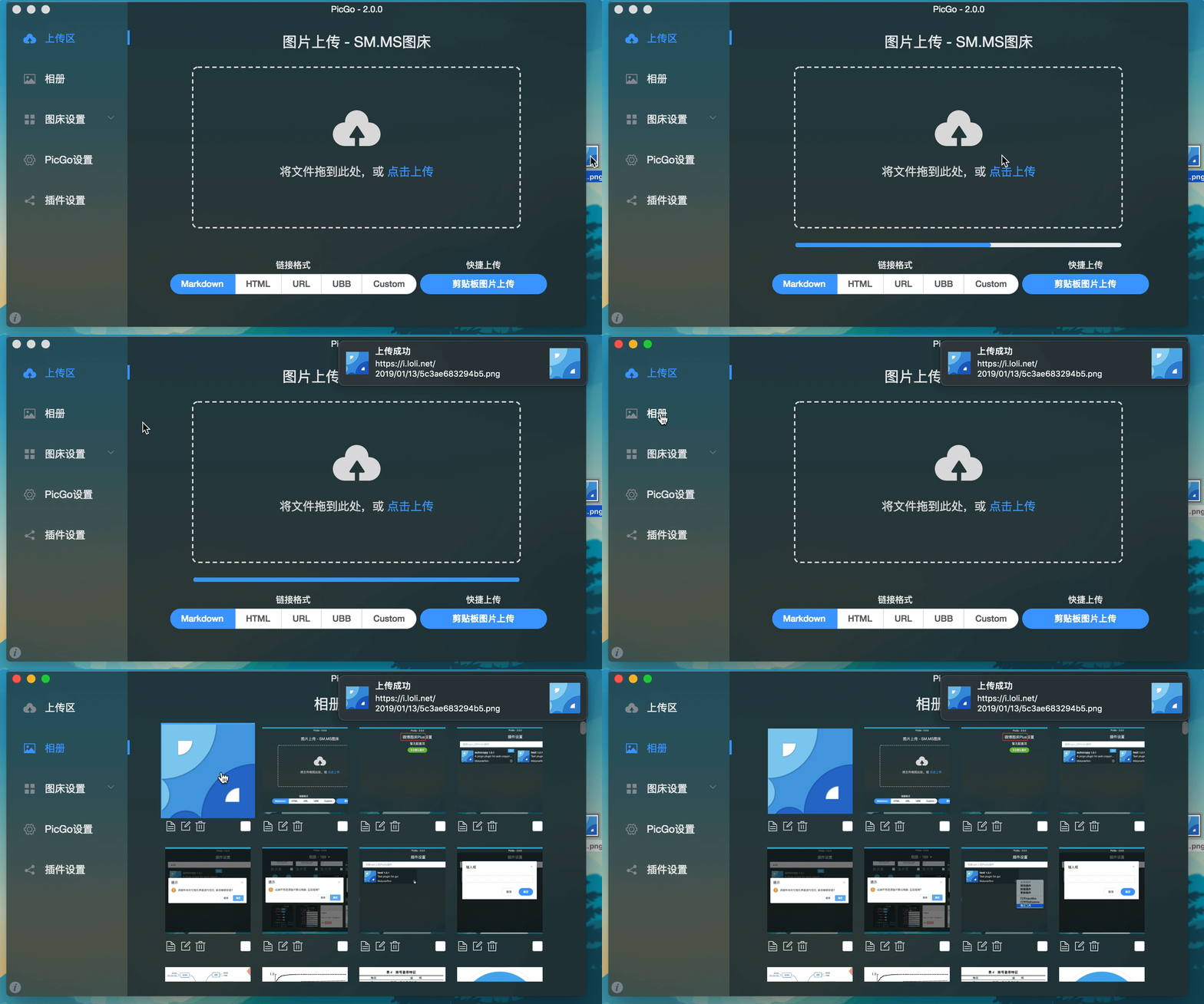
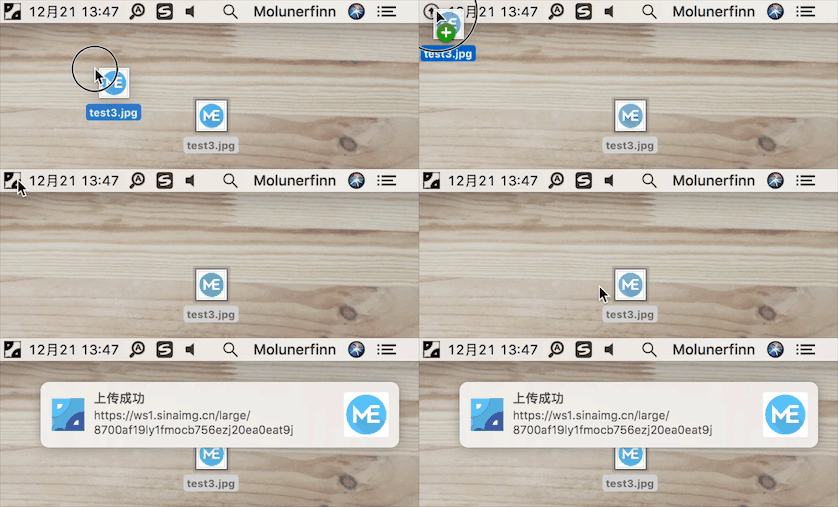
## 应用截图
## 开发说明
> 目前仅针对 Mac、Windows。Linux 平台并未测试。
如果你想要学习、开发、修改或自行构建 PicGo,可以依照下面的指示:
> 如果想学习 Electron-vue 的开发,可以查看我写的系列教程——[Electron-vue 开发实战](https://molunerfinn.com/tags/Electron-vue/)
1. 你需要有 Node、Git 环境,了解 npm 的相关知识。
2. `git clone https://github.com/Molunerfinn/PicGo.git` 并进入项目。
3. `pnpm` 下载依赖。注意如果你没有 `pnpm`,请去 [官网](https://pnpm.io/installation) 下载安装后再使用。 **用 `pnpm install` 将导致未知错误!**
4. Mac 需要有 Xcode 环境,Windows 需要有 VS 环境。
5. 如果需要贡献代码,可以参考[贡献指南](./CONTRIBUTING.md)。
### 开发模式
输入 `pnpm run dev` 进入开发模式,开发模式具有热重载特性。不过需要注意的是,开发模式不稳定,会有进程崩溃的情况。此时需要:
```bash
ctrl+c # 退出开发模式
pnpm run dev # 重新进入开发模式
```
**注:Windows 开发模式运行之后会在底部任务栏的右下角应用区出现 PicGo 的应用图标。**
### 生产模式
如果你需要自行构建,可以 `pnpm run build` 开始进行构建。构建成功后,会在 `dist` 目录里出现构建成功的相应安装文件。
**注意**:如果你的网络环境不太好,可能会出现 `electron-builder` 下载 `electron` 二进制文件失败的情况。这个时候需要在 build 之前指定一下 `electron` 的源为国内源:
```bash
export ELECTRON_MIRROR="https://npmmirror.com/mirrors/electron/"
# 在 Windows 上,则可以使用 set ELECTRON_MIRROR=https://npmmirror.com/mirrors/electron/ (无需引号)
pnpm run build
```
只需第一次构建的时候指定一下国内源即可。后续构建不需要特地指定。二进制文件下载在 `~/.electron/` 目录下。如果想要更新 `electron` 构建版本,可以删除 `~/.electron/` 目录,然后重新运行上一步,让 `electron-builder `去下载最新的 `electron` 二进制文件。
## 其他相关
- [vs-picgo](https://github.com/PicGo/vs-picgo):PicGo 的 VS Code 版。
- [flutter-picgo](https://github.com/PicGo/flutter-picgo):PicGo 的手机版 App(支持 Android 和 iOS )。
- [PicHoro](https://github.com/Kuingsmile/PicHoro):另一款支持 PicGo 配置的手机版 App(暂时只支持 Android)。
- [skills](https://github.com/PicGo/skills):PicGo 官方 Agent Skills,让 AI 学会用 PicGo 传图。
- [dsh-plugin](https://github.com/PicGo/dsh-plugin):PicGo 的 DeepSeek Harness 插件。
## 赞助
如果你喜欢 PicGo 并且它对你确实有帮助,欢迎给我打赏一杯咖啡哈~
支付宝:

微信:

GitHub Sponsors:
[](https://github.com/sponsors/Molunerfinn)
## License
[MIT](http://opensource.org/licenses/MIT)
Copyright (c) 2017 - Now Molunerfinn