# ModuWeb (Web Accessibility Tools)
[](LICENSE)
[](https://github.com/Daegu-Cyber-University/ModuWeb/releases)
[](https://github.com/Daegu-Cyber-University/ModuWeb/actions/workflows/ci.yml)
[](https://www.jsdelivr.com/package/gh/Daegu-Cyber-University/ModuWeb)
> A drop-in web accessibility widget for any website — add screen reading (TTS), voice commands (STT), magnification, color adjustment and more with a single script tag.
>
> 한국어 문서: **[README.md](README.md)**
**🔗 Live Demo: **
[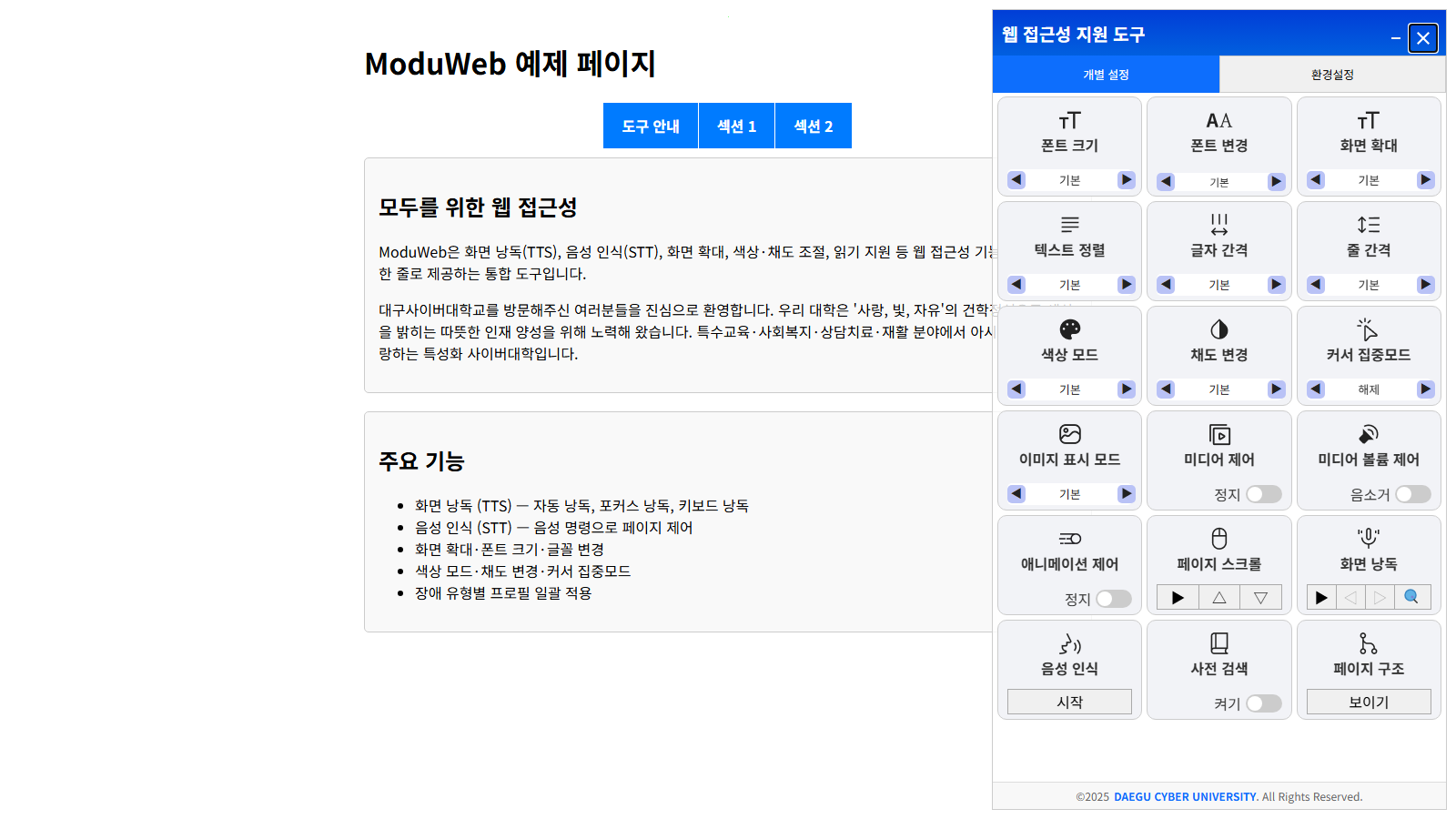](https://daegu-cyber-university.github.io/ModuWeb/)
## Why ModuWeb?
- **One-line install** — a single `
```
Pin a release tag (e.g. `@v2.1.0`) instead of `@main` for production. Configure declaratively with `data-wat-*` attributes:
```html
```
| Attribute | Description |
|---|---|
| `data-wat-auto` | Enable auto-initialization (required switch) |
| `data-wat-config` | Path to config.json (relative to the script) or inline JSON (starts with `{`) |
| `data-wat-language` | Default language (`ko`, `en-US`, `en-GB`, `ja`, `zh`, `de`) |
| `data-wat-container` | Container CSS selector |
| `data-wat-inject-css` | Set `"false"` to manage the stylesheet with your own `` |
### Option 2 — Single file (offline / air-gapped)
Copy **one file**, `dist/webAccTools.standalone.min.js`, to your server. CSS, icons and Korean locale data are bundled inside — no assets folder, no config file, no network access required.
```html
```
> For languages other than Korean, also deploy the `assets/locales/` folder (Korean is built in).
### Option 3 — Self-hosted folder
1. Download the zip from the [releases page](https://github.com/Daegu-Cyber-University/ModuWeb/releases)
2. Copy the `dist/` folder to your web server **as-is** (the JS resolves CSS/icons/locales under `assets/` by relative path)
3. Add one line to your HTML
```html
```
### Option 4 — Manual initialization
```html
```
## Features
| Category | Features |
|---|---|
| Visual | Font size / typeface, text alignment & spacing, full-page magnification |
| Color | High-contrast themes, color inversion, saturation control |
| Focus | Cursor highlighting, reading guide, media & animation control |
| Audio | TTS screen reading (auto / focus / keyboard modes), STT voice commands |
| Extras | Dictionary lookup, simplified reading mode, page structure viewer |
| Keyboard | Full keyboard navigation, focus indicators, shortcuts |
| Profiles | One-click presets per disability type, settings persistence, export/import |
## Documentation
Full documentation (configuration options, API reference, developer guide) currently lives in the Korean [README.md](README.md) and [ARCHITECTURE.md](ARCHITECTURE.md). The library UI itself supports 6 languages. Contributions translating the docs are very welcome — see [CONTRIBUTING.md](CONTRIBUTING.md).
## License
[Apache-2.0](LICENSE) © [Daegu Cyber University](https://www.dcu.ac.kr)