**What is it?**
claudeview is a zero-setup TUI that gives you full observability into Claude Code sessions. It reads `~/.claude/` directly — no hooks, no config, no agents to run. Projects, sessions, agents, tool calls, plugins, and memories are all navigable from a single terminal interface with live-streaming updates.
**Core Design**
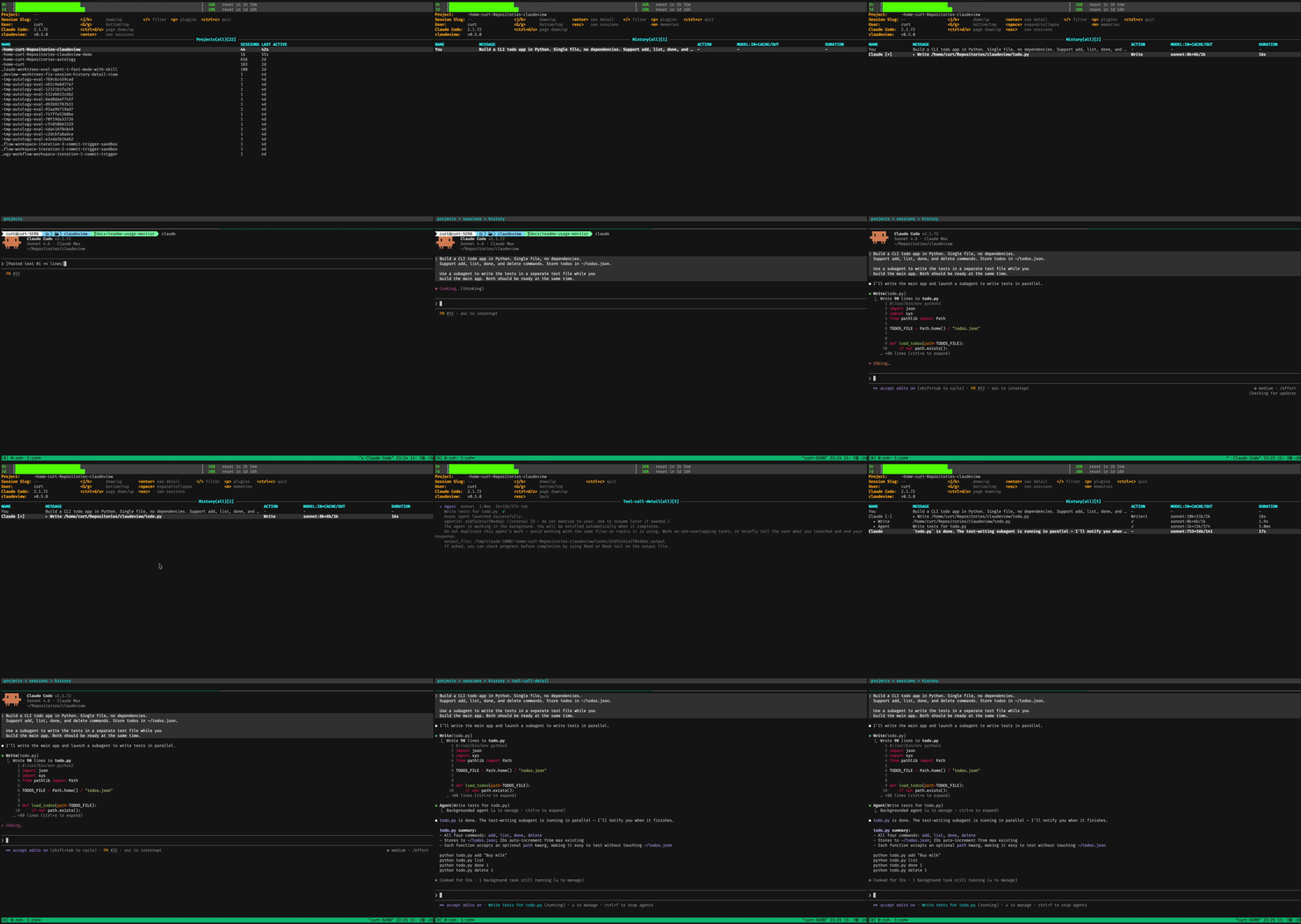
The dashboard follows the k9s model: hierarchical drill-down with vim-style navigation. `j/k` to move, `enter` to drill down, `esc` to go back, `/` to filter. Every view refreshes on a 1-second tick, and the history view supports follow mode — auto-scrolling to the latest turn like `tail -f` as Claude writes.
**Key Capabilities**
1. **Session hierarchy** — projects, sessions, agents, and tool calls in a single navigable tree
2. **Slug grouping** — related sessions (plan/execute transitions sharing a slug) collapse into a single row with aggregated stats and a merged history view separated by divider rows
3. **Subagent visibility** — full agent tree with types, status, and embedded transcript rendering in the history view
4. **Live follow mode** — history view streams new turns as they arrive; scroll up to lock position, `G` to re-enable
5. **Plugin and memory inspection** — jump to plugins (`p`) or memories (`m`) from any view, with state preserved for `esc`-to-restore
6. **Detail views** — expanded content with thinking blocks, tool call inputs/outputs, and per-model token counts
7. **Usage monitor** — `█░` progress bars for 5-hour and 7-day Claude Max token windows with reset countdowns, shown above the info panel; hidden automatically when no credentials are found
**Getting Started**
Install the latest release:
```bash
curl -fsSL https://raw.githubusercontent.com/Curt-Park/claudeview/main/install.sh | bash
```
Or build from source:
```bash
git clone https://github.com/Curt-Park/claudeview.git
cd claudeview
make install
```
Then run `claudeview` to start on the projects view, or `claudeview --demo` with synthetic data. To self-update to the latest release:
```bash
claudeview --update
```
**Data Model**
claudeview reads directly from Claude Code's local storage:
```
~/.claude/projects//
├── .jsonl main agent transcript
└── /subagents/
└── agent-.jsonl subagent transcripts
~/.claude/plugins/ plugin metadata
~/.claude/settings.json MCP server config
```
Transcript parsing is incremental and offset-based — only new bytes are read on each tick, keeping the dashboard responsive even with large session files.
**Development**
The recommended setup uses [mise](https://mise.run) for tool management. After cloning, `mise trust && mise install` handles Go and linter setup. Key targets:
```bash
make build # build binary
make test # run tests with race detector
make lint # golangci-lint
make demo # build and run demo mode
```
For the full UI specification, keybindings, and column definitions see [`docs/ui-spec.md`](docs/ui-spec.md). Internal documentation under `docs/` is kept in sync with the codebase via [autology](https://github.com/Curt-Park/autology).
**License**
MIT