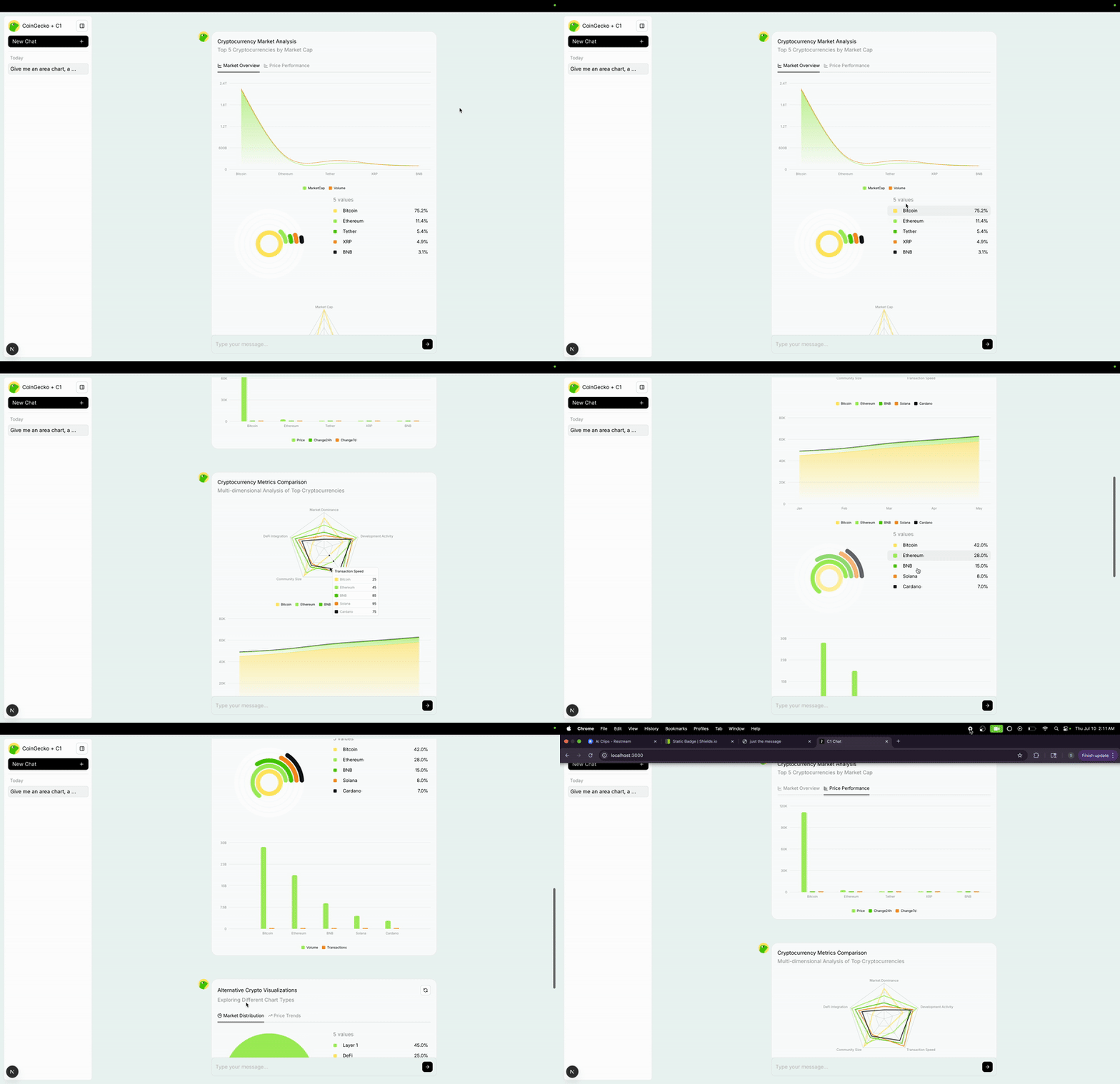
# CoinGecko MCP with C1 Chat

<img src="https://shawnimages.netlify.app/images/CoinGecko.gif"><img/>

This is a [C1 by Thesys](https://thesys.dev) project that demonstrates MCP (Model Context Protocol) server integration with streaming chat capabilities.

## Features

- **C1 Chat Integration**: Powered by Thesys C1 for intelligent conversations
- **MCP Server Support**: Connects to MCP servers to extend AI capabilities with tools
- **Tool Integration**: Automatically lists and calls tools from connected MCP servers
- **Streaming Responses**: Real-time streaming of AI responses
- **Thinking States**: Visual indicators showing what the AI is doing
- **File System Operations**: Built-in filesystem access via MCP (no authentication required)

## Getting Started

### Prerequisites

You'll need:
- **Thesys API**: Get your key from [Thesys Console](https://chat.thesys.dev/console/keys)
- **Node.js/pnpm**: For running the development server

### Environment Variables

Set up your environment variables:

```bash
export THESYS_API_KEY=<your-thesys-api-key>
```

### Installation

Install dependencies using pnpm:

```bash
pnpm install
```

### Development

Run the development server:

```bash
pnpm dev
```

Open [http://localhost:3000](http://localhost:3000) with your browser to see the result.

## What You Can Do - Examples

Once the app is running, you can ask the AI to help with various file system tasks. Here are some examples:

### 📁 **Project Exploration**
```
"What files are in this project?"
"Show me the project structure"
"List all TypeScript files in the src directory"
"What's in the components folder?"
"Find all configuration files in this project"
```

### 📄 **File Analysis**
```
"Read and explain the package.json file"
"What dependencies does this project use?"
"Show me the TypeScript configuration"
"What's in the README file?"
"Analyze the main route file"
```

### 🔍 **Code Review & Understanding**
```
"Explain what the MCP client does"
"How does the chat route work?"
"What components are in the app directory?"
"Show me the API structure"
"What styling files are used?"
```

### 🏗️ **Development Assistance**
```
"Help me understand this Next.js project structure"
"What environment variables does this app need?"
"Explain the MCP integration implementation"
"Show me how thinking states are implemented"
"What's the difference between route.ts and mcp.ts?"
```

### 📊 **Project Analysis**
```
"How many lines of code are in the main files?"
"What external packages does this project depend on?"
"Show me all the import statements in the chat route"
"What API endpoints are available?"
"Analyze the project's architecture"
```

### 🐛 **Debugging Help**
```
"Check if there are any TODO comments in the code"
"Show me error handling patterns used"
"What logging is implemented?"
"Find all console.log statements"
"Check for any hardcoded values"
```

### 🎨 **UI & Styling**
```
"What CSS/styling approach is used?"
"Show me the Tailwind configuration"
"What UI components are imported?"
"How is the layout structured?"
"What fonts and themes are configured?"
```

## MCP Integration

This project demonstrates how to integrate MCP servers with C1 chat:

1. **MCP Client**: The `MCPClient` class (`src/app/api/chat/mcp.ts`) handles:
   - Connecting to MCP servers
   - Listing available tools via `mcp.listTools()`
   - Running tool calls via `runTools()`

2. **Chat Route**: The API route (`src/app/api/chat/route.ts`) integrates MCP tools:
   - Connects to MCP server on startup
   - Passes MCP tools to the OpenAI completion request
   - Handles tool calls seamlessly with thinking states

3. **Tool Execution**: When the AI needs to use tools, the system:
   - Receives tool calls from the AI model
   - Executes them via the MCP server
   - Returns results back to the conversation
   - Shows thinking states during execution

## Supported MCP Servers

Currently configured for:
- **Filesystem Server**: File system operations (read, write, list files) - no authentication required
- **Fallback Server**: Alternative MCP server if filesystem fails

### Available Tools

The filesystem MCP server provides these tools:
- `read_file` - Read contents of a specific file
- `list_directory` - List files and directories
- `get_file_info` - Get metadata about files
- `search_files` - Search for files by name or content

## Thinking States

The system includes visual thinking states that show users:
- 💭 "Processing your request..." - Initial analysis
- 💭 "Using tool: read_file" - When accessing files
- 💭 "Processing results..." - Analyzing tool results

## Tips for Best Results

1. **Be Specific**: Instead of "show me files", try "list all TypeScript files in the src/app directory"
2. **Ask for Analysis**: Request explanations like "explain what this configuration does"
3. **Combine Requests**: "Read package.json and explain the main dependencies"
4. **Request Comparisons**: "Compare the structure of route.ts and mcp.ts"
5. **Ask for Help**: "Help me understand how the MCP integration works"

## Learn More

- [C1 Documentation](https://docs.thesys.dev) - Learn about Thesys C1
- [Thinking States Guide](https://docs.thesys.dev/guides/thinking-states) - Visual progress indicators
- [MCP Specification](https://spec.modelcontextprotocol.io/) - Model Context Protocol details
- [MCP SDK](https://github.com/modelcontextprotocol/typescript-sdk) - TypeScript SDK for MCP


## More Projects

<table bordercolor="#66b2b2">
  
  <tr>
    <td width="33.3%" valign="top">
<a target="_blank" href="https://github.com/CharlesCreativeContent/runware-pokemon-generator">Runware Pokemon Generator</a>
      <br />
        <a target="_blank" href="https://github.com/CharlesCreativeContent/runware-pokemon-generator">
          <img src="https://github.com/CharlesCreativeContent/runware-pokemon-generator/raw/main/public/runware.gif?raw=true" width="100%" alt="CoinGecko-Thesys-MCP"/>
        </a>
    </td>
    <td width="33.3%"  style="align:center;" valign="top">
<a target="_blank" href="https://github.com/CharlesCreativeContent/elastic-path-demo">Elastic Path API</a>
        <br />
      <a target="_blank" href="https://github.com/CharlesCreativeContent/elastic-path-demo">
            <img src="https://github.com/CharlesCreativeContent/myimages/raw/main/images/elastic-path-demo.gif?raw=true" width="100%"  alt="Elastic Path API"/>
        </a>
    </td>
    <td width="33.3%" valign="top">
<a target="_blank" href="https://github.com/CharlesCreativeContent/Demo-Day">Travel Web-Application</a>
        <br />
        <a target="_blank" href="https://github.com/CharlesCreativeContent/Demo-Day">
          <img src="https://github.com/CharlesCreativeContent/CharlesCreativeContent/raw/main/images/gif1.gif?raw=true" width="100%" alt="Portfolio"/>
        </a>
    </td>
  </tr>
</table>